How Do You Make Your Internet Better

Okay, let’s be real for a second. You’re here because your Wi-Fi is acting like a grumpy cat—fine one minute, hissing and refusing to connect the next. We’ve all been there, staring at the spinning wheel of death while our video call freezes on our most unflattering angle. But fear not, my friend, because we’re about to turn your internet from a drippy faucet into a firehose of pure, unadulterated streaming power.
First, the most obvious suspect: your router. That little box is probably sitting in a corner, buried behind a stack of old magazines and a dusty plant. Move that thing out into the open! It’s not a shy creature; it wants to broadcast its signal far and wide. Think of it like a lighthouse—it can’t do its job if it’s trapped in a basement broom closet.
The "Reboot" Ritual (It’s Not Just for Tech Support)
I know, I know. “Have you tried turning it off and on again?” is the most annoying sentence in the universe. But honestly? It works. Your router gets tired, confused, and holds onto digital baggage like a hoarder. Give it a fresh start by unplugging it for a full 30 seconds (count slowly, it’s a spa day for your tech).
While it’s rebooting, take a deep breath. Maybe do a little stretch. This is the part where we pretend we have control over our digital lives. When you plug it back in, it’ll wake up with a renewed sense of purpose and a much better attitude.
Location, Location, Location (No, Really)
If your router is still in the dungeon, it’s time for a rescue mission. The best spot is central, high up, and away from thick walls. Kitchens are often terrible spots because microwaves and routers hate each other—they’re like rival gangs fighting over the same 2.4GHz turf. And please, for the love of all that is holy, don’t put it next to your fish tank. Water absorbs Wi-Fi like a sponge.

Imagine your Wi-Fi signal is a magical cloud of invisible pixie dust. You want it to rain down on your whole house, not just the hallway. If you live in a bigger place, consider a mesh network—it’s like having a bunch of mini-routers all holding hands and singing campfire songs to keep you connected.
The Password Problem (Stop Being Nice)
Here’s a tough-love moment: are you sharing your Wi-Fi with the entire neighborhood? If your password is “password123” or “12345678,” you might as well be throwing a free pizza party for every hacker and bandwidth moocher in a five-mile radius. Change that password to something long and weird. Think of a phrase like “PurpleOctopusDancesAtMidnight!” – impossible to guess, fun to say.
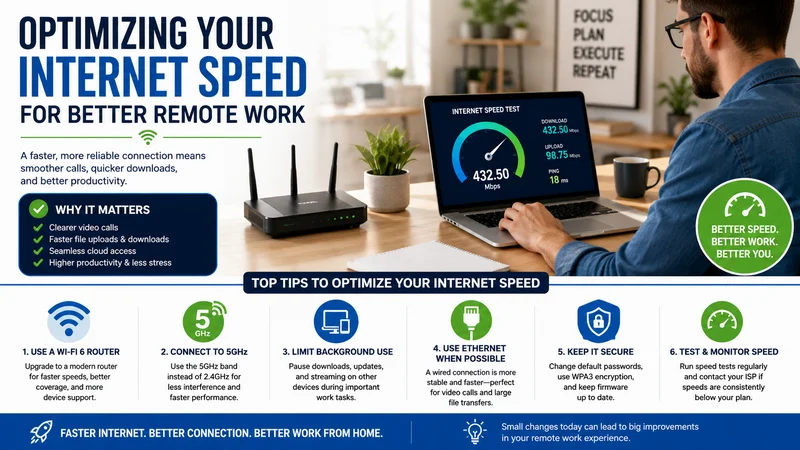
Also, check if you’re using an old security protocol. Go into your router settings and make sure you’re using WPA2 or WPA3 encryption. If you’re running WEP, that’s like locking your front door with a piece of wet spaghetti. It’s not security; it’s a suggestion.
Upgrade Your Gear (The Fun Part)
If your router is older than your pet hamster, it might be time for a breakup. Technology evolves, and your dad’s old 802.11n router is just not equipped for 4K movies and gaming. Look for a router that supports Wi-Fi 6—it’s the new hotness. It handles multiple devices like a pro, so your phone, laptop, and smart fridge can all play nice together.
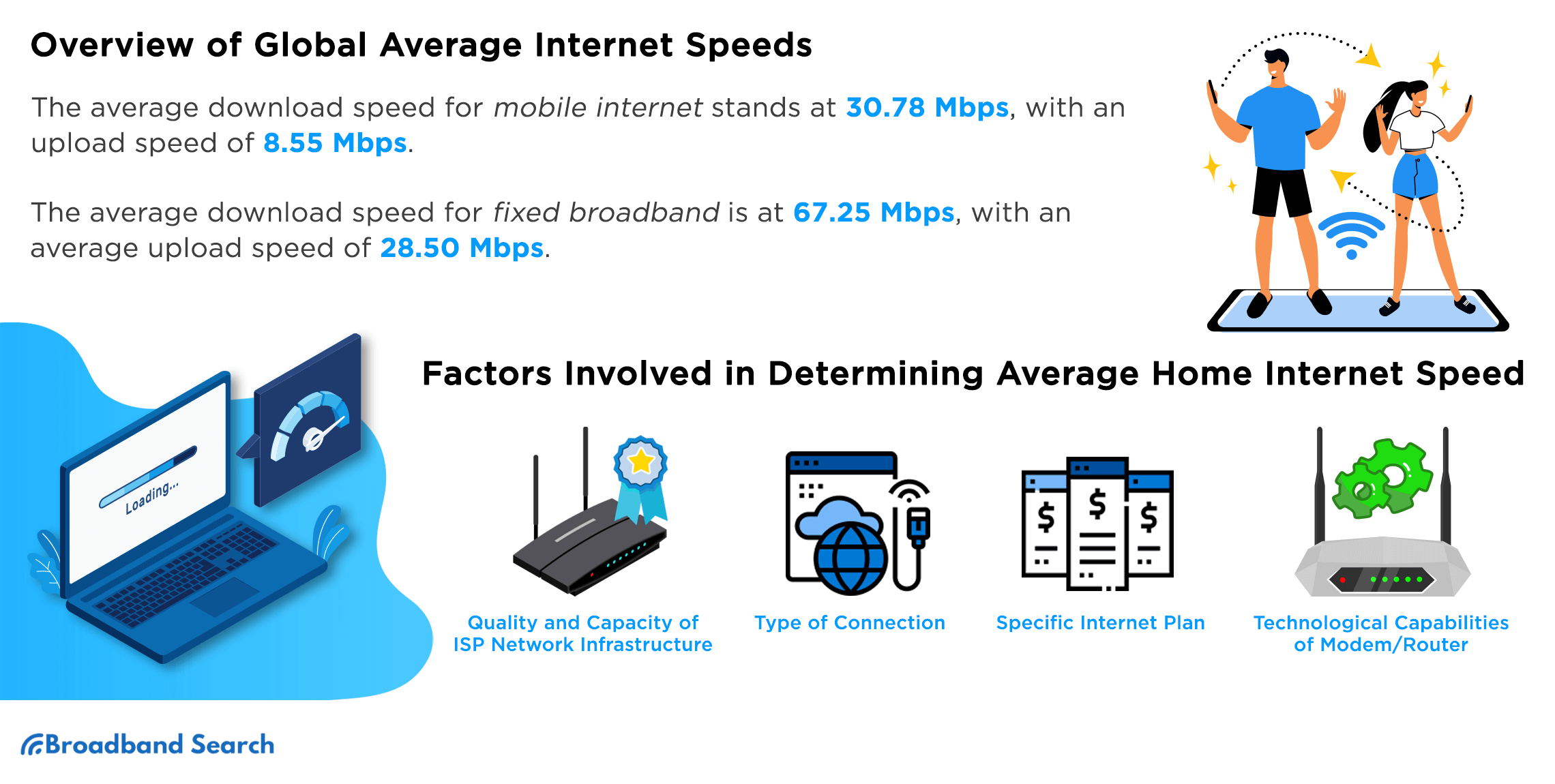
Don’t want to spend big bucks? That’s cool. Just make sure your modem is decent too. Sometimes your internet provider gives you a free modem that’s basically a 1998 toaster with blinkenlights. You might be paying for gigabit speeds but getting a gurgling trickle. Check with your provider to see if you’re actually getting what you pay for.

The "Other Devices" Secret
Here’s a sneaky tip: your smart TV is probably hogging bandwidth even when it’s “off.” It’s downloading huge updates at 3 AM for the thrill of it. Go into your device settings and turn off background data or auto-updates. Give your network a digital diet. Also, if your phone is running on the same network, try connecting to the 5GHz band instead of the slower 2.4GHz one—it’s faster and less crowded, like taking the express lane at the grocery store.
Another sneaky trick? Prioritize your devices. Does your work video call keep dropping while your kid watches YouTube? Most modern routers have a “Quality of Service” (QoS) setting. You can tell the router, “Hey, respect the laptop first, and the PlayStation can wait.” It’s like being the air traffic controller of your own internet sky. You’ll feel powerful. Really powerful.
When All Else Fails, Call the Pros (and Blame the Squirrels)
If you’ve done all this and still see the buffering wheel, it might be an outside issue. Check if the cable lines are old or if a squirrel is chewing on the wire. I’m not joking. Squirrels are notorious internet saboteurs. Call your ISP, and when they ask if you’ve restarted the router, just say yes and gently mention a “possible squirrel intrusion.” It buys you instant credibility.
And finally, remember: your internet is a tool, not a life source. When it stutters, take a break. Look out the window. Blink. Pet your dog. The Wi-Fi will resolve itself eventually, but your sanity is up to you.
So go forth, my digitally empowered friend. Relocate that router, lock down your fortress, and embrace the speed. May your downloads be instant, your Zoom calls flawless, and your Netflix stream so crisp it makes your eyes water. Now, go enjoy the glorious, unlaggy world you’ve just created. You earned it. You magnificent internet wizard, you.