How To Track A Phone On Your Account

Let’s be honest: you’re not here because you’re a spy. You’re here because you left your phone in a Lyft, or your kid “forgot” it at a friend’s house, or—my personal favorite—you’re just nosy about your own spouse. But hey, we don’t judge.
The “Account” Illusion
First, let’s clear the air. There is no magic button labeled “Track All The Phones” on your carrier’s website. That would be too easy, and too creepy.
What you actually have is a digital leash that you’ve been paying for all along. Your phone company already knows where you are, but they’re not going to just hand you a map unless you ask nicely.
Must Read
Step 1: The Carrier’s Secret Menu
Most big carriers—Verizon, T-Mobile, AT&T—have “family locator” tools built right into your bill. It’s not a scam; it’s a feature that’s been hiding in plain sight.
Log in to your account and look for “Find My” or “Location Services.” If you don’t see it, you’re not looking hard enough. Or you’re on a business account, and then you’re out of luck, sorry.
You’ll need to agree to a bunch of pop-ups that basically say, “Yes, I’m the adult here.” Click “Allow,” and suddenly you see a dot on a map. That dot is your phone—or your kid’s phone—sitting at a Taco Bell.
Unpopular opinion: If you’re tracking a phone, you’re already the “bad guy” in someone’s story. But so what? Sharing is caring, right?
Step 2: The OS’s Freebie
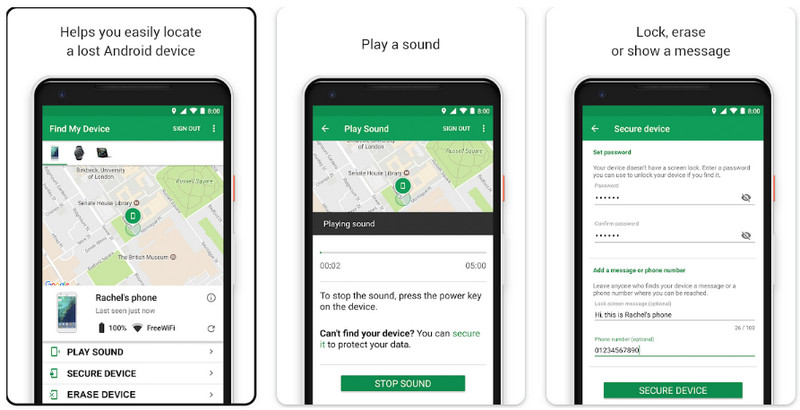
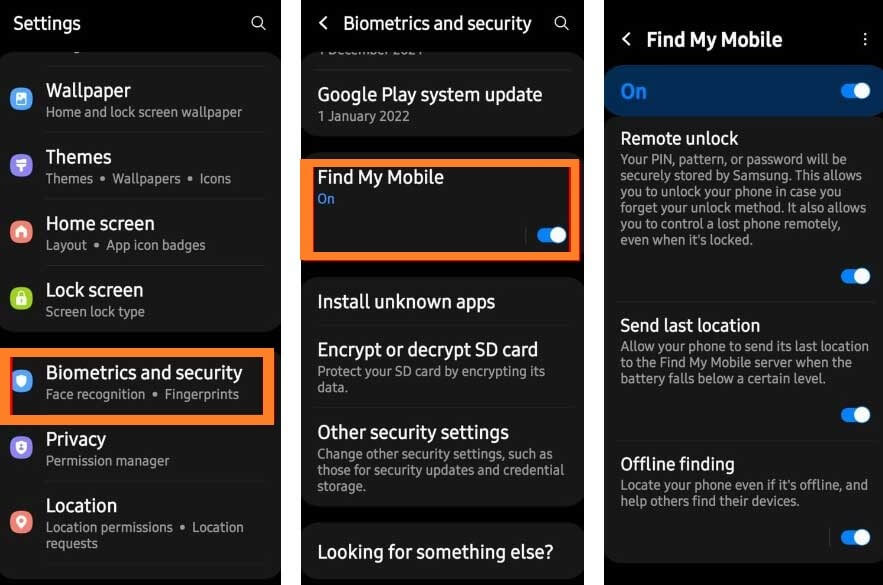
Forget the carrier for a second. Your phone has its own tracker, and it’s free. Google’s Find My Device on Android or Apple’s Find My on iPhone will do the job.
Now, here’s the twist: you need to have logged into that same account on the phone you want to track. If you set up your kid’s iPad with your Apple ID, congratulations—you’re now a helicopter parent with a live map.
Just open a browser, go to the site, and sign in. Boom. You’ll see a green dot or a gray circle. If it’s gray, the phone is dead, or the owner has turned off location—both are personal attacks, obviously.
Step 3: The “I Lost It” Lie
Here’s a pro tip: you don’t need a carrier or a phone OS. You just need a friend and a white lie. Text the person: “Hey, I lost my phone, can you call me?”

When they call, you’ll hear the ringtone, and you’ll follow the sound like a raccoon to a trash can. It works 100% of the time, unless the ringer is off. Then you’re just standing in a parking lot looking crazy.
This isn’t “tracking,” it’s “auditory triangulation.” Sounds more legit, doesn’t it?
Step 4: The Carrier’s Customer Service Trap
If you’re truly desperate, call your carrier’s customer service. But beware: they’ll ask you for your secret PIN, your first pet’s name, and your soul. They’ll then try to sell you a “premium tracking package” that costs $10 a month.

Don’t buy it. That’s a scam within a scam. Just hang up and use the free stuff above.
And please, for the love of all that is holy, don’t ask them to track your spouse. They will not do it. They will put you on a “do not call” list and have a laugh at your expense.
The Uncomfortable Truth
Now, the real answer to “How to track a phone on your account” is this: you can’t, unless you’re the account owner. If you’re on a shared family plan, guess what? The account owner—that’s usually your mom—can see you right now, sitting on the toilet with your phone.
So maybe the real problem isn’t finding your phone. It’s realizing that your mom knows you were at a bar last night, not the library.
And that, my friends, is the true “unpopular opinion” of this article: Tracking is easy. Getting away with anything is not.
Final, Unhelpful Advice
If you’re just trying to find your own lost phone, remember to call it first. I know that sounds stupid, but you’d be surprised how many people jump straight to GPS and never try a simple phone call.
Also, turn off the “smart lock” feature that disables your password when you’re at home. That’s how people “find” your phone and then “find” your Venmo.
So go ahead, log in, track your phone, and pretend you’re James Bond. Just remember: the phone you’re tracking is almost certainly tracking you right back.