How Can You Unsubscribe From Emails
Let’s be honest—your inbox is a tiny digital landfill. Between the “FINAL WARNING” from a store you visited once and the “Your cart misses you!” from a site you abandoned in 2019, it’s a miracle you find any real messages. But here’s the fun secret: you hold the power to clean it all up, and it’s surprisingly satisfying.
The Joy of the Hunt
Unsubscribing is like a treasure hunt, but the treasure is silence. You’re not just deleting emails; you’re declaring tiny, glorious wars on noise. Every click of “unsubscribe” feels like a mini-high-five to your future self.
Plus, it’s oddly entertaining to see what companies do to keep you. Some beg, some offer 20% off, and a few even try guilt—“We’ll miss you!”—as if we’re breaking up with a clingy ex. It’s a free comedy show, right inside your spam folder.
Must Read
Step One: The Scroll of Shame
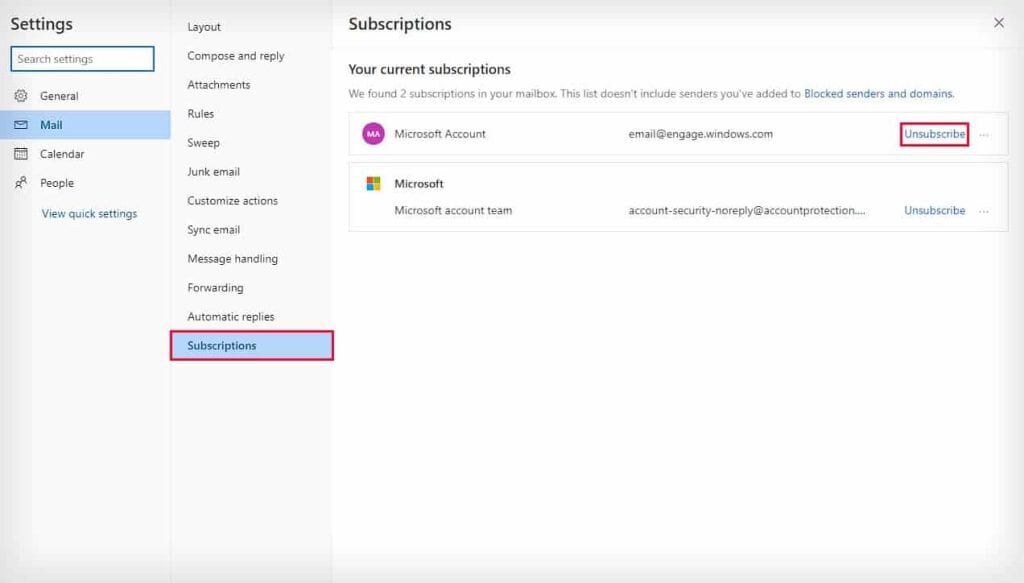
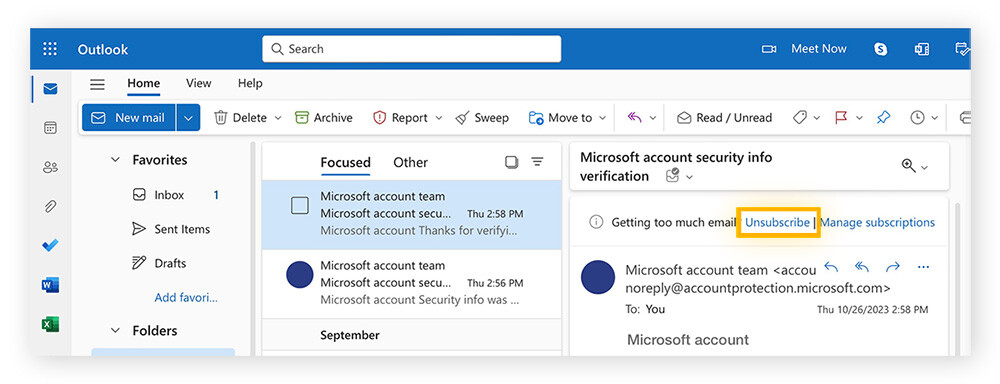
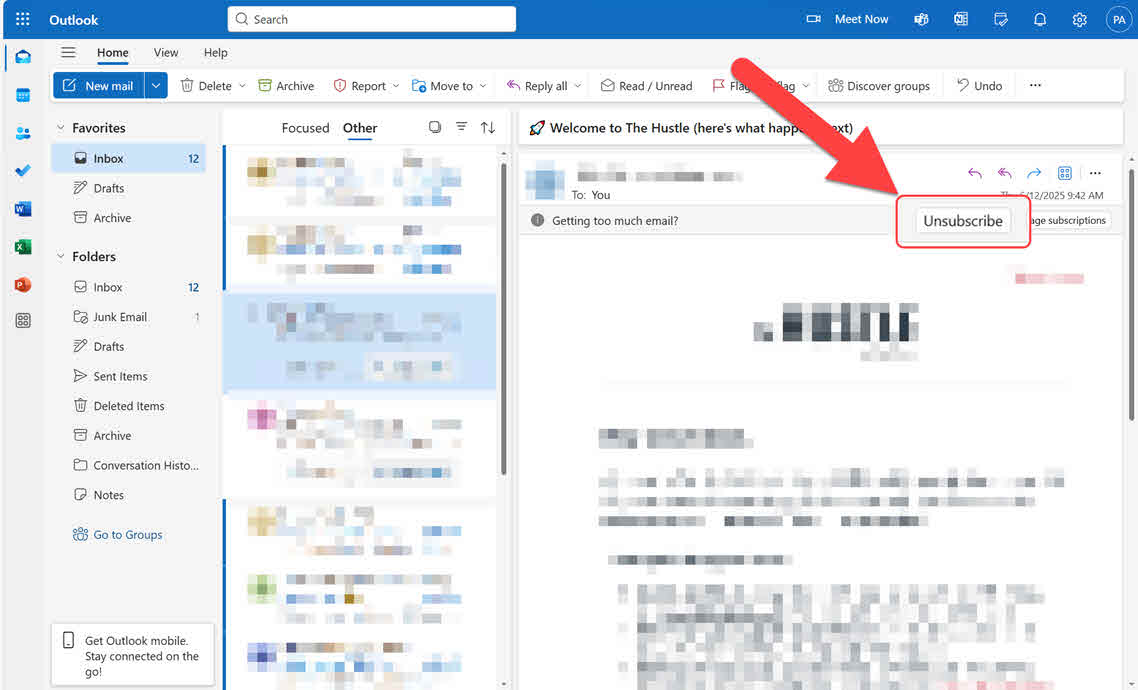
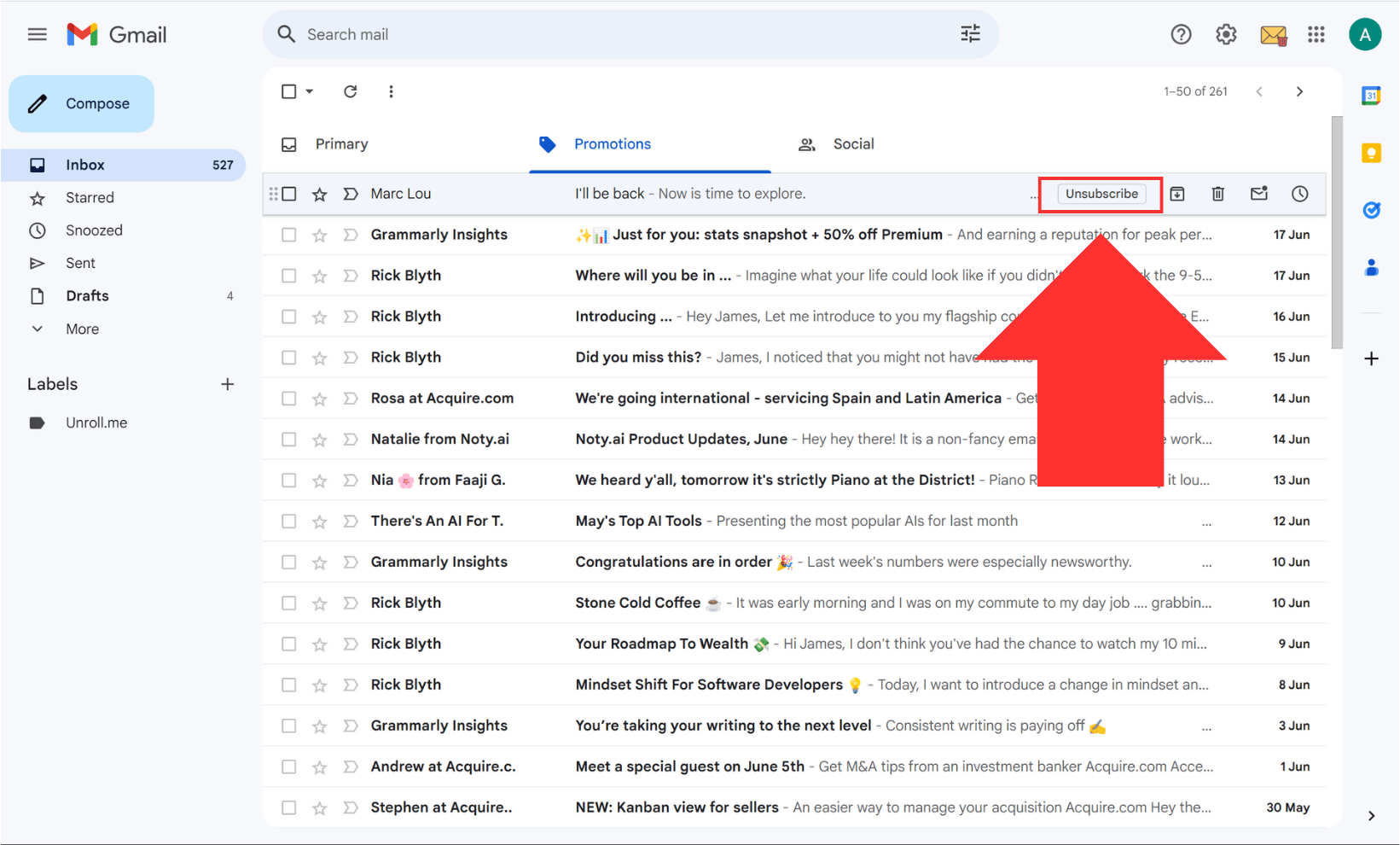
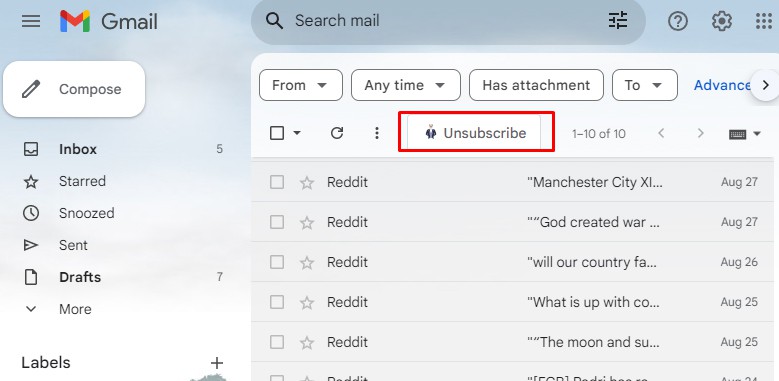
First, open that nagging email and scroll all the way down. Look for the tiny, gray, almost-invisible link that says “Unsubscribe” or “Manage preferences.” It’s usually hiding at the bottom, like a shy mouse.
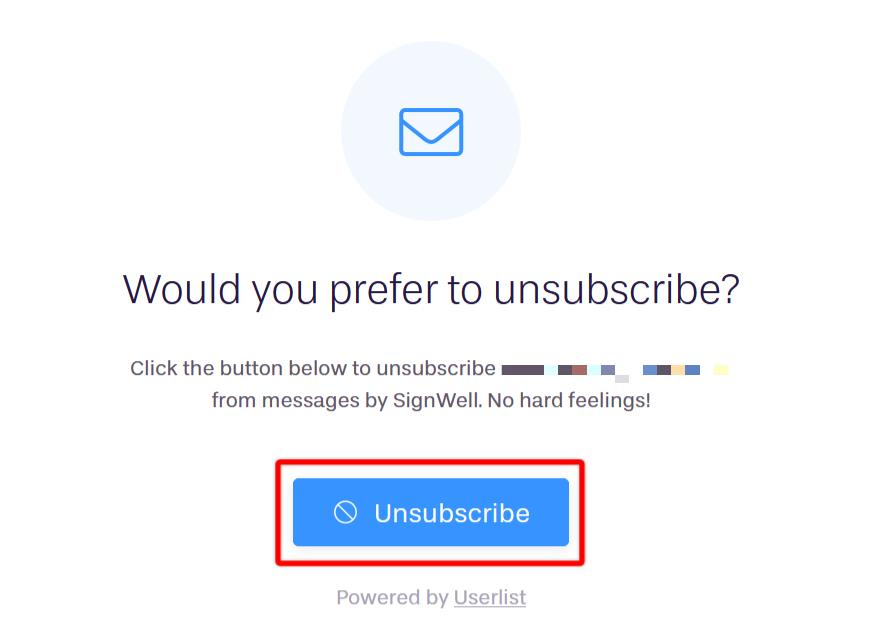
Click it, and brace yourself. You’ll often land on a page that asks, “Are you sure?” That’s their last dramatic attempt. But hold your nerve—you’re on a mission.
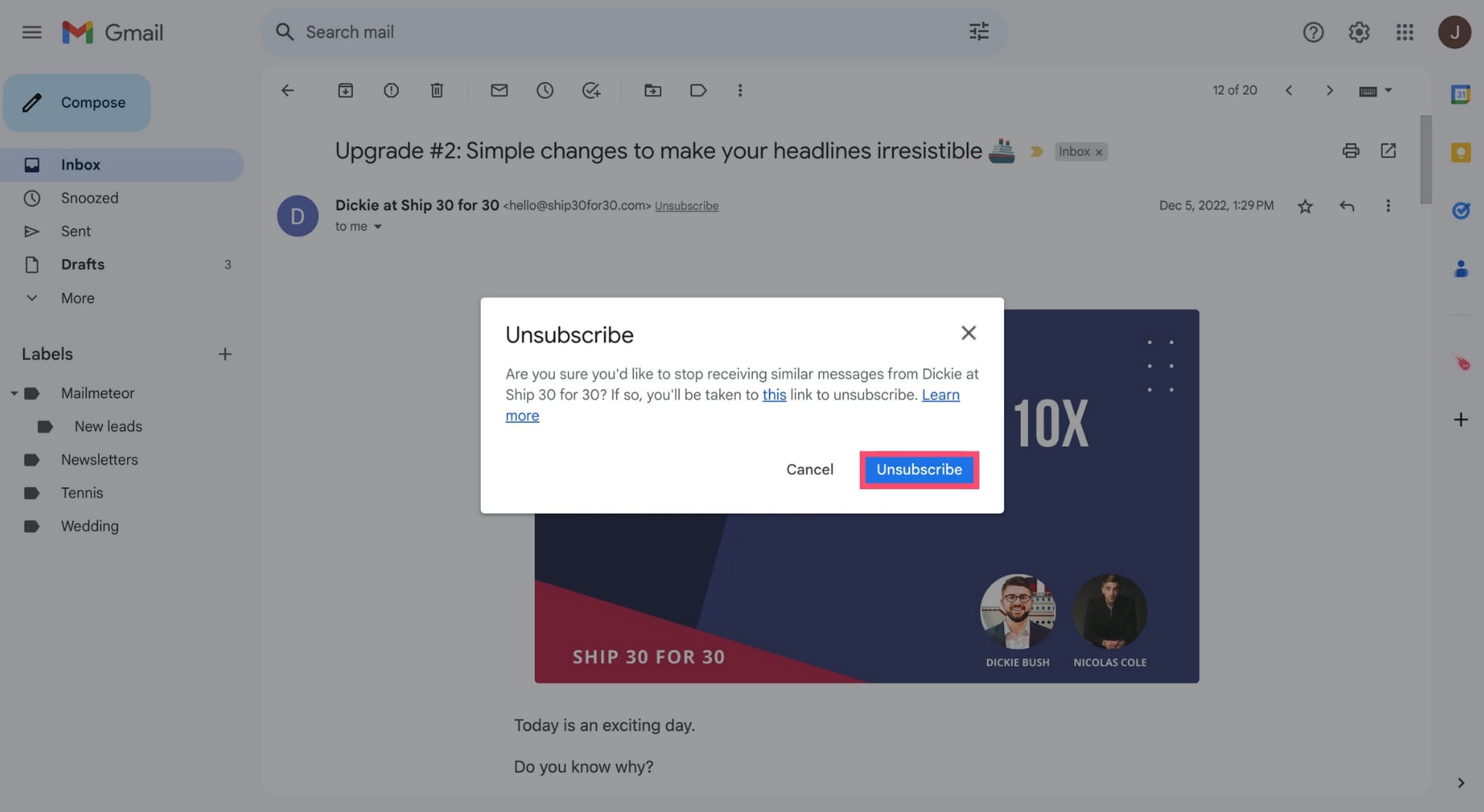
Pro tip: Never click “Unsubscribe” in an email from a random sender you don’t recognize. That’s a scam trap. Only unsubscribe from brands and people you actually signed up for.
The Two-Second Miracle
Sometimes, the page will ask if you want to receive fewer emails, or just the “important” ones. That’s your chance to be picky—choose “no emails” and hit save. Done. In two seconds, you’ve silenced a digital mosquito.
Other times, you’ll land on a page that says “You are now unsubscribed.” That little green checkmark? Pure dopamine. It’s like winning a gold medal in personal organization.
The Bully Approach (For the Stubborn Ones)
But what happens when a company ignores your click? Or they make you type your email, then “confirm” via a link that then asks you to log in? That’s not just annoying—that’s a digital hostage situation.
For those, use the nuclear option: block the sender. In Gmail, open the email, click the three dots, and hit “Block.” In Outlook, right-click and choose “Junk.” Instantly, their future emails go to a dark basement you never visit.
:max_bytes(150000):strip_icc()/004_how-to-unsubscribe-from-emails-4589789-16fc5be716fd413fac94bf342c9024db.jpg)
And if a company refuses to let you go? The law is on your side in many places—the CAN-SPAM Act in the U.S. requires them to honor your request. But honestly, who wants a lawsuit over a coupon code? Just block and move on.
The Cleanse Is Addictive
Here’s the twist: once you start, you won’t stop. You’ll go on a rampage, unsubscribing from newsletters, social media alerts, and that one “motivational quotes” list you never read. It becomes a game—how many can I clear in one sitting?
And the reward? The next morning, your inbox is a quiet, sunny field. No red badges, no “URGENT” in all caps. Just real emails from real humans. That’s the special magic—it turns a chore into a tiny act of self-care.
The Final Sweet Treat
“Unsubscribing isn’t about losing messages; it’s about reclaiming your attention.”
Think of it this way: every email you remove is a small victory for your peace of mind. It’s free, it’s instant, and it’s way more satisfying than cleaning your actual desk. Plus, you get to feel smug every time you see an empty spam folder.
So go ahead—open your email app, pick one unread monster, and click that tiny link. You’ll be amazed at how quickly the chaos fades. And who knows? You might even start looking forward to your inbox again.
Just don’t blame us if you get addicted to the delete button. That’s the best kind of problem to have.