Pandadoc Vs Docusign Vs Hellosign
Last Tuesday, I found myself staring at a blinking cursor, a half-written contract for a freelance gig, and a client who’d just typed, “Just send it over, I’ll sign it on my phone.” Panic. Not because I didn’t trust them, but because I had three tabs open—PandaDoc, DocuSign, and HelloSign—and absolutely no idea which one wouldn’t make me look like a technophobe. Ironic, right? The guy who writes about “digital workflows” for a living was frozen by a simple e-signature request.
So I did what any rational person does: I made coffee, opened all three, and spent the better part of an afternoon clicking buttons like a lab rat chasing a sugar pellet. The result? They’re all fine, but fine is not the same as fits your life. Let me break down the chaos so you don’t have to repeat my mistakes—or my caffeine crash.
DocuSign: The Corporate Suit You Can’t Ignore
DocuSign is the old guard, the heavyweight champion with a corner office and a tie that’s slightly too tight. It’s the default in big law firms and HR departments, which means it’s reliable in that “boring but won’t get you fired” way. The interface feels like a 2012 dashboard—functional, but with the visual charm of a tax spreadsheet. (Sorry, DocuSign, I still love you.)
Must Read
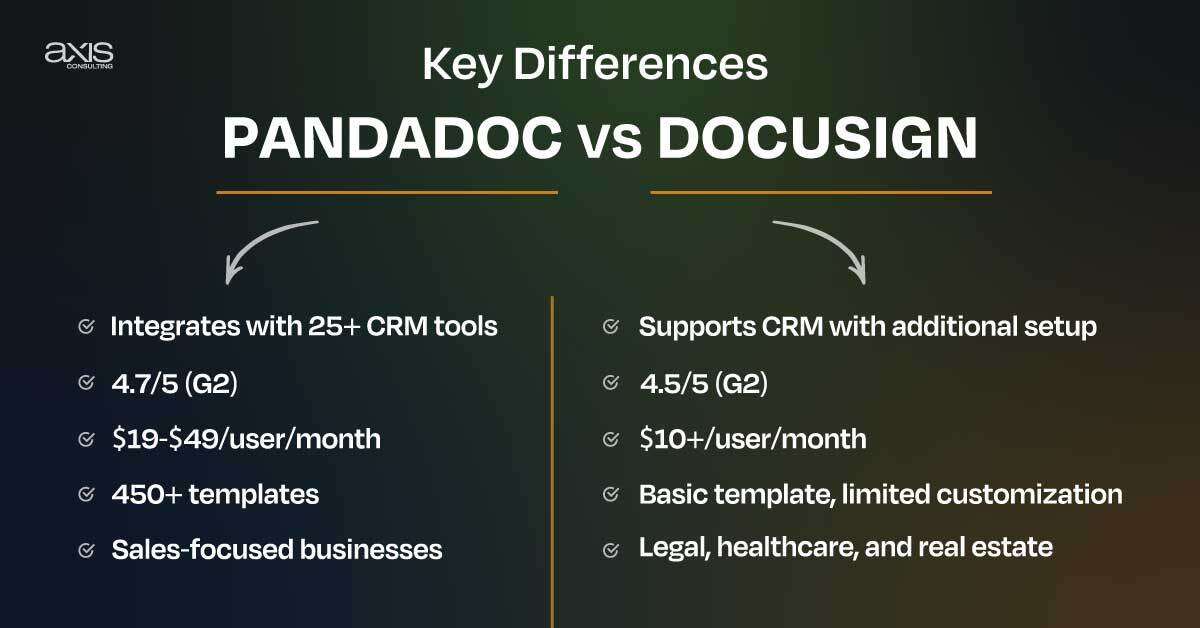
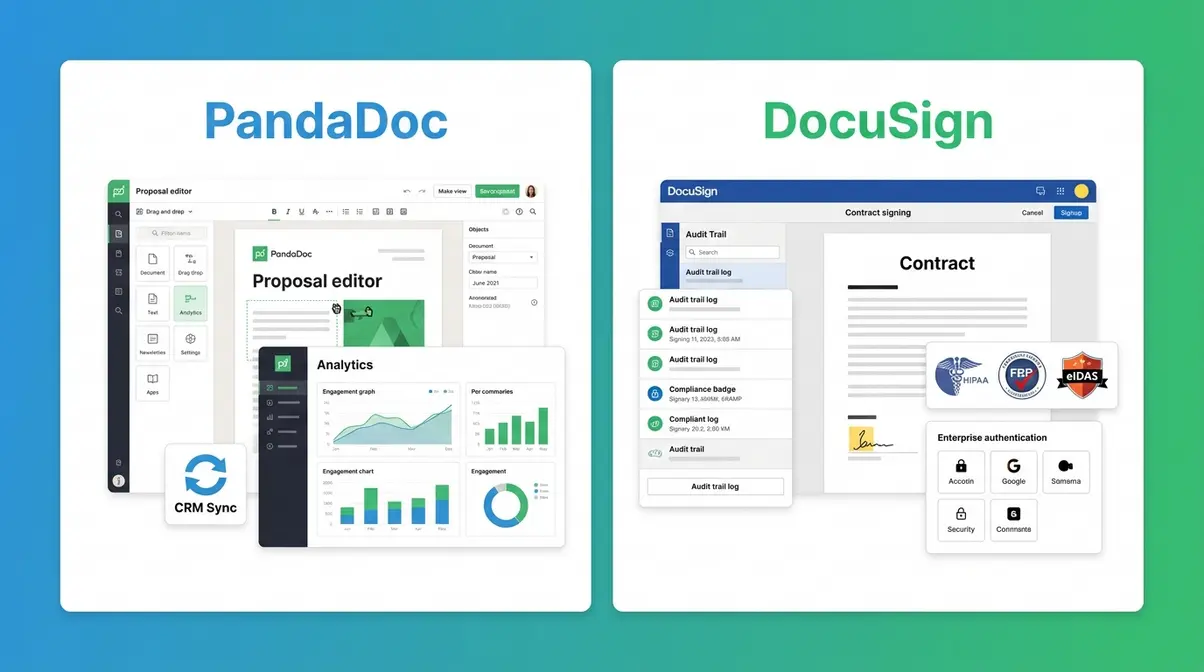
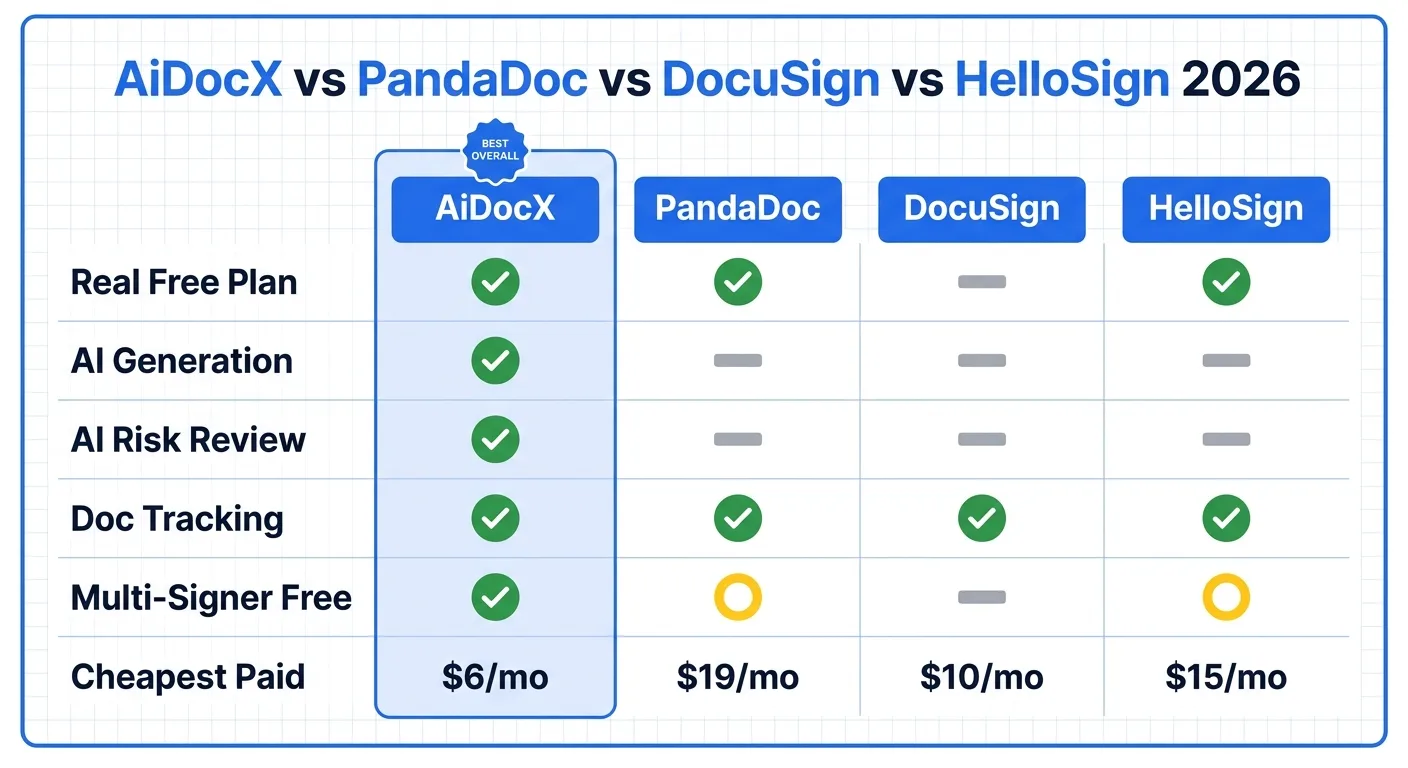
Here’s the kicker: it’s everywhere. If you’re sending a lease to a Fortune 500 landlord, they’ll recognize the workflow instantly. But don’t expect to be wowed. The mobile app works, the audit trail is solid, and honestly, that’s 80% of the job. The other 20%? That’s where you start to notice the price tag—it’s the most expensive of the trio, and the per-user fees can sting like a papercut you didn’t see coming.
My side comment? If you love filling out forms with the joy of doing taxes on a Sunday night, DocuSign is your soulmate. For everyone else, read on before you commit your wallet.
PandaDoc: The Overachiever With a Proposal Problem
PandaDoc is that friend who brings a five-course meal to a potluck when everyone else just grabbed beer. It’s not just for signatures—it does proposals, quotes, and even payment collection, which sounds amazing until you realize you’re spending more time learning the tool than actually using it. I once spent twenty minutes trying to figure out how to remove a logo watermark, and I’m pretty sure I aged a year.
That said, if you’re a salesperson or a freelancer who sends a lot of interactive documents—with videos, images, and pricing tables—PandaDoc is a powerhouse. It lets you track when a client opens a doc and how long they stare at the price section. Creepy? Slightly. Effective? Absolutely. (Pro tip: don’t tell clients you can see their hesitation; it ruins the magic.)
But here’s the catch: signing is almost a secondary feature. The core focus is on document building, so if you just want to get a contract signed without building a miniature website, you’ll feel the bloat. It’s like buying a Swiss Army knife when you only need a screwdriver—cool, but heavy in your pocket.

HelloSign: The Minimalist’s Secret Weapon
HelloSign, now owned by Dropbox, is the quiet kid in class who gets an A+ without raising their hand. It’s absurdly simple—upload, drag, drop, send. No templates to master, no pixel-perfect editor, just pure signing speed. For a solo freelancer or a tiny startup, this is gold. I signed a three-page contract from my phone in under two minutes, and I didn’t even swear once.
The interface is clean like a Japanese hotel room; everything is where you expect it, and nothing tries to upsell you on a “premium analytics dashboard.” You get a clear audit trail, some basic template tools, and a max of three free documents per month (which is generous enough to test the waters). The downside? It’s too basic if you need conditional fields or complex routing. My client with 40-year-old PDFs? HelloSign choked on them like a dog on a bone.
Side note: if you’ve ever used Dropbox’s weird file-sync logic, you’ll feel right at home. If not, don’t worry—HelloSign is the least “techy” of the three, which is its biggest strength.
So, Which One Wins? Let’s Be Real.
There’s no universal winner—it’s about matching the tool to your personality. If you’re in a corporate environment, DocuSign’s reliability and compliance features are worth the extra cost. If your job is sales and you live in proposals, PandaDoc’s features will make you feel like a god of persuasion. And if you’re like me—someone who just wants to get a form signed without learning a new software’s lifecycle—HelloSign is your best friend.
My final irony? After all that testing, my freelance client and I ended up using... a scanned PDF with a typed “I agree” in the email. But hey, at least now I know what to use when someone actually cares about the process. You’re welcome.