Microsoft Power Automate Vs Uipath
The Bot Battle Royale
Imagine your computer has a boring, repetitive job—like copying data from emails into spreadsheets. Now imagine two friendly robots fighting for the honor of doing that drudgery for you. That’s the showdown between Microsoft Power Automate and UiPath.
These are not just tools; they’re your digital sidekicks. One is the cool, easy-going neighbor who helps with small chores, while the other is a powerhouse engineer ready to build a robot factory. Both are brilliant, but they have wildly different personalities.
Let’s peek into their world to see which bot stole our hearts—and our workflows.
Must Read
Meet the Everyday Hero: Power Automate
First up is Microsoft Power Automate, the friendly giant living inside your Office apps. If you already use Outlook, Excel, or Teams, this bot feels like a long-lost friend.
It’s built for quick wins. You can create a flow that saves email attachments to OneDrive with just a few clicks—no coding required. Even your grandma could set it up while making tea.
The magic here is in its pre-built connectors. It speaks fluent Microsoft, but it also chats nicely with hundreds of other apps like Twitter and Gmail. It’s the perfect gateway drug for automation.
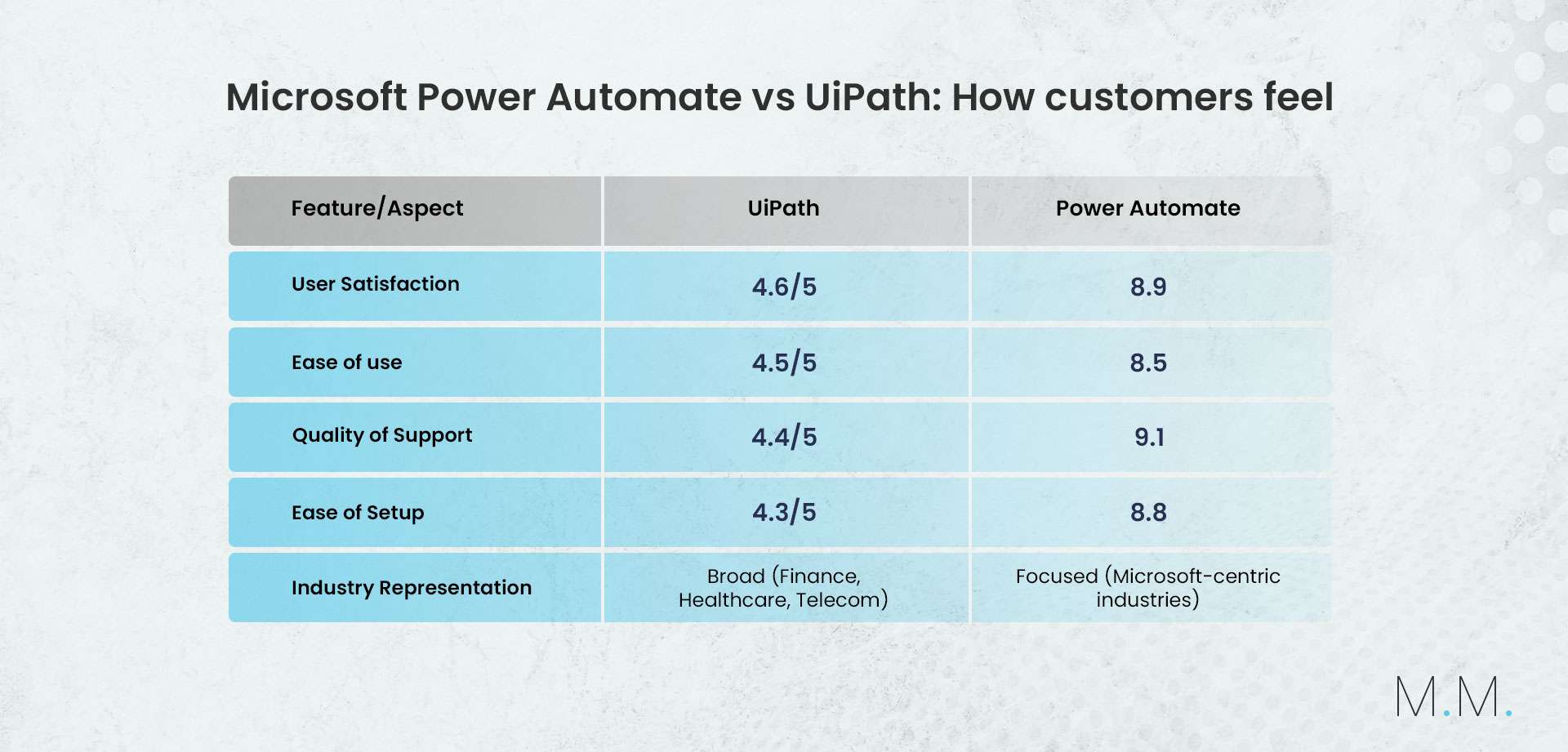
Power Automate is like a Swiss Army knife: small, handy, and always in your pocket when you need a tiny fix.
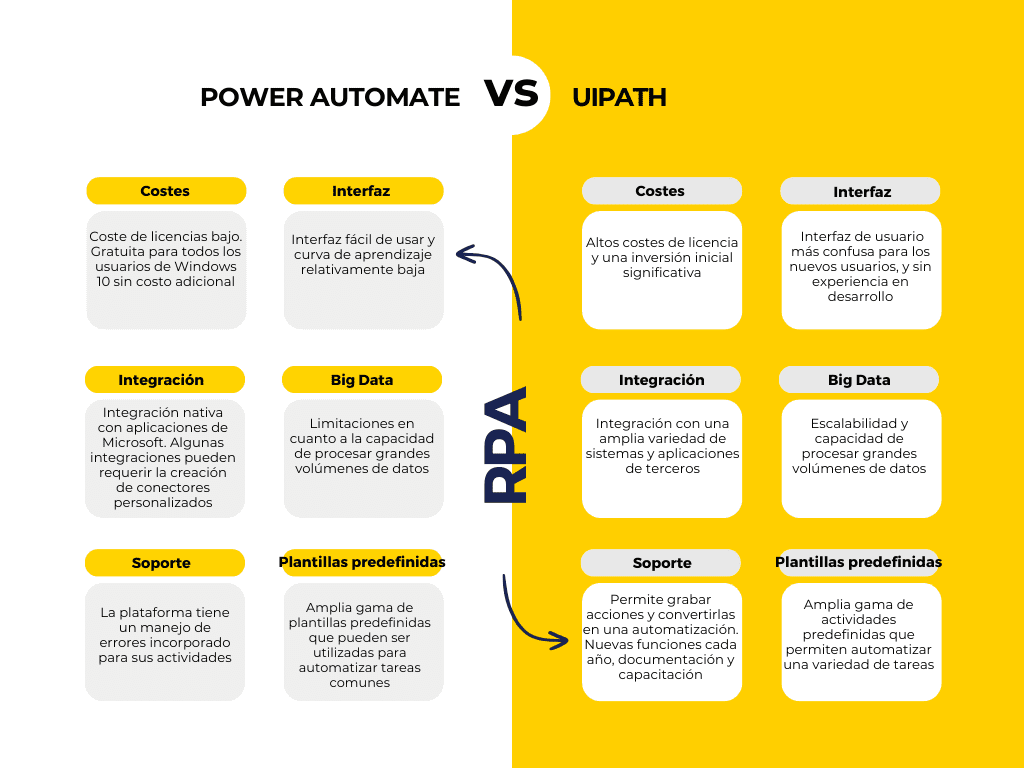
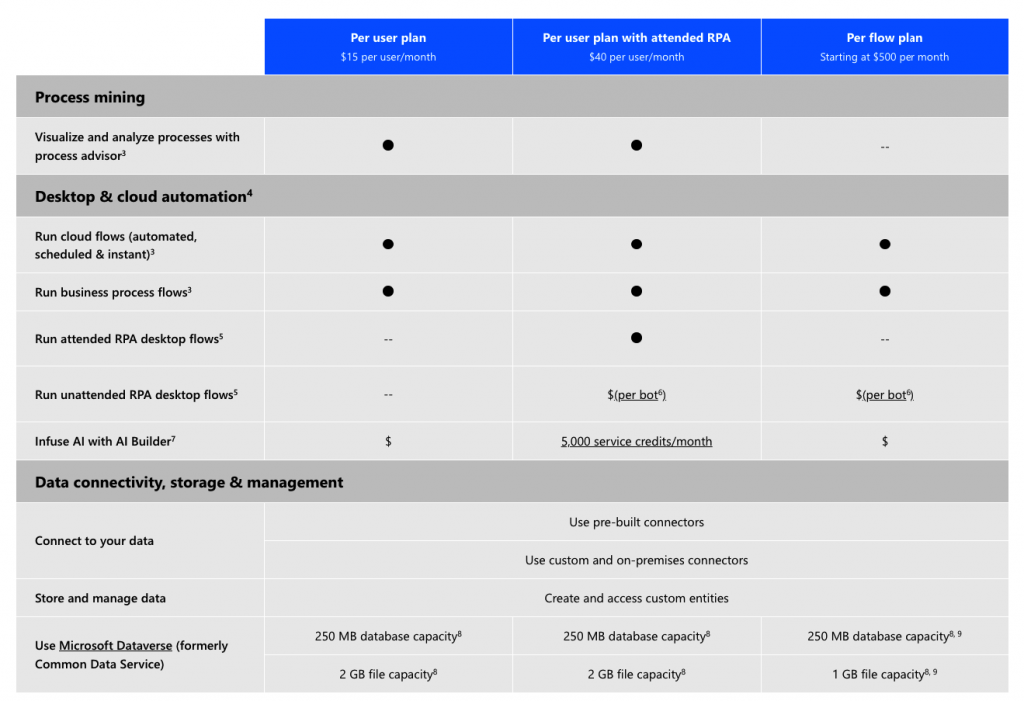
Honestly, the best part is the price tag. It’s often included in your existing Microsoft 365 plan, so you might already own it and not even know. That’s pure, lovely surprise.
Enter the Heavyweight: UiPath
Now, let’s roll out the red carpet for UiPath, the big, brainy robot that never sleeps. This is not a pocket knife—it’s a full-blown robotics lab.
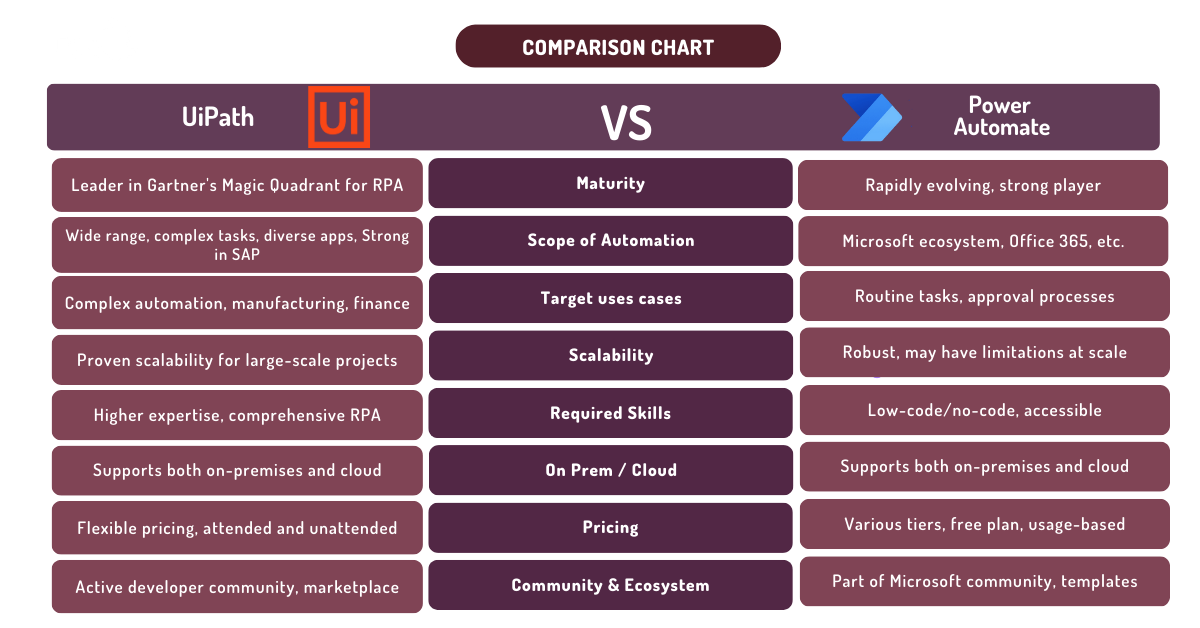
UiPath shines in complex, messy, and massive tasks. Think of processing thousands of invoices, logging into legacy systems, or automating data entry across ten different apps at once. It’s a monster for enterprise-scale work.

Here’s where it gets fun: UiPath is a visual drag-and-drop playground. You literally draw your automation as a flowchart, connecting tiny robots called “activities.” It feels like playing with high-tech LEGO blocks.
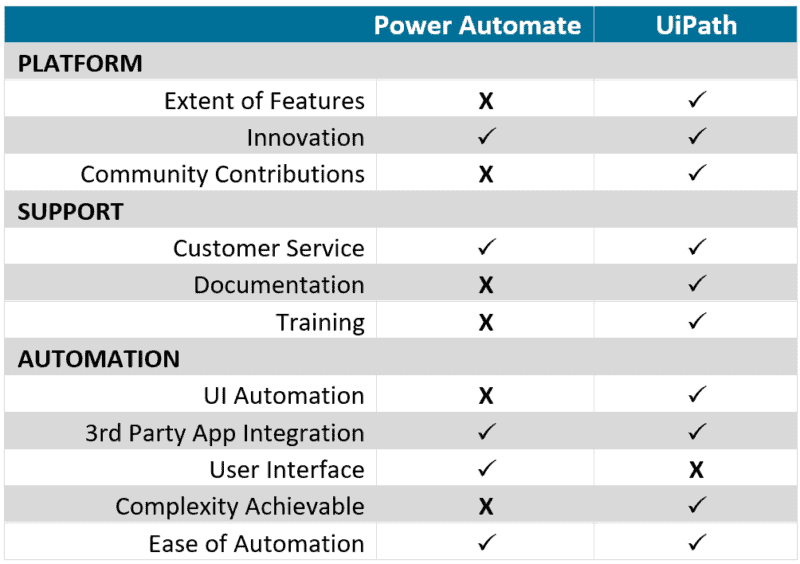
But here’s the catch—it’s not for the faint of heart or the light of wallet. UiPath’s learning curve is steeper than a ski slope, and its licensing costs can make your CFO cry. However, for sheer power, nothing beats it.
UiPath doesn’t ask for permission; it just grabs the mouse and clicks like a caffeinated ninja.
The Entertainment Factor: Why We Love Watching Them
Here’s the real juice: watching these tools work is genuinely mesmerizing. With Power Automate, you set a trigger (like “when an email arrives”) and watch the flow execute in real-time—it’s like a mini soap opera for your inbox.
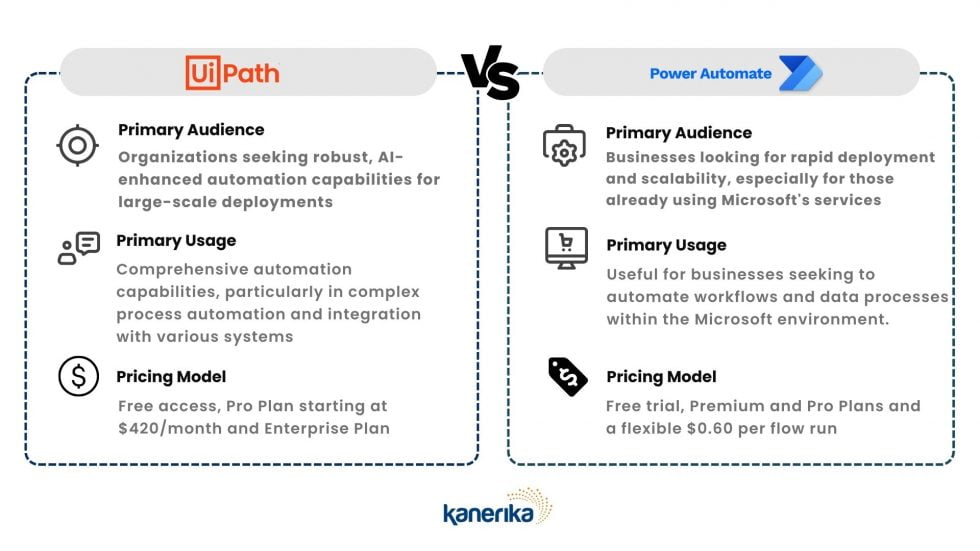
With UiPath, you can actually see a virtual robot opening windows, typing, and clicking on your screen. It’s spooky and delightful, like having a ghost employee who never takes a coffee break.
Both offer live logs and step-by-step replay, so you can watch your digital minions succeed or fail hilariously. That “oops” moment when a bot misfires is pure comedy gold.
Which One Wins? It Depends on Your Chaos
If your life is a whirlwind of small daily chores—formatting reports, sending reminders, organizing files—then Power Automate is your best friend. It’s easy, quick, and honestly a little addicting.

But if you’re staring at a mountain of unreadable PDFs, legacy software, or a data mess that takes hours, UiPath is your knight in shining armor. It eats complexity for breakfast.
My advice? Start with Power Automate to get the thrill. Then, if you get hungry for more power, peek at UiPath’s community edition—it’s free and surprisingly fun to tinker with.
Both will save you time, but they’ll also give you a hilarious story about the time your robot sent an email to the wrong boss. And that, my friend, is priceless.
So go ahead—let a bot do your boring job. Just don’t let them take over your snack breaks.