How To Remove An Email From Spam List
We’ve all been there—you open your inbox, and the email you’ve been waiting for is hiding in the spam folder. It feels like a digital scavenger hunt, but the prize is just a misplaced newsletter or a friend’s travel photos. The good news? Keeping your favorite emails out of the spam list is a simple skill anyone can master in under a minute.
For beginners, this trick saves you from endless clicking through junk to find that one important message. Families benefit by never missing a school announcement or a relative’s holiday letter again. Even hobbyists—think coupon clippers or recipe collectors—can ensure their favorite deals and inspiration always land right where they belong.
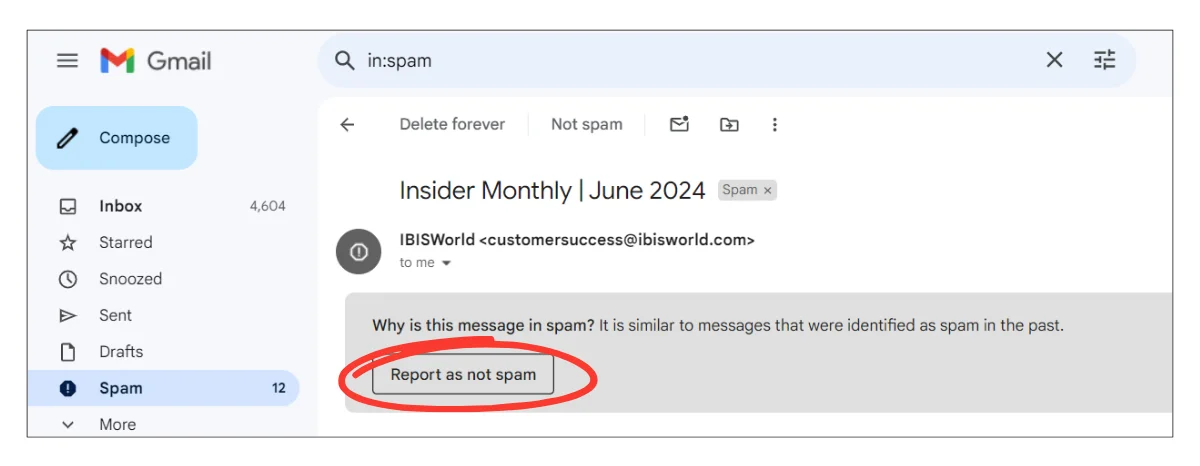
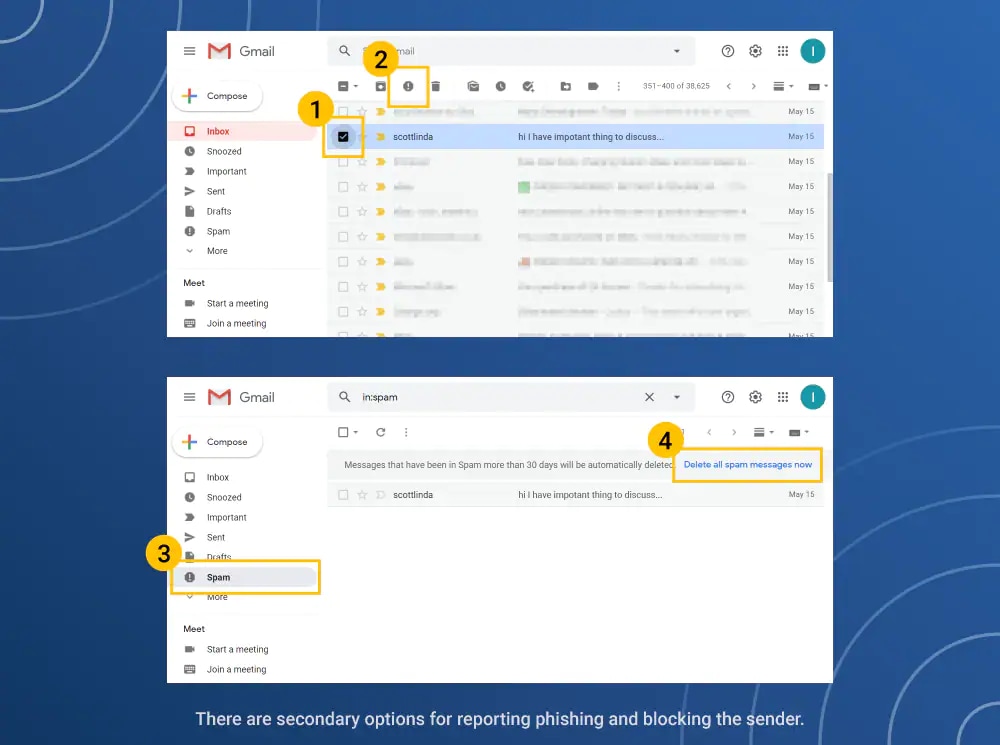
Let’s start with the most direct fix: open the spam folder and find the email in question. Click the box next to it, then hit the “Not Spam” or “Report Not Junk” button at the top of your screen—this action instantly moves it back to your inbox. For Gmail, that’s the “Not Spam” icon; for Outlook, it’s a checkmark with a “Not Junk” option.
Must Read
If the email keeps slipping back into spam, add the sender’s address to your contacts list. Most email providers treat contacts as trusted sources, so this simple step is like handing them a VIP pass. You can usually do this by clicking the sender’s name and selecting “Add to Contacts” or by pasting their email into your address book manually.
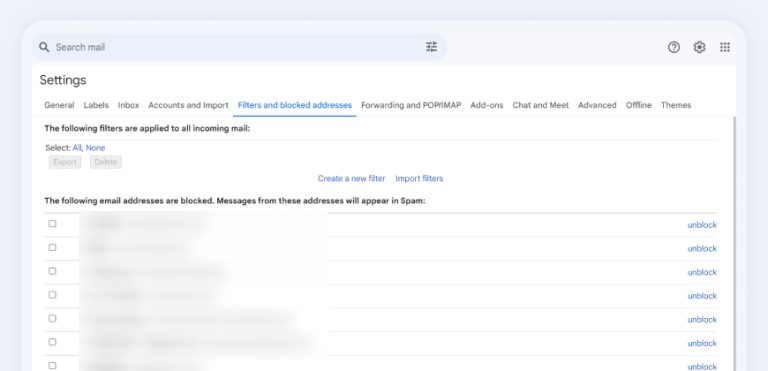
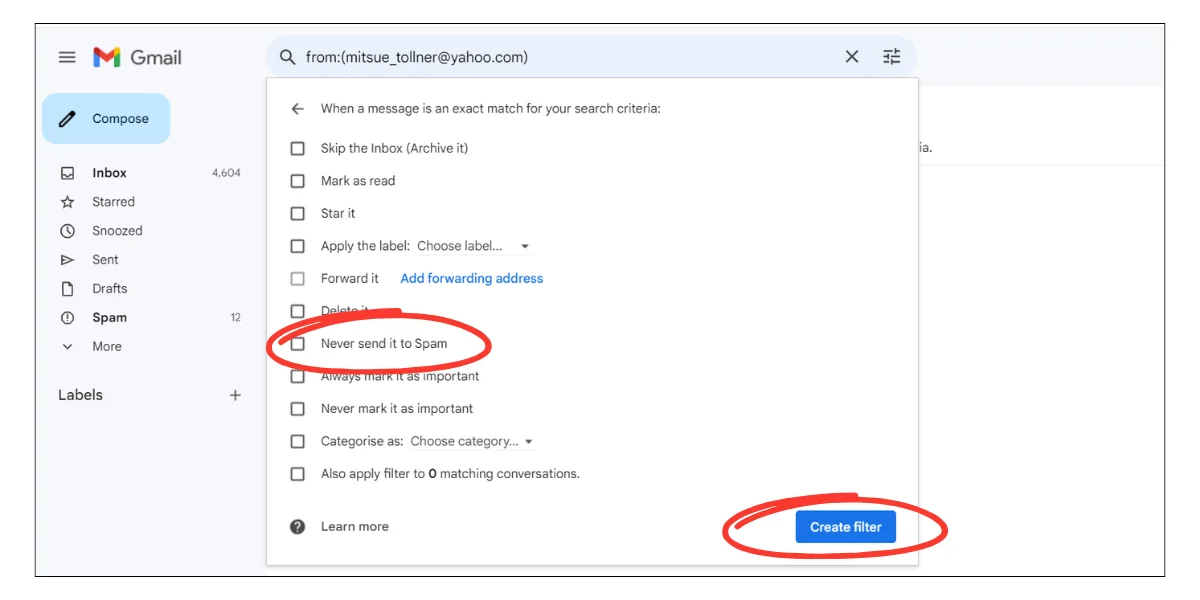
Another clever trick is to create a filter that sends their emails straight to your inbox. For instance, in Gmail, go to Settings → Filters → Create a new filter. Type the sender’s email, choose “Never send to Spam,” and you’re done—it’s a one-time setup that works forever.
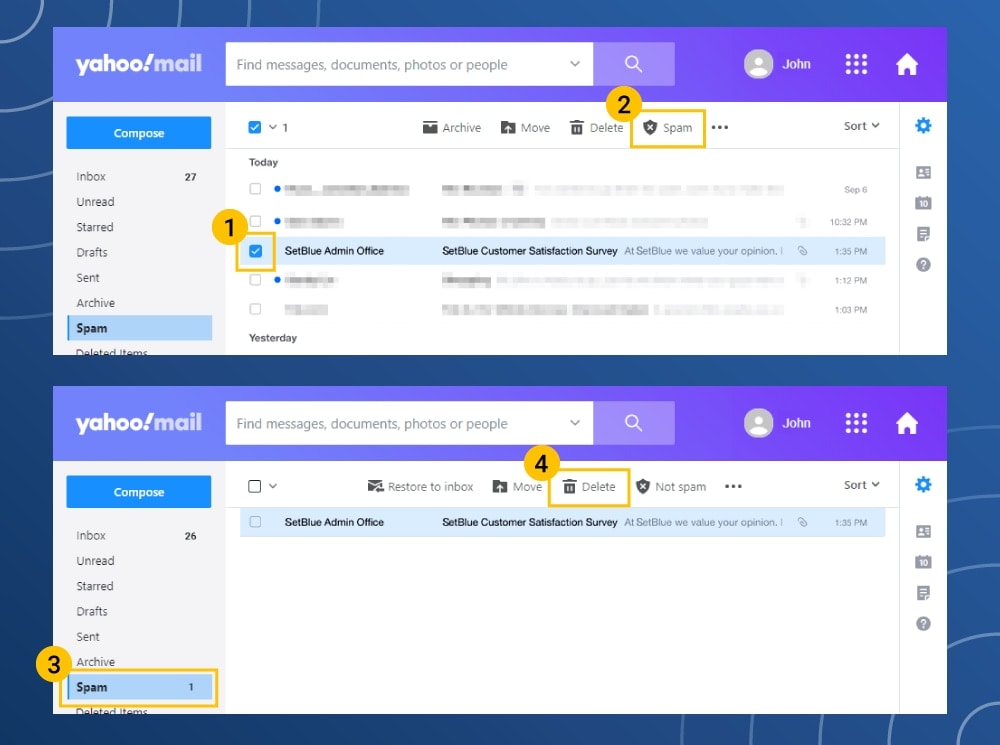
Don’t forget about the “Mark as Important” feature if your provider uses priority inboxes. For example, in Yahoo Mail, you can star the sender or use a “Block Senders” list correctly. A quick variation: if you’re using a phone app, tap the three-dot menu on the email and select “Move to Inbox”—the same logic applies across all platforms.
For a practical tip: always check your spam folder weekly, even if you think it’s clean. This helps you catch any stray emails before they fall into the digital abyss. Also, be sure to whitelist the domain (like @yourbank.com) rather than just one address, so all future emails from that company stay safe.
One fun variation is to use this skill for newsletters you love—like a weekly baking club or a local history digest. Once you rescue them, you’ll wonder why you ever tolerated a messy inbox. And if you’re managing a family account, set a rule to auto-forward any spam-rescued emails to a shared folder for everyone’s ease.
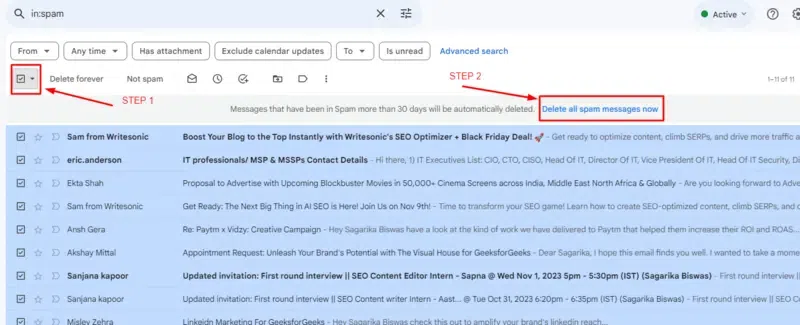
But what if an email is actually junk and just got mixed up? Then simply delete it, and don’t waste time—your inbox will thank you. The key is to stay on top of it weekly, because spam filters learn from your actions. Each time you move an email out, you’re teaching your system to recognize it next time.
Finally, remember that this isn’t a chore—it’s a tiny victory for your daily sanity. Next time you fish out a lost email, give yourself a mental high-five. You’ve just made your digital life a little easier, one click at a time, and that’s a win worth celebrating.