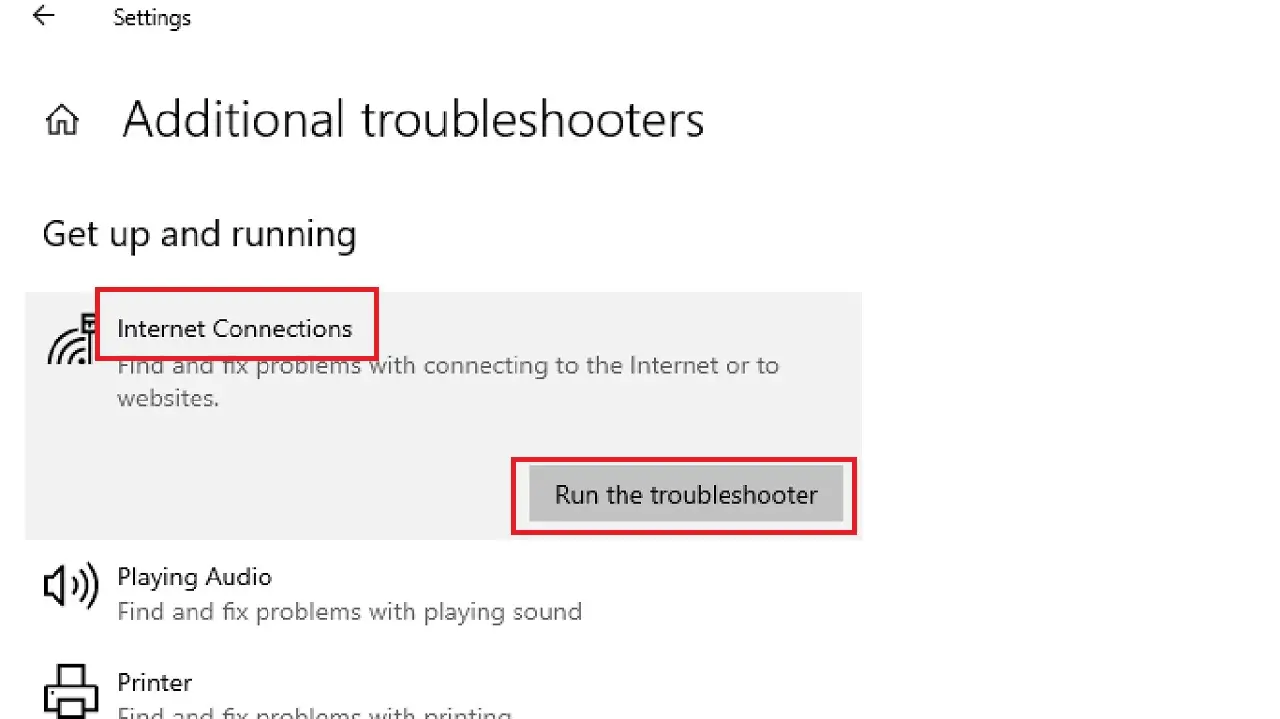
Troubleshoot My Internet Connection

Let’s be honest: your internet router is the only roommate you have that you can’t evict, yet it still throws tantrums at 3 p.m. on a Tuesday. One minute you’re streaming a documentary about sloths, the next you’re staring at a buffering wheel that spins slower than a lazy Susan at a retirement party. Before you sacrifice a USB cable to the tech gods, take a breath. I’m here to guide you through the digital jungle with the grace of a mildly intoxicated safari guide.
Step One: The Power of the “Off” Button
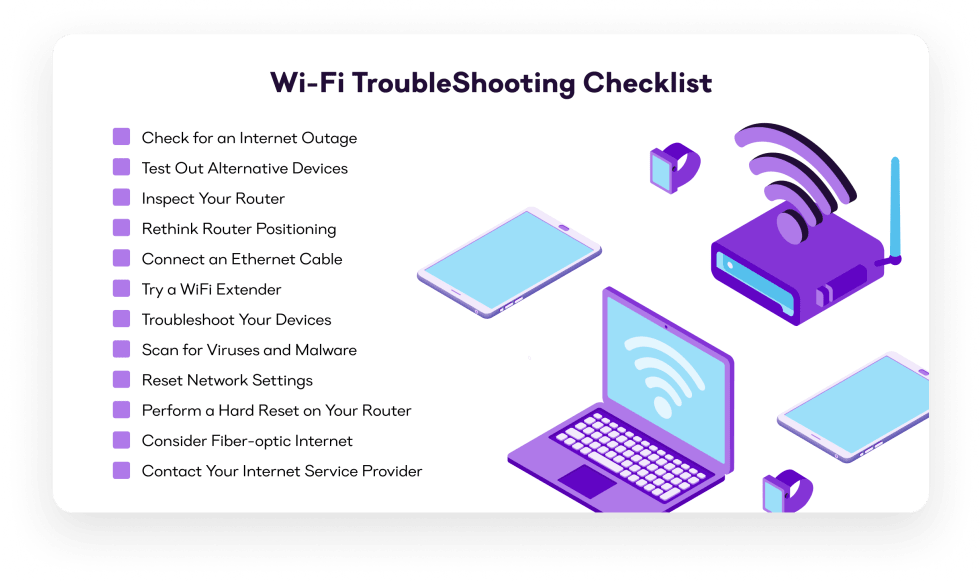
You know that trick where you turn something off and on again? It’s not a myth; it’s practically witchcraft with a power cord. Unplug your modem and router for a full 30 seconds—not 29, not 31; the internet can smell your impatience. This clears the device’s memory, which is probably clogged with cat videos and your questionable search history. When you plug it back in, resist the urge to check your phone immediately; let that boxy miracle breathe for two full minutes.
Fun fact: A study once found that 80% of all internet issues are solved by this single, deeply unglamorous act. The other 20% are caused by gremlins, or your neighbor’s drone, or both. If the lights on your router start blinking like a stressed-out firefly, you’re on the right track.
Must Read
Step Two: The Wi-Fi vs. The Wall
Wi-Fi is basically invisible magic, but it’s also a coward that hides from microwaves, fish tanks, and your aunt’s collection of crystal figurines. If your connection is slow, walk around your house holding your laptop like a divining rod for signal. You’ll look ridiculous, but you’ll find the “dead zone”—likely the bathroom, because your router hates your comfort.
Here’s a shocking truth: Your microwave can literally block your Wi-Fi signal when it’s running, because both use the same 2.4 GHz frequency. So if your internet dies every time you heat up leftover pizza, you’re not being haunted; you’re just living in a physics experiment. Move your router to a central spot, up high, like a king on a throne—not hidden behind the TV, where it plots your demise.

Step Three: The Device Blame Game
Is everything dead, or just your phone? If your laptop loads a webpage faster than you can say “upload,” but your smart fridge is crying, it’s not the internet—it’s that specific gadget. Restart that device, forget the network, and rejoin it like you’re asking a grudge-holding ex for a second chance. Also, check if you’re accidentally connected to your neighbor’s unsecured network named “FBI Surveillance Van.” It happens to the best of us.
Step Four: Call Your Provider (The Worst Tango)
If you’ve done all this and you’re still stuck in 1998, it’s time to call your Internet Service Provider. Brace yourself, because you’ll need to navigate a voice menu that offers “billing” but never “help with the fact that my Netflix is melting.” When you finally reach a human, they’ll ask if you’ve tried restarting. You will lie and say yes, but they won’t care—they’ll reset your signal from their side, which is the digital equivalent of shaking a snow globe.

Here’s a surprise: Your ISP might be throttling your speeds because you’ve watched 4K videos for 47 straight hours. They’re not just being mean; they’re protecting their own fragile infrastructure from your binge-watching addiction. If the call ends with you being told to “try back in an hour,” that’s code for “we’ve done nothing, but we hope you’ll go touch grass.”
The Final, Desperate Act
When all else fails, wrap your router in tinfoil and spin it three times counterclockwise. This won’t work, but it will make you feel powerful, and that’s what truly matters. Honestly, sometimes the internet is a fickle beast that thrives on chaos. So take a break, apologize to your router for yelling at it, and remember: the dial-up screech from the 90s was way worse. Now, go forth and stream your sloth documentary—just don’t leave the room when it buffers.
:max_bytes(150000):strip_icc()/003_4039966-5ba03b7146e0fb002518b2d4.jpg)