How To Make Calls Using Wifi Only

Your Phone Is a Secret Walkie-Talkie
Imagine being in a dead zone—no bars, no signal, just a sad little tower icon. Meanwhile, your phone is still a powerhouse, and it knows a trick your carrier doesn’t want you to know. That trick is Wi-Fi calling, and it’s basically magic for your everyday life.
You don’t need a fancy app or a new contract. If you have a smartphone and a decent internet connection, you’re already 90% of the way there. Let’s dive into the ridiculously easy way to make calls with zero cellular bars.
The Sneaky Setting in Your Phone
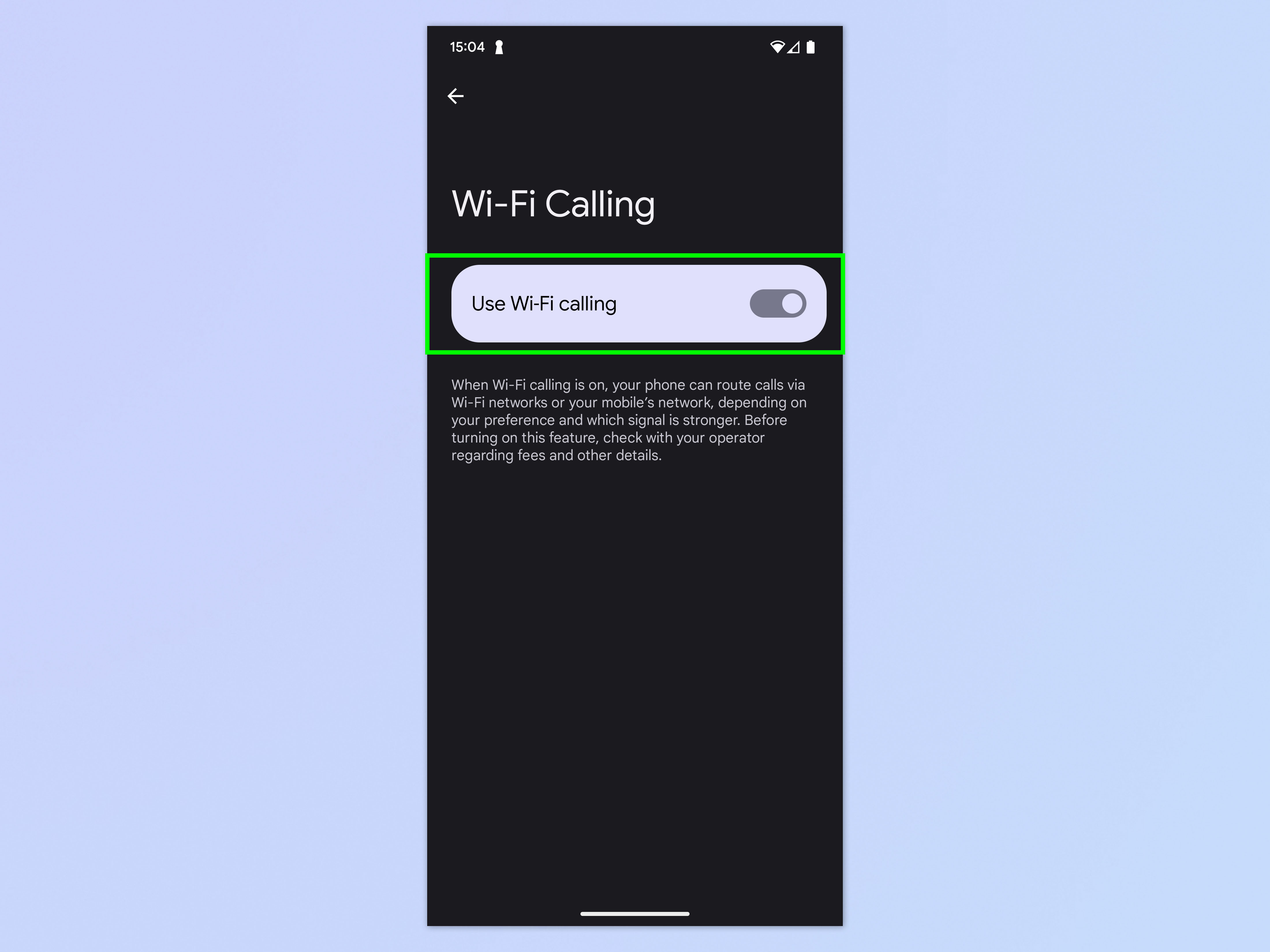
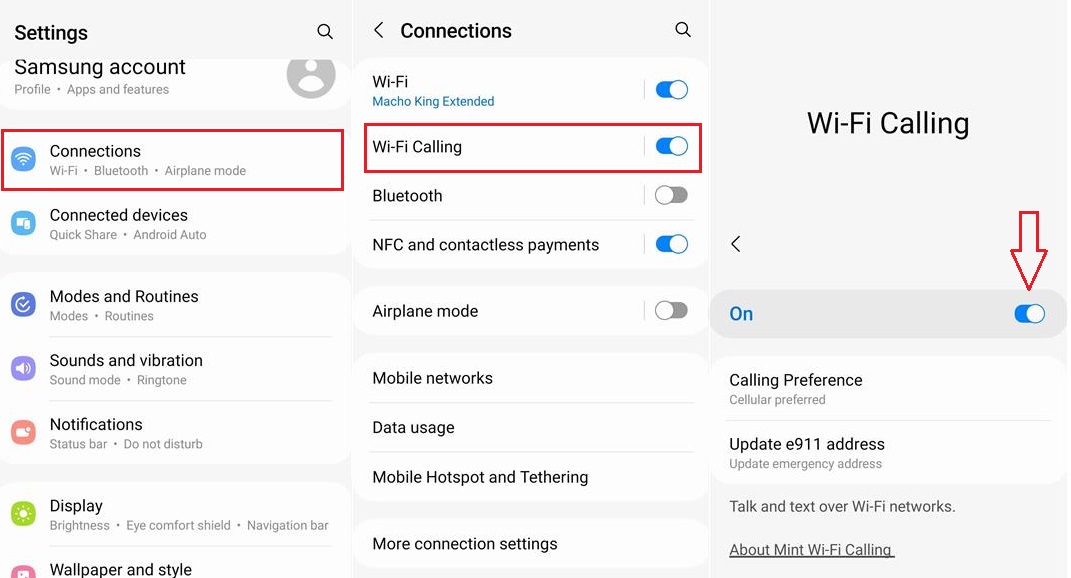
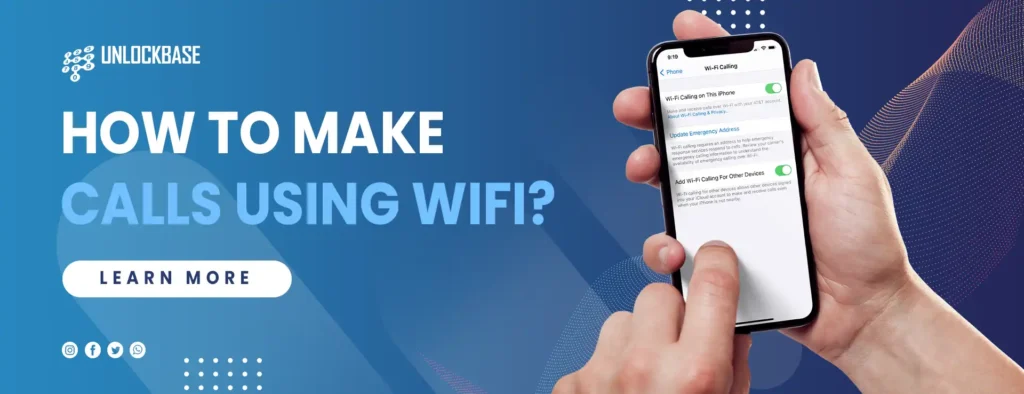
First, hunt down your settings. On an iPhone, look for “Wi-Fi Calling” under Phone settings. On Android, it’s usually under “Connections” or “Network & Internet,” but a quick search in the settings bar works too.
Must Read
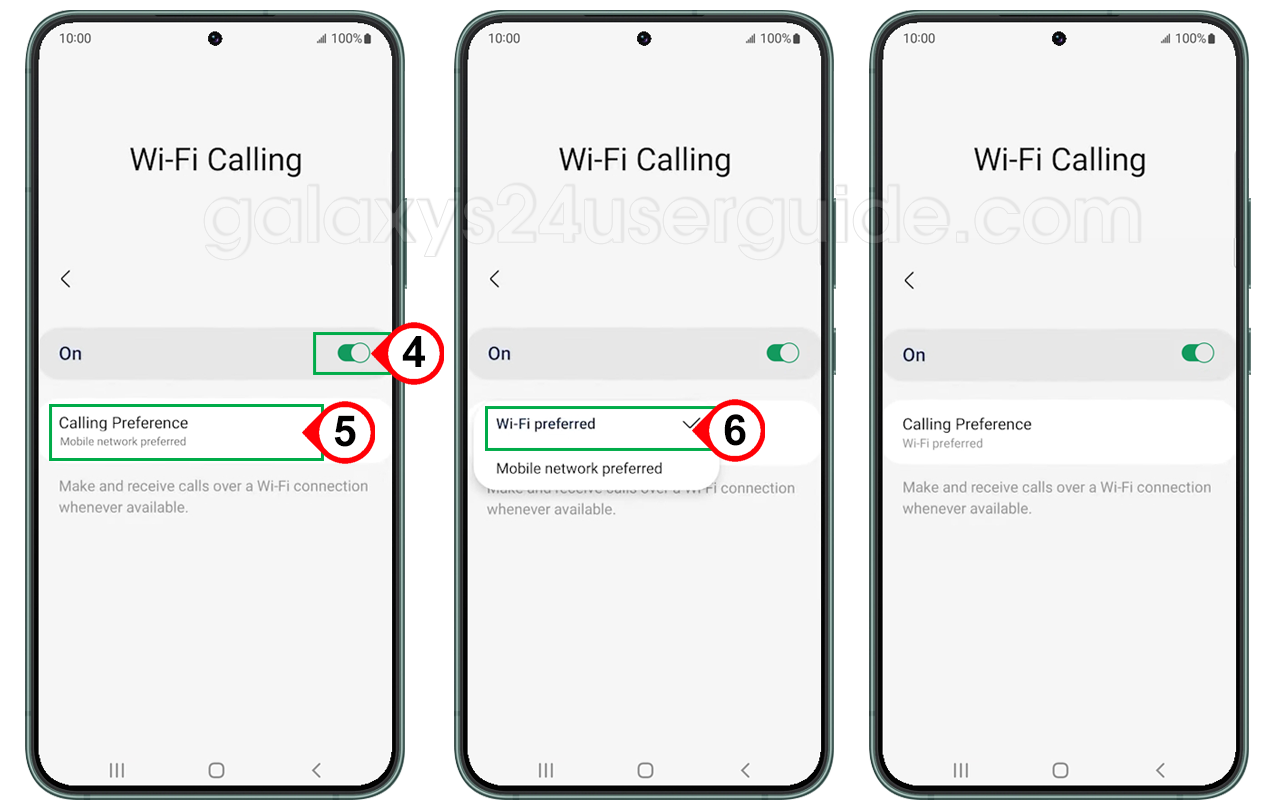
Flip the toggle to “On.” It’s that simple—no IT degree required, and you’ll feel like a spy who just unlocked a secret level.
Once it’s on, your phone will automatically use Wi-Fi for calls whenever the cellular signal is weak. You won’t even notice the switch, except that your call won’t drop into a black hole. It’s a quiet superpower.
Why It’s So Entertaining (Yes, Really)
Here’s the fun part: you can now make calls from places that would normally make your friends groan. We’re talking about a basement laundry room, a crowded subway platform, or even a cabin in the woods—as long as the cabin has Wi-Fi.
I once called my mom from an airplane’s Wi-Fi (don’t tell the airline). She thought I was using carrier pigeons. The look on her face when I said, “I’m 30,000 feet up, but my signal is fine,” was priceless.
It also turns your phone into a landline at home. You can walk around your apartment chatting without worrying about that one dead spot by the fridge. Your call won’t break up mid-sentence about the cat’s new litter box.
“Wi-Fi calling is like having a secret tunnel that bypasses all the traffic jams of the cellular network.”
The App Alternative for the Brave
If your phone doesn’t support native Wi-Fi calling (it’s older or from a weird carrier), you have options. Apps like WhatsApp, FaceTime, or Google Voice let you call anyone over Wi-Fi, even if they don’t have the app.
These apps are not new, but they’re the unsung heroes of “no bars” emergencies. You can call your grandma’s landline using Google Voice, and she’ll never know you’re actually sitting in a coffee shop with dodgy service. It’s a fun little illusion.
The catch? The person on the other end doesn’t need Wi-Fi—they get a normal call. So you look like a genius while they’re just confused about your “great connection.”

The Weird, Wonderful Quirks
Wi-Fi calling isn’t perfect. Sometimes the call takes an extra second to connect because your phone is “thinking” about which network to use. But that’s the price of wizardry.
Also, you shouldn’t use it on public Wi-Fi unless you like risking your privacy. A random coffee shop network is fine for a quick chat, but not for talking about your bank PIN. Use a trusted home network or a VPN if you’re feeling fancy.
One more quirk: your emergency address (E911) needs to be set up. That just tells the system where you are if you dial 911, so do that once and forget it. It’s boring but crucial.

Why You’ll Never Go Back
Once you try Wi-Fi calling, you’ll start checking your signal less and your Wi-Fi icon more. You’ll feel smug when your friend says “Can you hear me now?” and you’re actually doing great on a train through a tunnel.
It’s free, it’s built-in, and it turns your phone into a tiny rocket that ignores the cellular gravity. Next time you’re in a dead zone, just laugh and enable Wi-Fi calling—or better yet, do it right now so you’re ready.
Your future self, stranded in a parking garage, will thank you. And hey, you’ll finally have a story to tell about calling from somewhere ridiculous.