How To Create A Link For A Website
We’ve all been there—staring at a messy URL longer than a cat video’s runtime, wondering if there’s a cleaner way to share it. You want to send your friend that killer recipe, but the link looks like a toddler dropped alphabet soup on your keyboard. The good news? Creating a neat, clickable link is easier than making a perfect sourdough starter, and it takes way less time.
Think of a URL as the raw, unwashed vegetable. A hyperlink is the beautifully chopped, dressed salad you actually want to serve. It’s about presentation, clarity, and giving your reader a seamless path from point A to point B without the digital equivalent of stepping on Legos.
The Classic Copy-Paste Method (Your Grandma Knows This)
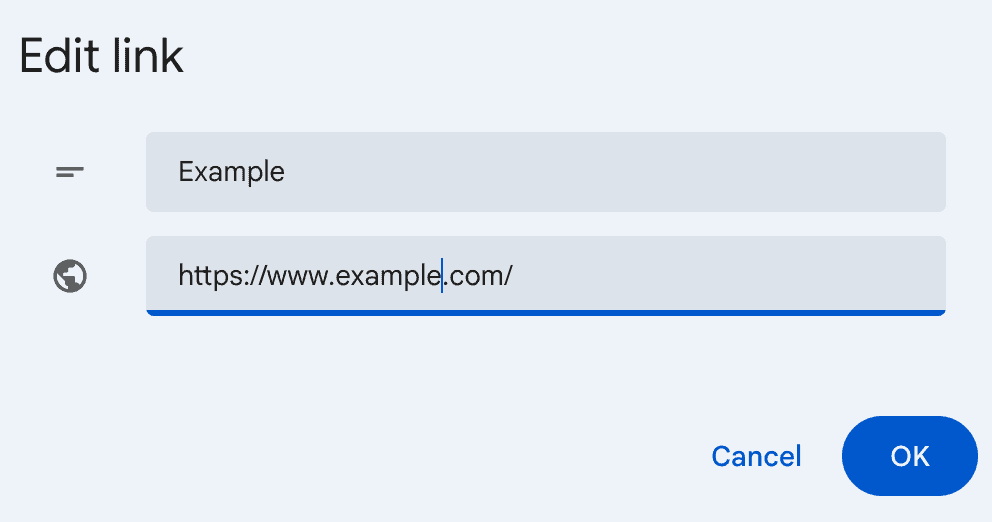
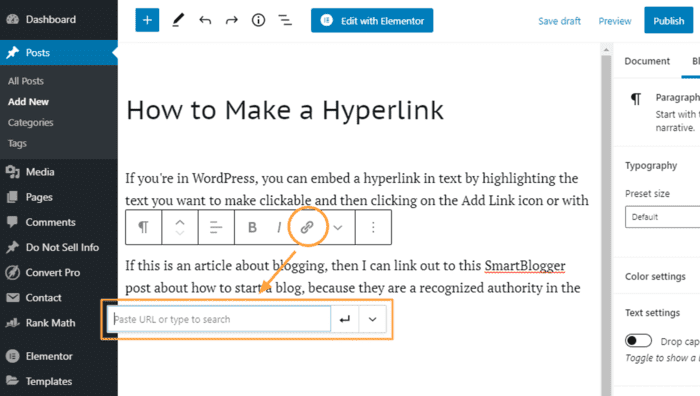
The most straightforward trick is the copy-and-paste with a twist. Highlight any text—like “this amazing article”—then hit Ctrl+K (or Cmd+K on a Mac) to open the link dialog box. Paste your raw URL into the field, hit Enter, and boom—you’ve got a professional-looking clickable phrase.
Must Read
This is the bread and butter of email, Slack, and even your notes app. It’s the digital equivalent of putting a nice frame on a photo; the content is the same, but the presentation instantly upgrades.
Fun fact: The first hyperlink was created in 1964 by Ted Nelson, and he called it the “intertwingle.” We’re still using his brilliant mess today.
When You’re in a Hurry: The Shortener’s Shortcut
Got a link longer than a Taylor Swift song list? Use a shortener like Bitly or TinyURL. It’s the instant gratification of the linking world.

Just paste that monster URL into the box, and you’ll get a sleek, tiny link that doesn’t break your message’s flow. Plus, most shorteners give you click analytics—a little peek into who actually opened your link. It’s like a tiny, harmless ego boost for your inbox.
One pro tip: Customize your short link. Instead of bit.ly/3xYz9P, make it bit.ly/SourdoughSecrets. It adds a personal touch that says, “I care about your mental load.”
The Social Media Artist: Linking in Bio & Stories
On Instagram and TikTok, you can’t hyperlink inside captions, which is a strange digital reality. The workaround? Use the “Link Sticker” in Stories or pin the link in your bio. It’s like having to shout the directions across a crowded room instead of whispering them.

For a cleaner bio, use a tool like Linktree or Carrd. These are essentially your digital business card holder, housing all your links in one tidy, scrollable list. It’s the modern-day equivalent of a well-organized drawer—rare, but deeply satisfying.
Remember to always label your links clearly. “Click here” is the fast food of hyperlinks—technically edible but utterly flavorless. Try “Read my travel diary” or “Listen to this week’s playlist” instead.
The Old-School HTML Nod (For the Geeks at Heart)
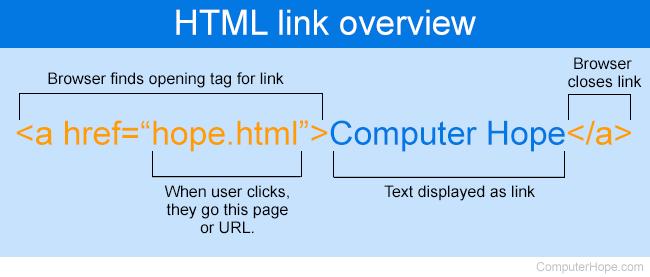
If you’re building a website or a newsletter with raw code, you’ll want to write it out manually. It looks like this: <a href="https://yourwebsite.com">Your Cool Text</a>.

It’s a little intimidating at first, but think of it as the secret handshake of the internet. Once you learn this tiny piece of code, you hold a superpower—the ability to craft links from scratch, anywhere.
Geek trivia time: The “a” in the tag stands for “anchor,” because in the early web, links were like anchors thrown from one port to another. Nautical, right?
Pro Tips for When Links Go Rogue
Always test your link before you hit send. A broken link is the digital equivalent of a handshake that turns into a finger snap—it’s just awkward. You can also use a tool like Link Checker to scan a whole document for dead ends.
And for the love of all that is clean, don’t paste a raw URL into a printed document. If someone has to type it out manually, you’ve already lost them. Always use a proper label.
Short links are amazingly handy, but they can sometimes look a bit spammy. If you’re sending an important email to a client, stick with the full, descriptive text and a clean hyperlink. Trust is built on the little things.
A Little Reflection on Our Daily Connections
Creating a link isn’t just about technology; it’s about reducing friction in our interactions. It’s the small courtesy of saying, “I’ve already paved the road for you, just take the walk.” In a world buzzing with noise, a clean, thoughtful link is a quiet act of kindness.
The next time you share a recipe, a job posting, or a hilarious meme, take the extra five seconds to make it pretty. That tiny effort is a digital high-five to the person on the other side of the screen. And in our busy days, we could all use a few more of those, one click at a time.