How To Create A Google Mail Account
:max_bytes(150000):strip_icc()/CreateGmailAccount-5b043c8a3128340037c1093b.jpg)
Okay, let’s be real for a second. You’re here because you need a Gmail account, right? Maybe you’ve been avoiding it for years, clinging to your old Hotmail like a security blanket. Or perhaps you just moved to a new country and everything is suddenly a Google form.
Either way, I’ve got you. Creating a Gmail account is genuinely one of the easiest things you’ll do on the internet today. It takes about five minutes, a little bit of creativity, and a willingness to accept that your first choice of username is probably taken.
Before You Even Start
First, grab your phone, your laptop, or that old tablet you use for recipes. Any device with a browser works, but a computer or phone is easiest. You also need a working phone number for verification—sorry, but Google is serious about security these days.
Must Read
Have a backup email? Not required, but it’s a good idea to have one in case you get locked out. And please, for the love of all that is holy, write down your password somewhere safe. Not on a sticky note on your monitor, but in a notes app or a password manager. Future you will be so grateful.
Let’s Get This Party Started
Open your browser and type in gmail.com. That’s it. No magic URL, no secret code. You’ll land on a login page that looks like it’s been the same since 2004, but don’t judge it. Click the blue button that says “Create account.”
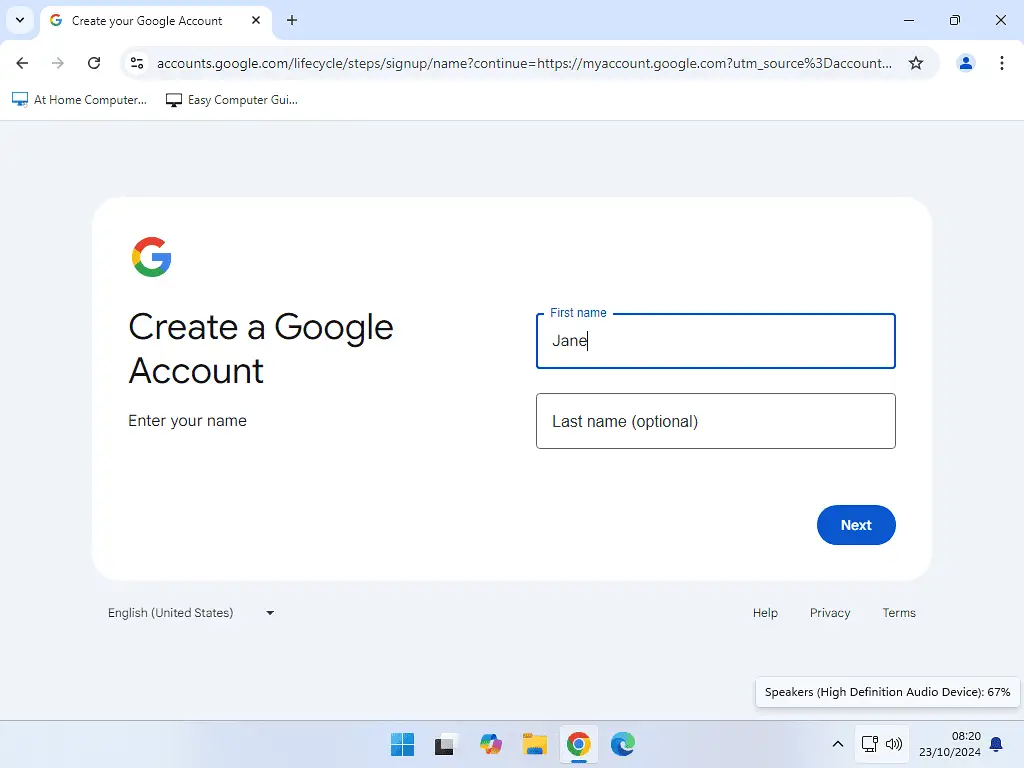
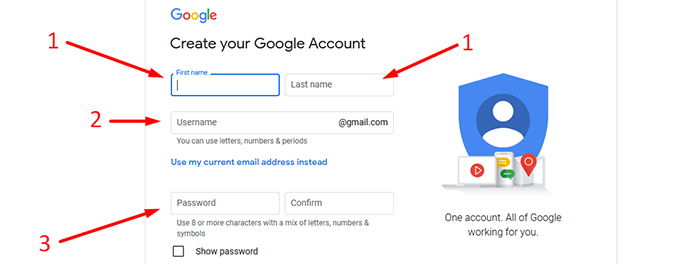
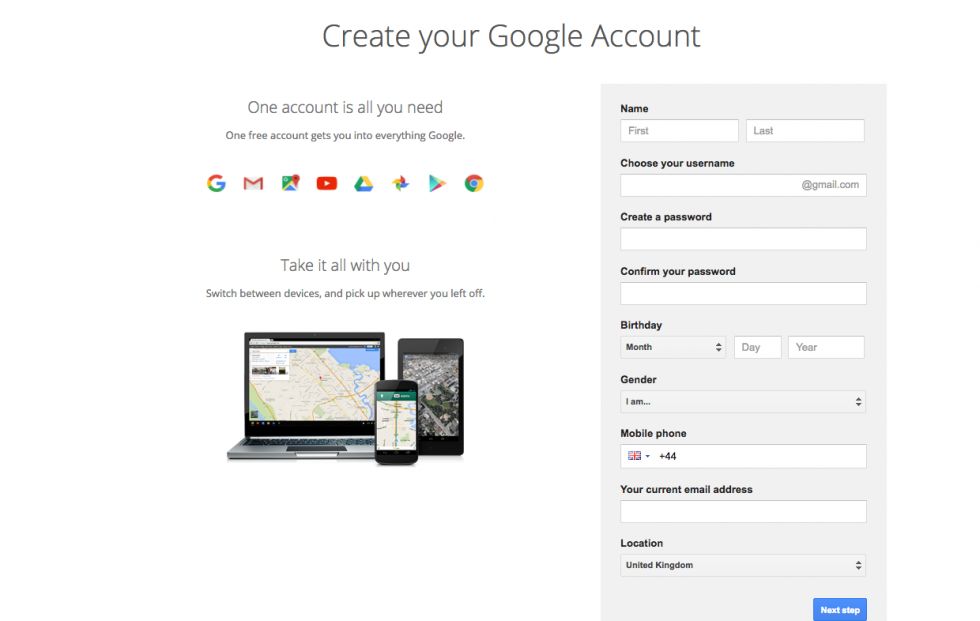
Now, Google will ask if it’s for you or for work. Just pick “For myself” unless you’re secretly a corporate spy, in which case, carry on. This is the part where you type in your first and last name. Your legal name or your cool pen name? Honestly, it doesn’t matter. Just use something you won’t regret seeing in an email signature.

The Username Struggle is Real
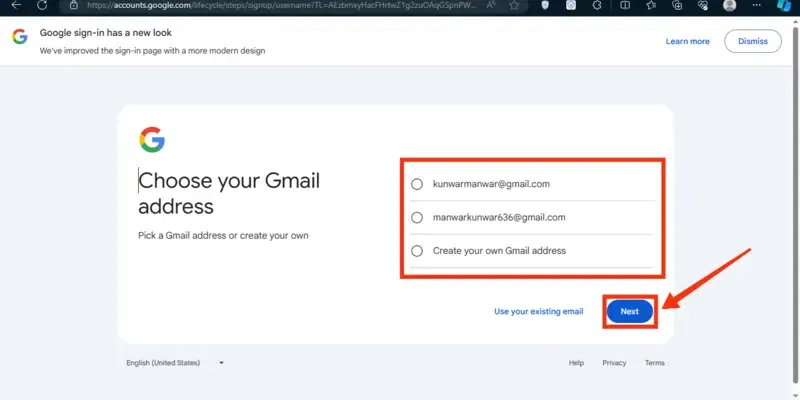
Ah, the username. The moment where all your dreams get crushed by a little red text saying, “That username is taken.” Every single variation of “CoolCat88” is gone. I’m sorry, but it’s true.
Try your name with a number, or a middle initial, or an obscure year. Something like jane.doe.1987 or coffee.lover.forever. If you get frustrated, just add a period in the middle—Gmail ignores periods when checking availability, so jane.doe and janedoe are the same account. Fancy, right?
Once you find a winner, it’s time for the password. Make it long, make it weird, and include a few symbols. But also make it something you can type without crying. Balance is key, my friend.

Phone Verification: The Necessary Evil
Next up is the dreaded phone number verification. Google will text you a six-digit code. This step is non-negotiable, but it’s quick. Type your number in, wait for the ping, and enter the code.
Why do they need this? To keep the bots out, obviously. And also to stop me from creating 500 accounts named “DramaLlama.” You’ll then be asked for a recovery email—just hit skip if you don’t have one. No big deal.
Finally, they’ll ask for your birthdate and gender. You can lie, but don’t. Google uses this for security, and also to show you creepy ads for birthday gifts. Your call.
:max_bytes(150000):strip_icc()/Capture-fd289ce1526b4bd389dac5acc45baaf5.JPG)
Personalize This Bad Boy
After that, boom—you’re in! You’ll land in an inbox that’s suspiciously empty and clean. Don’t get used to it. The first thing you should do is click the gear icon and set up a signature. Add your name and a funny quote, or a serious title if you have one.
Next, you can choose a theme. There’s a photo of a beach, some neon shapes, and a very aggressive pink flower pattern. Pick something that makes you smile. This is your digital home now.
Also, check the settings to turn off smart replies if you don’t like them. Or keep them—they’re hilarious when they say “Great!” right after someone emails you about a death in the family. Oops.

Your First Email (Don’t Screw It Up)
Now, write a test email to a friend. Or better yet, email yourself. It feels ridiculous, but it’s a great way to confirm everything works. Type something like, “I’m alive and on Gmail now. Expect memes.”
Hit send, watch it appear in your inbox, and do a little celebration dance. You did it! You’re officially a Gmail citizen. From here, you can attach files, create labels, and eventually have 40,000 unread emails like the rest of us. Welcome aboard.
And hey, if you get stuck, just re-read this or ask a teenager. They can do this in their sleep, honestly.