How Many Mbps Does A Hotspot Have

Ever found yourself staring at your phone’s “Personal Hotspot” toggle, wondering if it’s actually fast enough to save you? The answer isn’t a single magic number—it’s a sliding scale that depends on your carrier, your plan, and your location. Think of it like a garden hose: the same tap can deliver a trickle or a powerful spray, depending on the nozzle you’re using.
For beginners, the big “Mbps” label looks like tech jargon, but it’s simply a speedometer for your data. A hotspot’s speed tells you how quickly you can stream a show, join a video call, or download an app. For families sharing a connection on a road trip, knowing this number helps avoid the dreaded “buffering” circle during movie night. Hobbyists, like remote workers or gamers, benefit because they can predict if their hotspot will handle a file upload or a quick online match without lag.
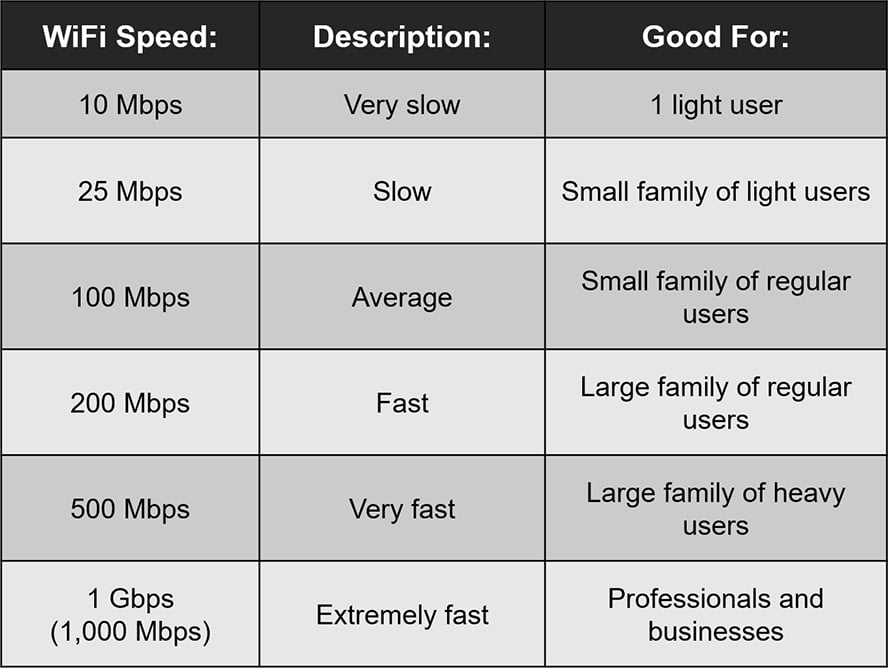
So, what’s the real range? On a 4G LTE connection, you’ll often see speeds between 5 and 50 Mbps, which is perfect for browsing and HD streaming. Step up to 5G, and you can easily hit 100 to 300 Mbps—fast enough for heavy downloads or even cloud gaming, if you’re lucky. Keep in mind, these numbers drop as you move away from cell towers or when many people are online during peak hours.
Must Read
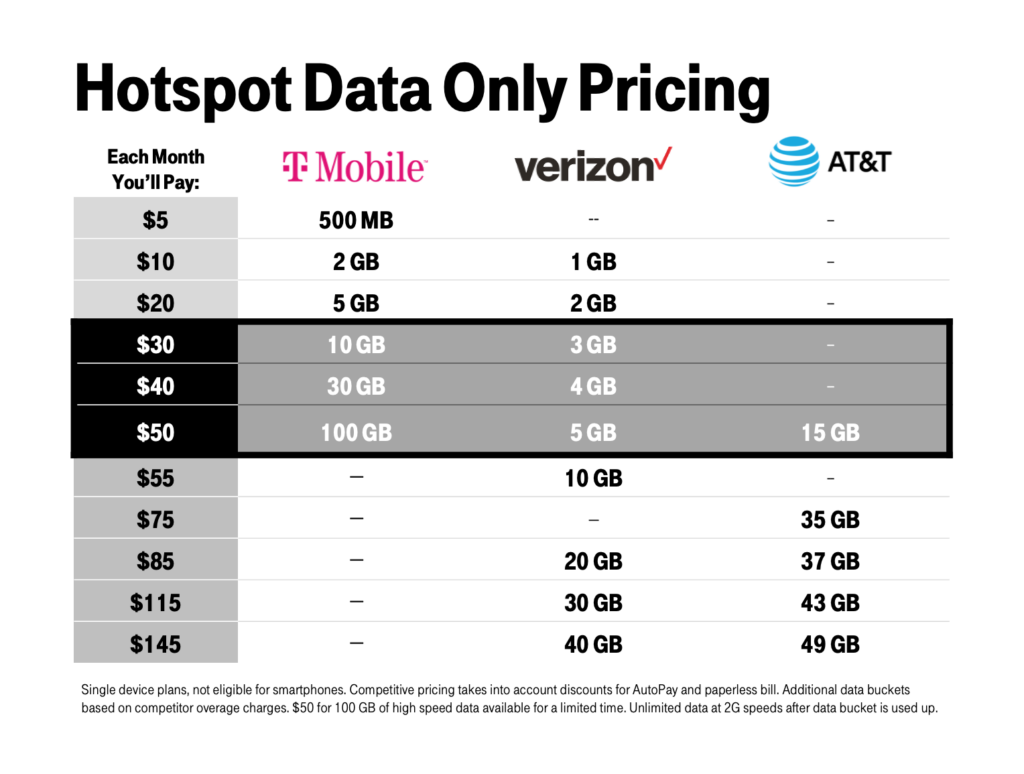
Here’s a fun variation: your phone’s hotspot speed isn’t fixed, even minute to minute. If you’re standing near a window, you might get 40 Mbps, but walking into a basement could drop you to 5 Mbps. Also, some carriers “throttle” your speed after you use a certain amount of data in a month, turning your 5G rocket into a slow bicycle. And don’t forget—your phone’s battery drains faster when it’s acting as a hotspot, so keep a charger handy.
Ready to test your own speed? Start by disabling Wi-Fi on your laptop or tablet, then turn on your hotspot and connect. Open a simple speed test website (like Speedtest by Ookla) and run it three times at different spots in your home. Write down the results—you’ll quickly see how walls and distance change your Mbps. For a better experience, place your phone on a desk or shelf, not on a metal surface, and close apps on your phone that are using data in the background.

One more tip: if you’re on a limited data plan, lower your hotspot’s video quality in its settings. This won’t change your Mbps, but it’ll make your data last longer, giving you more happy hours of streaming. Don’t be afraid to experiment with your phone’s “5G only” or “LTE only” mode—sometimes, the older network is more stable and gives you a smoother connection for video calls.
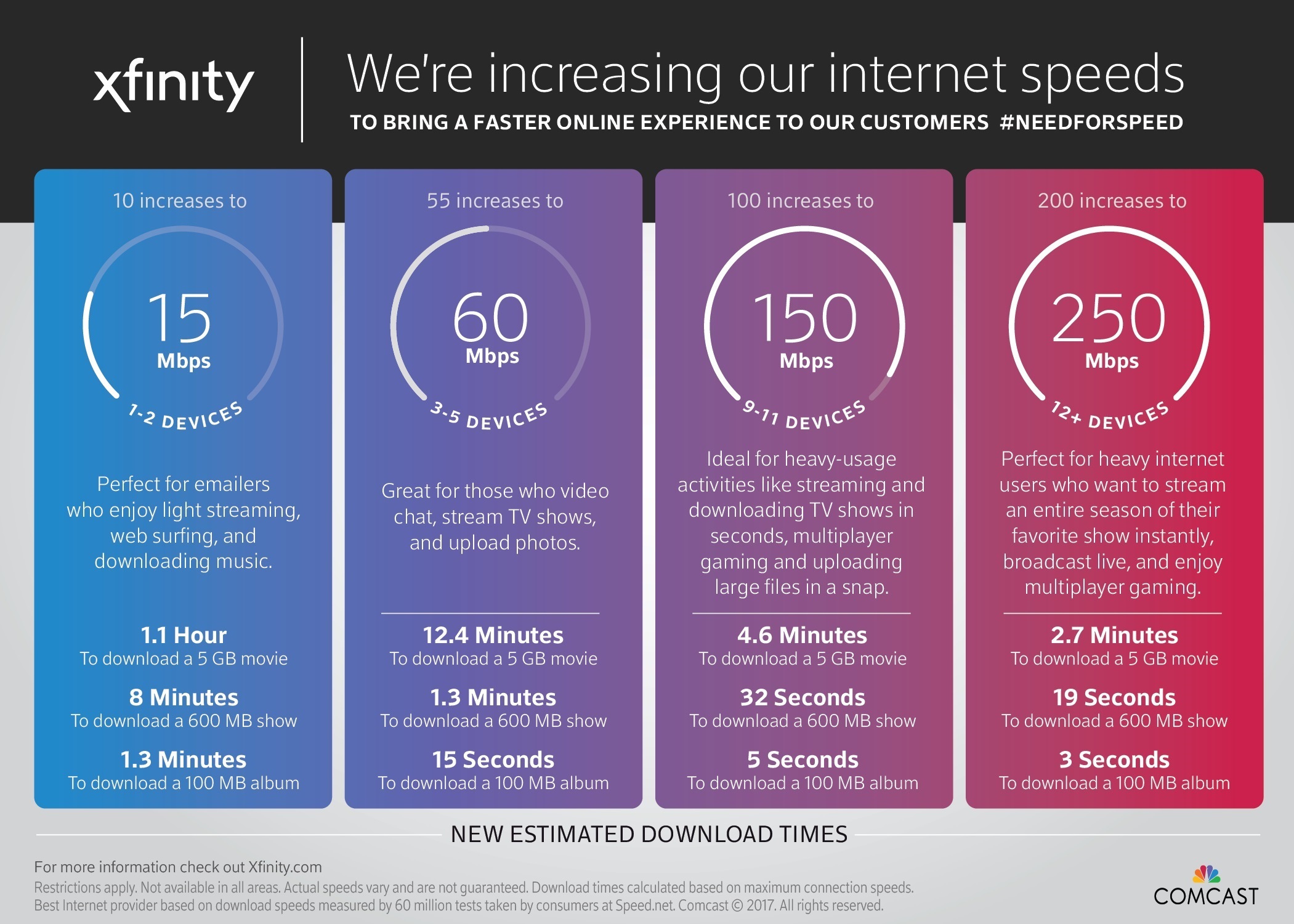
In the end, the exact Mbps doesn’t matter as much as what you can do with it. A solid 15 Mbps can still get you through a Zoom meeting and a Netflix episode with zero tears. So next time you’re out and about, give your hotspot a quick test—it’s a mini science experiment that pays off with better streaming, fewer headaches, and a little more “anywhere” freedom.