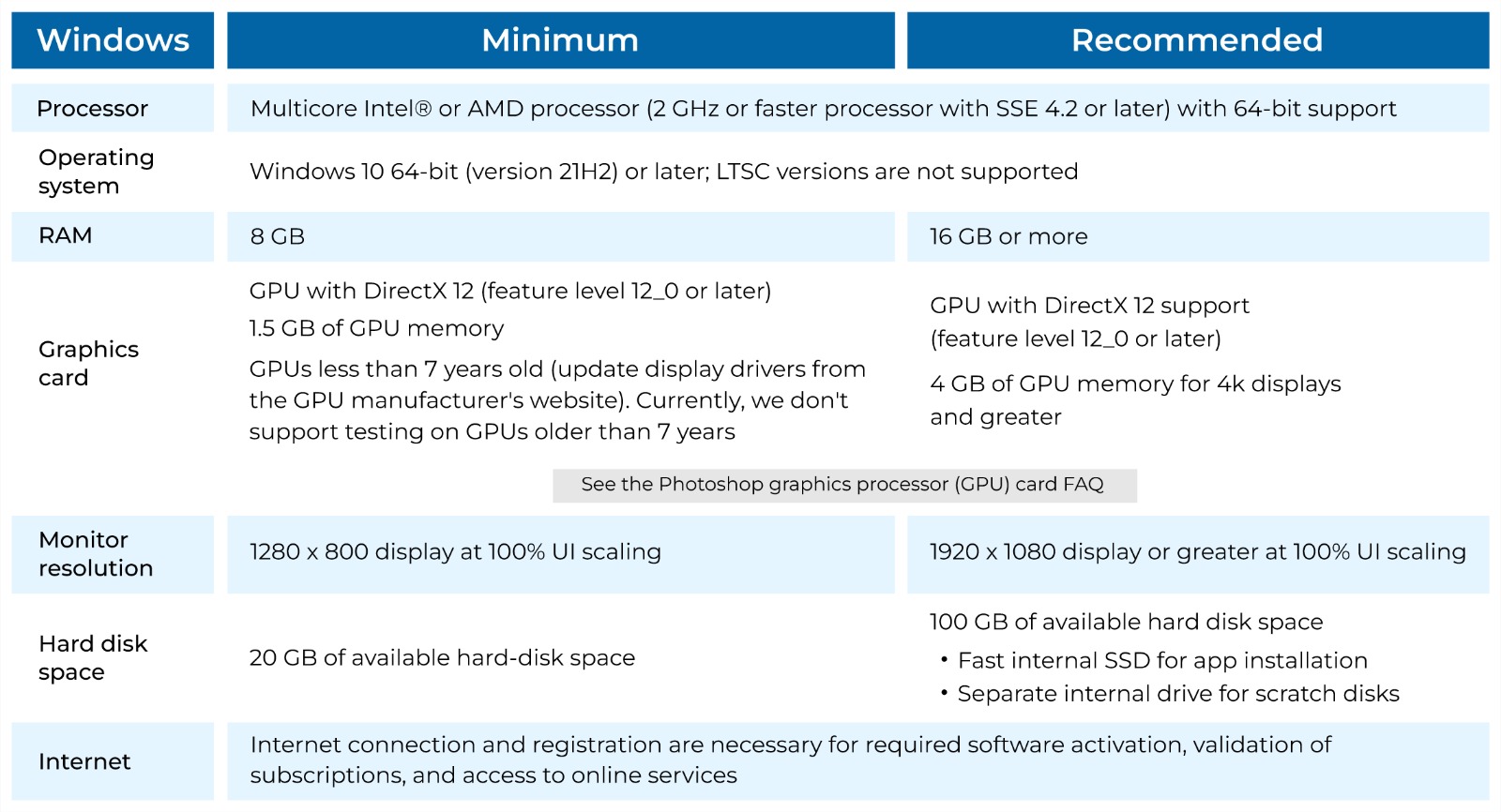
Cs6 System Requirements Photoshop
Think of Adobe Photoshop CS6 as that classic, beloved muscle car from the 2010s—it still turns heads, runs smoothly, and doesn’t demand a spaceship’s control panel to operate. While the creative cloud has zoomed ahead, millions of designers, hobbyists, and meme-makers still swear by CS6 for its one-time purchase price and rock-solid stability. The real magic trick? Knowing whether your trusty laptop or aging desktop can actually handle this software without turning into a jet engine. Let’s pop the hood and check the specs, so you can dive back into your pixel playground without a frustrating crash.
Why Bother With CS6’s Systems?
You don’t need a top-tier gaming rig or a render farm to enjoy Photoshop CS6 — that’s part of its charm. Unlike the newer subscription versions that crave massive RAM and cutting-edge graphics cards, CS6 is surprisingly forgiving with older hardware. This means you can breathe new life into a dusty office PC or a five-year-old laptop, saving your wallet from a costly upgrade. Plus, mastering these requirements helps you avoid the dreaded “not enough memory” pop-up right when you’re about to save a masterpiece.
The Bare Minimum: Getting Your Foot in the Door
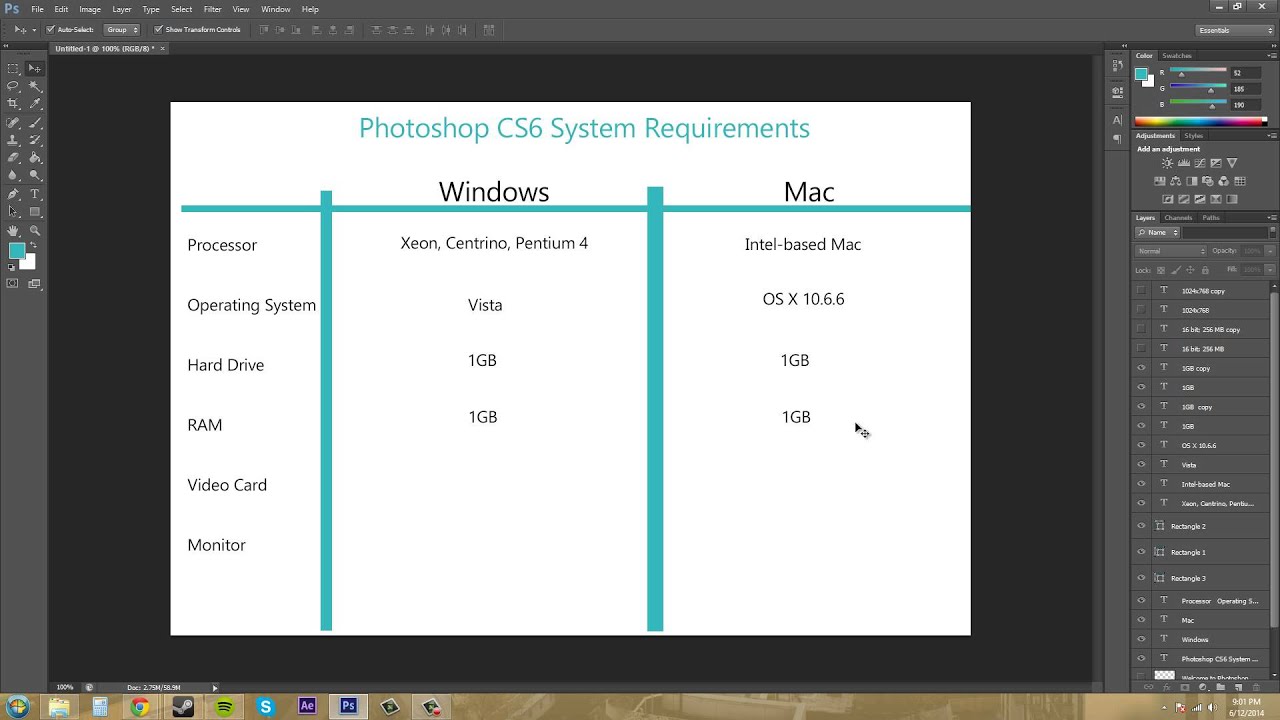
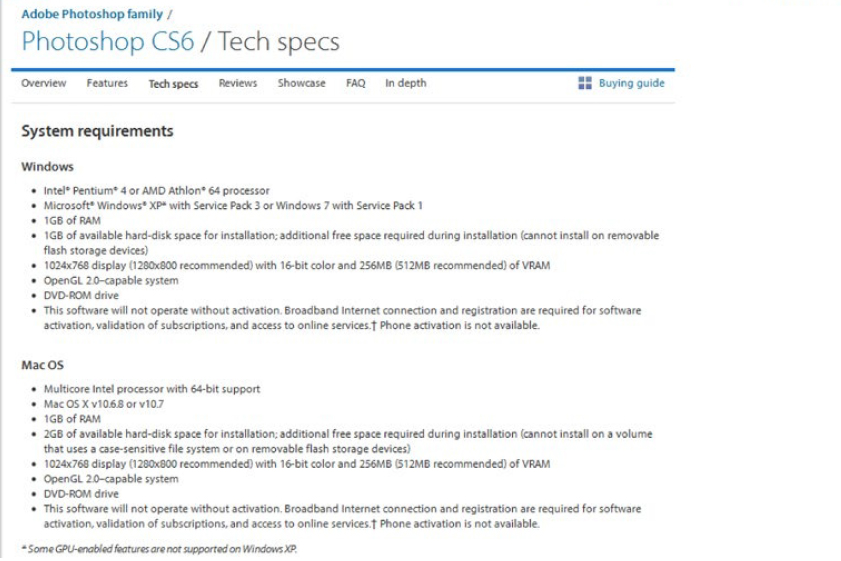
Adobe’s official minimum specs are almost quaint by today’s standards. For Windows, you’ll need at least a 1.8GHz processor, 1GB of RAM, and 2GB of free hard drive space. On a Mac, look for a 64-bit Intel Core 2 Duo or better, alongside the same 1GB RAM suggestion. Yes, you read that right — 1GB is what a basic browser tab eats for breakfast now, but it will run CS6. Just don’t plan on opening a 50-layer, 4K poster while streaming music; you’ll feel the squeeze.
Must Read
Pro tip: The absolute bare minimum is like trying to run a marathon in flip-flops. It works, but the blisters come fast.
The Comfort Zone: What You Actually Want
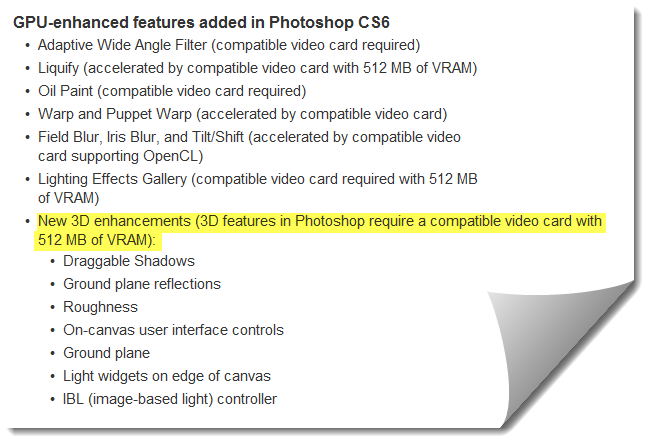
For a genuinely smooth ride, double or triple those minimums. Aim for a 2GHz multi-core processor (like an Intel i5 or i7), 4GB to 8GB of RAM, and at least 10GB of free disk space for scratch files. A dedicated graphics card with 512MB of VRAM — think NVIDIA GeForce or AMD Radeon — unlocks GPU-accelerated effects like Liquify and the Blur Gallery, which are buttery smooth. With this setup, you can stack layers, use heavy brushes, and apply filters without watching a spinning beach ball of death for minutes.
Storage matters more than you’d think. An SSD (Solid State Drive) will make CS6 boot and load files up to four times faster than an old mechanical hard drive. If your laptop only has a spinning disk, consider an external SSD for your active projects to see a massive speed boost. Remember, CS6 uses free disk space as virtual memory, so a crammed hard drive spells disaster for performance.
Windows vs. Mac: The Great Divide
On the Windows side, Photoshop CS6 supports Windows 7, 8, and 10 (64-bit), but it officially snubs Windows 11 — though many users report it works with a few compatibility tweaks. For Mac users, the situation is trickier: CS6 officially runs on macOS versions from Mountain Lion (10.8) all the way up to Catalina (10.15). If you’ve upgraded to Big Sur or Monterey, you’ll need to use workarounds or virtual machines, as Adobe dropped support for those newer systems. In short, Windows users have an easier time keeping CS6 alive, while Mac fans might need a sacrificial offering to the upgrade gods.
The Hidden Gotcha: 32-bit Operating Systems
Here’s a fun, frustrating fact: Photoshop CS6 is the last version that supports 32-bit Windows, but it only runs in 64-bit mode for heavy lifting. If your copy of Windows is 32-bit, you’re stuck with only 2GB of usable RAM, no matter how much is physically installed. This is a hard wall — so check your system type before re-installing CS6 from that dusty DVD in your drawer. Upgrading to a 64-bit OS is a game-changer for this software’s stability.
Final Verdict: Should You Push the Pedal?
If your computer meets the comfortable mid-range specs, CS6 will feel fast and responsive for 90% of tasks, including photo retouching, digital painting, and social media graphics. It won’t handle gigantic 3D renders or 360-degree panoramas with ease, but that’s not its job. For a creative hobbyist or a small business, this old-timer is a dependable, one-time purchase that keeps on giving. So, dust off that old PC, check your RAM, and give CS6 a second chance — your inner artist will thank you.
Just remember: if your computer starts sounding like a hoover vacuum, it’s time to close a few tabs or lower your image resolution. But for most daily work, this reliable workhorse is more than ready to help you create stunning images. No subscription, no cloud drama — just you and your pixels.