Computer Requirements To Work From Home
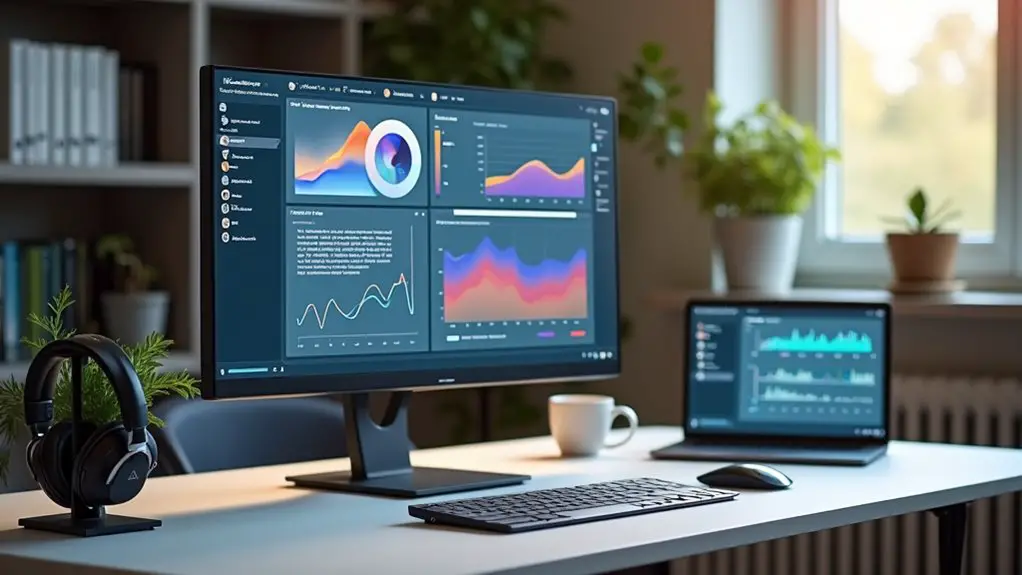
Working from home can be a dream come true for many people, and having the right computer requirements can make all the difference. With the latest technology and high-speed internet, you can stay connected and productive from the comfort of your own home. Whether you're a freelancer, entrepreneur, or remote employee, having a reliable computer setup is essential to getting the job done.
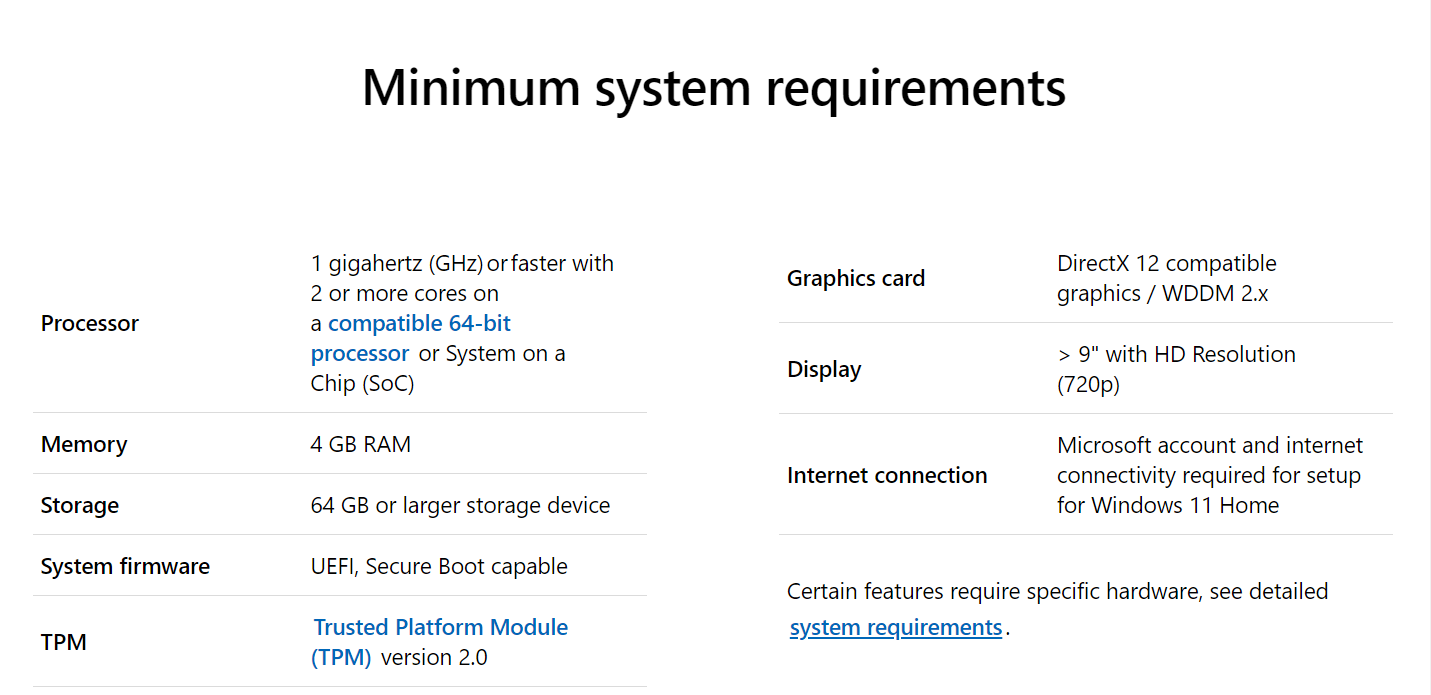
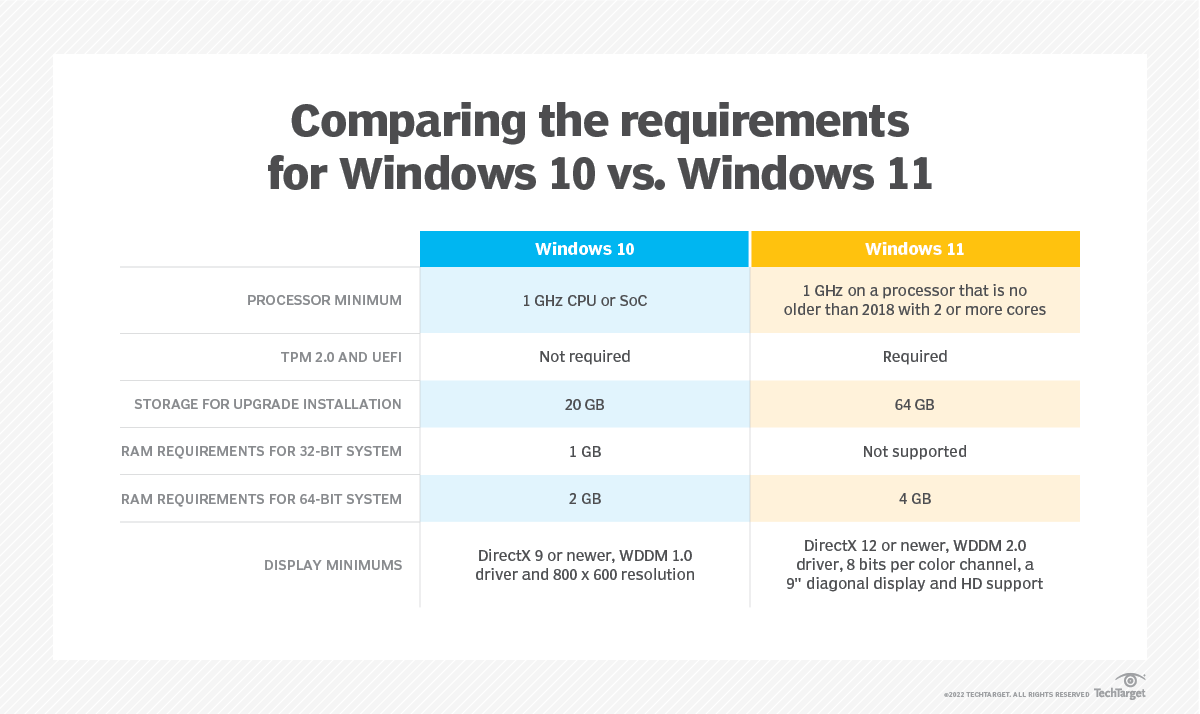
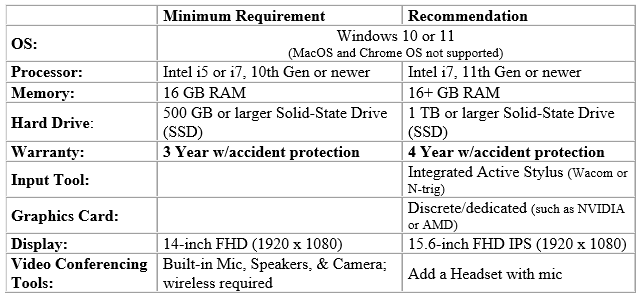
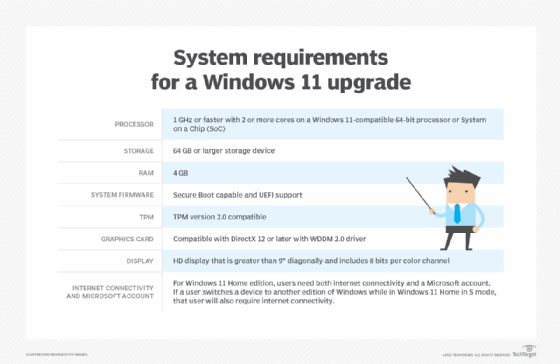
A good computer for working from home should have a fast processor, plenty of memory and storage, and a high-quality display. You'll also want to consider the type of operating system you need, such as Windows or macOS, and whether you require any specialized software or apps for your work. By choosing the right computer and setting it up correctly, you can create a comfortable and efficient workspace that helps you stay focused and productive.
Key Computer Requirements
So, what are the key computer requirements for working from home? Firstly, you'll need a reliable internet connection with a fast upload and download speed. A laptop or desktop with a good processor, such as an Intel Core i5 or i7, and at least 8GB of RAM is also essential. Additionally, you'll want to consider the display size and resolution, as well as the type of keyboard and mouse you prefer.
When it comes to software and apps, you'll need to consider what you need to get the job done. For example, if you're a graphic designer, you may need Adobe Creative Cloud, while writers and editors may require Microsoft Office. You may also want to consider cloud storage options, such as Google Drive or Dropbox, to keep your files safe and accessible from anywhere. By investing in the right software and apps, you can streamline your workflow and stay organized.
According to
a study by Gallup, employees who work remotely at least some of the time are more likely to have higher levels of engagement and productivity. This is because they are able to create a workspace that is comfortable and conducive to their needs, with the right computer requirements and setup. By investing in the right technology and setup, you can create a productive and comfortable workspace that helps you achieve your goals and enjoy the benefits of working from home.

In terms of ergonomics, it's also important to consider the comfort and health of your body while working from home. This includes investing in a comfortable chair and desk, as well as taking regular breaks to stretch and move around. By prioritizing your health and comfort, you can stay focused and productive, and avoid the risks of burnout and injury. With the right computer requirements and setup, you can create a healthy and sustainable work-from-home routine that works for you.
To stay connected and collaborative with colleagues and clients while working from home, you'll need to invest in communication tools such as video conferencing software, instant messaging apps, and project management tools. These tools can help you stay in touch and work together effectively, even when you're not in the same physical location. By using these tools, you can build strong relationships and collaborate effectively, even from a distance.
Finally, it's worth considering the security of your computer and data when working from home. This includes investing in antivirus software and a firewall, as well as using strong passwords and two-factor authentication. By prioritizing security, you can protect your data and prevent cyber threats and data breaches. With the right computer requirements and security measures in place, you can work from home with confidence and peace of mind.
By following these tips and investing in the right computer requirements, you can create a productive and comfortable workspace that helps you achieve your goals and enjoy the benefits of working from home. Whether you're a freelancer, entrepreneur, or remote employee, working from home can be a dream come true – and with the right technology and setup, you can make it a reality. So why not get started today and see the benefits of working from home for yourself?