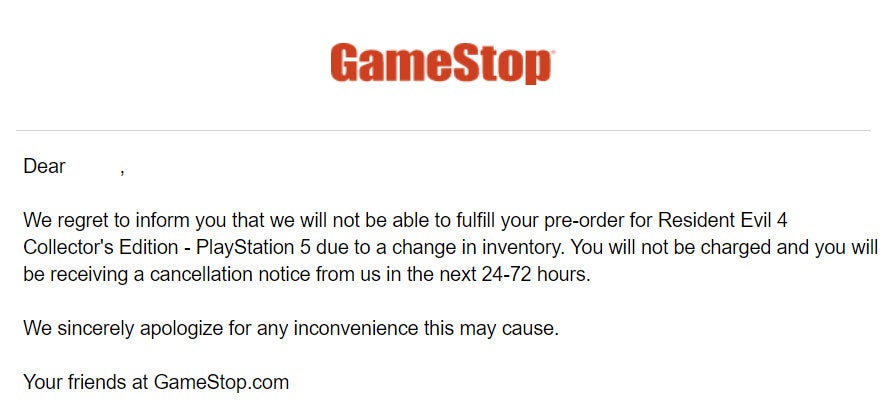
Cancel Pre Order Gamestop Online

Let’s be honest—there’s a tiny thrill in the click of a “Pre-Order” button, especially when it’s for that shiny limited-edition controller or a game you’ve been dreaming about for months. But then life happens: your budget shifts, you read a bad review, or you simply realize you’d rather wait for a price drop. That’s when the real power move comes in—knowing how to cancel a pre-order on GameStop’s website without breaking a sweat. It’s a small act of consumer freedom that saves your wallet and your sanity.
The beauty of canceling a pre-order is that it puts you back in the driver’s seat. You’re not locked into a purchase you made on impulse, and you avoid the dreaded “buyer’s remorse” that often follows a big-ticket game. It also keeps your credit card statement clean, so you don’t get that January shock when you see three charges you forgot about. For everyday life, this means you can plan your gaming budget without fear of mistakes—you can change your mind as often as you change your socks.
In practice, this move is used for all sorts of reasons. Maybe you pre-ordered a physical copy of Elden Ring: Shadow of the Erdtree but then found out it’s coming to Game Pass next month. Or perhaps you realized you’ll be on vacation when the game releases, so why pay for something you won’t play for weeks? Even collectors cancel to consolidate—say, trading three pre-orders for one deluxe bundle. The best part? GameStop doesn’t charge you a fee for canceling, as long as you haven’t picked up the item yet.
Must Read
Here’s the golden rule: act before it ships. Once GameStop processes the fulfillment, the window for an easy online cancel closes—after that, you’re stuck with a return label hassle. To do it right, log into your account, head to “Order History,” and click “Cancel” next to the item. If you don’t see the button, don’t panic—just use the live chat feature and politely ask a rep to cancel it for you; they’re usually happy to help if you’re friendly.

Another tip: check your email confirmation for a direct “Cancel Order” link. GameStop often embeds that link right in the receipt email, which saves you from digging through menus. Also, if you used a gift card or trade credit, your refund will go back to that same method—so don’t expect cash back to your bank. And if you’re on the fence about canceling, remember that you can always re-order later; there’s no loyalty penalty, and the game will still be there (maybe even cheaper) next week.
Finally, make it a habit to set a calendar reminder for one week before a release date. That’s your “reality check” window—ask yourself if you still want the game or if it was just hype. If you cancel, do it with a sense of triumph; you’ve just outsmarted corporate FOMO. And if you decide to keep the pre-order, great—but now you know you can change your mind, and that’s a superpower in itself. Happy gaming, and may your library always be full of choices, not regrets.