Can You Use Apple Watch Without Phone

Let’s be real: the Apple Watch has become the unofficial sidekick of the chronically online. It’s the tiny glass rectangle strapped to the wrists of wellness influencers, Silicon Valley bros, and your friend who needs to close their Move ring before 9 PM. But the hottest discourse currently burning through TikTok’s algorithm and Twitter’s main-character energy isn’t about battery life or titanium finishes. It’s the ultimate breakup story: Can you use an Apple Watch without an iPhone? The internet has collectively gasped, because for years, we’ve been gaslit into believing the watch was merely a dumb remote for your precious handset. Spoiler alert: the strap-on tech has more autonomy than a reality TV star during a confessional. This isn’t just a niche tech query; it’s a lifestyle liberation movement, a rebellion against the umbilical cord of Bluetooth, and frankly, the only way to achieve that elusive "digital minimalism" aesthetic without ditching your group chats entirely.
Pop culture has shifted. We’ve moved from "there’s an app for that" to "there’s a complication for that." The narrative exploded when fitness influencers started posting POVs of running marathons with only an Apple Watch Ultra and AirPods, claiming a spiritual connection with nature that somehow still tracked their split times. Meanwhile, the #DigitalDetox crowd realized they could leave their phones in a drawer and still receive the important pings—the ones that stroke our ego—while ignoring the actual calls from our mothers. The watch has evolved from a notification mirror to a standalone device, and the discourse is spicy. Is it freedom, or is it just a smaller, more expensive cage? The answer is layered, deeply weird, and surprisingly functional, but you need to know exactly what you're signing up for when you tell your iPhone, "It's not you, it's me."
Here’s the tea: the Apple Watch is no longer a dependent accessory; it’s a rebellious teenager with a trust fund. With watchOS 10 (and beyond), the device runs its own apps, connects to Wi-Fi and LTE, and manages your entire existence via a tiny, squishable keyboard. But the catch is still there, lurking in the fine print, ready to ruin your off-grid fantasy. You see, the watch is not an independent entity. It’s more like a highly capable clone that needs its parent to establish the initial personality—the Apple ID, the settings, the app layout. The "without phone" journey begins with a phone, which is the most frustratingly ironic plot twist since The Prestige. So, before you shave your head and move to a cabin with just a solar charger, let’s dissect this strange, liberating, and occasionally infuriating digital ecosystem.
Must Read
The Weird, Wild Subculture of Watch-Only Radicals
There is a specific, almost evangelical subculture of Apple Watch users who treat the phone like an ex they’ve blocked but still stalk online. These are the "Watch-Only Warriors." They populate Reddit forums like r/AppleWatch, posting triumphant screenshots of their battery life after 48 hours of "freedom." They argue about cellular plans with the fervor of political pundits, debating whether a standalone data plan is worth the $10 a month if it means you can leave your iPhone at home while you go for a "nature walk" (which is really just an excuse to play Pokémon Go on your wrist). This tribe is obsessed with the Apple Watch Ultra, not because they dive to 40 meters, but because the extra battery life allows them to survive a full day of ignoring texts without anxiety. To them, the watch is a shield against the doom-scrolling of Instagram Reels, yet they’ll happily reply to a Slack message via dictation, proving that detox is selective at best.
Then you have the toxic side of this coin: the "Battery Anxiety" subculture. These are the folks who buy the cellular model but spend 90% of their day with the Watch tethered to Wi-Fi because they’re terrified of the battery drain. They hover between the Settings app, turning off background refresh and disabling the always-on display, all while preaching about the superiority of going phone-free. Meanwhile, the most fascinating dynamic is the social signaling. Walking into a coffee shop with only your Apple Watch on your wrist and AirPods in your ears is the modern-day equivalent of carrying a leather-bound journal in 2005—it screams, “I am busy, I am important, and I have nowhere to store my sunglasses.” It’s a status symbol that whispers, "My other device is charging at home in a Gucci bag." The culture is built on a paradox: using a piece of advanced surveillance tech to seem more grounded and present.
However, the dark side of this subculture is the crushing reality of incompatibility. The watch is now a picky eater. It refuses to play nice with Android (obviously, we’re in a cult), and it demands that you use iMessage, Apple Music, and Apple Maps. You can’t just strap on a Watch and expect to use Google Maps or Spotify natively without workarounds that require a degree in computer science. This creates a weird echo chamber where users convince themselves that Apple's walled garden is actually a lush botanical paradise. The social media dynamic is rife with "flex fail" videos—people showing off their fancy watch faces while missing a critical text from their boss because they thought they could survive on Watch mail alone. It’s a constant battle between aspiration and functionality, where the algorithm loves seeing you struggle, but your wrist just wants to go home.

How to Navigate the Phone-Free Wrist Game (Without Losing It)
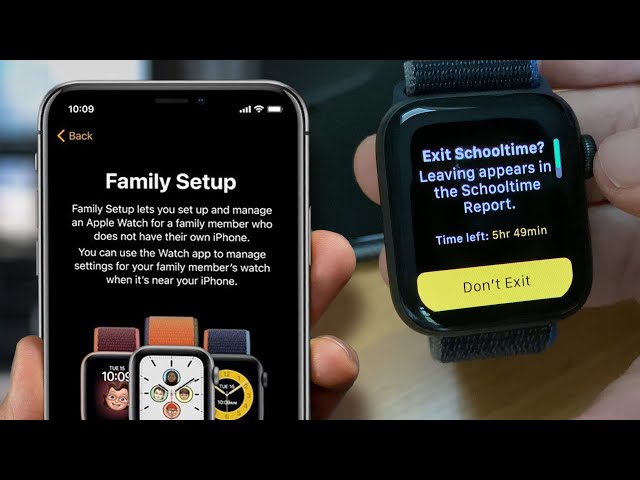
Alright, let’s get pragmatic. You want to leave the phone at home, but you don’t want to end up crying in a CVS parking lot because you can’t scan your loyalty card. The first, non-negotiable step is accepting that the setup requires a phone. You must borrow an iPhone—any iPhone—to pair the watch initially. You have to log into your Apple ID, sync your data, and set up the cellular plan. This is the hazing ritual. Once that’s done, you can power down the phone and toss it in a drawer for a while. But if you buy a GPS-only model, stop right now. That is a paperweight for your wrist without a nearby phone. You need the Cellular model (the one with the red ring on the digital crown). This is the key to the castle, and it costs extra. Budget for it like you budget for therapy, because you’ll need both.
Next, you need to manage your expectations regarding audio. The Apple Watch’s speaker is a tinny little nightmare for music, so you’re going to rely on Bluetooth headphones—specifically AirPods. The connectivity is seamless, but here’s the catch: you cannot stream Spotify without a phone. You must use Apple Music, which allows you to download playlists directly to the watch’s 32GB of storage. This means you have to carefully curate your vibe before you leave the house. You’ll become dangerously intimate with your "Fitness" playlist. It’s a maddening, yet oddly purifying, process. Pro-tip: set your watch to download your playlist to the watch itself via the Apple Watch app on the phone before you cut the cord. Then, turn off LTE data for music streaming to save battery—battery is your new best friend and your worst enemy.
Battery management is the true test of your phone-free lifestyle. When you’re untethered, the watch works overtime. GPS, LTE, and heart rate monitoring will drain a Series 9 in about 12 hours if you're using it heavily. The Ultra will last two days, which is why it’s the weapon of choice for the serious unpluggers. You have to become a power miser. Turn off the "Always-On Display" (nobody needs to see the time that badly), disable Siri’s "Listen for Hey Siri" (you can use the button), and for the love of god, turn off the "Walkie-Talkie" app, because it’s a battery vampire. Also, be intensely disciplined with notifications. The goal is to unplug, not to get a buzzing wrist every two seconds. Customize your notification settings so only actual humans (or your panic-stricken pet sitter) can reach you.
:max_bytes(150000):strip_icc()/can-you-use-apple-watch-with-ipad-1994095-b76791d942274cd081674dd0d625752e.png)
Finally, understand the limitations of the "Digital Touch" and messaging. You can reply to iMessages via scribble, dictation, or pre-set responses. Emojis are your new vocabulary. But if you use WhatsApp, you’re in a gray zone. WhatsApp on the watch only works if the phone is nearby for the initial handshake, and even then it’s buggy as hell. You’ll get alerts, but replying is a gamble. The same goes for banking apps—you can see your balance, but paying requires the phone for Face ID approval. So, for your daily coffee run, you’re fine with Apple Pay on the watch, but for online banking, you’re out of luck. The pragmatic approach is to treat the watch as a filter for reality. You get the highlights—the texts, the calls, the navigation—but you lose the deep-dive rabbit holes. That’s the point, but it’s also the annoyance.
FAQ: The Burning Questions, Answered (Internet Debate Edition)
Can I set up a new Apple Watch without owning an iPhone at all?
No, this is the ultimate misconception. You cannot set up an Apple Watch, even a cellular model, without an iPhone. The setup process is exclusively iOS-based. This is the walled garden’s front gate, heavily guarded by Apple’s proprietary protocols. You can’t use an iPad. You can’t use a MacBook’s setup assistant. It has to be an iPhone running the latest iOS. If you are an Android user thinking about switching just for the watch, you have to buy an iPhone, even if it’s a beat-up iPhone SE, just to activate the watch. After activation, the watch can function independently of that phone, but it still relies on the initial configuration stored in iCloud. Without the iPhone, you can’t even get past the "Hello" screen. It’s a classic Apple power move: you can buy the freedom, but you must first pay the toll.
There is a workaround involving older iPhones and iTunes, but it’s hilariously convoluted and requires downgrading software. It’s not worth the effort for the average user. The debate on this topic is usually between "physical independence" versus "logistical dependence." You are physically free once it’s on your wrist, but you are eternally tied to the Apple ecosystem via your Apple ID. You can perform a factory reset on the watch without a phone, but you cannot reauthorize it without one. So, if you lose your phone, you can still use your watch, but if you lose your watch and need to restore it from backup, you’ll be buying a new phone or an old one to do the job.
Will the Apple Watch get texts, calls, and social media notifications without the phone nearby?
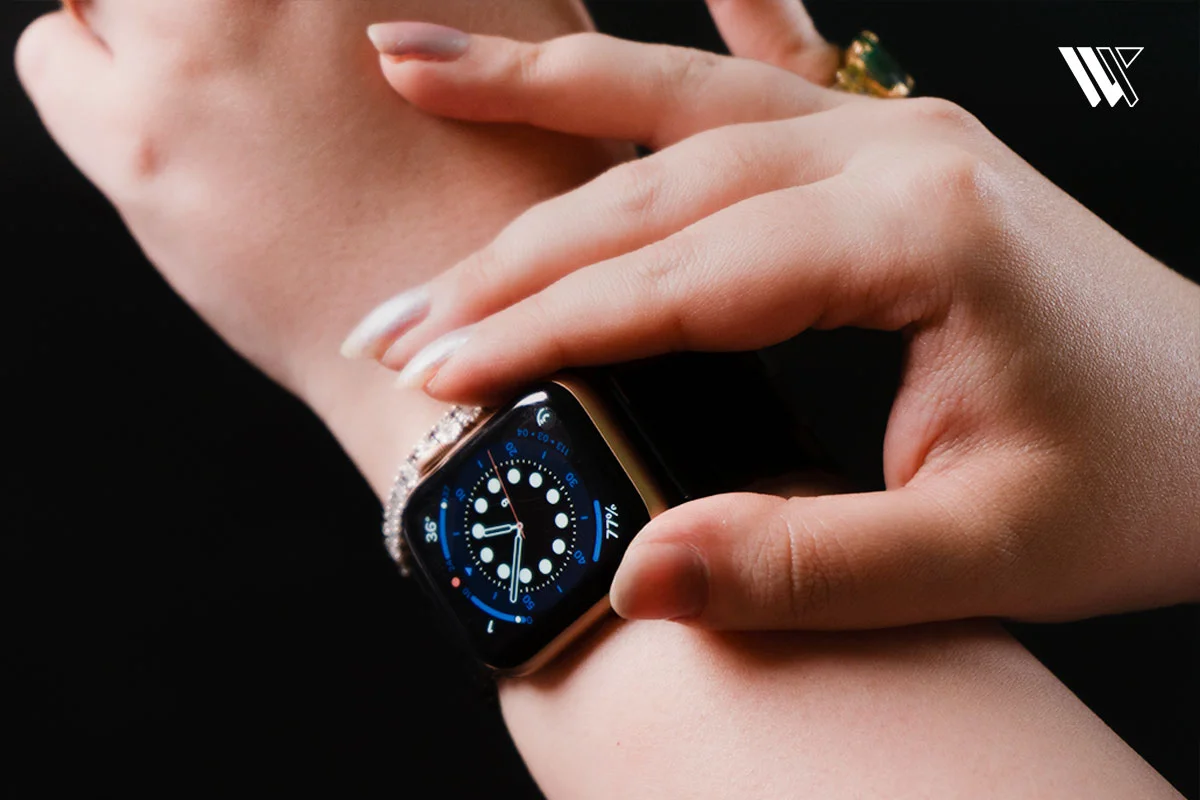
Yes, absolutely, but only if you have the cellular model and an active cellular plan synced to the watch. With LTE, your watch receives a "NumberShare" or "Family Setup" plan (depending on your carrier), which essentially clones your phone number onto the watch. You can receive iMessages, regular texts (smishing included), and phone calls. However, the catch is that if you receive an iMessage that was sent to your phone number, it appears on the watch. If you get a text that requires an SMS carrier update, your watch can handle it independently. For social media, the notifications arrive, but the ability to interact is limited. Instagram throws a notification, and you can see the preview, but you’ll likely want your phone to reply. The same goes for Twitter/X. You can see the drama, but you can’t participate in it.
Third-party apps like Telegram and Slack have watchOS apps, but their reliability varies. For instance, Telegram on the watch requires the phone to be on for the connection to initiate sometimes, even over LTE. On the other hand, Apple’s native apps (Messages, Phone, Mail, Calendar) work flawlessly over LTE. The internet debate here is usually about whether you can "live" on the watch. The answer is no, you can't. You can exist, you can communicate, and you can navigate, but you cannot manage a social media presence. You are a spectator, reading a newspaper printed in tiny ink, while others are breathing the polluted air of the main feed. It’s a liberating dilemma—you’re informed, but mercifully detached from the urge to reply with a spicy gif.
What happens to my Apple Watch if I'm in a remote area with no Wi-Fi or Cellular signal?
Essentially, it turns into a very expensive, high-tech fitness tracker and a clock. If you have no signal, the watch will lean on its onboard GPS to track your location and your workout, which is great for hiking. It will record your heart rate, your pace, and your altitude. But you cannot send an SOS text via LTE if there is no tower. It will store notifications (like voicemail and missed calls) and deliver them once you reconnect to a network. The music you downloaded to the watch will still play to your AirPods, which is the main reason people choose this route. But importantly, Siri becomes a special kind of useless. Without a network, Siri refuses to do basic functions like setting a timer unless you have it configured offline, and even then, it’s flaky because Apple processes Siri requests in the cloud, not on the device.

The debate on this is often about "survival" capabilities. Tech YouTubers love to test this by going to Montana with an Ultra, assuming it’s a Garmin equivalent. It isn’t. An Apple Watch without a network is not a communication device, it’s a logging device. The Maps app also fails entirely; it cannot cache offline maps like Google Maps can on a phone. So, if you’re using the watch to navigate a forest and you lose signal, you’ll see a tiny blue dot over a blank gray background. You are effectively lost, but your watch knows exactly where you are, and it will show you your heart rate rising in panic. It’s a poetic metaphor for modern life—we have all the data but no actual solution. The takeaway? If you're going truly off-grid, bring a physical map, or just accept that your watch is a glorified Fitbit for the day.
Is the phone-free Apple Watch life a fleeting fad or the actual future? It feels like a fad for the wealthy and the desperate-to-be-quirky, but it’s also pointing to a deeper cultural shift. We are exhausted by the sheer size of our screens. The 6.7-inch phone is an anchor. The watch offers a smaller, less punishing portal to the digital world. It’s not about replacing the phone—it’s about distancing ourselves from it during specific, meaningful activities. The trend will likely plateau as battery technology improves, but the concept of a "wearable hub" is here to stay. Eventually, we might see foldable phones shrink, or glasses take over, but for now, the watch is the perfect middle finger to the pocket leviathan, albeit a middle finger that needs to be charged nightly.
Ultimately, going without your phone is a privilege, not a right. It’s a luxury for those who can afford a second SIM and a $799 device to skip out on family group chats. But it’s also a radical act of self-care in a hyper-connected world. The Apple Watch without a phone is not perfect; it’s janky, it’s frustrating, and it occasionally fails to register a swipe when you’re sweating. But it offers a tantalizing glimpse of a life where you can be reached but not interrupted. It’s a controlled proximity to the chaos. So, yes, you can use it without a phone. Just remember that the freedom is conditional, the battery is precious, and the "Hey Siri" command will still occasionally make you look like a lunatic talking to your wrist in the produce aisle. That, my friends, is the price of the future.