Can You Send A Fax From Outlook Email

Imagine this: you’re sipping your morning coffee, and your boss asks you to fax a signed contract to a client. Your heart sinks because you can’t remember the last time you saw a fax machine—let alone one that works. But here’s the secret: you don’t need a physical machine at all. You can send a fax straight from your Outlook email, and it’s ridiculously easy.
Why Faxing from Email Is a Game-Changer
Faxing from email turns a clunky, outdated chore into a two-minute task. It’s perfect for anyone who works remotely, travels often, or simply hates hunting for office equipment. Plus, it keeps your workflow digital—no paper jams, no busy signals, no ink cartridge drama.
The best part? You probably already know how to use the tools. If you can attach a file to an email, you can fax it. And because it’s built into Outlook, you don’t need to learn a new app or juggle multiple logins.
Must Read
How It Actually Works (The Simple Version)
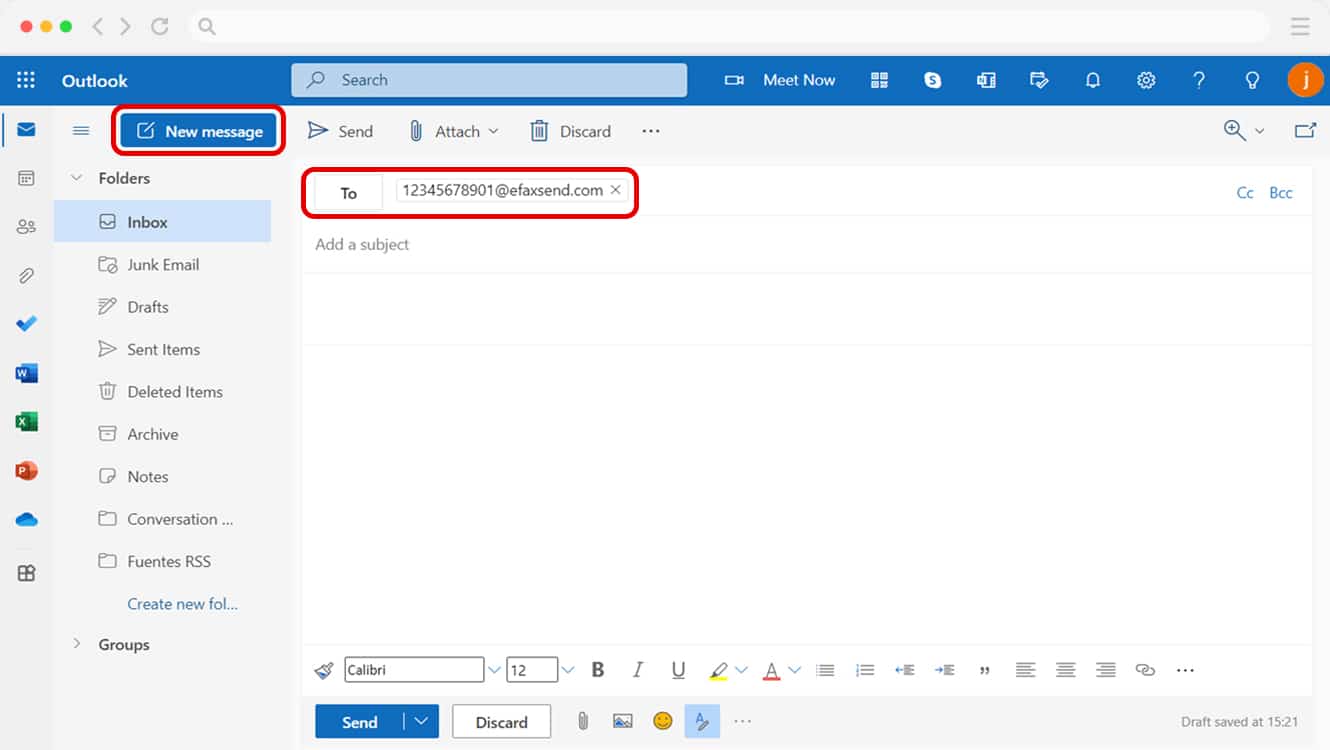
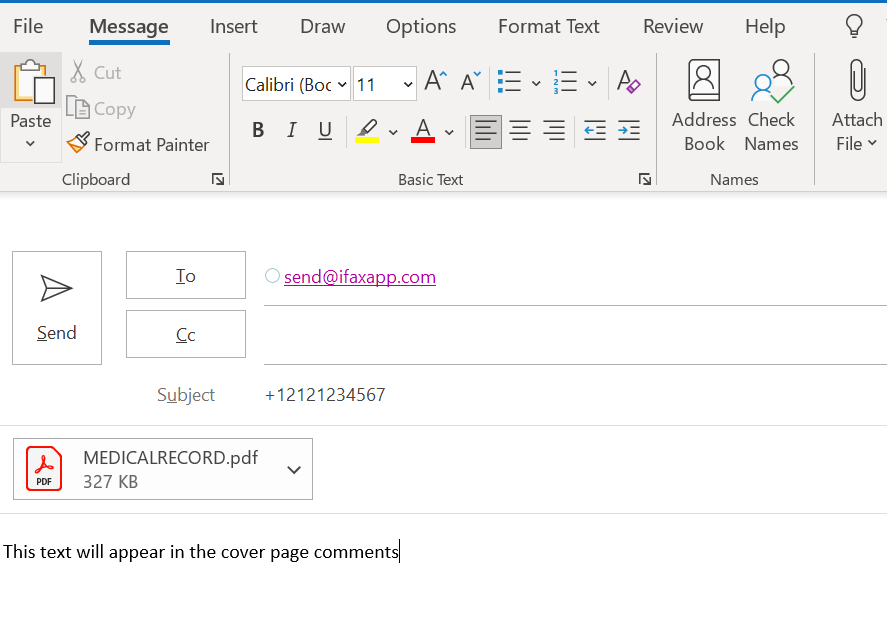
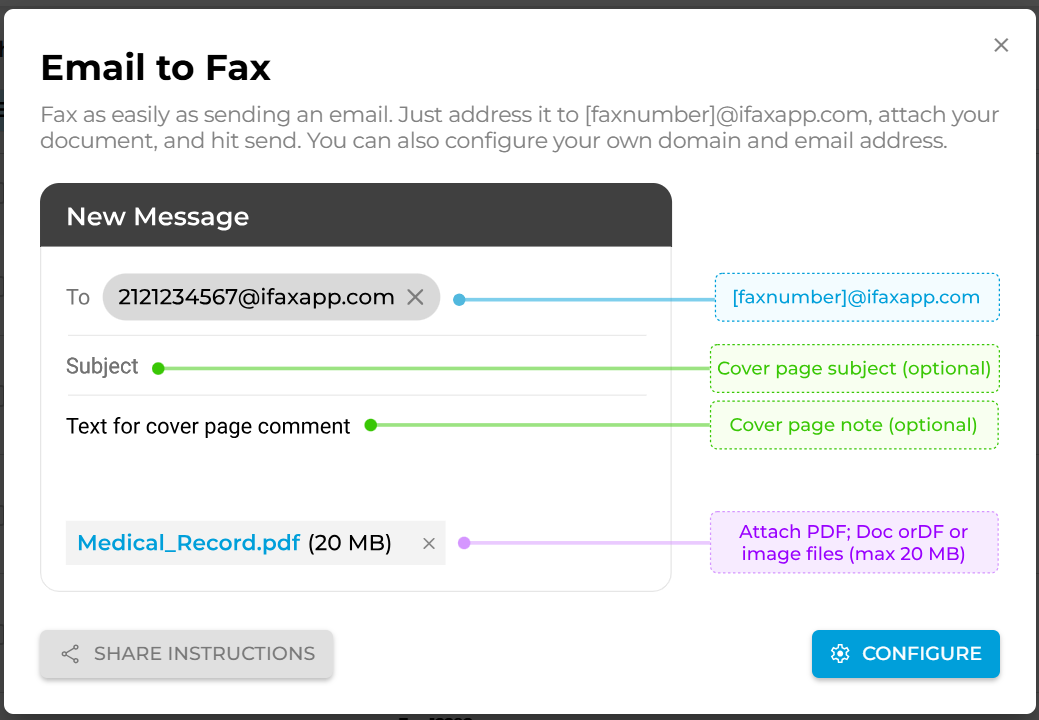
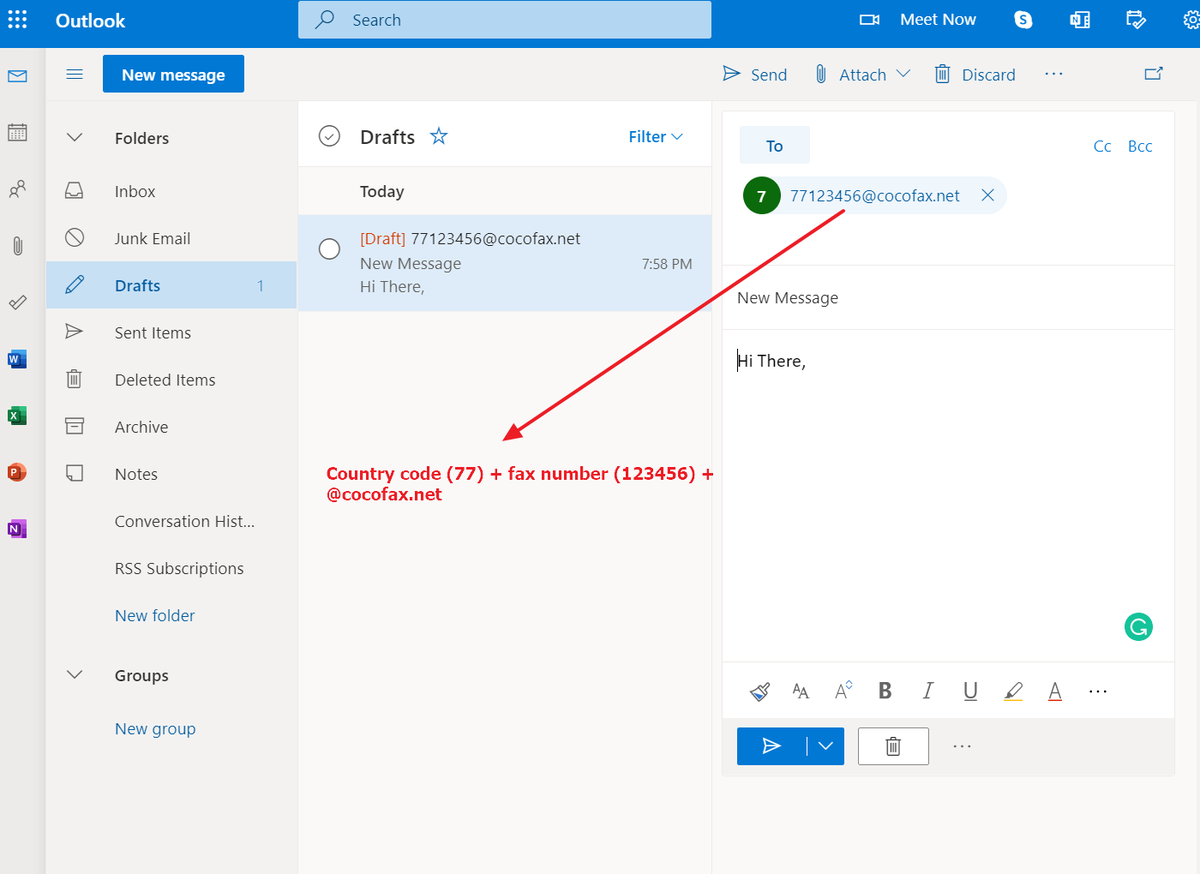
Instead of sending your email to a person, you send it to a special fax gateway—a service that translates your email into a fax signal. The address looks like [email protected], where the phone number replaces the “@” part. For example, to fax (555) 123-4567, you’d type [email protected].
You attach your document (PDF, Word, image—whatever you need) and hit send. Within minutes, the service dials the fax machine, transmits your pages, and sends you a confirmation email. That’s it. No special hardware, no phone line, no sweat.
Why You’ll Love This Method
Let’s be honest—fear of technology holds many people back. But this method removes every barrier. You can send a fax from your desk, your couch, or a beach in Bali, as long as you have internet. And you’ll never again hear that ear-piercing screech of a fax machine connecting.
You also gain peace of mind because most services give you a delivery report. You’ll know exactly when your document arrived, which is crucial for legal, medical, or real estate paperwork. No more “I swear I sent it” arguments.
Choosing the Right Fax Service
Many providers offer this magic, but pick one that integrates seamlessly with Outlook. Look for eFax, RingCentral Fax, or FAX.PLUS—all have solid reputations. Most give you a free trial, so you can test the waters without spending a dime.
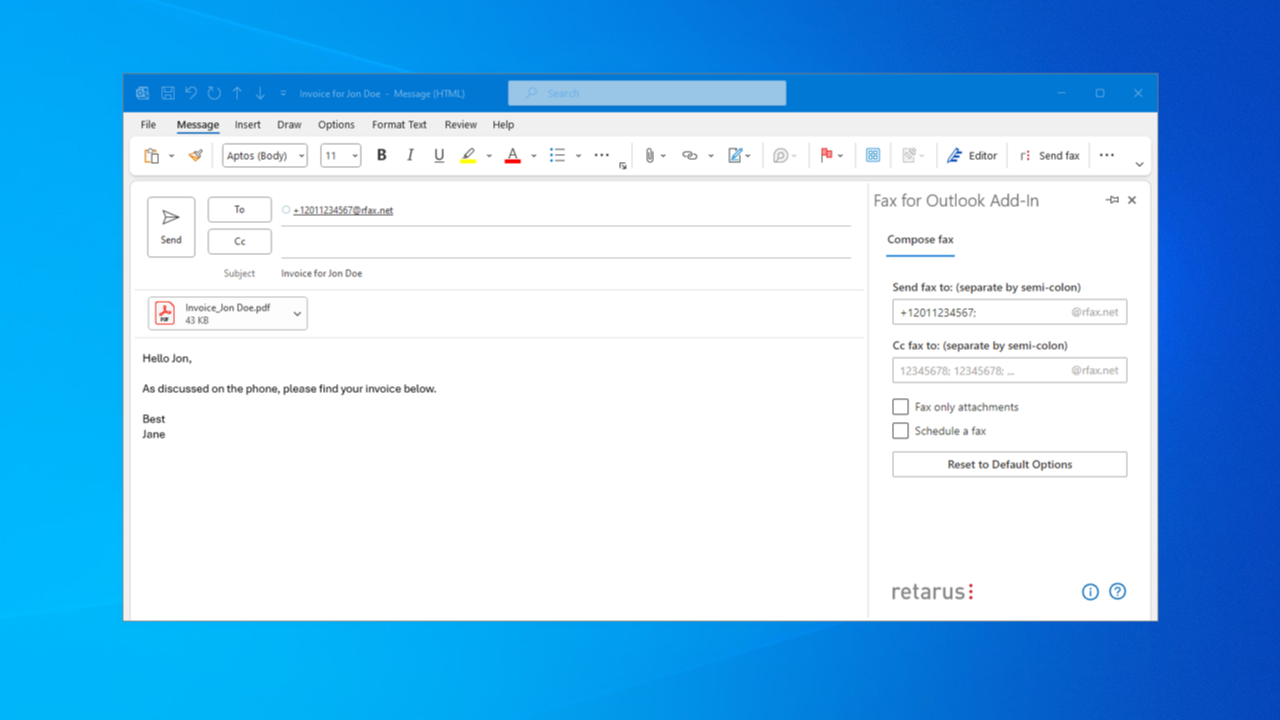
Pay attention to the country codes if you send internationally. You’ll need to format the fax number with a “+” and country code, just like a phone call. A good service will guide you through this on their website.
Pro Tips to Avoid Common Pitfalls
Always check that your attachments are readable—scanned documents should be at least 200 DPI, or the recipient might see blurry lines. Also, include a simple cover page as your first attachment; it’s professional and helps the receiver know who it’s from.
One more thing: don’t use this for super-sensitive data unless your fax service offers encryption. Fax machines are already not the most secure, so a little extra caution is wise. And if you’re faxing to a business, call ahead to confirm they still use fax—because some offices have finally ditched it.
What to Do If It Fails (It Happens Rarely)
If you get a bounce-back email, don’t panic. Double-check the fax number—typos are the #1 reason for failure. Then, re-attach your document and try again. Most services let you resend with one click.
If the number is busy (yes, fax machines still get busy), the service will auto-retry for you. You’ll get a notification when it finally goes through. That’s a feature your old office fax machine definitely didn’t have.
Final Thoughts: Faxing Is Alive (and Kicking)
You might think faxing is dead, but in healthcare, law, and government, it’s still the standard. Sending a fax from Outlook doesn’t just save you time—it makes you look like a tech-savvy professional who can handle anything. Next time someone asks, “Can you send that fax?” you’ll smile and say, “Already done.”
So go ahead, attach that PDF, type that magic email address, and hit send. You’ve got this—and honestly, it’s kind of fun to watch an old technology bow to a new one.
“The best way to predict the future is to create it—or just send a fax from your email and call it a day.”