Telugu Inscript Keyboard Download

Okay, let’s be real for a second. When was the last time you tried to type in your native language and ended up with a jumbled mess of letters that looked like a cat walked across your keyboard? If you’ve ever tried to write in Telugu, you know exactly what I’m talking about. But here’s the good news: there’s a magical little tool called the Telugu Inscript Keyboard, and it’s about to change your digital life.
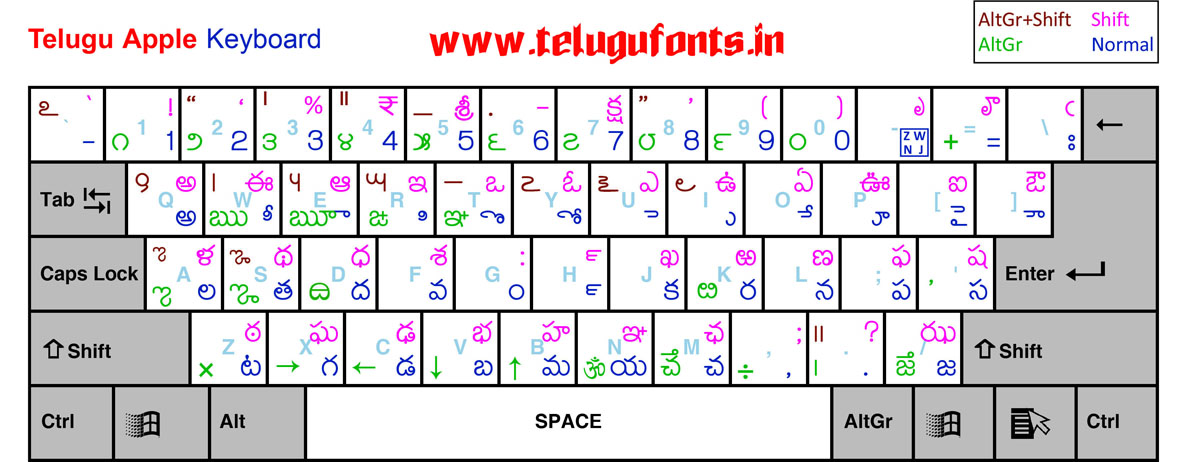
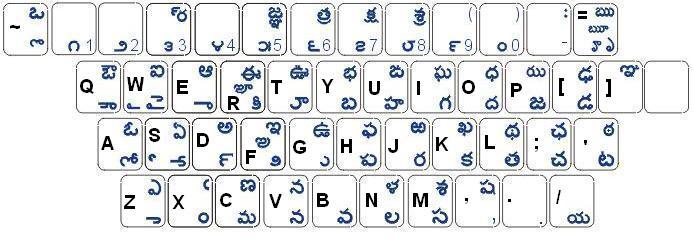
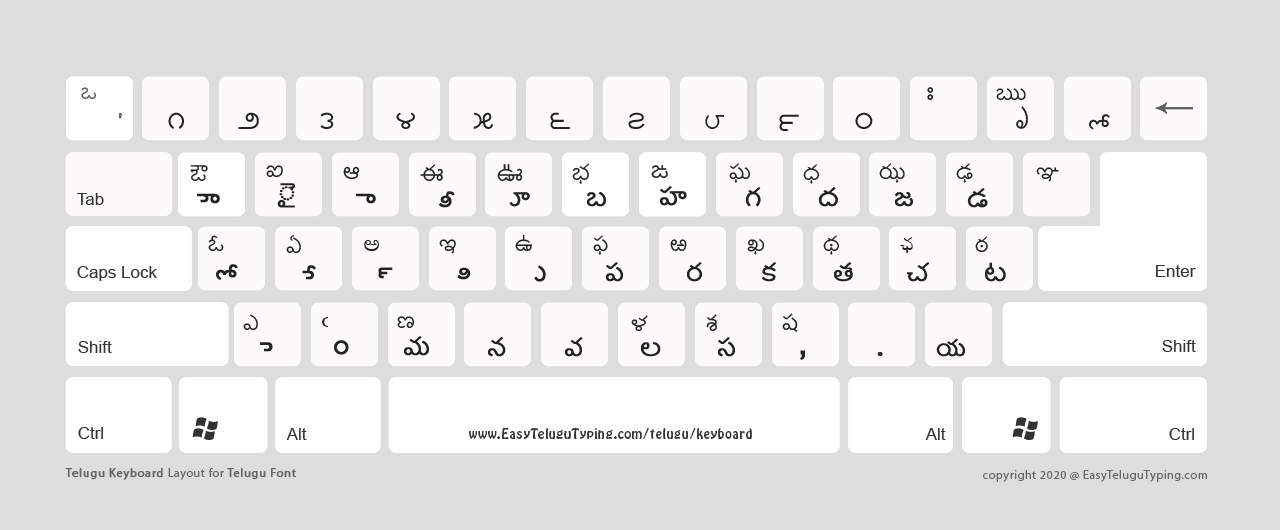
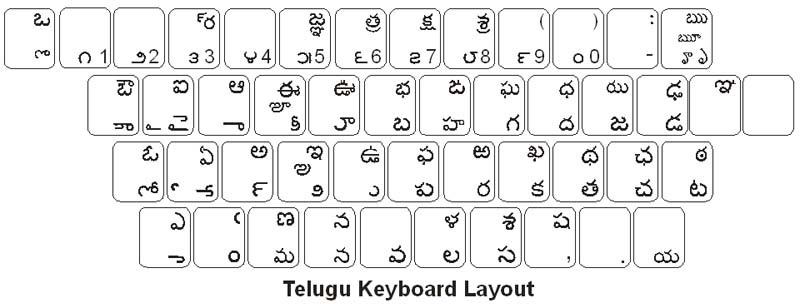
Think of it as the GPS for your fingers. Instead of guessing which key makes the “ళ” sound, this keyboard maps every single Telugu character to a specific key on your standard QWERTY layout. It’s like having a secret decoder ring for your laptop, and once you get the hang of it, you’ll wonder how you ever lived without it. Seriously, why are we still typing “bharat” when we mean “భారత్”?
What’s the Big Deal About Inscript?
First off, let’s clear up a common myth. Inscript isn’t some ancient, dusty government project. It’s actually a standardized layout that’s built into almost every modern operating system—Windows, Mac, Linux, even your Android phone. You don’t need to download a sketchy third-party app that’s full of ads. You just need to know where to look, and boom, you’re typing in Telugu like a pro.
Must Read
The coolest part? It’s phonetic in reverse. Wait, that sounds confusing. Let me explain. Instead of typing “cheppu” and hoping it turns into “చెప్పు,” you press specific keys for each consonant and vowel. It’s more like playing a musical instrument than typing. Each key has a fixed, logical position, so your muscle memory kicks in faster than you’d expect. Don't worry, it takes a little practice, but it’s way more reliable than those “smart” translators that mess up every other word.
How to Get It (Without Losing Your Mind)
Okay, so you’re intrigued. You’re thinking, “Alright, show me the goods.” Here’s the simple part: for Windows, you just go to Settings > Time & Language > Language, add Telugu, and then switch your keyboard layout to “Telugu (Inscript).” That’s it. No downloads, no viruses, no hidden fees. For Mac users, it’s a similar trip through System Preferences > Keyboard > Input Sources. Seriously, it takes less than two minutes.
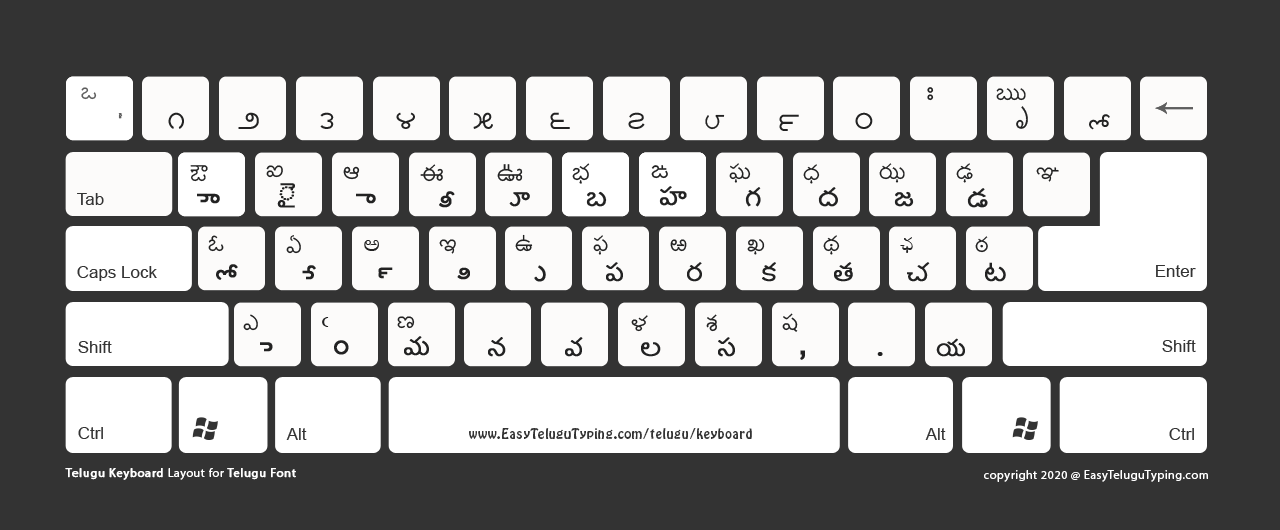
Now, if you’re someone who loves a dedicated app with fancy features, there are also standalone downloads available. But here’s my hot take: stick with the built-in one first. It’s like learning to cook with basic salt and pepper before you buy a truffle oil set. You’ll appreciate the simplicity, and you’ll avoid the headache of installing something that might not work tomorrow. The built-in version is always there, always updated, and always free.
The “Aha!” Moment
I remember the first time I used it. I typed my name in Telugu, and it looked… perfect. It’s a weirdly satisfying rush, like solving a puzzle you didn’t know you were working on. Once you start using Inscript, you’ll notice you’re not only faster, but you also avoid those embarrassing autocorrect fails where you text your mom “I’m eating bricks” instead of “rice.”
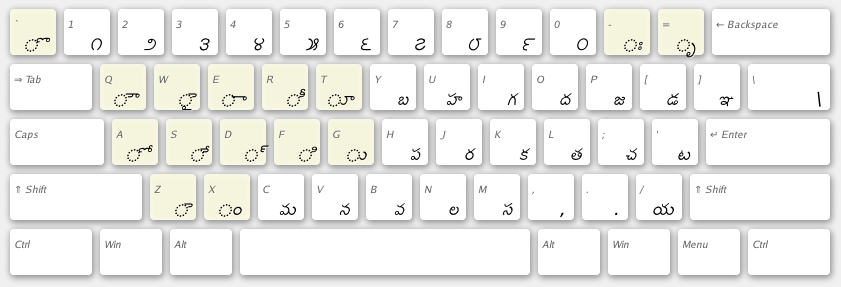
And guess what? This isn’t just for typing emails or WhatsApp messages. It’s for journaling, for writing poetry, for leaving a comment on a YouTube video. It’s about keeping your language alive in a digital space that’s mostly dominated by English. Why shouldn’t you be able to type your grandmother’s favorite lullaby without copying and pasting from a website?
So, what are you waiting for? Go on, give your keyboard a little Telugu makeover. You might just fall in love with typing all over again. And hey, if you get stuck, just remember: every pro was once a beginner who accidentally typed “గ” thirty times before getting it right. Happy typing!