Reducing Background Noise In Premiere Pro
We've all been there - trying to have a conversation in a noisy coffee shop, or watching a video with a hissing air conditioning unit in the background. It's like trying to hear a whisper in a hurricane. The noise is distracting, and you just want to turn it down a notch so you can focus on what really matters.
In the world of video editing, background noise can be just as frustrating. Imagine spending hours perfecting your footage, only to have a humming refrigerator or chattering crowd ruin the ambiance. It's like trying to take a beautiful photo with a dirty lens - it just doesn't do justice to your hard work.
The Problem of Background Noise
So, what exactly is background noise, and why is it such a big deal? Simply put, it's any unwanted sound that's not supposed to be part of your video. It could be traffic noise, airplane hum, or even your cat meowing in the background (yes, that's a thing!). Whatever it is, it's distracting and can make your video feel amateurish.
Must Read
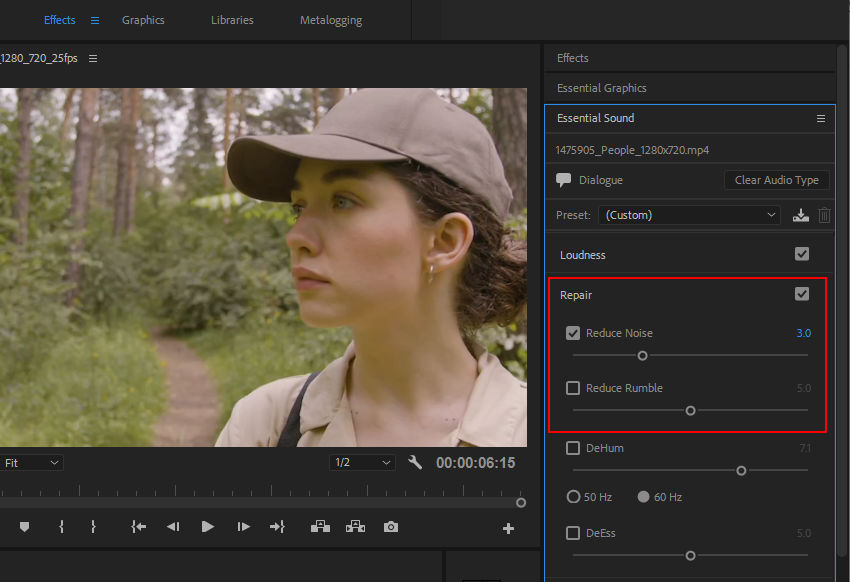
The good news is that Adobe Premiere Pro has some amazing tools to help you tame the noise. With a few simple clicks, you can reduce background noise and make your video sound like it was recorded in a professional studio. It's like having a magic eraser for your audio - just zap away the noise, and you're left with crystal-clear sound.
The Basics of Noise Reduction
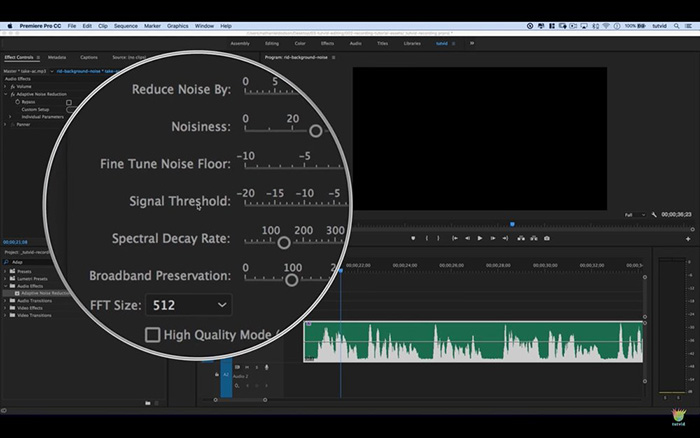
So, how do you get started with noise reduction in Premiere Pro? First, you need to identify the noise - listen to your audio and try to pinpoint the problem. Is it a constant hum, or a sporadic sound? Once you know what you're dealing with, you can start to tweak the settings to reduce the noise.
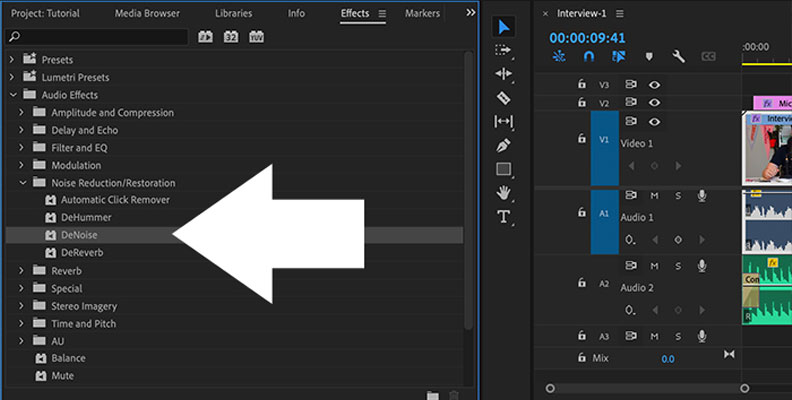
The Noise Reduction effect in Premiere Pro is a powerful tool that can help you tame even the toughest noise. With a range of sliders and knobs, you can fine-tune the settings to get the perfect balance of noise reduction and audio quality. It's like cooking a recipe - you need to get the ingredients just right to get the best results.
One of the key things to remember when using the Noise Reduction effect is to start with small adjustments. It's tempting to crank up the settings and blast away the noise, but this can often result in unwanted artifacts or a tinny sound. By taking it slow and testing the settings, you can get a natural sound that's free from background noise.
Advanced Noise Reduction Techniques
Once you've got the basics of noise reduction down, it's time to take it to the next level. Premiere Pro has a range of advanced tools that can help you refine your sound and get professional-quality results. From multiband compression to spectral repair, these tools can help you target specific frequencies and fix problems that would be impossible to tackle with basic noise reduction alone.
One of the most powerful advanced tools in Premiere Pro is the Diomatic effect. This AI-powered plugin can automatically detect and remove background noise, leaving you with crystal-clear audio. It's like having a personal audio assistant - just let it do its thing, and you'll be amazed at the results.
Of course, with great power comes great responsibility. When using advanced noise reduction techniques, it's easy to overdo it and end up with unwanted artifacts or a over-processed sound. The key is to use these tools sparingly and listen carefully to the results, making adjustments as needed to get the perfect balance of noise reduction and audio quality.
![[5種方法]去除Premiere Pro 2025中的背景噪點 Wondershare Filmora](https://images.wondershare.com/filmora/article-images/reduce-background-noise-premiere-2.jpg)
Real-World Applications
So, how does noise reduction apply to real-world video editing projects? Whether you're creating a documentary, filming a wedding, or producing a music video, background noise can be a major problem. By using the noise reduction tools in Premiere Pro, you can improve the overall quality of your video and make it sound more professional.
In fact, noise reduction is often a crucial step in the post-production process. By cleaning up the audio, you can create a more immersive experience for your viewers and draw them into the story. It's like adding the final touches to a work of art - it makes all the difference in the world.
Of course, noise reduction isn't just limited to video editing. It's a valuable skill that can be applied to a range of real-world scenarios, from podcasting to music production. By learning how to tame background noise, you can improve the quality of your audio and make it sound more professional.