Make A Lyric Video Adobe Premiere
So, you’ve written a song. Congratulations! You’re basically the next Beethoven, but with better Wi-Fi and a slightly worse haircut. Now you have to get it out into the world, and let’s face it, filming yourself lip-syncing in a car is so 2016. That’s where the magic—and the mild frustration—of Adobe Premiere comes in to save your artistic bacon.
Why Bother With a Lyric Video?
Because your budget is the size of a leftover taco. A real music video requires a crew, permits, and actors who won’t sue you for emotional damages. A lyric video just needs your song, some text, and the patience of a saint who also happens to be a computer wizard.
Plus, lyric videos are the comfort food of the internet. People love them because they can sing along without having to memorize your genius. You’re basically making a karaoke night that never ends, but without the drunk uncle.
Must Read
Step One: Get Your Assets in Order (and Your Sanity)
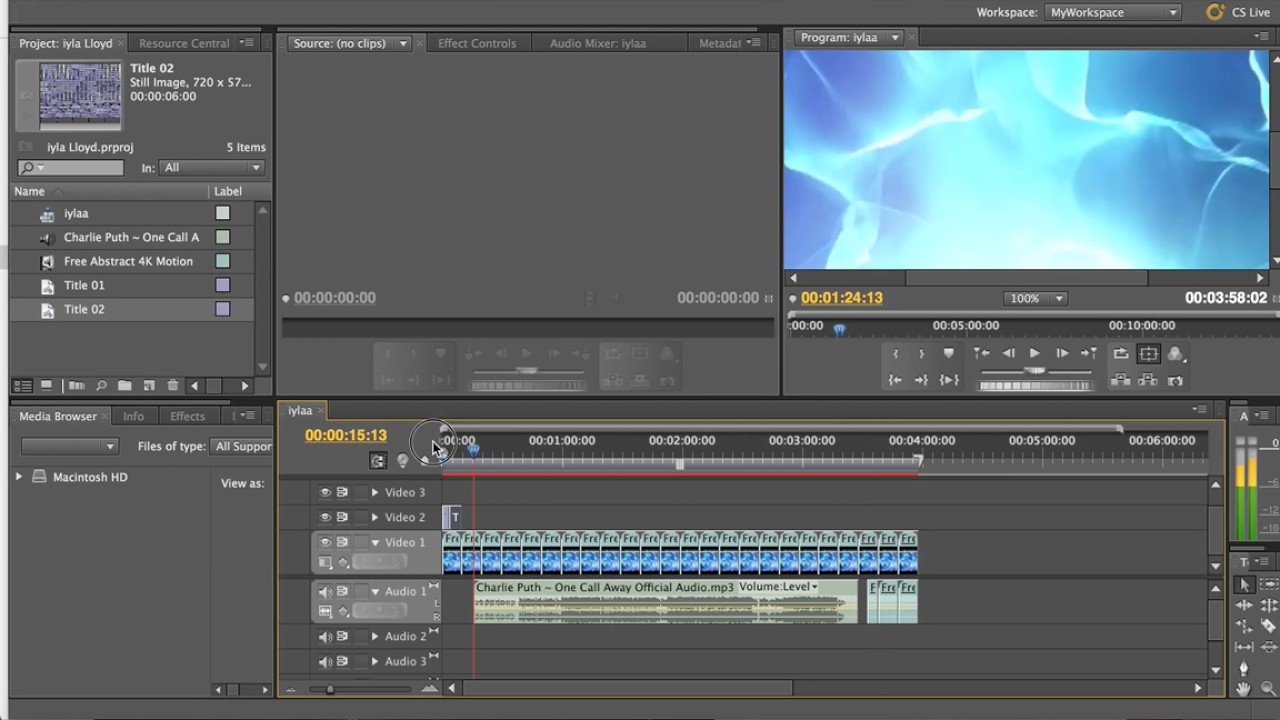
Open Premiere and start a new project. Name it something cool like “Masterpiece_Volume_7_FINAL_v2” because you’ll have seventeen versions by Tuesday. Import your audio file, your background image or loop, and a font that doesn’t look like a ransom note written by a clown.
Here’s a surprising fact: you don’t need a dedicated lyric video plugin. That’s right, we’re going old-school, like a digital cave painter. We’ll use a text layer and some clever keyframing to make words appear on command. It’s like magic, but with more mouse clicks.

Step Two: Syncing—The Heartbreak Hotel
Drag your song onto the timeline. Then, zoom in like you’re examining a suspicious mole. Listen to the first line and mark the exact moment the syllable starts. This is where your future as a video editor will be decided—patience is not optional; it’s the whole game.
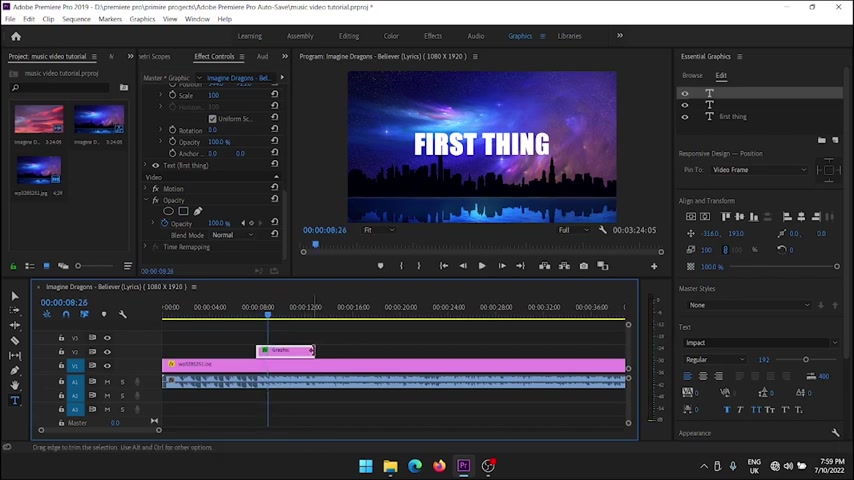
Now, grab the Text tool and type out the first line. Place it over your background. To make it appear, go to the Effects Controls panel. Click the clock icon next to “Opacity” to set a keyframe at 0%. Move the playhead a few frames later and set it to 100%.

Feel like a god yet? No? Good, because you have to do this for every single line. Yes, it’s tedious, like peeling 400 grapes for a salad, but nobody said art was easy. It was said that art is messy, and this is messy with a side of carpal tunnel.
Spice It Up Without Breaking a Sweat
Don’t just make static words. Use the Position tool to make the text slide in from the side, like it’s sneaking into the party. Add a subtle scale bump so the keyword pops like a piece of popcorn. If the song hits a big chorus, make the text gigantic and shake it with a tiny rotation wiggle.

Here’s a pro tip that will blow your mind: use the “Beat” tool to mark beats automatically? Nope, that doesn’t exist easily, so don’t look for it. Instead, just tap your foot and place keyframes manually. It’s a better workout than a gym membership—your thumb will get ripped.
For the love of all that is holy, use lower third graphics for the chorus. That means making the text bigger and changing its color. It feels fancy, but it’s really just two more keyframes.

Final Export: The Moment of Truth
Watch the whole thing twice. The first time for joy, the second time for cringe. You will probably find one word that’s off by half a second, and you will fix it. Then you’ll find another. That’s the circle of life, my friend.
When you’re done, hit Ctrl+M to export. Choose H.264, which is the industry standard, and keep your resolution at 1080p. Your 2-hour nightmare will compress into a 3-minute masterpiece that looks like you actually knew what you were doing.
Now, upload it, share it, and bask in the glow of the likes. Just remember: you didn’t just make a video—you wrestled a digital alligator and came out with a crown made of keyframes. Go on, show the world your weird, wonderful words.