Logic Gates Experiment Precautions

There’s a beautiful, nerdy thrill when you first wire up a logic gate. You’re basically teaching sand to think, one voltage at a time. But that thrill can quickly turn into a puff of blue smoke and a very sad IC if you don’t show a little respect.
Think of it like baking a soufflé: one wrong move, and you’ve got a flat, disappointing mess. You don’t need a lab coat and safety goggles, but you do need a game plan. Let’s dive into the zen of the breadboard, the art of avoiding fried silicon.
Mind the Voltage, Darling
Your standard TTL chip (the 74LS series) is a diva about its power supply. It wants a steady 5 volts, and it wants it now—anything above 5.5V is a death sentence. CMOS chips, like the 4000 series, are more forgiving, but they’re not fans of chaos either.
Must Read
Double-check your power rails before you plug anything in. Use a multimeter and get into the habit of feeling for a warm chip—that’s your first sign of overvoltage trouble.
Fun fact: many a student has killed a chip by swapping the power and ground wires. It’s the electronic equivalent of putting diesel in a petrol car—it will not run, and it will smell terrible.
The Unconnected Pin Problem
Here’s where beginners get ghosted. An unconnected input on a TTL chip doesn’t float in a peaceful limbo—it floats in a chaotic state that can read as high or low, often changing with your hand’s proximity. It’s like asking a friend for a yes/no answer while they’re distracted by their phone.
The rule is simple: never leave inputs dangling. Tie them to ground or VCC (through a resistor for good practice), even if you think you don’t need them. A floating input can cause erratic outputs, phantom switching, and a headache that lasts for hours.

Pro tip: use a 10kΩ pull-down resistor for a default low state. It’s cheap insurance against the weirdness of electromagnetic interference.
Beware the Output Fight
Imagine two people shouting at each other in a library. That’s what happens when you connect two logic gate outputs directly together. You create a bus contention, where one output tries to drive high (5V) while the other drives low (0V).
Result? A massive current surge that heats up the chip like a tiny toaster. In my early days, I melted a 7408 AND gate this way, and it smelled like burnt plastic and regret.
Rule of thumb: connect outputs to inputs, not to other outputs. Unless you’re using tri-state logic (which is a whole other vibe), keep your outputs solo.

Breadboard Hygiene 101
Your breadboard is a jungle of tiny metal strips, and they love to short out. A single stray wire clipping can bridge two rows and turn your elegant circuit into a magic smoke generator. Trim your leads to about 6mm—longer is not cooler, it’s just messy.
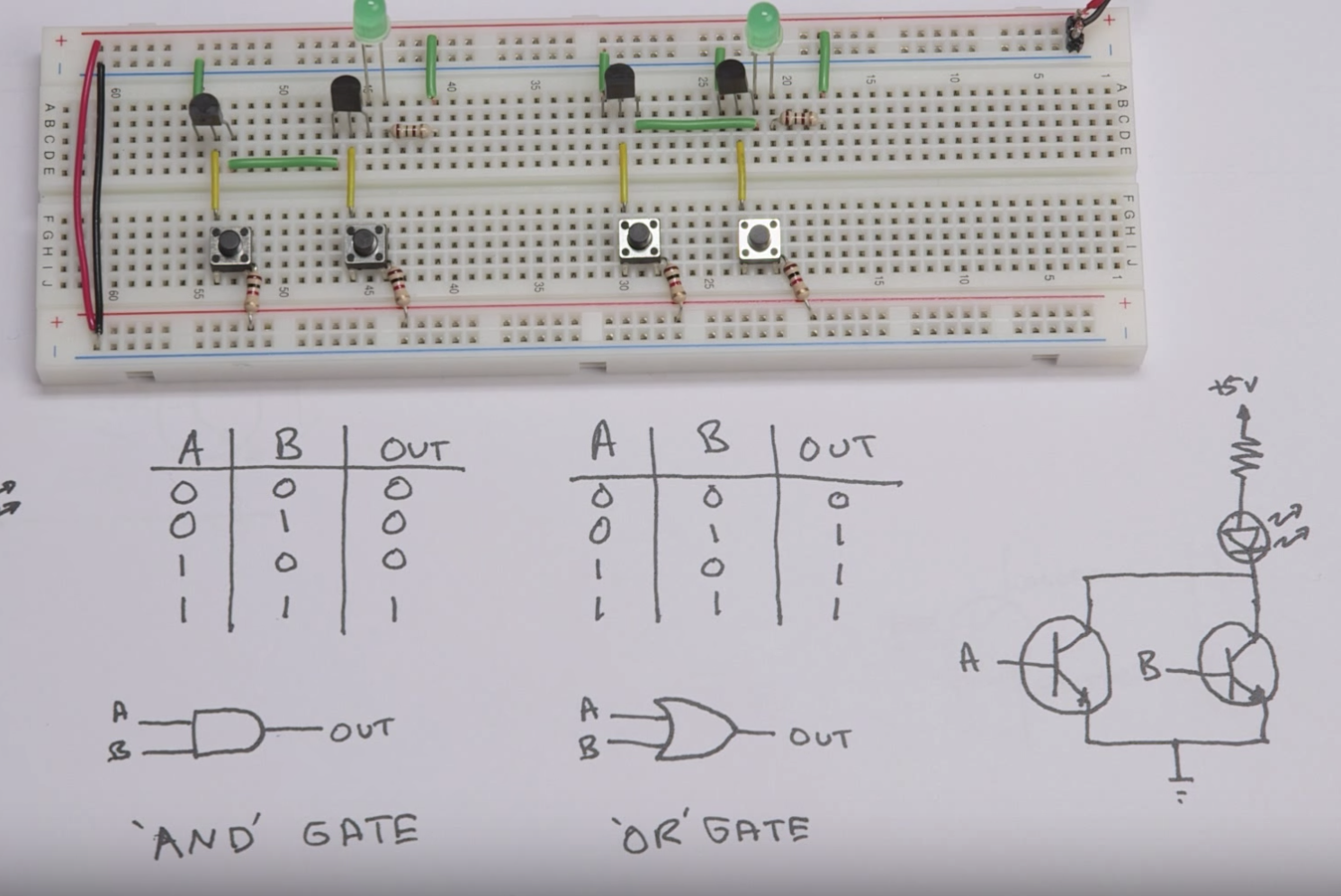
Also, keep your jumper wires tidy. Color-code your breadboard like a James Bond film: red for power, black for ground, and a rainbow for signals. It looks cool for the ‘gram, and it makes debugging a breeze.
Fun fact: the original Apollo guidance computer used logic gates with wire-wrap, which is like the 1960s version of Chipotle—layered, reliable, and surprisingly durable.
Patience is a Virtue (and a Diagnostic Tool)
When your circuit doesn’t work, resist the urge to yank everything out and start over. Instead, use a logic probe or an LED to trace the signal step-by-step. Check the power first, then each gate’s input, then the output.

At least 80% of the time, the issue is a loose wire or a misplaced IC. The other 20%? You’ve genuinely cooked something, and that’s okay—it’s a rite of passage.
Remember the mantra from The IT Crowd: “Have you tried turning it off and on again?” For logic gates, that means disconnecting the power, waiting a moment, and re-seating the chips.
Eat Your Veggies, Ground Your Circuits
If you’re using multiple power supplies or a wall adapter, make sure all grounds are connected. A floating ground is like a conversation where no one agrees on the baseline—everything gets weird and static-y.
On a breadboard, keep your ground rail continuous and star-connected at one point. This reduces noise and prevents accidental latch-up, where a CMOS chip freezes up like a deer in headlights.
Fun fact: latch-up was a real issue in the 80s with early CMOS chips, leading to some very dramatic lab explosions (okay, maybe just pop sounds). Modern chips have protection diodes, but you still shouldn’t push your luck.
The Final Reflection
Logic gates are basically the universe’s way of telling us that everything follows rules. When you respect the power limits, the grounding, and the input states, your circuit hums along in perfect harmony.
But there’s a life lesson here, too. A floating input is a lot like an unspoken expectation in a relationship—left unchecked, it leads to mysterious and erratic behavior. And shorting two outputs? That’s the emotional equivalent of texting an ex at 2 AM: it feels like a good idea, but the aftermath is just heat and damage.
So, take a breath, read the datasheet, and enjoy the process. After all, every smartphone, every smart fridge, and every digital piano is just a bunch of gates doing their little logical dance. You’re learning to choreograph it—and that’s pretty cool.