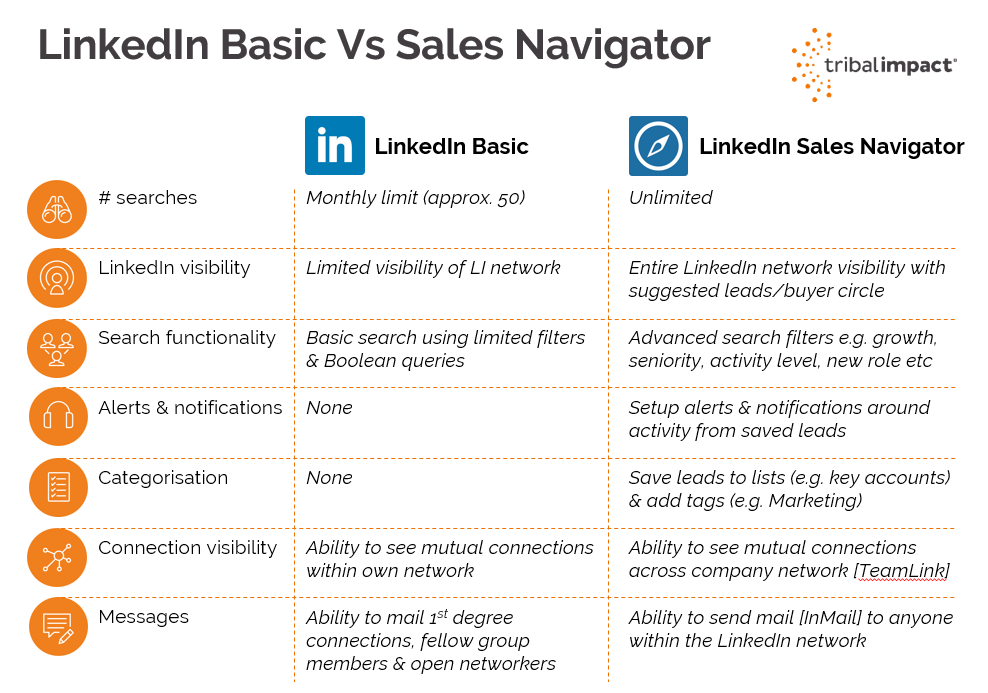
Linkedin Sales Navigator Comparison
Let’s be honest: LinkedIn is where careers go to dress up and pretend they’re not just a series of awkward coffee chats. And Sales Navigator? That’s the shiny, expensive Swiss Army knife that promises to turn your cold outreach into a warm hug of revenue. But before you hand over your company’s lunch money, you need to know how this thing actually compares to just… using LinkedIn like a normal, desperate human.
The Free Account: You’re Basically Window Shopping with a Blindfold
With a free LinkedIn account, you get to see who’s viewed your profile—usually 5 random strangers plus your ex-coworker who’s just being nosy. Your search results are like a treasure map where someone already drew dicks over the “X marks the spot.” You can’t filter by “people who hate cold calls but might love your SaaS,” because that’s premium stuff.
It’s like trying to find a specific grain of sand on a beach, except the beach is 900 million professionals and the sand is shouting “REACH OUT TO ME!”. You’ll send connection requests, pray, and then watch your InMail quota sit at zero because sending a message to someone you don’t know is apparently a war crime without a paid plan.
Must Read
Sales Navigator: The Creepy-Stalker Upgrade Your Boss Demands
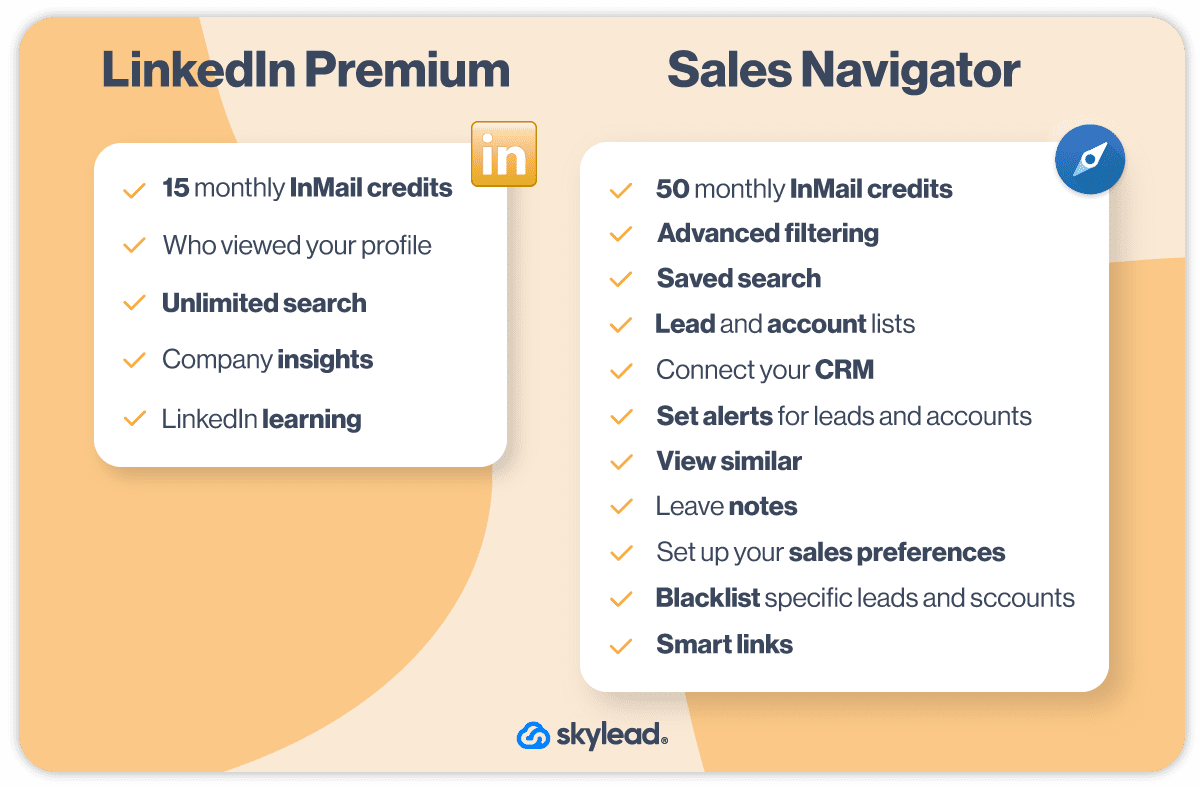
Navigator is basically a surveillance drone for your sales pipeline, but in a good, GDPR-bending way. The star feature is Lead Builder, which lets you filter by things like “CEO who just got funded, hates their current software, and maybe owns a golden retriever named Biscuit.” It’s frighteningly specific, and yes, it feels like cheating.
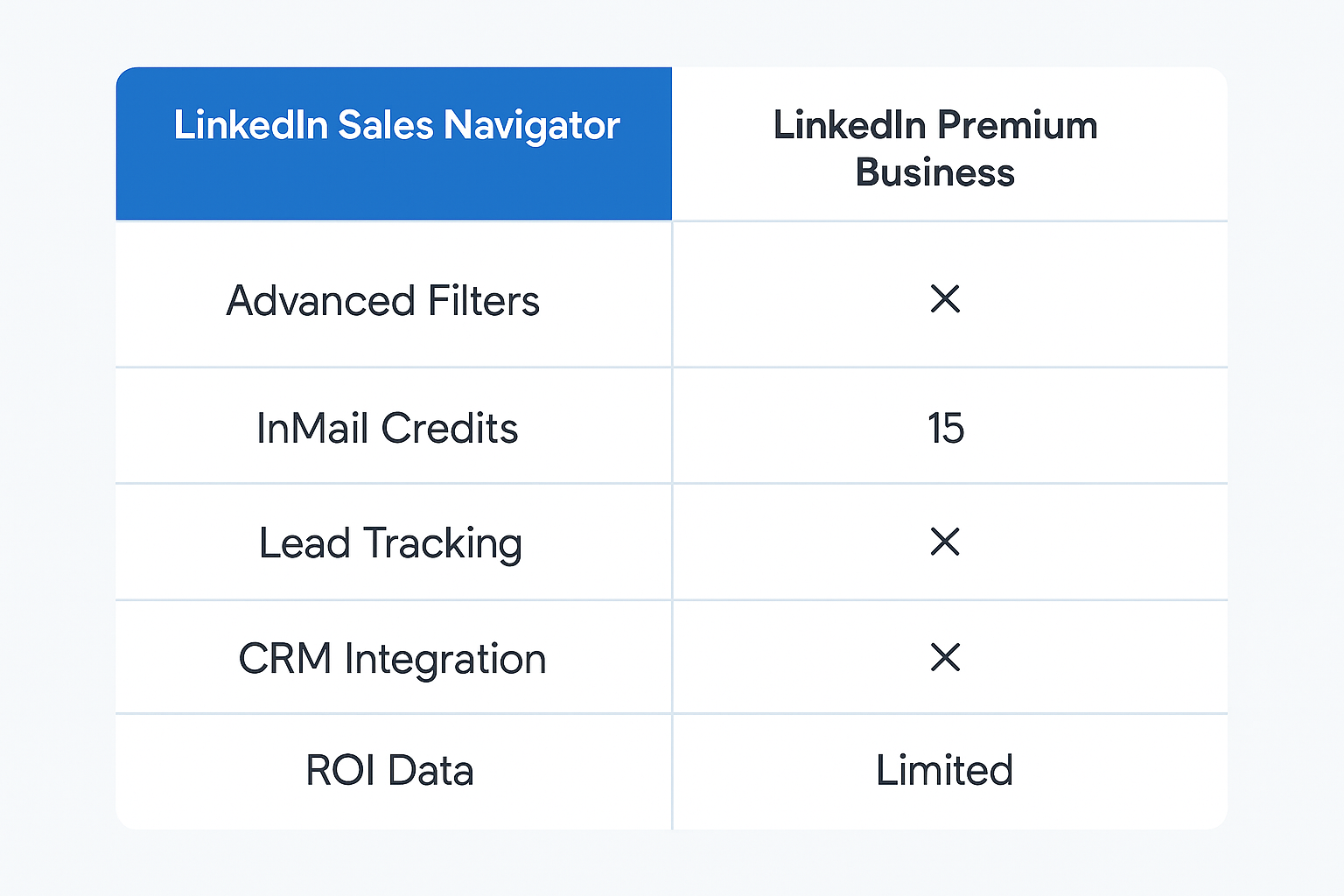
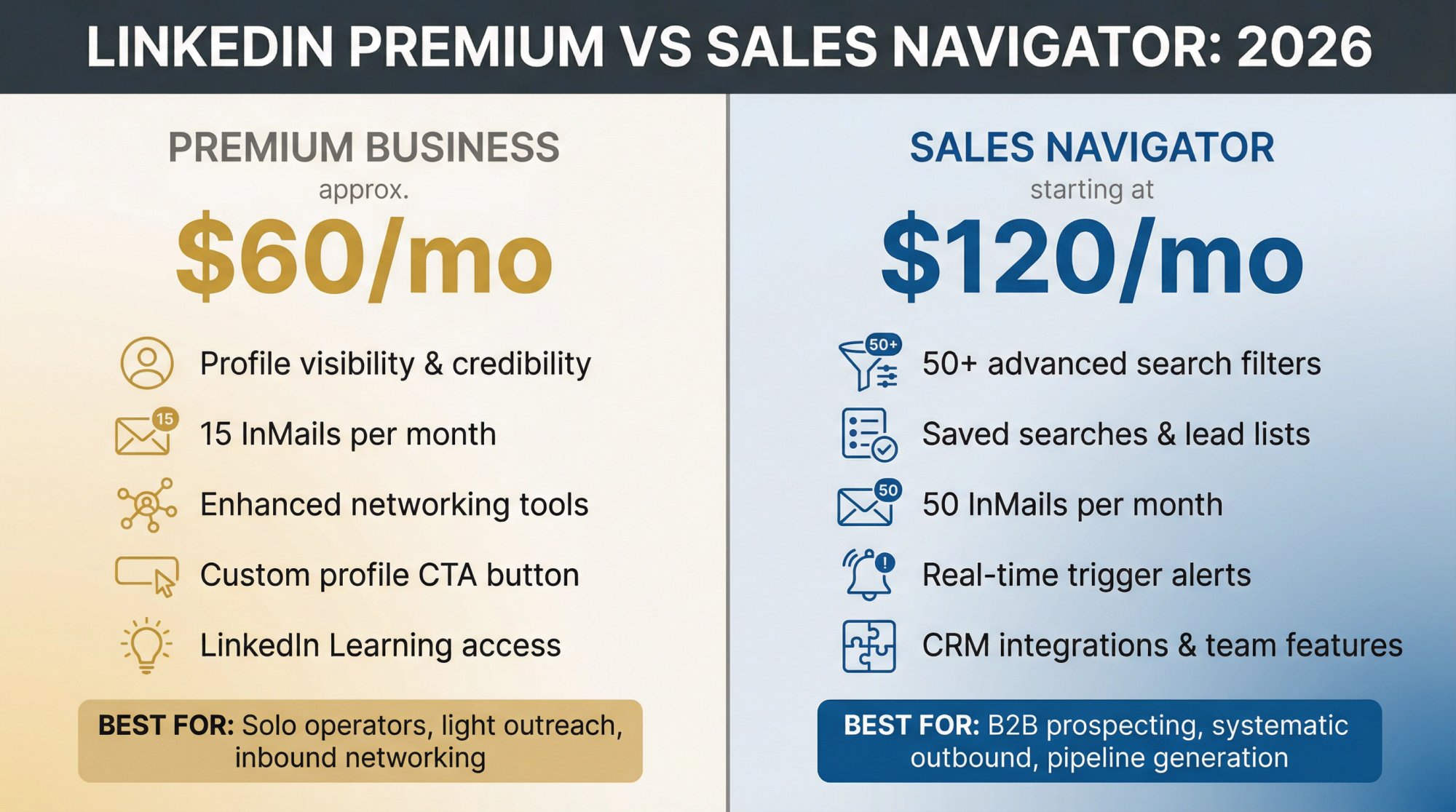
You also get 25 InMails a month—that’s 25 chances to sound like a human instead of a spam bot. But here’s the kicker: the real magic is the “Job Change Alerts.” You’ll know the moment a prospect switches companies, which is basically sales-archeology. You’ll swoop in faster than a pigeon on a dropped fry, whispering, “Congrats on the new role! Also, I have a CRM for you.”

But Is It Worth the $99/Month? (Spoiler: It’s Like Gym Membership)
Here’s the surprising fact: 78% of sales reps say they could do their job without it, but they’d be absolutely miserable, like eating a salad when you know a burger exists. The price is roughly $80 to $100 per month, which is the cost of one decent dinner for two—or 25 InMails that flip maybe 3% into a meeting. So, mathematically? It’s a gambling app for B2B.
Compared to free, Navigator is a 10x productivity boost if you’re organized. But if you’re messy, it’s just an expensive way to see that your dream client’s profile was updated 14 minutes ago and you still haven’t emailed them. It doesn’t close deals; it just makes your procrastination sharper and more colorful.
![LinkedIn Sales Navigator vs Premium [Costs & Features 2025]](https://21608698.delivery.rocketcdn.me/wp-content/uploads/2024/10/LNPrem-vs-SalesNavigator-Cover-Visual.jpg)
The Verdict: Use It Like a Weapon, Not a Crutch
If you’re a solo freelancer hunting for a couple of solid clients, the free version is fine—it’s like using a butter knife when a chainsaw is overkill. But if you’re a sales team with a quota that haunts your dreams? Navigator is your competitive cheat code. Just remember to turn off the “Viewed your profile” notification, or you’ll look like a bot with a heart condition.
So, grab the 30-day free trial, act like a detective on caffeine, and for the love of all that is holy, don’t send that “Just checking in!” template on day one. The tool is brilliant, but you’re still the funny person at the party. Now go sell something, you glorious stalker.