Iphone 11 Not Turning On After Update

So, you’ve just updated your iPhone 11, and instead of a fresh, snazzy home screen, you’re staring at a black mirror. It’s like inviting a friend over for a movie night, and they just sit in the dark, refusing to talk. Before you panic and start planning a funeral for your trusty sidekick, take a deep breath. This isn’t the end; it’s just a classic tech standoff, and we’re going to get through it together.
The Curious Case of the Digital Nap
Think of your phone as a tiny, super-efficient robot that loves its routine. When you drop a big new update on it, it’s like asking that robot to re-learn how to tie its shoes while also juggling. Sometimes, it just needs a minute (or ten) to process everything.
It’s super cool to think about what’s happening inside: the software is basically rewriting its own brain. But when it goes quiet, it feels less like magic and more like a brick. The good news? This is a super common issue, and it’s usually not a sign of hardware death.
Must Read
Step One: The Force Awakens (Your Phone, Not the Movie)
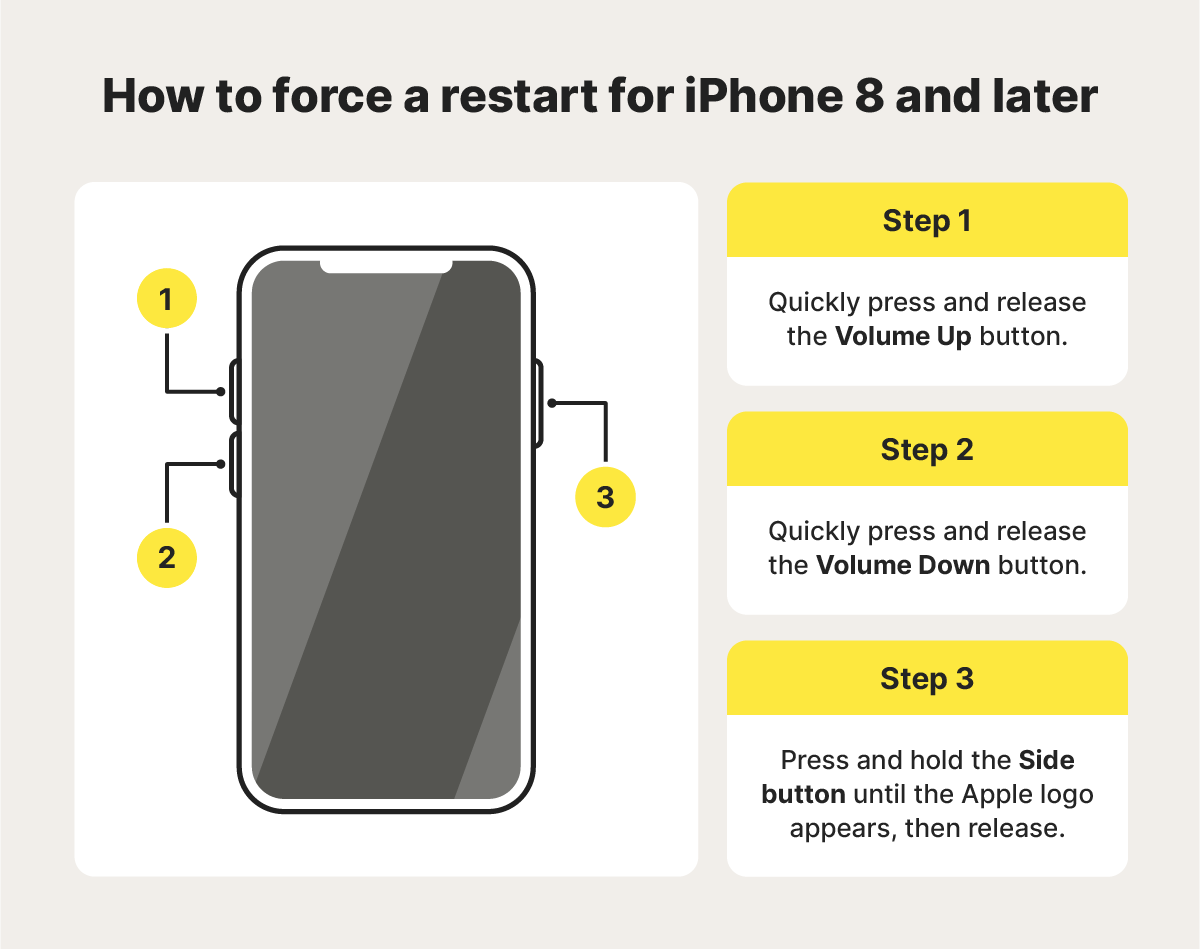
First up, let’s talk about the Hard Reset. This isn’t your average restart; it’s more like a CPR chest press for your phone. It won’t delete your photos or apps—it just gives the system a swift kick in the pants to clear out the cobwebs.
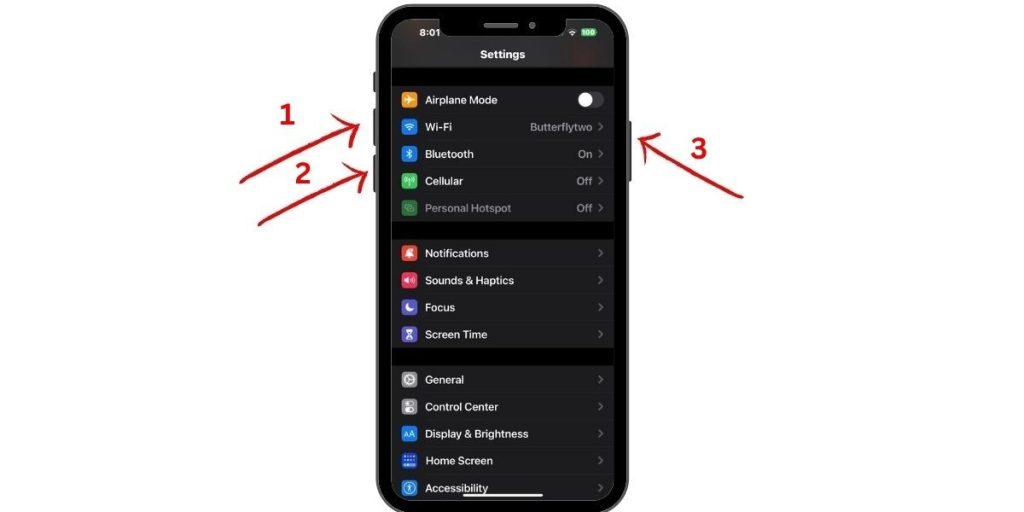
Here’s the secret handshake: Press and quickly release the Volume Up button, then do the same with the Volume Down button. Now, press and hold the Side button (the power button) until you see the Apple logo. Don’t let go just because it feels awkward—keep holding through the scary black screen.
It’s like trying to start a stubborn lawnmower; you gotta give it a solid, decisive yank. Usually, this little trick forces the software to wake up from its confused state and boot up properly.
Why This is Actually Kind of Cool
Think about how wild it is that we can carry a device with more computing power than the Apollo 11 rocket. When it glitches after an update, it’s not breaking down; it’s just having a minor existential crisis. You’re not a tech wizard for fixing it—you’re just a gentle hand guiding a very smart, very confused machine.
If the hard reset doesn’t work, don’t sweat it. Plug it into a charger and let it sit for an hour. Sometimes, updating burns through battery faster than a teenager uses data.
When Your Phone Needs a Spa Day (Recovery Mode)
Now, if we’re still staring at a black hole, it’s time to get a little more intimate. This is called Recovery Mode. It’s a bit like taking your phone to a therapist—it’s a special, safe space where you can talk it down from the ledge.

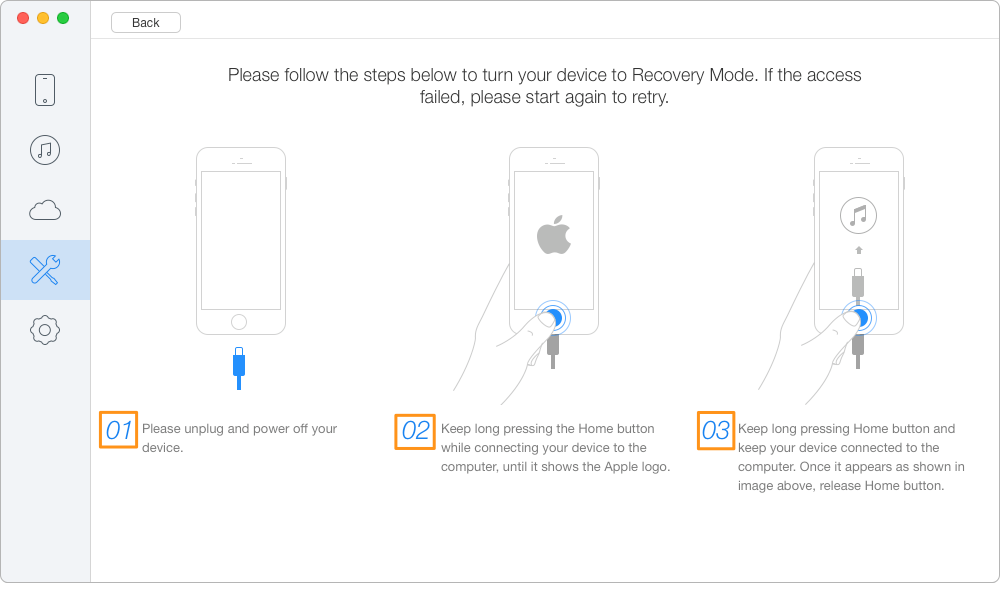
You’ll need a computer with the latest version of iTunes (or Finder on a Mac). Connect your phone, then repeat that same button dance from before, but this time hold the Side button until the recovery mode screen appears—it looks like a cable pointing to a computer. From there, your computer will offer to Update or Restore. Try Update first—it keeps all your stuff.
Your Phone Isn’t Broken, Just Bored
Honestly, the fact that we can even attempt this at home is pretty rad. It’s like being a digital surgeon without needing a medical degree. So, grab a coffee, plug in your phone, and pat yourself on the back for being patient.
Remember, your iPhone 11 is a tough little cookie. It’s not giving up; it’s just waiting for you to show it the way back to the light. And once it’s on, you’ll feel like a total hero, even if you just pressed a few buttons in the right order.