How To Use Motion Graphics Templates In After Effects
So, you wanna be a motion graphics master, huh? Well, buckle up, buttercup, because we're about to dive into the wonderful world of After Effects and explore the magical realm of motion graphics templates! With these babies, you'll be creating stunning animations in no time, and your friends will be green with envy (or maybe that's just the coffee you spilled on your shirt).
What are Motion Graphics Templates, Anyway?
Simply put, motion graphics templates are pre-made designs that you can customize to fit your needs, kinda like a mad libs for your videos. They're usually created by super-talented designers who have spent hours crafting the perfect animation, and all you have to do is plug in your text, logos, and colors, and voilà! You've got a professional-looking video that'll make you look like a total rockstar.
And the best part? You don't need to be a design genius or a tech wizard to use them – just a willingness to learn and have fun with it! So, if you're ready to unleash your inner creative, let's get started!
Where to Find Motion Graphics Templates
Okay, so you're probably wondering where to find these magical templates, right? Well, wonder no more, my friend! You can find them on websites like TemplateMonster, Videohive, or even Adobe's own website – and they're usually super affordable, too. Just think of it as buying a designer coffee for your video, except instead of a caffeine high, you'll get a creative boost!
Some templates are even free, which is like finding a $20 bill on the street (but, you know, without the risk of it being a fake or anything). Just be sure to check the license terms and usage rights before using them, or you might end up in a copyright conundrum – trust me, you don't want that!

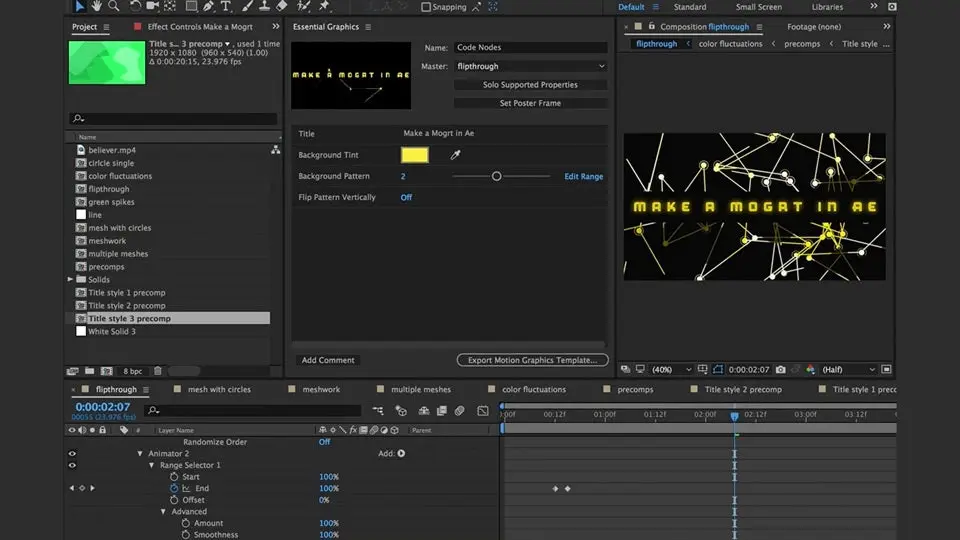
How to Use Motion Graphics Templates in After Effects
Now that you've found your perfect template, it's time to bring it to life in After Effects! First, download the template and import it into AE – it's like unwrapping a present on your birthday, except instead of socks or underwear, you get cool animations! Then, simply customize the text, colors, and other elements to fit your brand's style and message.
It's like playing with Lego blocks, except instead of blocks, you've got layers, keyframes, and effects – and the end result is a stunning video that'll make your audience go wow! Just remember to save often and have fun with it, and you'll be creating like a pro in no time.
Tips and Tricks for Mastering Motion Graphics Templates
So, you wanna take your motion graphics game to the next level, huh? Well, here's a secret tip: experiment with different templates, and don't be afraid to mix and match elements to create something truly unique. And if you're feeling stuck, just remember that practice makes perfect – or, you know, at least a really cool video!
Also, keep an eye on trending designs and animation styles, and try to stay ahead of the curve (or, you know, at least on the curve – we won't judge). And hey, if all else fails, you can always Google it or ask a friend for help – just don't blame the template if it doesn't turn out as expected, okay?