How To Share A Song From Apple Music
Okay, let’s be real for a second. You’re scrolling through Apple Music, you hear that one track that just gets you, and your first instinct is to blast it to every friend, sibling, or coworker who will listen. But then your thumb hovers over the screen, and you think… wait, how do I actually do this without sending a weird screenshot?
Don’t sweat it. Sharing a song from Apple Music is way easier than trying to explain why that obscure indie track feels like a warm hug. It’s like handing a friend a mixtape, but without the awkward act of rewinding a cassette tape. Let’s break it down, shall we?
Your Finger’s Best Friend: The Share Button
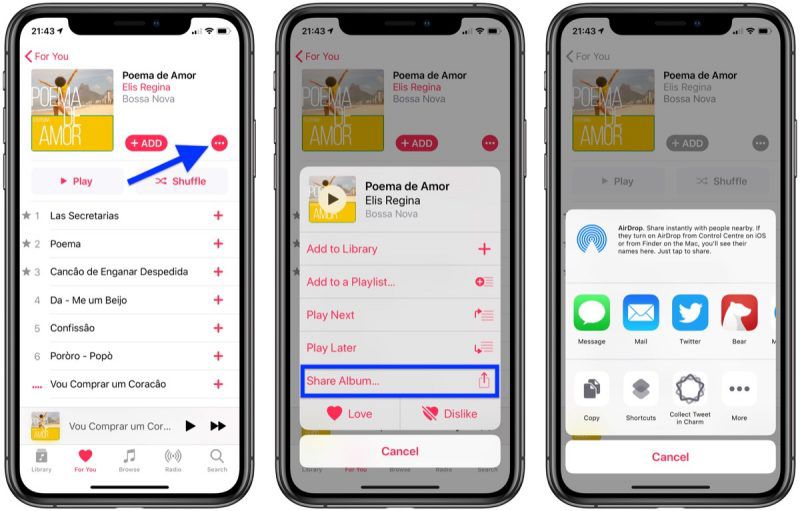
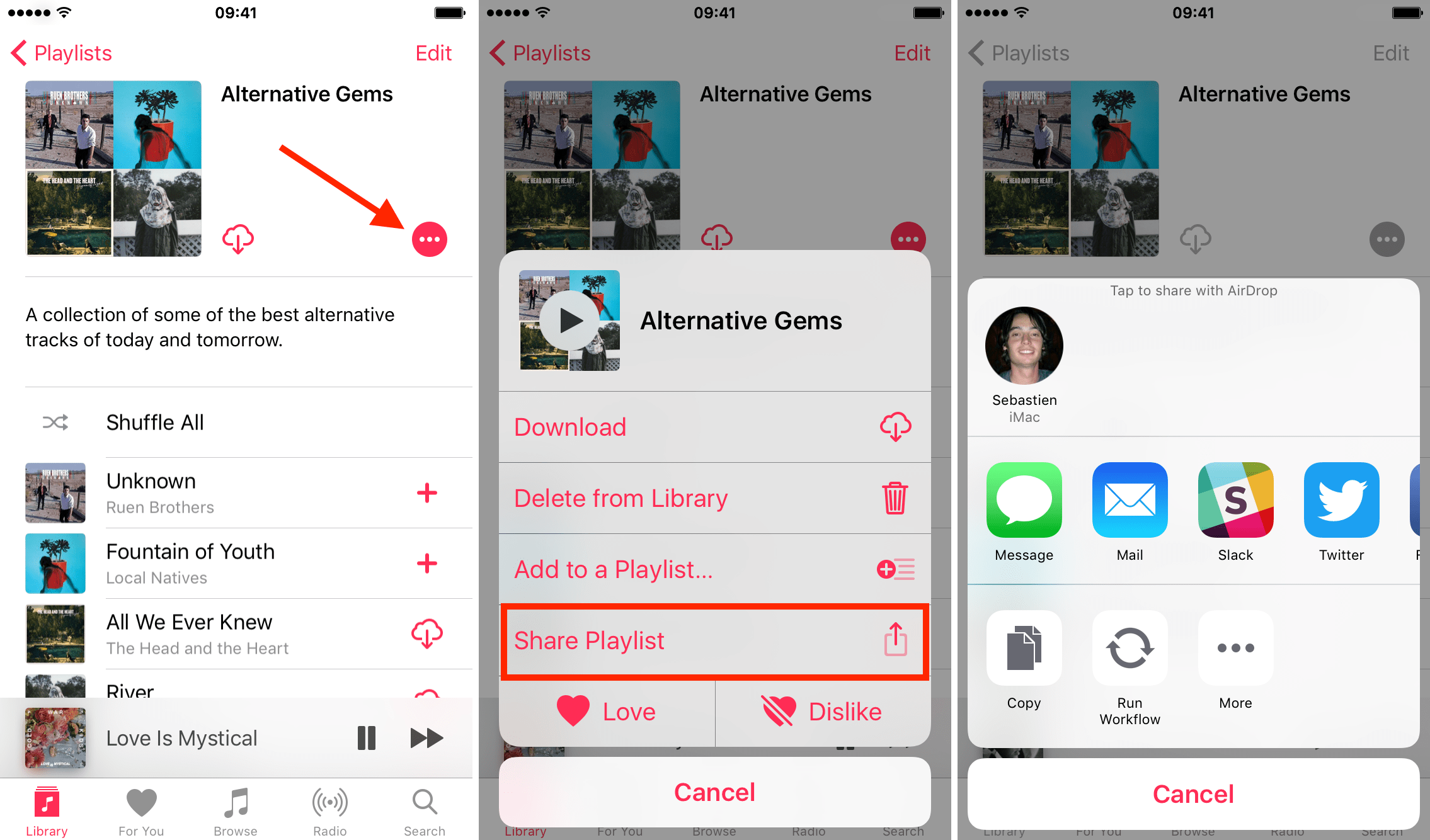
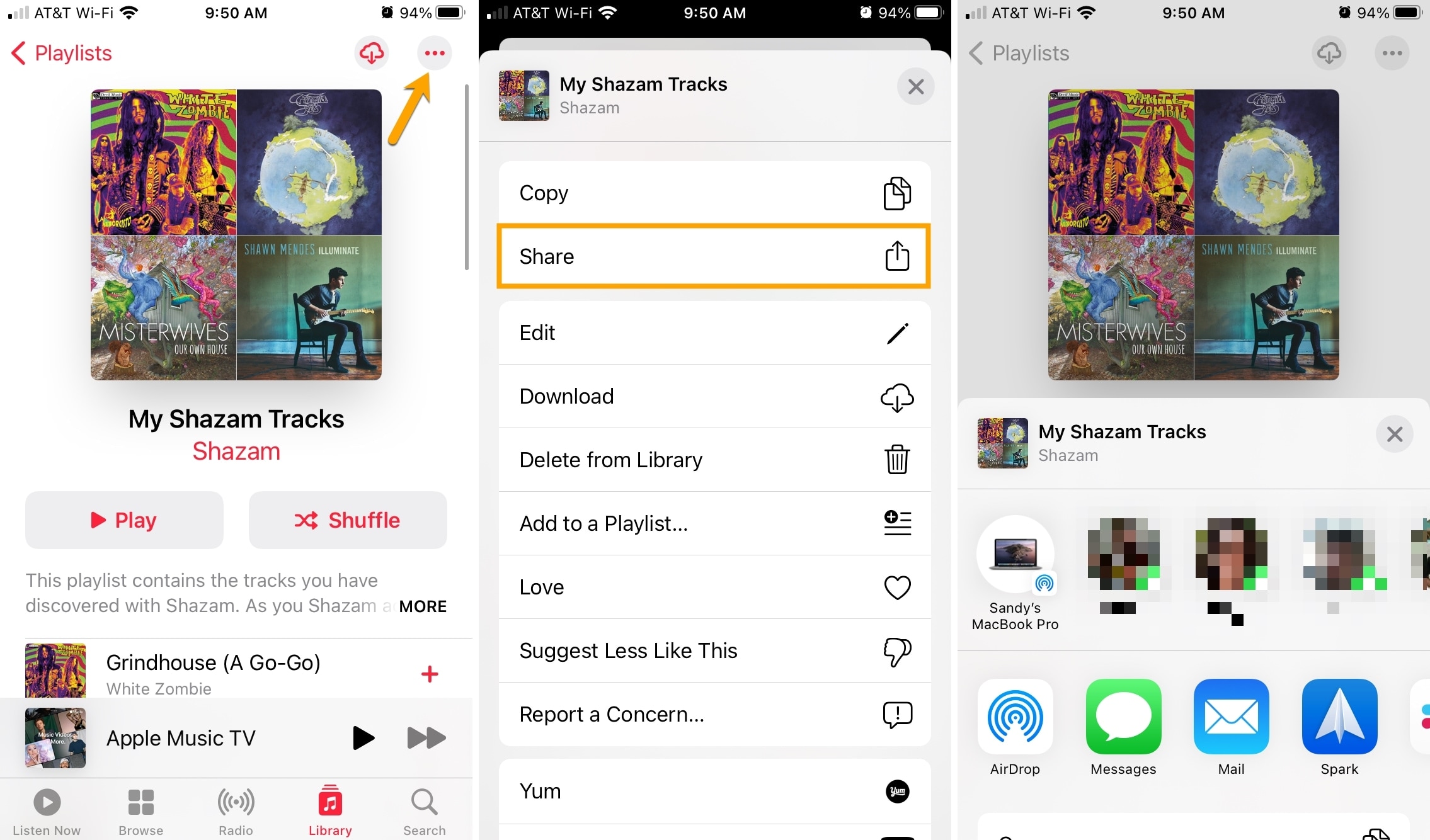
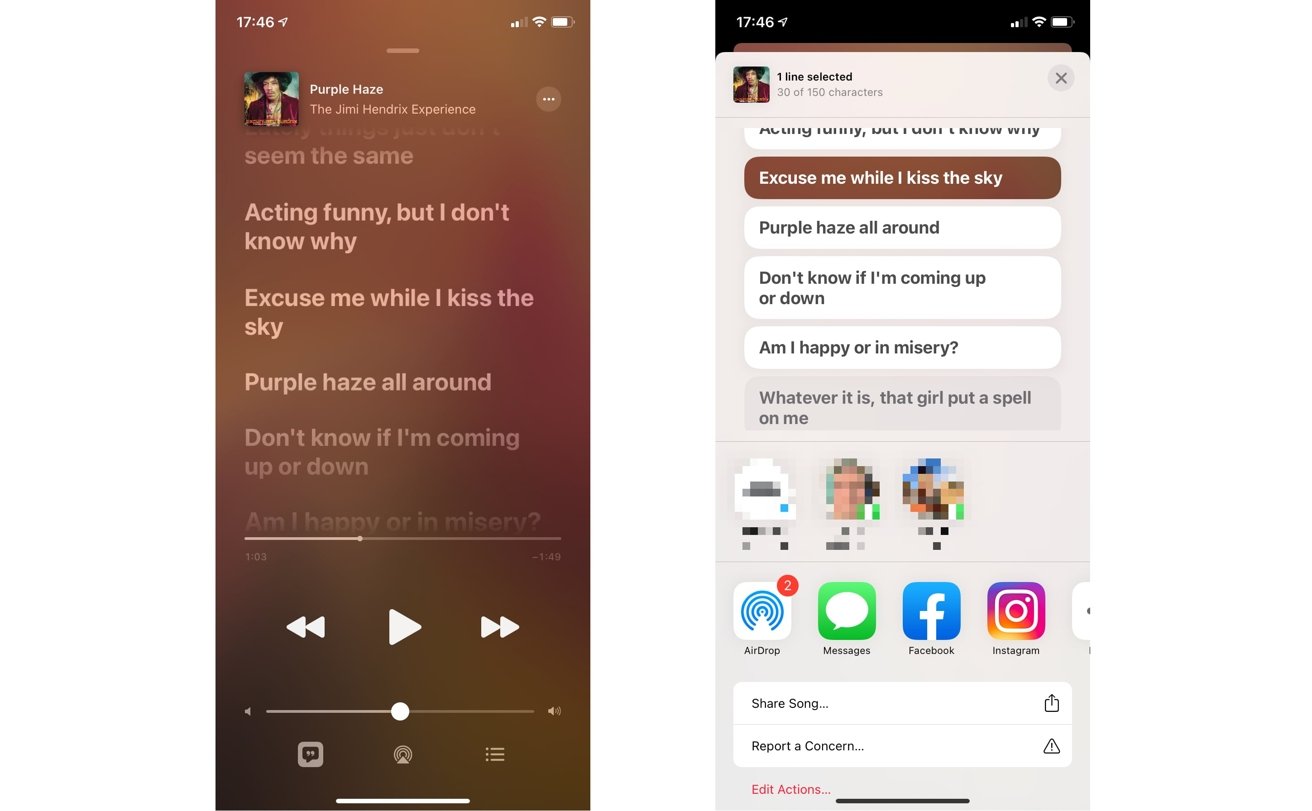
First things first, find the song you love. It can be playing, or you can just browse your library—doesn’t matter. Right there, next to the title, you’ll see a little ellipsis (those three dots, you know the ones). Tap it.
Must Read
That little menu is a treasure chest, trust me. Look for the option that says Share or simply shows the Share Sheet icon. It looks like a square with an arrow pointing up, and it’s basically your portal to the world.
Pick Your Poison (Or Platform)
Once you tap that, iOS does its magic. A whole bunch of options pop up, like a crowded bar where everyone wants your attention. You can go straight for AirDrop if your buddy is sitting right next to you—it’s like teleporting the song directly to their phone. Super cool, right?

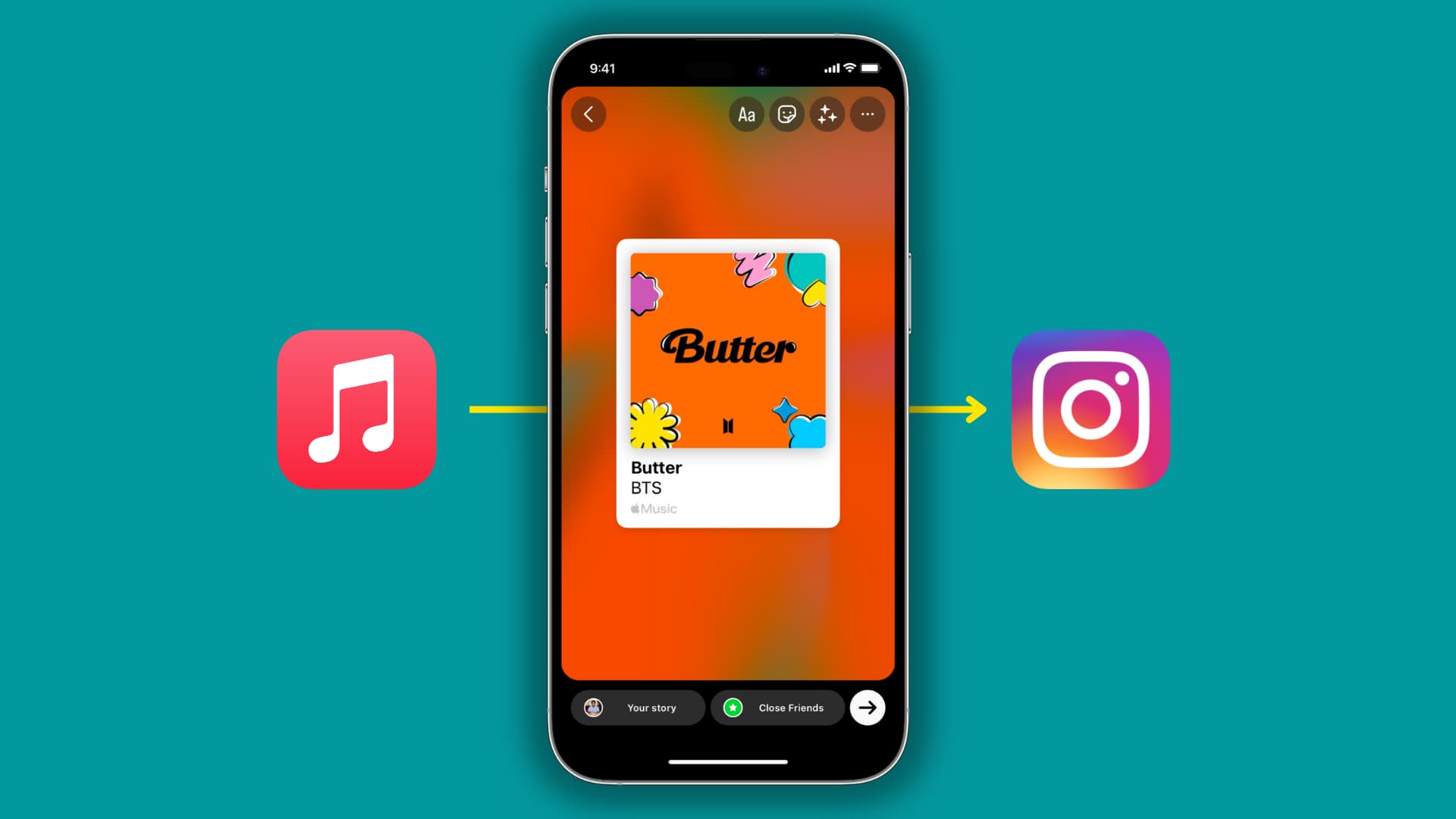
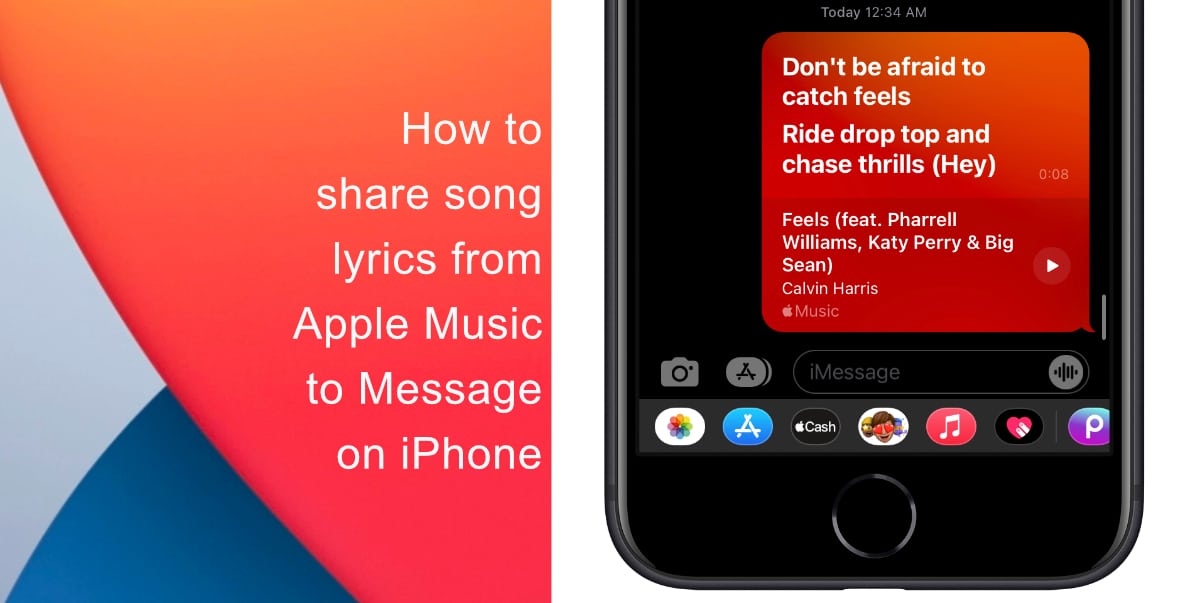
But what if your friend lives across the country? No problem. You can hit Messages and send it as a nice, clean bubble. Or, if you’re feeling a bit more public, tap Instagram or Snapchat to make a slick story out of it.
Why This Feels So Good
Here’s the cool part: when you share, Apple Music doesn’t just send a boring text link. It creates a visual card with the album art, the artist name, and a guaranteed ticket to listen. It’s like sending a mini poster, not just a URL.
And the best part? Your friend doesn’t even need an Apple Music subscription to hear the preview. They can tap the link and get a 90-second snippet right in their browser. That’s the magic of sharing without the hard sell.
Pro-Tips for the Sharing Gamer
Want to look like a total pro at this? Try sharing a Playlist next time. You follow the exact same steps, but instead of one song, you’re handing over a whole vibe. It’s like inviting someone to a house party where you already picked the playlist.
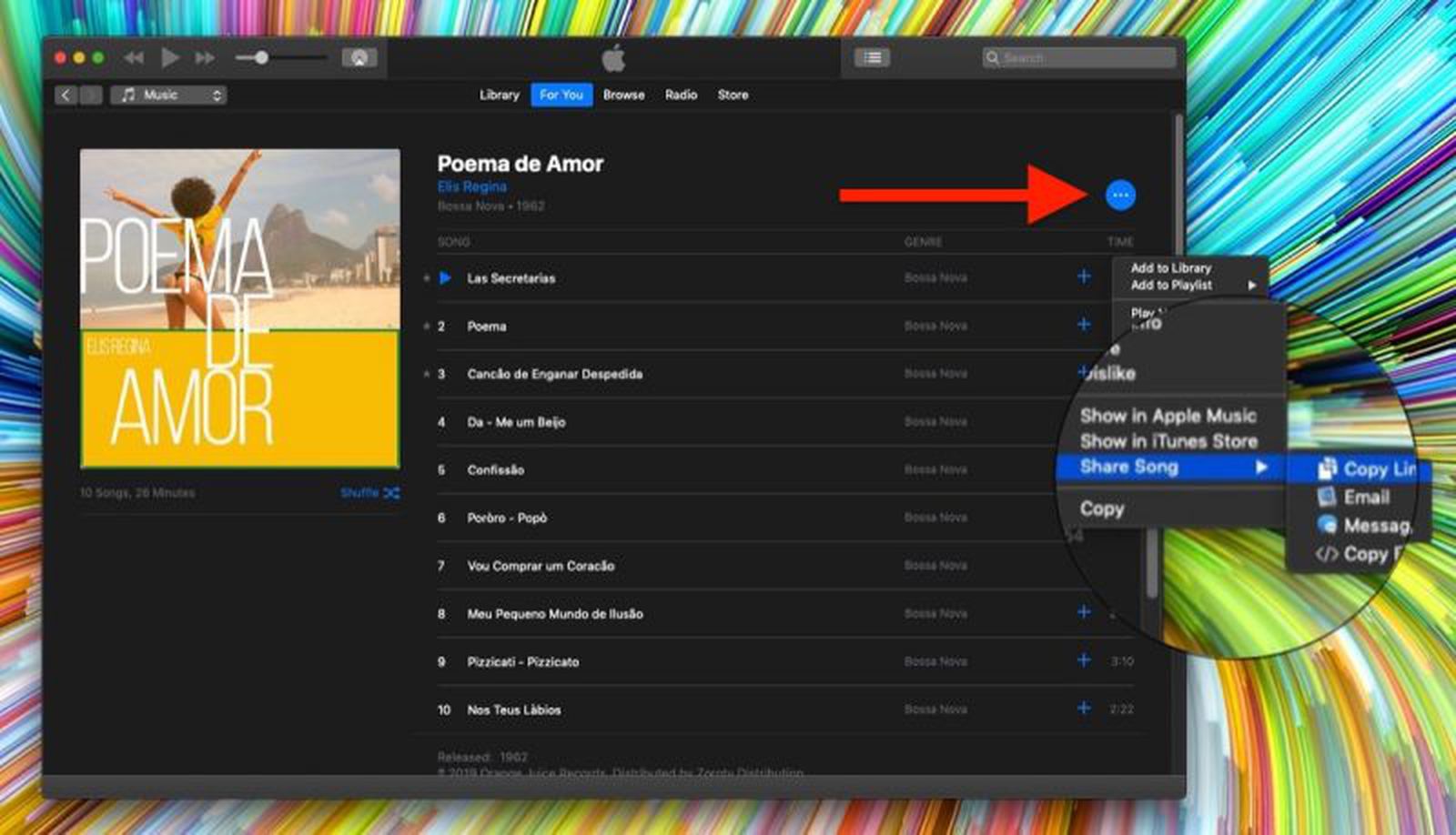
Also, don’t forget about the “Copy Link” option. If you’re a keyboard warrior, you can paste that link into any chat, email, or even a carrier pigeon message. It’s the universal remote of song sharing—works with everything.
Share the Feeling, Not Just the Sound
Honestly, the coolest thing about sharing a song is that you’re sharing a moment. You’re saying, “Hey, this made me feel something, and I think you might feel it too.” It’s a tiny, digital high-five for the ears.
So next time you get that urge to share your latest obsession, just tap those three dots. Don’t overthink it, don’t screenshot, and definitely don’t try to describe the bass drop in a text. Just send it, and let the music do the talking. Now go on, spread the sonic love. You’ve totally got this.