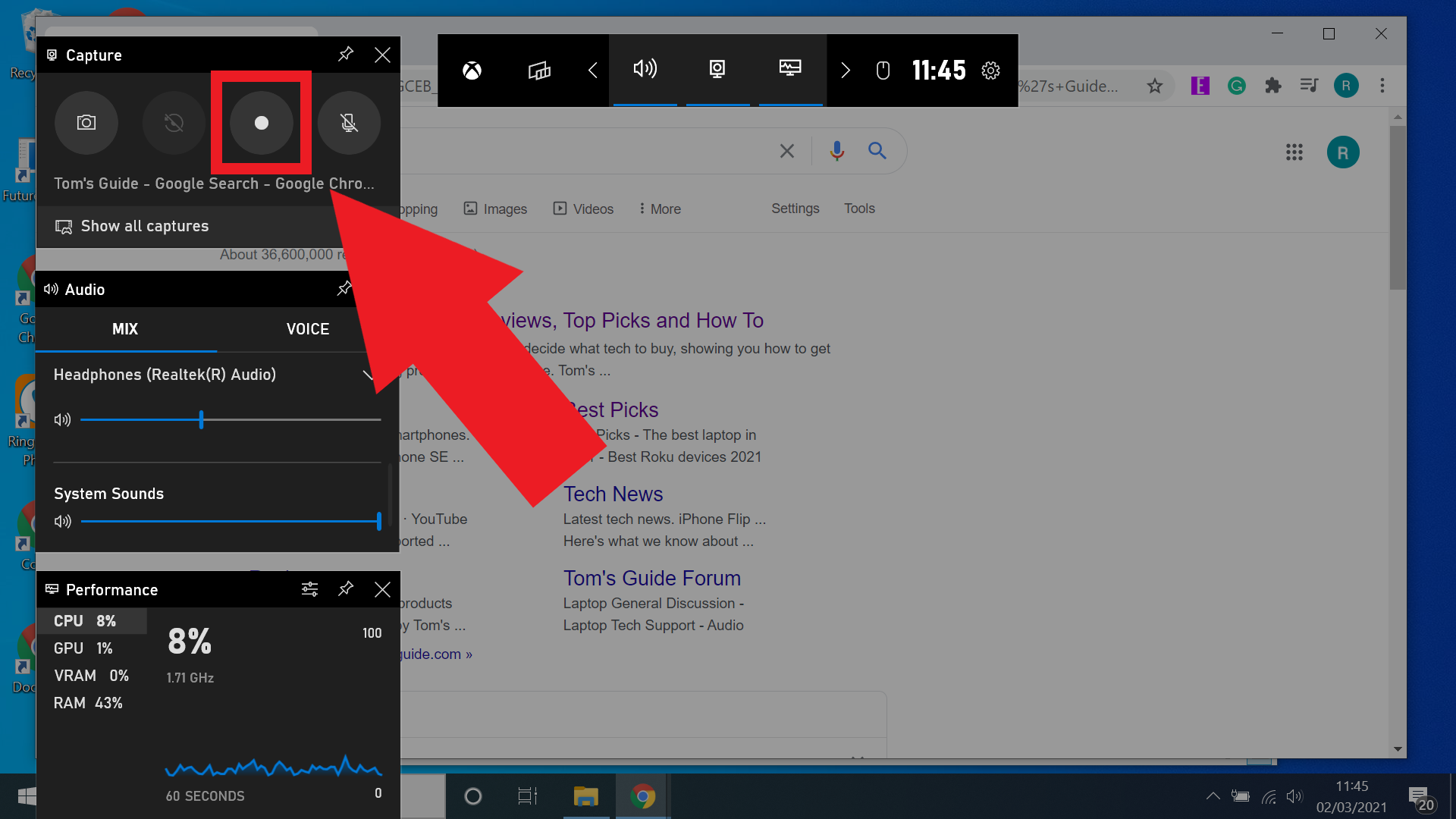
How To Record Video On Laptop Screen

There was a time, not so very long ago, when the idea of capturing what was happening on your computer screen felt like a scene from a science fiction novel. In the late 1980s and early 1990s, the personal computer was a humming, beige box of mysteries, a portal to a world of text-based commands and pixelated graphics. If you wanted to “show” someone what you were seeing, you printed a screenshot—a grainy, dot-matrix relic that was more a suggestion of an image than a true reproduction. The human necessity then was not about sharing a tutorial or documenting a bug; it was about survival. We were trying to prove that we had actually seen the impossible—a spreadsheet that balanced, a game of Tetris that finally clicked, or the early, agonizing crawl of a dial-up connection completing a handshake. The screen was a private theater, and the only way to share the performance was through verbose, telephone-length descriptions, or by physically dragging someone to your office chair.
The story of screen recording is fundamentally a story about the human need to communicate, to teach, and to be remembered. Before the wonders of digital capture, the only way to preserve the ephemeral glow of a CRT monitor was to physically film it with a camcorder. Amateur tech pioneers in the 1980s would set up clunky VHS cameras on tripods, pointing them at their monitors, capturing the rolling lines and flicker of the refresh rate as a kind of ghostly documentary. It was a bizarre, impractical ritual that involved darkened rooms and the constant buzzing of the camera motor. The initial necessity behind this frantic effort? The desire to prove a point, to archive a fleeting moment of digital triumph, and to bridge the gap between the solitary experience of computing and the communal desire to share knowledge.
This primitive approach, however, was more about preserving a memory than creating a seamless narrative. As the internet began to mature, and with the advent of the world wide web in 1993, a new need emerged: online instruction. People were no longer just using computers; they were building websites, coding in HTML, and configuring routers. The written tutorial was becoming too slow, too ambiguous. We needed to see the cursor move, to watch the clicks happen. This was the moment the industry reacted, moving away from the physical camera and into the realm of software—slowly, painfully, and with a staggering amount of technical friction that we barely remember today.
Must Read
The Great Unlocking: From VHS Tape to Digital Codecs
The transformation from analog-to-digital screen capture was not an overnight revolution; it was a grinding, incremental evolution fueled by the early internet’s thirst for software demos. In the mid-to-late 1990s, tools like Lotus ScreenCam emerged, which recorded the screen as a series of bitmap snapshots, storing them in a proprietary format that was almost impossible to share with the outside world. The files were massive, often exceeding 50 megabytes for a two-minute video—a death sentence in an era of 28.8k modems. Sharing a video meant burning it onto a CD-R, physically mailing it across the country, and hoping the recipient had the exact same software to play it. It was a ludicrous, but necessary, attempt to escape the constraints of the camcorder and tripod. The bizarre treatment of the medium in this era involved treating screen recordings less like video and more like a set of high-resolution slides, which often meant that any animation or cursor movement appeared stuttery and robotic.
It wasn’t until the turn of the millennium that a significant leap occurred with the maturation of codecs like the H.264 standard. But before that, there was the forgotten era of the "path-to-video" tutorials. In the early 2000s, experts didn't record; they wrote, then they scripted, then they recorded audio. The visual component was often just a static, annotated screenshot pasted into a Word document. To record a screen in 2001 was to invite a host of issues: the screen had to be set to 16-bit color, the resolution had to be dropped to 800x600 to avoid slowdowns, and the CPU had to be powerful enough to compress the data in real-time without crashing the system. Many a "live" recording failed because the computer simply froze under the pressure of trying to capture while computing. The process was so delicate that the most common technique was to record the narration separately on a cassette tape, then attempt to sync the audio to the video file using clunky timelines in Adobe Premiere—a feat of manual dexterity that would make modern editors weep.
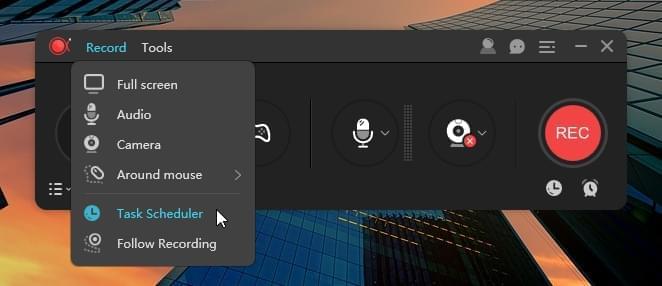
As social media began to blossom, so did the diversity of use cases. Forums dedicated to gaming became the unlikely battleground for screen recording evolution. In 2004, the release of Fraps was a monumental turning point. It hacked the operating system’s API to read the frame buffer more efficiently, allowing for full-motion capture that could theoretically keep up with a game's frame rate. This was a quantum leap. But it was also an enormous resource hog; a 30-second clip of a game could eat up gigabytes of hard drive space, which was a valuable commodity at the time. The key figures here were the early "Let's Players" who, on platforms like the late, great Stickam or early YouTube (launched 2005), would record their gameplay using Fraps and then render it for hours, praying that the encoding software didn't crash at the 90% mark. The trade-off was brutal: you could have high resolution and jitter, or low resolution and smoothness, but you could rarely have both.
The truly bizarre part of this vintage decade was the concept of "Compression Jelly." Because files were huge, online forums and bulletin boards would often impose strict size limits. Creators would intentionally degrade the video quality—reducing the frame rate to 10 frames per second or lowering the pixel resolution drastically—just to get the file under the 10MB threshold. Watching a tutorial from 2007 was like trying to read hieroglyphics through frosted glass. Faces were unreadable, text was a blur, and the audio was often out of sync. Yet, we accepted this degradation with a sense of gratitude. It was the golden age of "good enough," when the sheer existence of a video was more valuable than its quality, a principle that seems utterly alien to the 4K-centric world we live in today.

Then, the cloud arrived. The question shifted from "how do I store this?" to "how do I stream this?" The transition from local files to web-based platforms like ScreenFlow and later built-in OS utilities (macOS Mojave’s screenshot tool added recording in 2018, and Windows 10 introduced the Game Bar at 2015) marked the final severance from the technical shackles of the past. The process became invisible, integrated, and astonishingly simple, erasing the old, painful memories of codecs and sub-par color fidelity in just a few short years.
Modern Alchemy: Hacking the Historic Process for a Distracted World
Today, we take the classic principle of screen recording—capturing visual information for later playback—and hack it to serve the fast-paced, dopamine-driven diet of the modern viewer. The classic, linear tutorial of yesteryear is rapidly being replaced by bite-sized, vertical clips on TikTok and Instagram Reels. We’re no longer waiting for the recording to finish; we’re using AI-powered tools that automatically remove silence, enhance the cursor, and even generate background blur to hide the clutter. The historical emphasis on visual accuracy has been replaced by an emphasis on psychological retention. Creators use robotic text-to-speech voices and jumped-up speed, compressing ten minutes of historical, step-by-step instruction into a 45-second montage of rapid clicks and floating text overlays.
Furthermore, the very method of capture is being hacked. We are witnessing the rise of "headless" recording, where the operator records the screen while physically using another device, or uses background recording that captures everything to a buffer, allowing you to "save the last 30 seconds" of an accidental moment—a feature that would have been a miracle in 2002. Even more surreal is the integration of eye-tracking and heat maps, where recording software analyzes where you are looking on the screen and can generate dynamic camera movements to follow the points of interest, eliminating the old, static "wide shot" that plagued early demos. This is a modernization that honors the core intent while destroying the painstaking manual effort that used to accompany it.
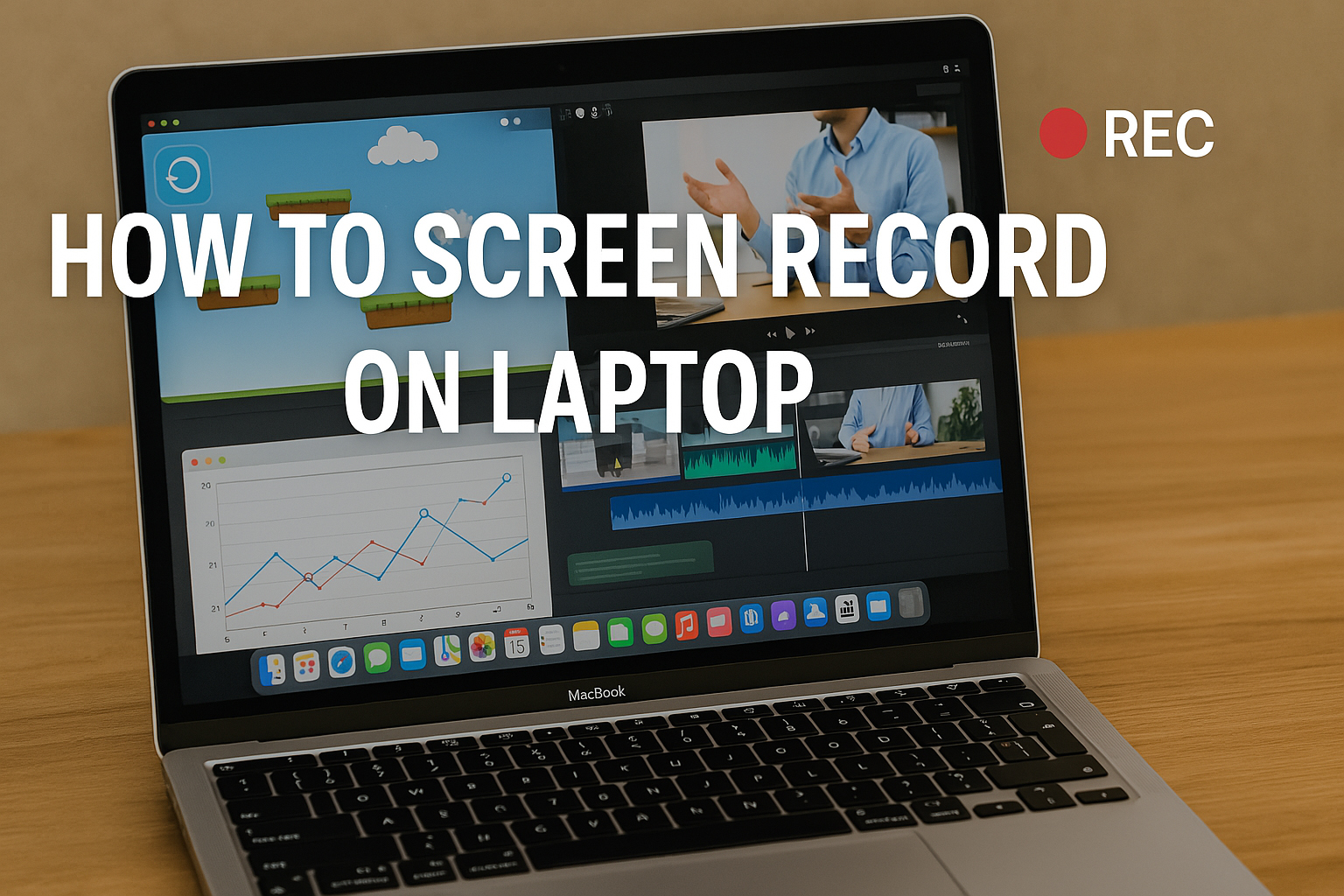
Frequently Asked Questions: Bridging the Analog and Digital Veil
Why were old screen recordings so "blocky" and pixelated?
The blocky artifacts you see in early 2000s recordings are a direct result of both the limitations of the codecs and the hardware. The video compression algorithms of the time, such as MPEG-1 or early H.263, used a method called "block-based transform coding." They divided the screen into small 8x8 pixel blocks. If the screen moved a lot, the codec would struggle to keep up, and it would prioritize updating the macro-blocks over the fine details, resulting in a mosaic-like appearance. This was a physical necessity, as the CPU and RAM simply couldn't handle the mathematical calculations required to redraw the entire screen smoothly at 30 frames per second. We were asking a Pentium II processor to do the heavy lifting of a modern graphics card, and the results were predictably crude. It wasn't a stylistic choice; it was a tragic but necessary compromise to ensure that the video file remained small enough to store on a 1GB hard drive.
Was recording your screen back then considered a "professional" skill?
Absolutely. In 1995, screen recording was a specialized IT and enterprise training function. The first practitioners were not consumer advocates, but corporate trainers and software testers who used tools like Microsoft CAM (a precursor to what we know) to document bugs for developers. It was a paid skill that required a deep understanding of hardware interrupts, audio routing, and video color depth. It was not uncommon for a "screen recording specialist" to have a separate server rack dedicated just to encoding video files. In contrast, today, a 12-year-old can record a 4K 60fps gameplay video on a console with a single button. The democratization of this skill is the greatest legacy of the evolution—moving from a niche, technical job to an innate behavioral capability available to anyone with a smartphone or a laptop.

Will built-in tools eventually replace third-party screen recording software?
Historically, we have seen a symbiotic relationship. The built-in tools (like the Xbox Game Bar and macOS QuickTime) are fantastic for basic, straightforward captures. However, they lag behind in the "editing" and "processing" beast. The early history shows us that third-party software survived because it offered unique codecs or hardware acceleration (like NVIDIA’s NVENC, which launched effectively around 2012) to offload encoding from the CPU. Today, third-party tools also add value through collaboration, offering instant cloud links, multi-track audio mixing, and AI-powered transcription. The built-in tools will get better—they always do—but they will likely remain very focused on "capture," leaving the "polish" to third-party developers who can iterate faster. The fact that we can argue about this at all, in such great detail, is a testament to how far we have come from the VHS-camera-to-CRT-monitor days.
Looking forward to the next twenty years, the concept of "recording" a screen will become profoundly more intimate. We will move beyond rasterized pixels and move into recording "context." Your laptop will not just capture what the screen looks like, but will record the underlying metadata—the code, the vectors, the 3D models—allowing viewers to interact with the video itself. Imagine watching a tutorial and being able to rotate the 3D object that was shown on screen, or pause a code demo and copy the code directly from the video texture. This will be possible through neural compression that understands the semantic content of the pixels, rather than just their color values. Screen recordings will become holographic, living documents.
The nostalgia of the grainy, stuttering video will fade, but its spirit will remain. The human need to share, to teach, and to preserve a moment—to shout "look at this!" across the void of space and time—has always been the primary driver. The laptop screen is our modern window to the digital world, and we have tamed it, captured its light, and packaged it for mass consumption. In the future, we won't even need the screen; we will simply need the intention. We will probably be recording our environment, our thoughts, and our interactions in a continuous loop, with the ability to zoom back into the "digital display" of a past moment with the complexity of a modern DVR. The journey from a shaky camcorder held up to a monitor to this silent, immediate, and comprehensive capture of our digital souls is a testament to innovation, and it is a story we are still eternally writing.
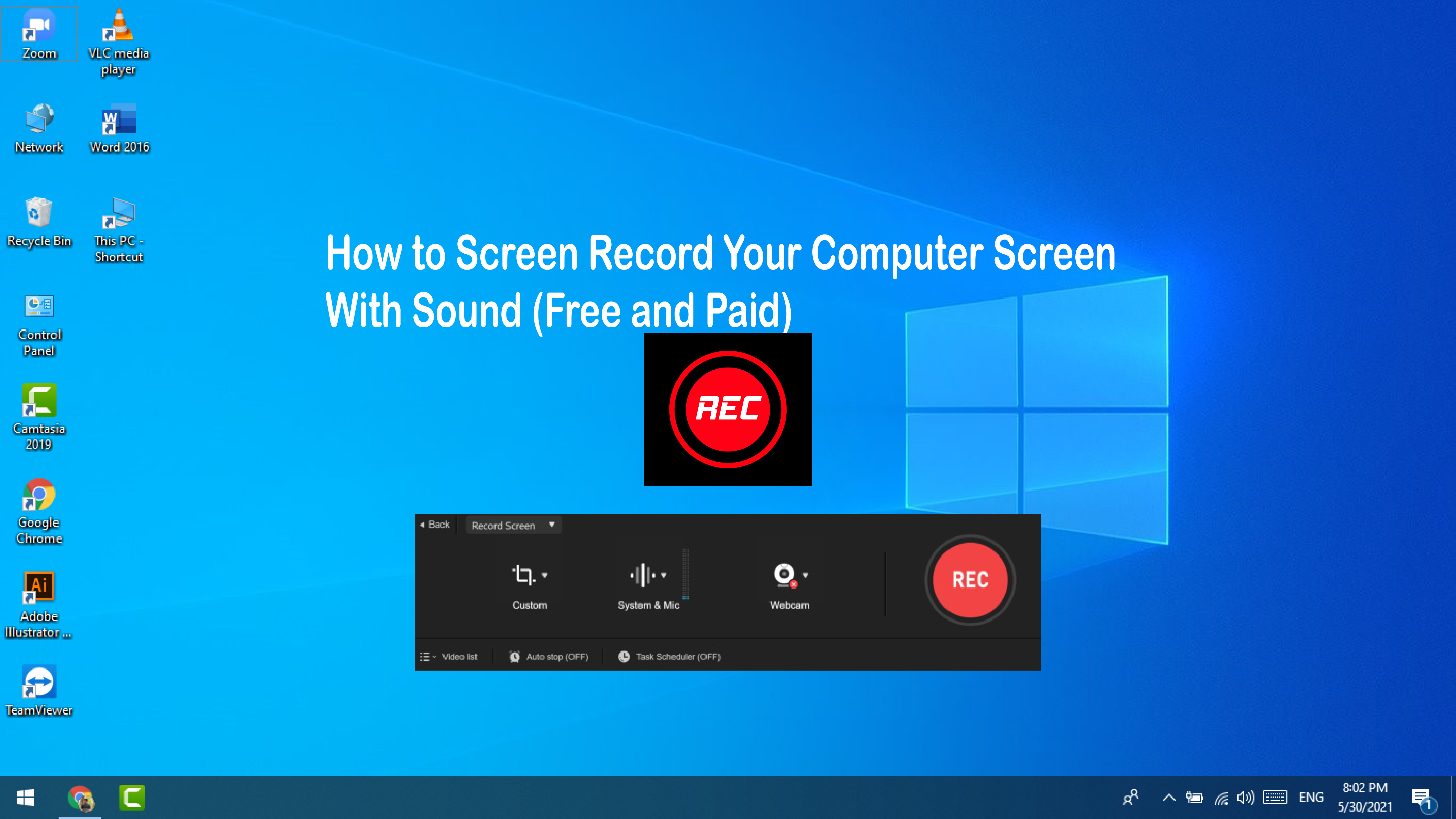

![How To Screen Record On A Lenovo Laptop [5 Easy Ways]](https://tencomputer.com/wp-content/uploads/2023/02/screen-record-itop-screen-recorder-full-screen-768x383.jpg)