How To Make Your Own Discord Bots
Your Discord Server, Your Rules
Imagine your Discord server running itself while you sip coffee. That’s the magic of a custom bot, and it’s way easier than you think. You don’t need to be a coding genius—just curious and a little playful.
Making your own bot is like adopting a digital pet that does chores. It can greet new members, play music, or even roast your friends on command. The best part? You get to decide every single quirk it has.
Why Bother? Because It’s Pure Fun
There’s a special thrill when your bot answers with a joke you wrote. It’s like leaving a surprise for your friends, and their “haha” reactions are pure gold.
Must Read
You’ll also learn a sneaky amount of coding without feeling like homework. Python or JavaScript are your tools, but you’ll be too busy laughing to notice you’re learning.
Plus, bots make your server feel alive. A dead chat becomes a circus when your bot randomly announces a pizza party at 3 AM.
The Secret Ingredient: Discord’s API
Think of the Discord API as a backstage pass to your server. It lets your bot see messages, react, and even add roles—all with a few lines of code.
You don’t need to memorize it all. Start with the discord.py library (for Python) or discord.js (for JavaScript). They’re like ready-made LEGO sets for bots.
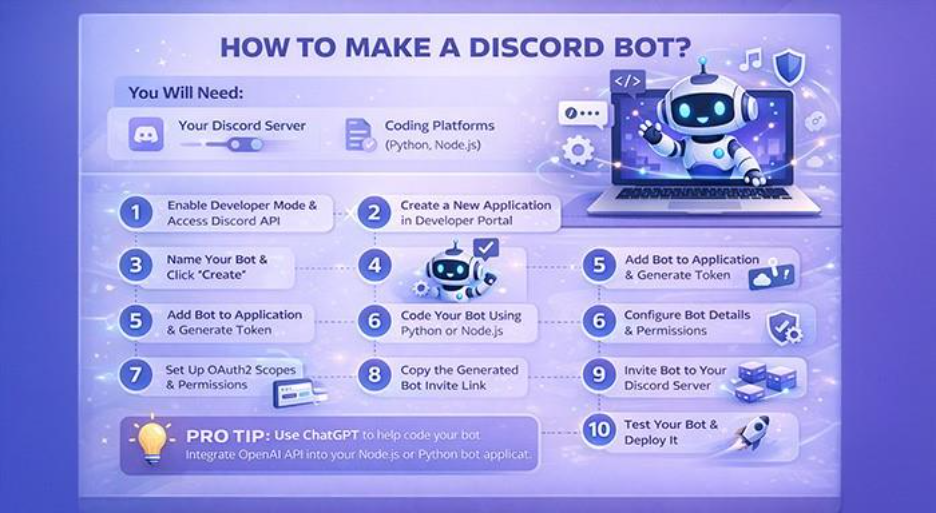
Literally, the first bot you make can be a simple “ping-pong” responder. Type “!ping,” and your bot says “pong.” That tiny win feels like winning the lottery.
Step One: Get a Bot Token (Your Secret Key)
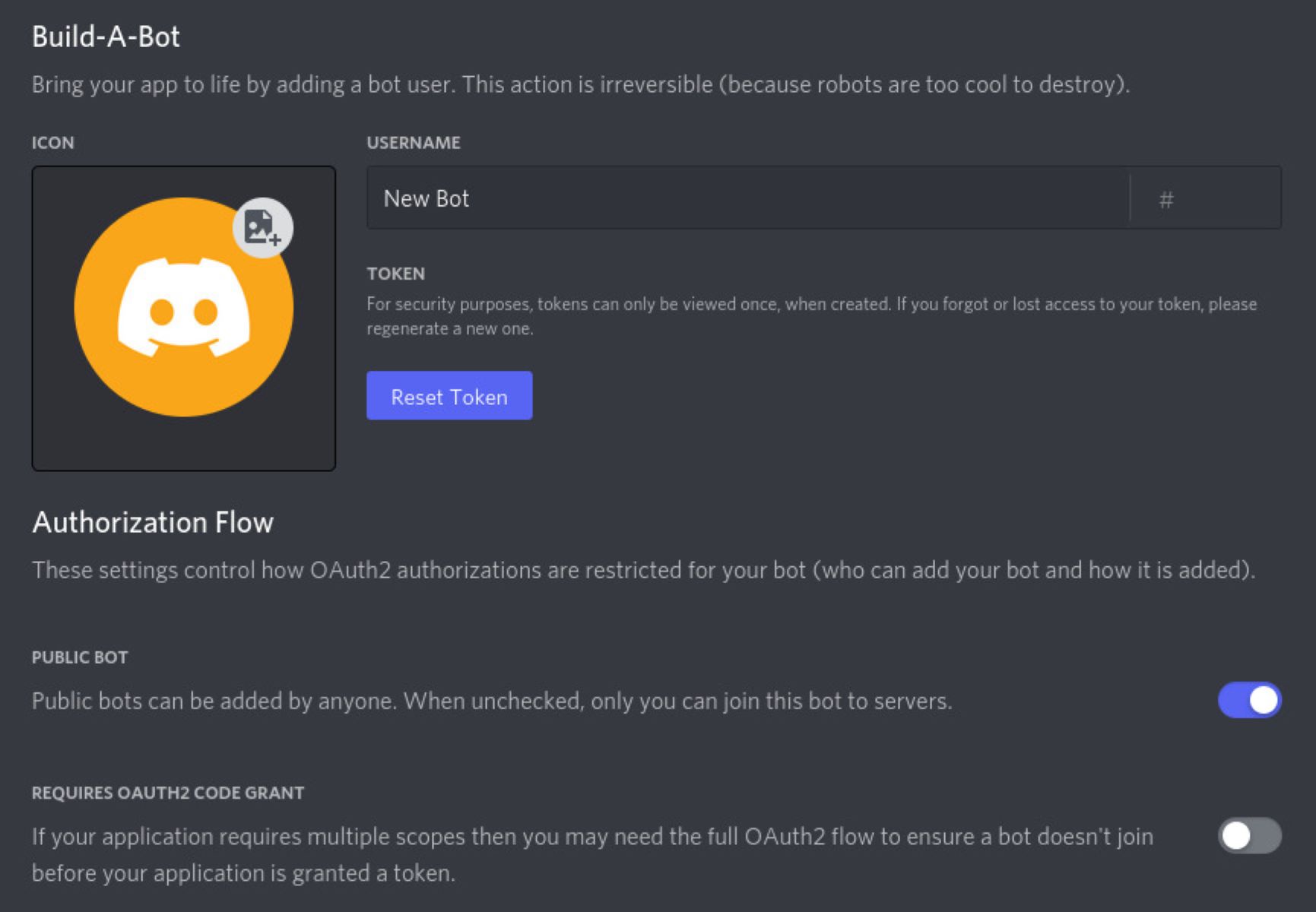
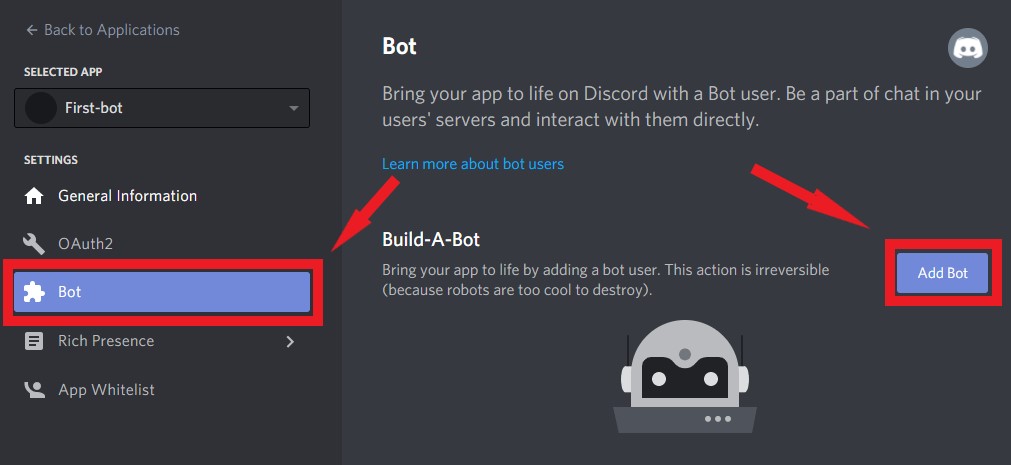
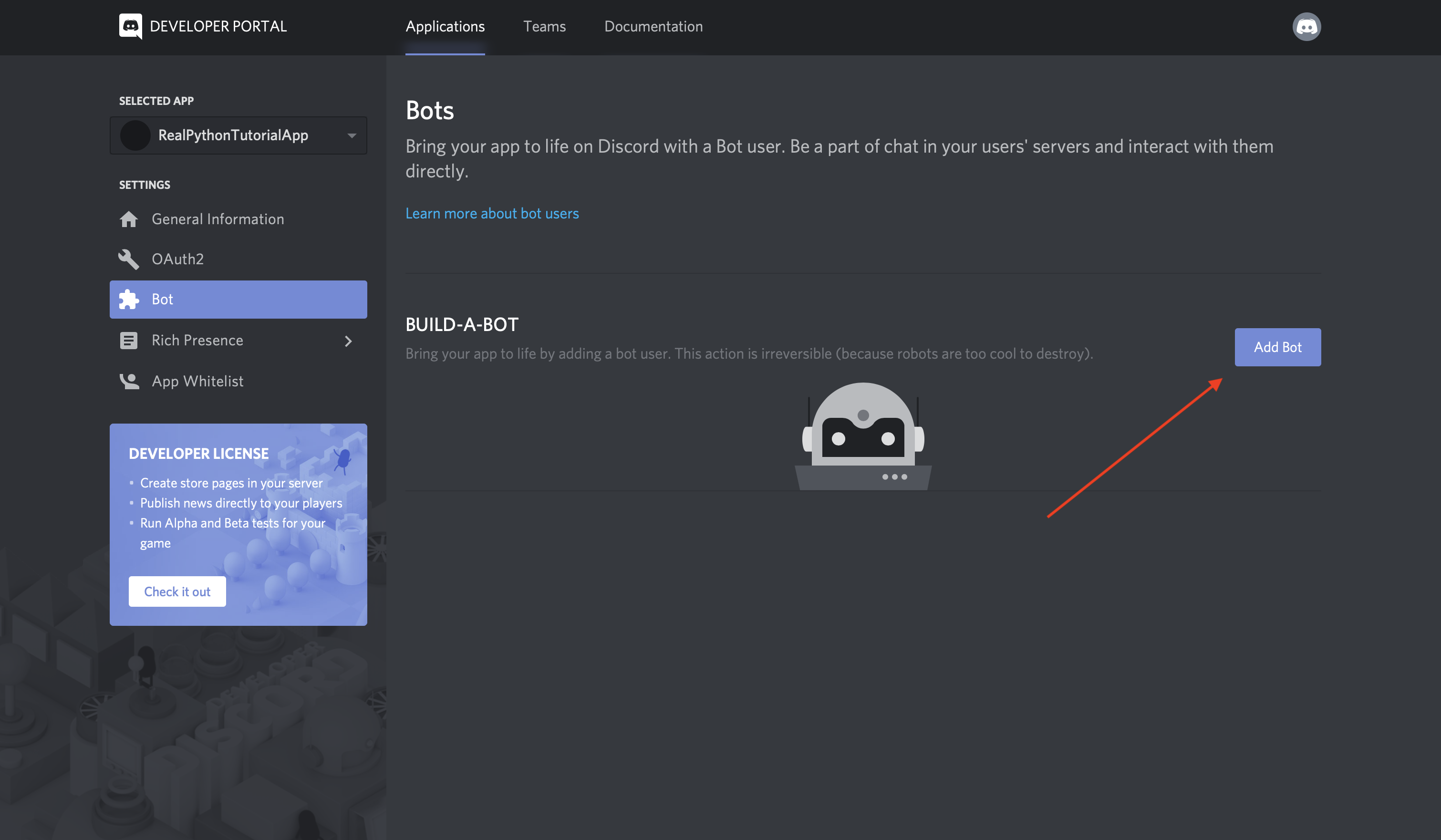
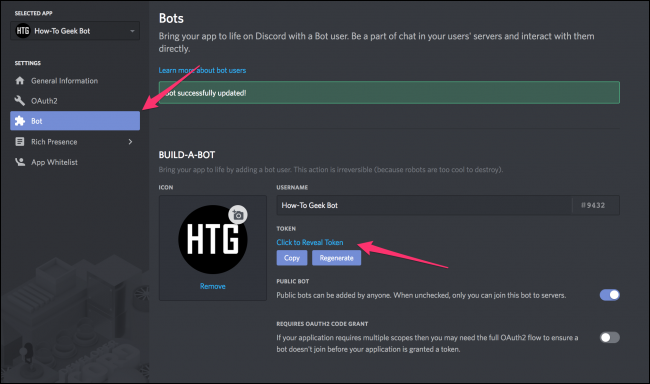
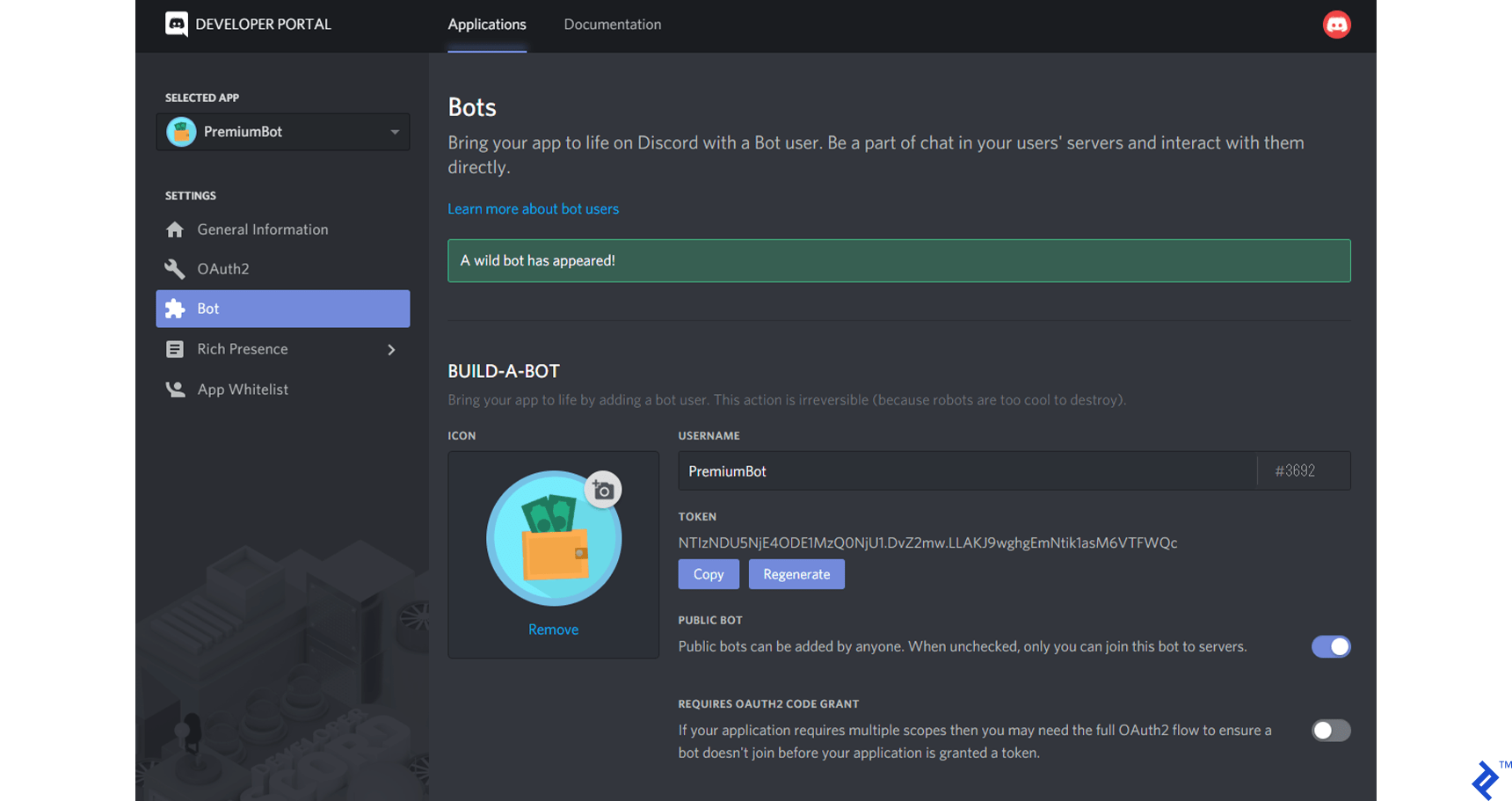
Head to the Discord Developer Portal, create a new application, and grab your bot token. Treat that token like your toothbrush—never share it with anyone.
Next, invite your bot to your server with a custom link. It takes 30 seconds, and suddenly your bot is a real member with zero followers.
Don’t worry about breaking things. You can always delete the bot and start fresh. Failure is just a step toward a better bot.
The First Lines of Code (No Tears Attached)
Open your code editor, write a few lines to log your bot in, and watch it wake up. When you see “Bot is online!” in your console, you’ll grin like a kid.
Then add a simple command: @bot.command() followed by async def hello(ctx): await ctx.send(“Hey there!”). That’s it—you’ve just given birth to a conversational robot.
Try something silly like !slap that picks a random user to slap with a fish. Your friends will spam that button for hours.
Make It Special: Personality Over Perfection
The best bots aren’t the most complex—they’re the funniest. Give yours a catchphrase, a weird obsession with waffles, or it answers every question with a meme link.
Use embeds to make pretty colored messages. A bot that replies with a fancy, boxed response feels 10x cooler than plain text.

You can even add a random number generator for “spin the wheel” games. Your server becomes a casino, minus the gambling addiction.
Ride the Rollercoaster of Errors
Your bot will crash. It will forget to reply. It might randomly ban your best friend. That’s normal, and honestly, it’s part of the comedy show.
Google the error, copy-paste it, and you’ll find a forum where someone solved it at 2 AM. The feeling when you fix a bug? Better than any video game boss.
And when your bot finally works perfectly, you’ll feel a weird, proud parent emotion. You built that little digital monster from scratch.
“I made a bot that says ‘no u’ whenever someone says ‘yes’—best day of my life.” — A random, happy coder
Go Beyond: Wild Ideas to Try
Try a bot that gives a random “fact of the day” (half of them fake, all of them hilarious). Or a bot that converts any message into pirate speak.
You can even set up a welcome message that insults new members lovingly. “Welcome, human. You may stay.”
The only limit is your imagination—and your tolerance for silly bugs. But that’s the beauty: you’re the boss, the creator, and the emergency repair guy.
Your First Bot Awaits
You don’t need to be a tech wizard. You just need curiosity and a bit of patience. In one evening, you can go from zero to a bot that makes your friends laugh.
Start with the “ping-pong” bot. Then add one joke. Then a random insult generator. Before you know it, you’ll be the cool admin everyone loves.
So why not open that developer portal right now? Your digital sidekick is waiting to be born. And trust me, it’ll be the most fun you’ll have with a keyboard in a long time.