How To Make Video Play In Reverse
So, the other day, I’m watching this incredibly satisfying video of a guy untying a massive knot—you know the type, the one that makes you feel like your own fingers are useless. And then, out of nowhere, my brain goes, “But what if he was tying it instead?” I immediately tried to rewind, but the platform’s reverse feature was as elusive as a decent parking spot. That’s when it hit me: we’re obsessed with seeing the world run backwards, and we have no clue how to actually do it ourselves.
That little itch led me down a rabbit hole of reverse playback, and let me tell you, it’s way easier than you think. You don’t need a Hollywood editing suite or a degree in film studies to pull this off. Honestly, if I can do it while half-awake with a coffee in hand, you definitely can. We’re going to break down the magic, from the dead-simple phone trick to the slightly more nerdy desktop methods.
The “Too Easy” Phone Trick
If you’re like me, your phone is basically an extension of your hand, so let’s start there. Most default video players—like the one in your iPhone Photos app or Google Photos—have a hidden superpower. All you have to do is hit the “Edit” button, and then you’ll see a bunch of timeline options.
Must Read
Look for the option that says “Reverse” or shows a little arrow looping back on itself. Tap it, and boom—your video is now playing backwards, and the app does all the heavy lifting for you. It’s so simple that I almost felt cheated, like I should have had to do something more than just press a button.
Seriously, my grandmother could do this, and she still calls the internet “the Google box.” But hey, if you want a little more control, we can step it up a notch. Because sometimes, you don’t just want reverse, you want cinematic reverse.
Getting Fancy with Free Software
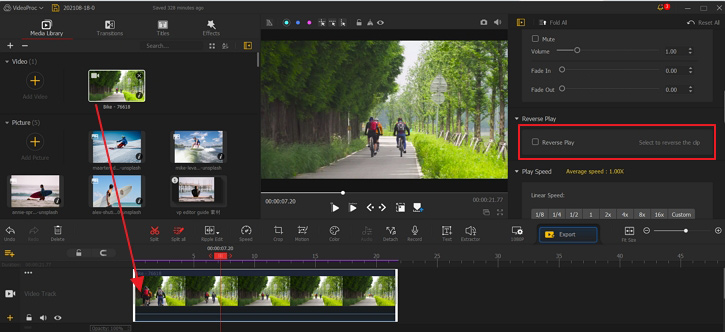
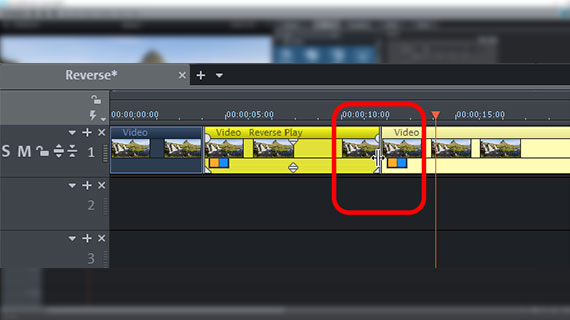
For those of you who want to feel like a legit editor, we’re moving to the computer. There’s a free, open-source program called “DaVinci Resolve” that is absolute overkill for this task, but it’s also free, so who cares? The principle is the same: import your clip, right-click on it, and select “Change Clip Speed.”
In that menu, you’ll find a checkbox that says “Reverse Speed.” Check it, and your video will immediately start moving backward. The best part? You can adjust the speed while it’s reversed, so you can make that jump look like a super-slow-mo float back to the ground.
But maybe you’re not ready to download a 2-gigabyte program just to mess around. I get it; your hard drive has better things to do. That’s where online tools like Kapwing or Clideo come in, because they work right in your browser. You just upload the video, hit the reverse button, and download the new file. Easy peasy, and you don’t have to commit to any software.
Why Do We Even Love This?
There’s something uniquely hypnotic about watching a building get un-built or a coffee cup un-spilling. It’s not just about being a contrarian; it’s about seeing the invisible mechanics of time. When you reverse a video of a pool splash, you realize how chaotic it actually is—water suddenly decides to hoist itself back into a perfect rectangle. It’s weirdly poetic, isn’t it?
Beyond the artistry, reversing video is a killer tool for analyzing movement and sports. Coaches use it to see where a foot lands, or how a ball spins, because seeing it backward makes the stages of motion stand out. So while it looks like pure magic, it’s secretly a microscope for physical reality.
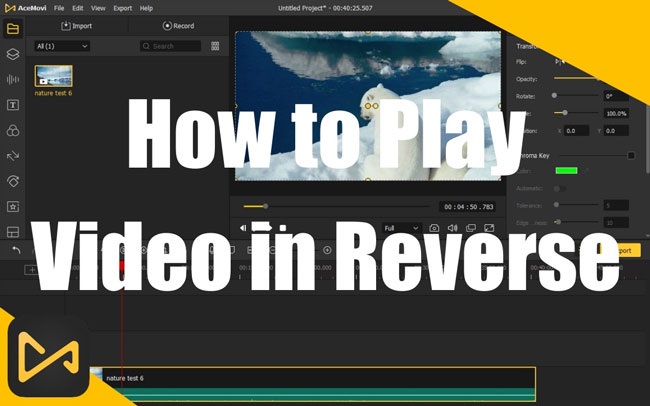
![How to Play A Video In Reverse Easily [Basic Steps]](https://www.tipard.com/images/video/how-to-play-a-video-in-reverse/how-to-play-video-in-reverse.jpg)
And look, let’s be real for a second—sometimes you just want to make a video of your cat looking majestic and have it look like she’s defying gravity when she jumps off the sofa. There is absolutely zero shame in that. We’ve all been there, my friend.
The “Wrong Way” Warning
Here’s a tiny snag: when you reverse a video, any text in the original will be mirrored and unreadable. So if your clip has a sign that says “Coffee” on it, it’ll suddenly read “eeffoC”, and you might confuse everyone. You’ve been warned—either embrace the gibberish or crop the text out before you hit the reverse button.
Also, a quick heads-up about audio. Unless you’re using a fancy tool, the sound is going to get all sci-fi and garbled. Honestly, most reversed videos are best watched on mute, with some twinkly lo-fi music in the background. It just fits the vibe better.
So, go on, dig up that old video of you attempting to do a backflip. Reverse it, and watch as you gracefully rise from the ground, a master of physics who never actually falls. You’ll feel like a time lord, and honestly, isn’t that the whole point of having a smartphone?
Now if you’ll excuse me, I have a date with a dumped out cup of noodles. I need to see if I can make them reappear in the bowl and feel like a wizard for a few seconds. Don’t act like you’re not going to try the exact same thing.