How To Make An Account On Instagram
Okay, let’s be real for a second. If you’re here, you’ve probably seen your cousin’s dog’s Instagram account with 10,000 followers and thought, “Hey, I could do that.” Or maybe your grandma just joined and you refuse to be out-tech’d by her. Either way, welcome to the jungle—the beautifully filtered, endlessly scrollable jungle of Instagram.
Making an account is genuinely one of the easiest things you’ll do all day. It’s easier than making a sandwich, and honestly, it has fewer calories. So grab your phone (or your dusty laptop), and let’s get you online in about five minutes flat.
Step 1: Download and Open the App
First things first: go to your app store and search for “Instagram.” You’ll know it’s the right one because it has a camera icon that looks like a retro 1980s sticker. Tap “Download,” and while it installs, do a little wiggle dance—you’re about to become a digital celebrity.
Must Read
Once it’s on your screen, tap the icon. And do not panic when it asks for permission to access your camera and photos. That’s not a trap; it’s just Instagram being nosy in a friendly, corporate way. You can say “Allow” or “Not Now,” but let’s be honest—you’ll say “Allow” because you want to post pictures of your lunch eventually.
Step 2: Hit the “Sign Up” Button
When the app opens, you’ll see a screen with a big button that says “Create New Account.” Tap it. You’ll have two options: sign up with your email or sign up with your phone number. Pick whichever feels less like homework to you.
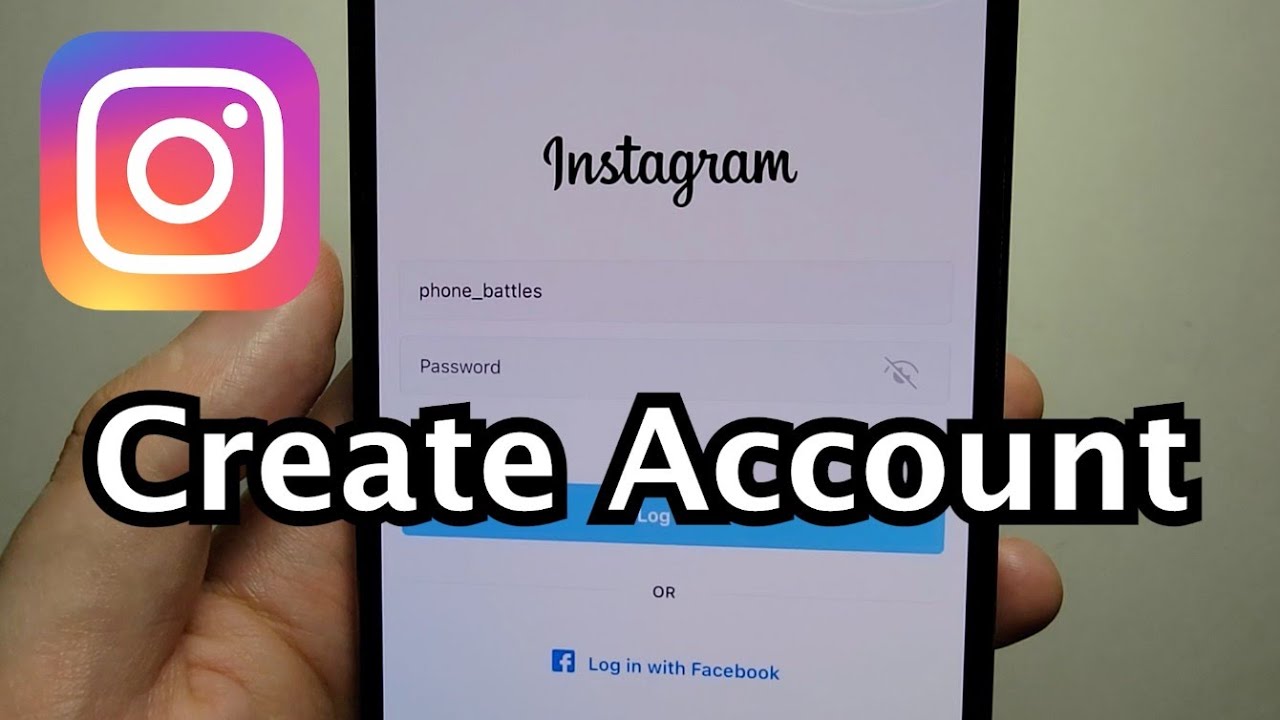
Pro tip: if you use your email, make sure it’s one you actually check, because Instagram will send you a secret code to verify you’re a real human. And no, a robot with a good Instagram aesthetic won’t pass the test. You’ll need to type in your name, too—just your first and last name, not your full government alias. Unless you’re a spy, in which case, go ahead and use “Bond, James Bond.”
Step 3: Choose Your Password (Make It a Good One)
Now, for the password. I know, I know—nobody wants to think about passwords. But please, please don’t use “password123” or “123456.” That’s like leaving your front door open and putting a sign that says “Free Wi-Fi and Also My Netflix.” Use something with a mix of letters, numbers, and one weird symbol that makes you feel like a hacker. For example: “NoodleFan#88!” —see? Perfect and delicious.
Also, Instagram will ask you to create a username. This is your moment to shine. You can use your real name, but I highly recommend something fun like @QueenOfSnacks or @DancingLlama42. Don’t overthink it—you can always change it later, but also know that everyone else on Earth has already taken “@coolperson,” so you might have to add a few extra underscores. That’s fine. It builds character.

Step 4: Add a Profile Photo and Bio (The Fun Part)
After your account is created, you’ll be prompted to add a profile picture. You can snap a selfie right then, but fair warning: the lighting in your bathroom might make you look like a ghost. That’s okay. You can use a picture of your cat, a sunset, or even a slice of pizza. Yes, people do that, and yes, it’s iconic.
Next up is your bio. This is where you get to be witty in 150 characters or less. Write something like “Professional nap-taker | Coffee enthusiast | Here for the memes.” Throw in an emoji or two for spice. If you don’t have a bio, that’s fine too—just know you’ll look mysterious, and mystery is basically a personality trait on the internet.
Step 5: Connect or Skip Contacts (Your Choice)
Instagram will now try to get you to connect your phone contacts or Facebook. This is their sneaky way of making sure you follow all your friends and find your ex’s new partner’s account with zero effort. You can skip this step if you want to remain an anonymous lurker. There’s no shame in being a lurker—I’ve been one for years, and I have a very glamorous inner life.

If you do connect, just be prepared: your aunt will find you. She will. And she will like every single photo you post, including the blurry one of your dinner from 2019. Embrace it. It’s love.
Step 6: Follow, Like, Repeat
Boom! You’re in. Now the real fun begins. Follow your friends, follow celebrities, follow that random bakery that posts croissants that look like clouds. Double-tap some pictures. Leave a comment that says “🔥” or “same.” You’re now officially part of the culture.
Just remember: you don’t have to post anything right away. Take your time. Browse. Get lost in the algorithm. It will eventually know you better than your therapist, and that’s both terrifying and strangely comforting.

And hey, if you ever feel overwhelmed, just log off and go outside. The sun is still there, and it doesn’t have a like button—but it’s still pretty good.
You did it!
You now have an Instagram account. That wasn’t so hard, right? You’ve officially joined the world’s most popular photo album, where nobody reads the captions and everyone pretends they’re living their best life. But guess what? Your life is already pretty great—you just figured out a new social media app, and you did it with style.
So go on, post that throwback photo of you with a weird haircut. Share that quote about being “a work in progress.” And remember, the only rule is to have fun—and maybe don’t post your credit card number. That’s not cool. But everything else? Go wild, you beautiful new follower of feeds. Welcome to the ’gram.