How To Fax From Windows 10 Without A Phone Line

With the rise of digital communication, it's surprising that faxing is still a necessary tool for many individuals and businesses. However, the traditional method of faxing using a phone line is becoming obsolete. Thanks to Windows 10, you can now fax without the need for a phone line, making it a convenient and efficient way to send and receive documents.
The purpose of faxing from Windows 10 is to provide a secure and reliable way to transmit sensitive information, such as financial documents, medical records, and legal contracts. This method is especially useful for those who need to send documents to organizations that still rely on faxing, such as hospitals, banks, and government agencies. By using Windows 10 to fax, you can ensure that your documents are sent quickly and securely.
Benefits of Faxing from Windows 10
One of the main benefits of faxing from Windows 10 is the convenience it offers. You can send faxes from the comfort of your own home or office, without the need for a separate fax machine or phone line. This not only saves you time but also reduces the cost of purchasing and maintaining a traditional fax machine.
Must Read
Another benefit of faxing from Windows 10 is the increased security it provides. When you send a fax using a traditional phone line, your document is transmitted over the public switched telephone network, which can be vulnerable to hacking and interception. However, when you fax from Windows 10, your document is transmitted over the internet, using secure protocols such as TLS and SSL, which ensure that your document is encrypted and protected from unauthorized access.
With Windows 10, you can use a variety of fax software and online fax services to send and receive faxes, making it easy to find a solution that meets your needs and budget.
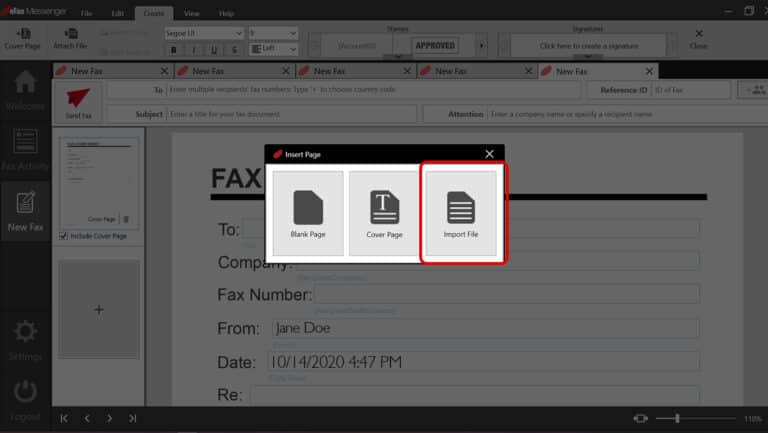
To fax from Windows 10, you will need to use a fax software or online fax service that is compatible with your operating system. Some popular options include eFax, MyFax, and RingCentral. These services allow you to send and receive faxes directly from your computer, using a virtual fax number that is assigned to you.

Once you have chosen a fax software or online fax service, you can start sending faxes from Windows 10. Simply create a new document or attach an existing one, enter the recipient's fax number, and click send. Your document will be transmitted securely over the internet and delivered to the recipient's fax machine.
Requirements for Faxing from Windows 10
To fax from Windows 10, you will need a few basic requirements. First, you will need a computer with Windows 10 installed, as well as an internet connection. You will also need to choose a fax software or online fax service that is compatible with your operating system.
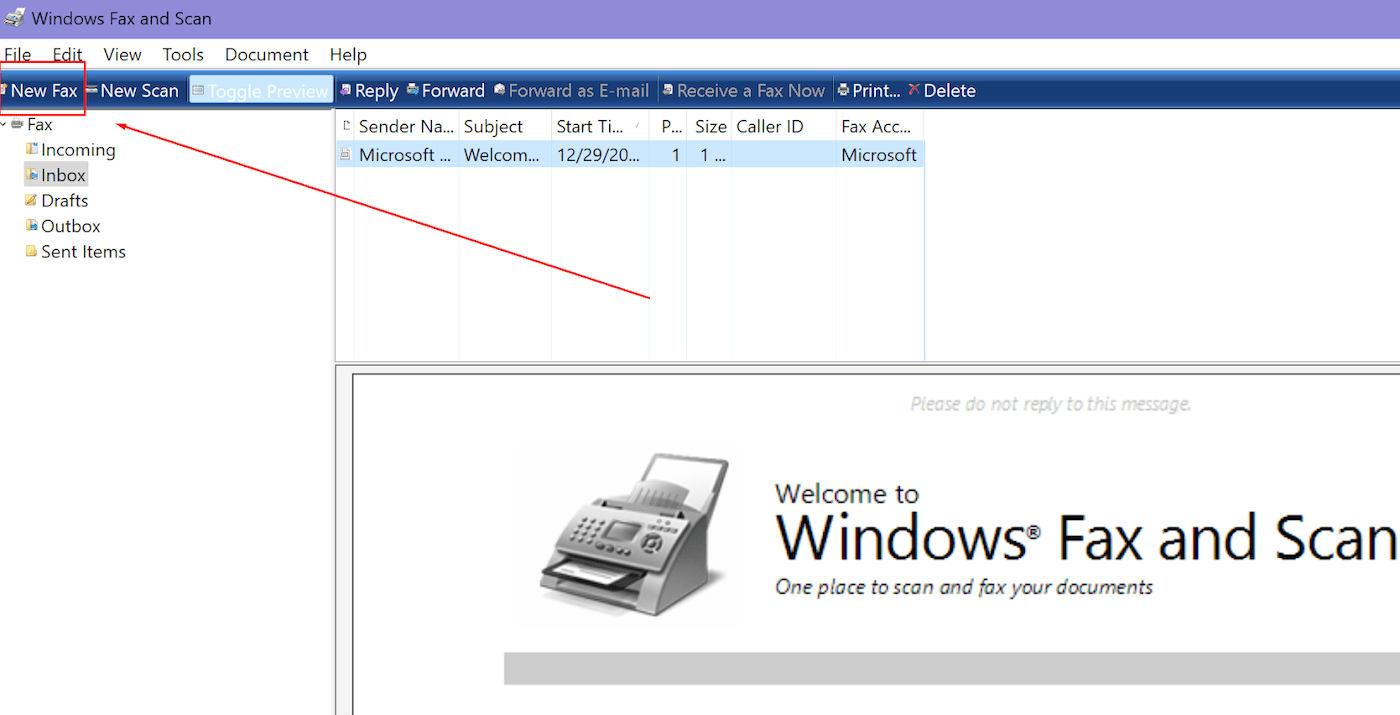
:max_bytes(150000):strip_icc()/Windows_Fax_01-3d49c8212b1c455a8eea2bddcaf234be.jpg)
In addition to these requirements, you may also need to purchase a virtual fax number, which will be used to send and receive faxes. This can be done through your chosen fax software or online fax service, and will typically require a monthly or annual subscription fee. By meeting these requirements, you can start faxing from Windows 10 and enjoy the convenience and security that it provides.
Overall, faxing from Windows 10 is a convenient and efficient way to send and receive documents. With the right fax software or online fax service, you can ensure that your documents are transmitted securely and reliably, without the need for a traditional fax machine or phone line. Whether you are an individual or a business, faxing from Windows 10 is a great way to stay connected and productive in today's digital age.
By following these simple steps and choosing a reputable fax software or online fax service, you can start faxing from Windows 10 today. So why wait? Start exploring the world of digital faxing and discover the convenience and security that it has to offer. With Windows 10, you can fax with ease and confidence, knowing that your documents are transmitted securely and reliably.