How To Check Someone's Phone History
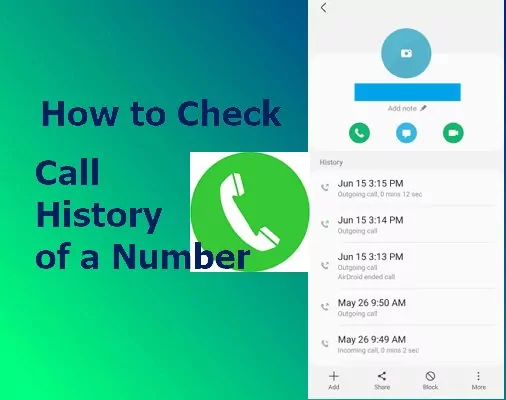
Okay, let’s be real for a second. We’ve all had that tiny, nosy thought creep in. You know the one—about a partner, a kid, or even a friend who’s been acting weird.
Suddenly, you’re wondering what they’re doing on that glowing rectangle they never put down. It’s like a modern-day mystery, and you’re the detective with zero clues.
Before we dive into the “how,” let’s have a serious chat. Checking someone’s phone without permission is a huge betrayal of trust. It’s like reading their diary, but with more memes and, well, everything else.
Must Read
So, this guide is for legitimate situations only. Think parents monitoring a young child, or maybe your own device after a wild night. If you’re planning to spy on a partner, just break up. Seriously, it’s cheaper than therapy.
The Direct Approach (If You Have the Phone)
This is the easiest method, but it requires guts. You need the actual phone in your hand, and you need it unlocked. No pressure, right?
First, look for the obvious apps. Safari, Chrome, or Firefox. Their history is right there, waiting to be tapped.
But here’s the trick—people aren’t dumb. They clear their history faster than they clear their plate. So, you need to dig a little deeper.
The “In Private” Loophole
Check if they’re using an incognito or private browsing tab. You can usually spot this on the tab switcher screen—it often looks different, maybe a bit darker or with a special icon.
If you see that, you can’t see their history. But you can see what they’ve been doing in the background. This is where it gets a little techy, but stick with me.
Your phone keeps a DNS cache. It’s like a little black box that remembers every website visited, even in private mode. You usually need a third-party app to view this, but it’s a sneaky pro move.
The Cloud Backup Trick
Did they back up their phone to iCloud or Google? Oh, this is a goldmine. If you have their account password—and, again, permission—you can check the backup.

For iPhone users, go to iCloud.com. For Android, it’s myaccount.google.com. Look for “Safari History” or “Chrome Sync” in the settings.
This shows history from all their devices. It’s like seeing their entire digital footprint, not just the one phone. Creepy? A little. Effective? Very.
The Router’s Secret Diary
This is my favorite trick because it requires zero phone access. If you have the Wi-Fi password for your home network, you can check the router’s log.
Log into your router’s admin page. Usually, it’s an IP address like 192.168.1.1. You’ll need the admin password, which is often on a sticker on the router itself.
Look for a tab called “Logs,” “History,” or “System Log.” This shows every device’s browsing activity. It won’t give you the full URL, but you’ll see domain names. Like, “facebook.com” or “mysterydatingapp.com.”

What About Deleted History?
Let’s say they cleared everything. The Safari history is empty, Chrome is a ghost town. Don’t panic! Your phone has a secret stash.
On iPhones, go to Settings > Safari > Advanced > Website Data. This shows cookies and cached files from sites you’ve visited, even if you cleared the main list. It’s messy, but it tells a story.
On Android, you can try the Chrome’s internal cache. You might need a file explorer app. Look for the “Chrome” folder in the phone’s internal storage. Inside, there’s a “History” file. It’s a SQLite database, so you’ll need a viewer app, but it’s there.
A Quick Word on Spy Apps
Yes, they exist. Apps like mSpy or FlexiSPY can do everything remotely. They record keystrokes, take screenshots, and track location.
But here’s the deal: they usually require installing software on the target phone. That means you need access first. And on iPhones, they often require the iCloud credentials. So, it’s a bit of a catch-22.
Also, they’re expensive, and many are scams. And if your phone is updated, they often just break. So, save your money, honestly.
The Bottom Line
Here’s the thing—if you’re at the point of checking someone’s phone history, you probably already have bigger problems. The issue isn’t the browser; it’s the communication.
Talk to them. Ask them directly if something’s up. Yeah, it’s awkward. It might cause a fight. But it’s a hundred times better than becoming a digital stalker.
And if you do get caught? Well, that’s an awkward conversation I can’t help you with. You’re on your own for that one. Just remember: curiosity killed the cat, but it also ended many a relationship. Use your power wisely.

/article-new/2025/10/call-history-phone-app-ios.jpg)