How To Change To Business Account
Picture this: you’re three iced lattes deep, your side hustle just blew up on TikTok, and some stranger wants to pay you for your genius. Suddenly, your personal account with its baby pictures and brunch posts feels a little… unprofessional. It’s not you, it’s your profile—and it’s time for a glow-up.
Switching to a business account on Instagram or Facebook isn’t just for corporations in glass towers. It’s for the freelancer, the vintage seller, the dog walker with a waiting list, and honestly, anyone who wants to see their own fan club stats. Think of it as turning on grown-up mode without having to wear trousers.
Why Bother? (Besides the Street Cred)
First, let’s talk about the goodies. A business account hands you insights—real numbers about who’s watching, when they’re online, and which post made them double-tap. It’s like having a tiny, nerdy marketing team in your pocket, minus the awkward team-building retreats.
Must Read
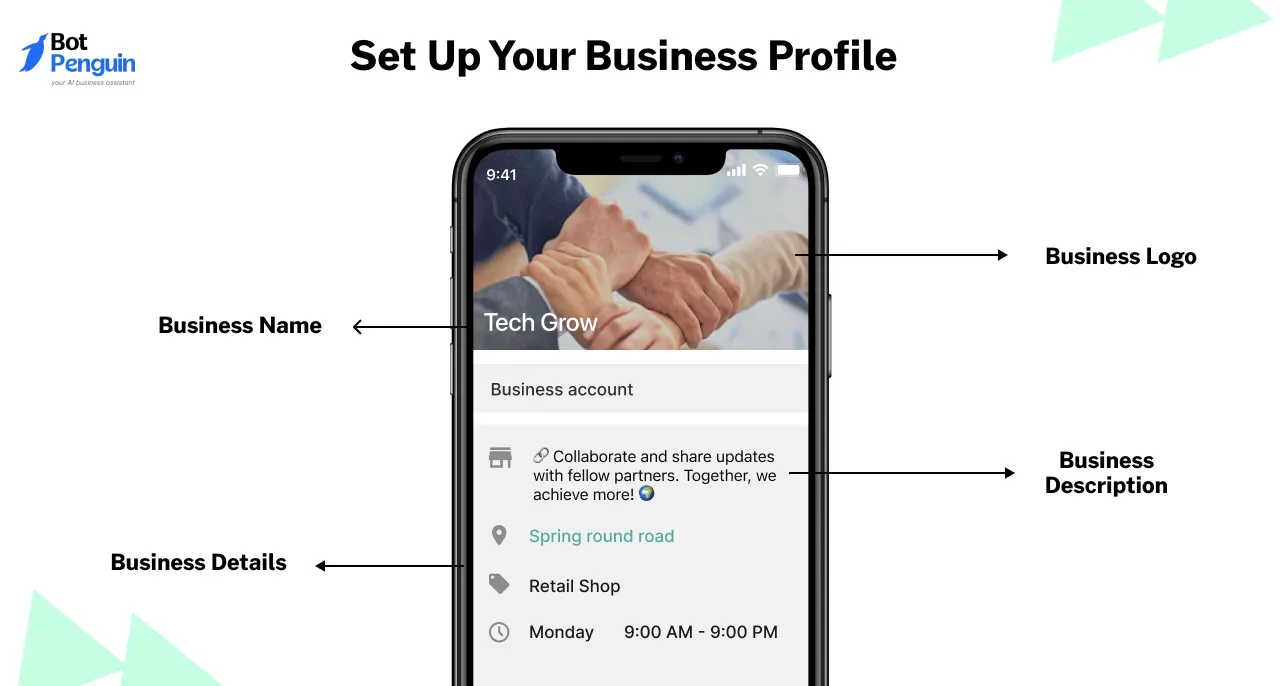
You also get contact buttons (“Email,” “Call,” “Directions”) slapped right on your profile. That’s not just convenient; it’s a quiet little handshake that says, “I’m open for business, and my Venmo is ready.” Plus, you can finally add a link to your shop or portfolio without playing the “link in bio” shell game.
Fun fact: The “swipe up” feature was the old guard, but now you get proper link stickers on Stories. It’s basically the digital equivalent of upgrading from a flip phone to a smartphone—suddenly, everything just works.

The How-To (It’s Easier Than Assembling IKEA)
On Instagram, the path is smooth. Head to Settings, find Account Type, and tap “Switch to Professional Account.” You’ll pick a category (Creator or Business—creator is for influencers, business is for the rest of us grinding). Then, connect a Facebook Page if you want, or skip it and live your best unbothered life.
Facebook is similar: go to Settings & Privacy, then “Professional Mode,” or create a Page if you’re starting fresh. The magic is that you can do this in under two minutes, which is less time than you’ll spend agonizing over a caption later.
Pro tip: Don’t panic when you see your follower count drop slightly. That’s just the platform hiding private accounts to keep your data clean, not a mass exodus of your fanbase. Take a breath; the cat posts are still there.
What About the Algorithm? (And Other Nightmares)
Here’s the twist: switching might temporarily feel like you’re shouting into a quieter room. The algorithm sometimes rewards personal posts more, so don’t be shocked if your reach dips for a week. That’s just the platform adjusting its glasses to see your new professional face.
Counter that by posting behind-the-scenes content—people love messy desks and blooper reels. And use those new insights to post when your audience is actually awake, not just when you’re procrastinating at 2 a.m. It’s a small tweak that pays off like finding a $20 bill in an old coat.
Cultural note: Think of this like when Beyoncé dropped her visual album—she didn’t ask for permission, she just flipped the format. You’re not changing who you are; you’re just giving your fam a clearer stage.

The Little Things That Count
Practical tip: rename your handle if you’re using a hobby name like “@bakedbymom.” Shorten it to something clean, add a keyword (“@bakedbymomnyc”), and suddenly you’re SEO gold. Also, update your bio with a clear action verb: “Booking summer sessions” beats “Maybe available.”
Another tip: don’t feel pressured to post every day. A business account rewards consistency over chaos. Two quality posts a week with real captions will outshine a daily dump of memes. And if you get a DM about a collab, you now have the authority to reply with a rate card—no more awkward “Um, let me ask my friend.”
Fun fact: Studies show that profiles with a clear category and contact button get 70% more inquiries than those without. That’s not a small number; that’s the difference between a casual “cool pics” and a “can you design my logo?” text.

The Reflection (Or, What’s the Life Lesson Here?)
In daily life, we all adapt our conversations depending on who we’re talking to. That’s not being fake; that’s being situationally aware. Switching to a business account is the same—you’re not erasing your personality, just putting a clearer name tag on it.
You’re saying to the universe: “I take this thing seriously, even if it’s just my weekend pottery hustle.” That confidence leaks into everything—your emails, your prices, your handshake. It’s a tiny external change that triggers an internal upgrade, like wearing a nice jacket to a Zoom call.
So go ahead, flip that switch. Your future collabs, clients, and slightly richer coffee habits are waiting. And if it doesn’t work out? You can always switch back—no shame, no scolding. It’s your account, your rules, your timeline. Just remember: even your personal posts deserve business-level intention, but your brunch photos can stay gloriously messy.