How To Cancel Filmora Subscription

Let’s be honest—subscribing to Filmora felt like adopting a hyperactive golden retriever. You loved the shiny transitions and the cool AI tools at first, but now it’s just barking for money every month, and you’re over it. Whether you’ve finished your epic travel vlog or realized your editing skills are still “stick figures with a wig,” canceling that subscription is a rite of passage.
You’re not alone in this. We’ve all been there, staring at a bank statement and thinking, “Did I really pay for that ‘cinematic blur’ effect I used once?” The good news? Canceling is easier than explaining to your aunt why her birthday video took three weeks to edit. Let’s walk through it without the headache—and without losing your deposit on a coffee.
First, Find Your Account (Yes, It’s That Hidden Folder)
Before you panic, take a deep breath and locate the email you used to sign up. You know, the one that’s 80% spam from “discount offers” and 20% actual receipts. Log in to the Filmora official website, not the app on your desktop, because that’s a trap.
Must Read
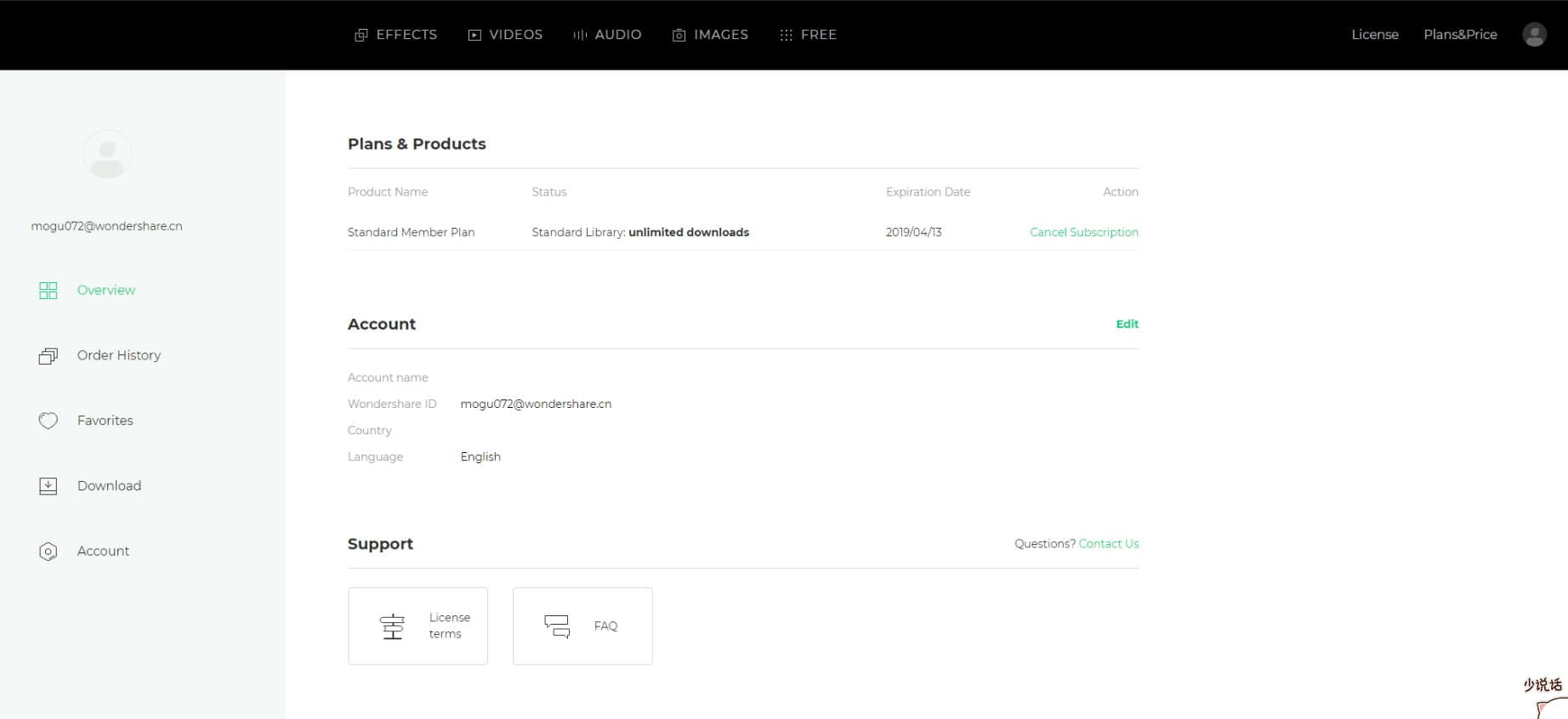
The web version is like the back office of a restaurant—clean, business-like, and where you actually get stuff done. Click your profile icon in the top right corner. It’s usually a circle with a weird initial, or if you’re like me, a blurry selfie from 2019. From there, head to “My Subscription” or “Plan & Billing.”
The “Manage Subscription” Maze
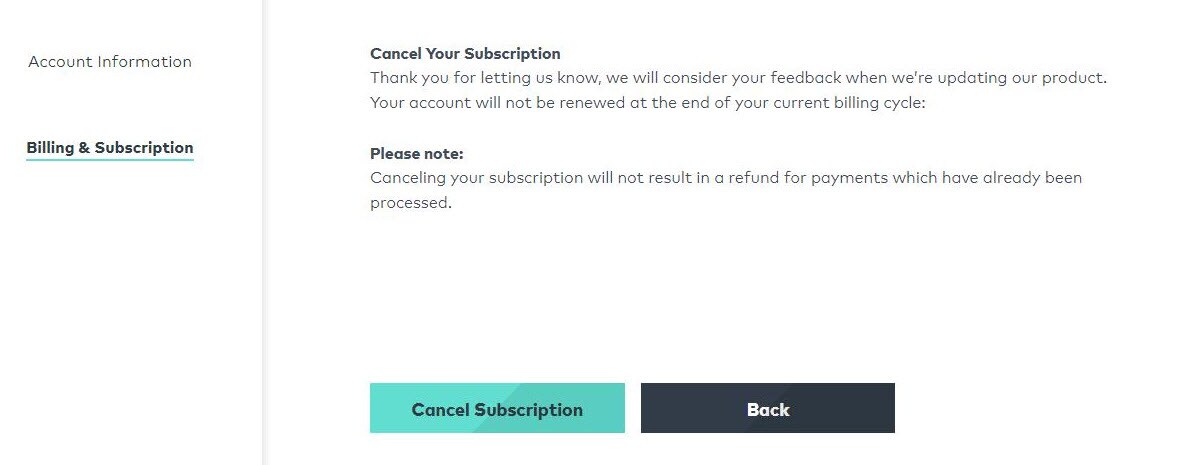
Once you’re in, you’ll see a big friendly button that says “Renew”—ignore it like it’s a pushy salesperson at a kiosk. Look for the small, grey text that whispers, “Cancel Subscription” or “Turn Off Auto-Renew.” It’s not hiding; it’s just shy, like a cat behind a sofa.
Here’s the twist: Filmora sometimes tries to keep you with a pop-up offering 40% off for a year. That’s their version of saying, “But who will edit your cat’s reaction videos now?” If you’re done, click through it like you’re skipping a TikTok ad. If you’re tempted, remember why you’re leaving—probably the $49.99 per year you could spend on takeout instead.
Two Kinds of Cancellation: The Real and the “Pause”
Pay attention, because this is where people get lost. There’s a difference between canceling the auto-renewal and deleting your account entirely. The first is like breaking up with someone but still stalking their Instagram—you keep access until the paid period ends, but no more charges. The second is a full ghosting, wiping your projects and account from existence.
For most of us, you want the auto-renewal off. That means you still have Filmora until the date you paid for, which is perfect if you’re finishing a deadline project. It’s like keeping the gym membership until December 31st, but you promise to start running in January (we both know you won’t).
If you see a button that says “Cancel Now” and another “Keep My Plan,” don’t click either without reading. The “Cancel Now” might instantly kill your access, which is like taking the batteries out of a smoke detector—dangerous and premature.

Confirm, Screenshot, and Do the Happy Dance
Click the final cancel button. Filmora will ask, “Are you sure?” in a tone that sounds like a disappointed parent. Click “Yes” or “Continue” with confidence. Then, check your email for a confirmation message. If that email doesn’t arrive, you’re not done—you’re just in limbo, which is worse than being in a love triangle.
Print that confirmation or take a screenshot. Trust me, future-you will thank present-you when the customer service chat asks for proof. It’s like keeping a receipt for a regrettable purchase, but this time you actually want the paper trail.

Finally, log out and pat yourself on the back. You’ve reclaimed $50 a year, which is roughly 15 lattes or 500 rubber ducks. Now go edit a video with a free tool, or better yet, go outside and see the sun. You’ve earned your freedom, my budget-conscious friend.
One Last Pro Tip (Because I’m Nice Like That)
If you subscribed through the Apple App Store or Google Play, you can’t cancel on the website—you must go to your phone’s subscription settings. That’s Filmora’s sneaky way of testing your dedication. Go to Settings → Your Name → Subscriptions, and hit “Cancel” there. It’s a small detour, but it beats calling support and listening to hold music that sounds like a dying kazoo.
And if you used a third-party like PayPal, check your billing agreements there too. Cancel all the paths, or one will haunt you like a zombie subscription. In a week, you’ll get a “We miss you” email. Delete it without guilt. You did the right thing for your wallet and your sanity.