How To Add Music On Spotify Playlist
Let’s be real. Your Spotify playlist is basically your audio diary. It’s a mood ring, a time capsule, and a personality test all rolled into one. But if you’re still staring at that empty playlist, we need to fix that right now.
The Magic Button (It’s Not That Hard)
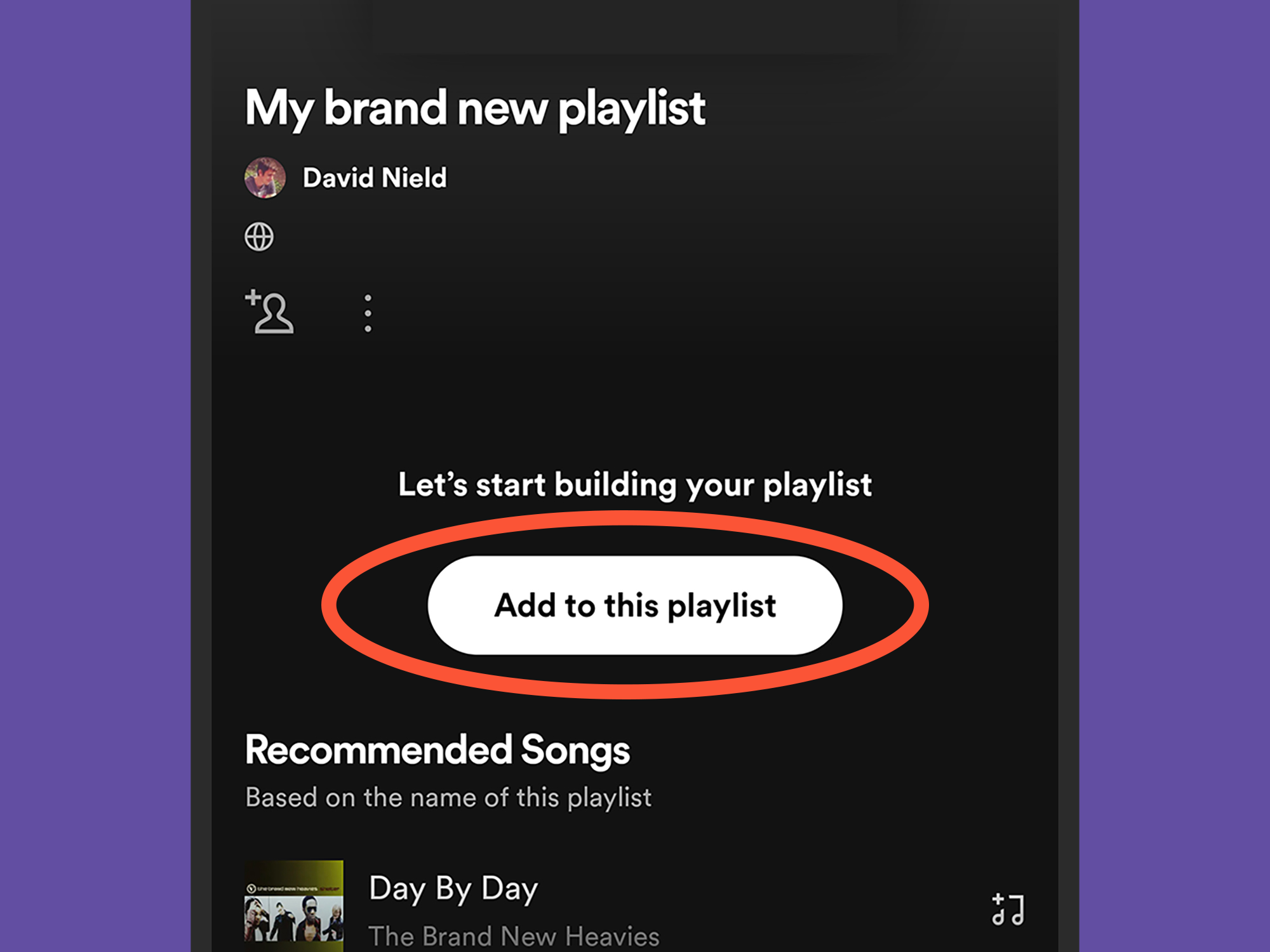
First, open the app on your phone or computer. Find your playlist—the one that’s currently gathering digital dust. Look for the big, friendly “Add songs” button or the plus sign (+).
Tap it. Boom. You’re already halfway to being a DJ. That tiny button is the gateway to your new sonic obsession. Do not be afraid; it won’t bite.
Must Read
Search Like You Mean It
Now, hit that search bar. Type in anything—a band, a song title, or even a weird feeling like “angry but also dancing.” Spotify’s got you. It’s like a mind-reading genie, except instead of wishes, it gives you bass drops.
Spotify doesn’t judge your wild search terms. I once typed “seagulls singing metal” and got results. True story. You might not find that exact track, but you’ll discover five songs you didn’t know you needed in your life.
Click, Drag, and Drop (The Satisfying Way)
Here’s the fun part. On desktop, you can literally grab a song and drag it into your playlist. It feels weirdly powerful. Like you’re a puppet master of sound.
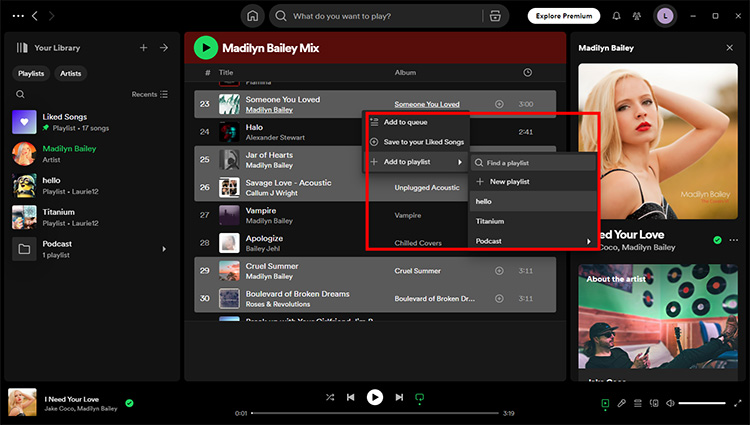
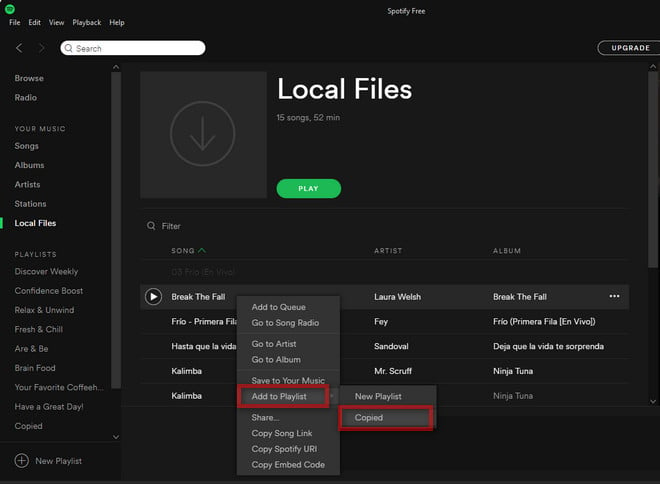
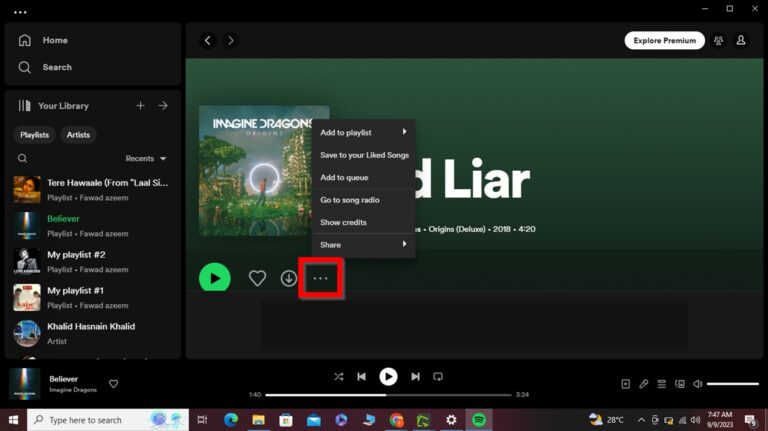
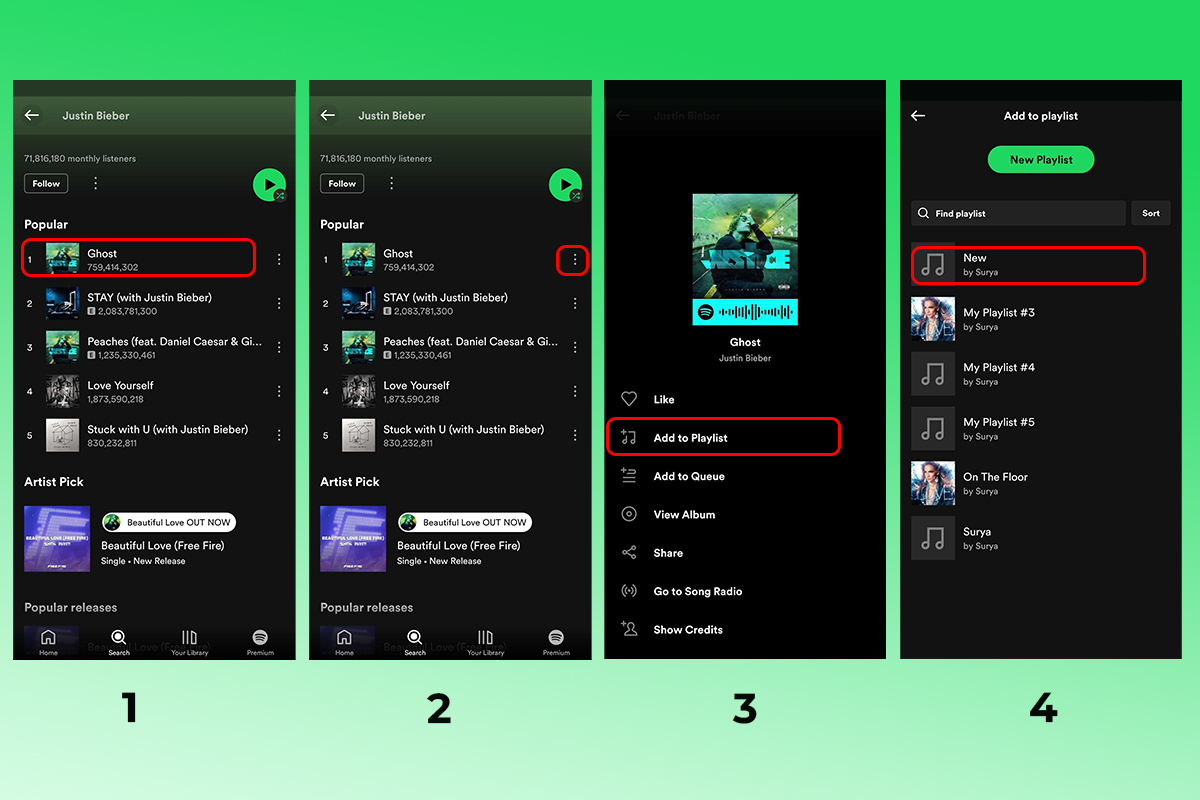
On mobile, look for the three little dots (⋯) next to any song. Tap them. A menu pops up like a treasure chest. Hit “Add to playlist.” Choose your list. Done.
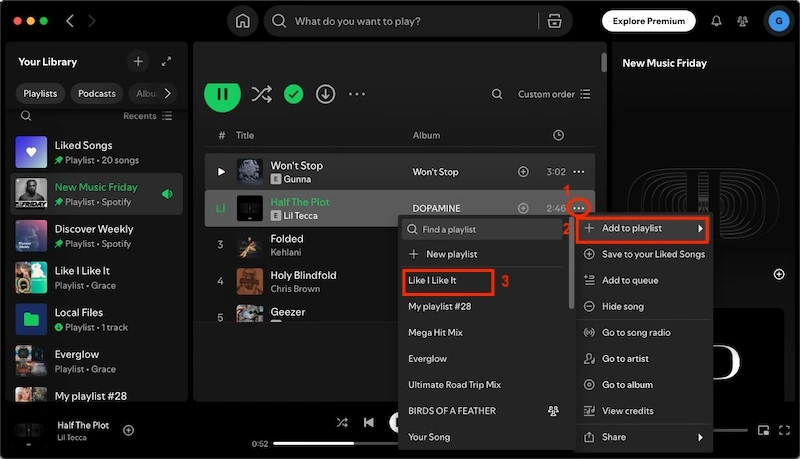
That’s it. No secret handshake required. You’re officially a curator now. Wear the crown.
The Quirky Art of Ordering Your Chaos
So you’ve added 47 songs. Great. But now they’re in a random, chaotic mess. A sad piano ballad followed by a screaming techno track? That’s a musical whiplash. Don’t panic.
Just grab the little “hamburger” icon (those three lines on the right side of each song) and drag it up or down. Put all the workout bangers first. Save the breakup lullabies for last. You’re writing a story now.

Also, try switching the sort order. Tap “Recent” or “Title” in the playlist header. It’s like shuffling a deck of cards, but for your eardrums. Fun fact: Spotify’s algorithm secretly loves when you reorder things, so it gives you better recommendations later. You’re building a relationship with a robot. Adorable, right?
Why This Is Actually Fun (And Addictive)
Adding music is not a chore. It’s a treasure hunt. Every song you drop in changes the entire vibe of the list. One second it’s a chill morning coffee mix; the next, it’s a full-on rave. That is the magic.

Remember, you can also add songs directly from the “Made For You” or “Discover Weekly” playlists. Just hit that same plus icon. Steal from Spotify’s smart little DJ. It won’t get angry.
And if you mess up? Accidentally added a Christmas carol in July? No big deal. Just hover over the song, hit the minus sign, and poof—it’s gone. Instant eraser. You hold all the power.
So go ahead. Open Spotify right now. Add one song. You’ll see. Soon you’ll be that friend who makes “the perfect playlist” for every road trip, dinner party, and existential crisis. It’s a slippery slope—a joyful, beat-dropping, bass-boosting slope. Enjoy the ride.