How To Add A Printer To My Network
Okay, let’s be real. That laser printer sitting in the corner isn’t just a hunk of plastic. It’s a hostage, and your laptop is the negotiator.
You want to print from the couch, don’t you? Or from the bedroom, while pretending to work? We all do. Let’s get that paper-pushing beast onto your network, stat.
First, The Cable Tango (Or Lack Thereof)
Most modern printers are like social butterflies. They love Wi-Fi. Yours probably has a little wireless icon on it, staring at you judgmentally.
Must Read
If your printer is old enough to vote, you might need a USB cable. But for now, let’s assume we’re living in the 21st century. No wires, no tears.
Grab your printer’s power cord and plug it in. Walk away for two minutes. Let it warm up, drink its coffee, and get its act together.
The “Find My Printer” Dance
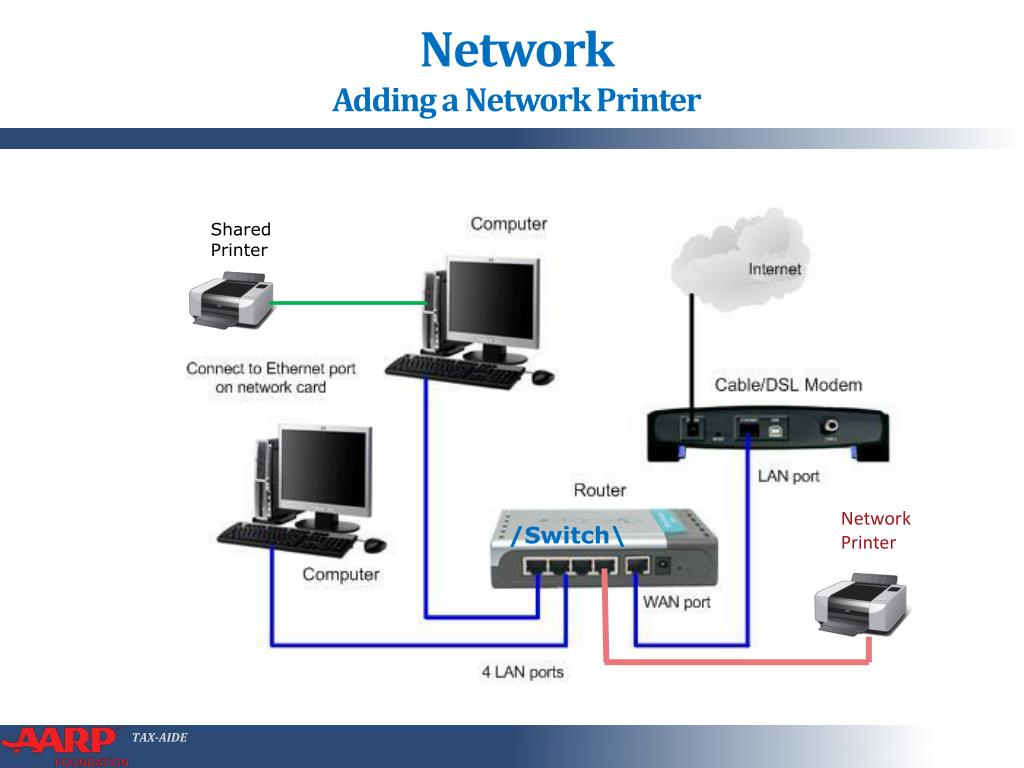
Here’s the secret: you don’t actually add the printer to your network. You just tell your computer where to look. It’s like leaving breadcrumbs, but way less messy.
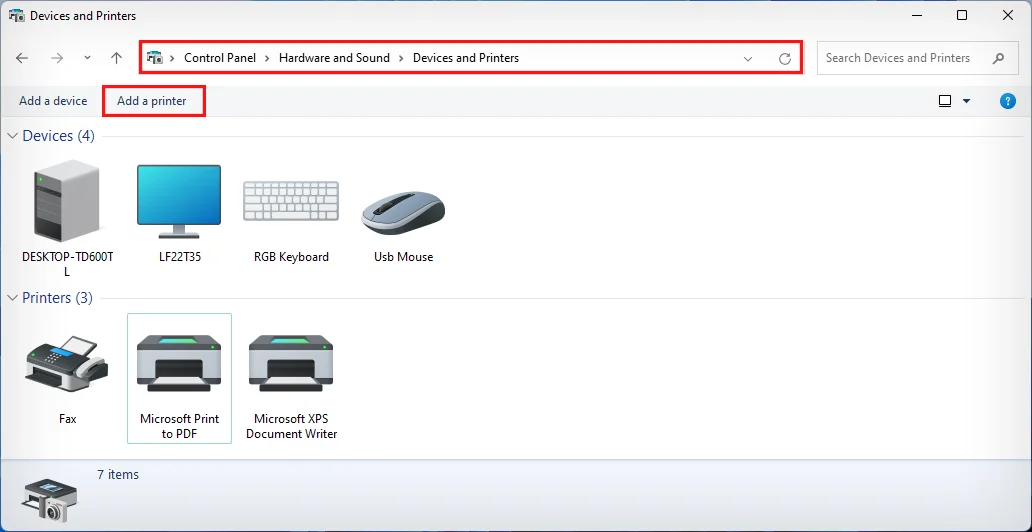
On a Windows machine, click the Start button. Type “Printers” and hit Enter. You’ll see a button that says “Add a printer or scanner.” Click it with confidence.
Windows will spin its little wheel for a bit. It’s thinking, I promise. Don’t click it again. Patience is a virtue, and also a requirement here.

When Windows Gives Up (And It Will)
Sometimes, Windows is a drama queen. It’ll say “No printers found” and shrug. That’s a lie. Your printer is right there, humming.
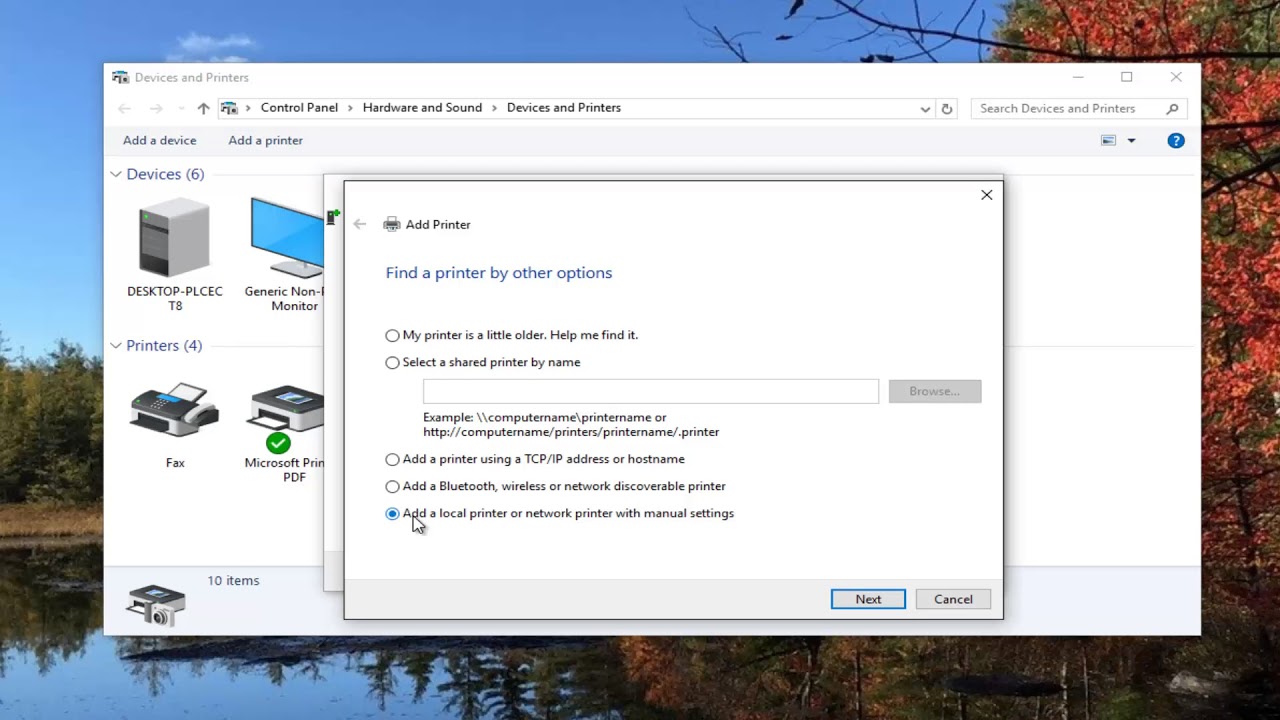
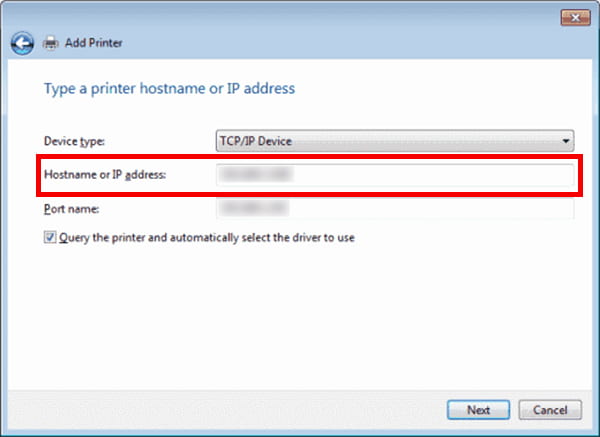
Click “The printer that I want isn’t listed.” This is the magic backdoor. A little window pops up, asking for it by name or IP address.
Look at your printer’s screen. Does it show something like 192.168.1.47? Type that in. It’s like a secret handshake between machines.
The Mac Way (For The Cool Kids)
Apple users, listen up. It’s easier because you paid extra for the logo. Go to System Settings and look for “Printers & Scanners.”
Click the little “+” sign. It’s not scary, it’s just a plus. Your Mac will scan the room like a bouncer at a club. Your printer will usually pop up right away.
If it doesn’t, hit “Add Printer or Scanner” anyway. Choose “IP” from the tabs on top. Same trick, same IP address, same victory dance.
Little Exaggeration: The Driver Problem
Now, the real bad guy. The driver. It’s not a person, but it acts like one. It’s the translator between your computer and the printer.
Sometimes, your computer will find the driver automatically. It’s a beautiful moment. Other times, it’ll ask for a CD. A CD! In this economy?
Don’t panic. Just go to the printer’s website (like hp.com or epson.com) and search for your model number. Download the file. It’s about as fun as watching paint dry, but it works.
Installing the driver is a double-click. Then a few “Next” buttons. Then a “Finish.” You’ll feel like a hacker, but with more paper cuts.

Wi-Fi Direct: The Party Trick
Wait, there’s another way. It’s called Wi-Fi Direct, and it’s basically the printer creating its own tiny Wi-Fi bubble. Your laptop connects to that bubble, not your home network.
It’s great for a quick print from your phone. Terrible for a big family. You’ll have to switch your Wi-Fi back and forth like a madman.
Use this only when you’re desperate and the dog is sleeping on the router. It’s a hack, not a lifestyle.
Troubleshooting: The “Did You Try Turning It Off?”
If it all fails, I’m sorry. But please, for the love of all that is holy, do the three-step reset. Turn off the printer. Unplug it. Count to ten.
Now plug it back in. Turn it on. Let it do its weird little start-up dance (they all have one). Then try adding it again. I swear, this fixes 80% of life’s problems, not just printers.

Also, check if your printer and laptop are on the same Wi-Fi band. Some routers have a 5G and a 2.4G network, and they hate each other. If your phone is on the 5G, but the printer is on the 2.4G, they’ll never meet.
It’s like two old friends who keep missing each other at the grocery store. Annoying, but fixable.
You Did It! (Probably)
Once you see your printer’s name in the list, just click “Add.” It’ll take a few seconds to set up. Then print a test page. Go on, do it.
That little paper sliding out is pure gold. You did it. You’re now the network admin of your home, which is both a title and a burden.
Now you can print memes from the kitchen. Congratulations. You’ve earned it. And if not? Just restart your whole life. Or call a friend. Either works.