How Do I Put Peacock On My Smart Tv
Picture this: it’s Sunday night, the takeout is ordered, and you’re craving a deep dive into that new thriller everyone won’t stop texting about. But then, the dreaded tech hiccup strikes—you’re holding your phone, squinting at a four-inch screen, wondering if there’s a better way. There is. Let’s get Peacock off your iPhone and onto the big screen, where the drama truly belongs.
The good news? Putting Peacock on your smart TV is almost embarrassingly easy. In fact, it’s harder to find an excuse not to do it than it is to actually install the app. Whether you’re a tech wizard or someone who still calls the remote a “clicker,” you’ve got options, and we’re going to walk through them like we’re chatting over coffee.
The Quick & Painless Route: Built-In Apps
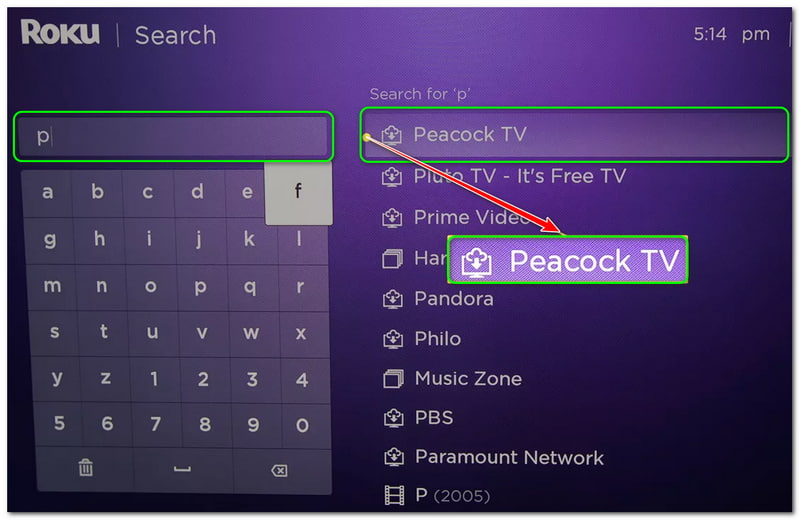
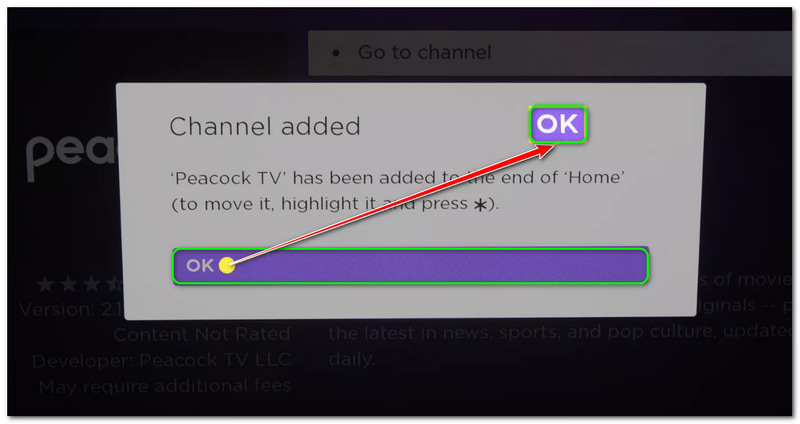
First, check your TV’s home screen. If you own a Samsung, LG, Vizio, or a newer Roku or Fire TV, the Peacock app is likely pre-loaded or waiting in the app store. Just press the Home button, navigate to the app store (it’s usually called “Apps” or “Channel Store”), and search for “Peacock.”
Must Read
Hit “Get” or “Install,” and within a minute, you’re done. Once it’s downloaded, open it and sign in with your email and password. If you’re not a subscriber yet, you can sign up right there on the TV—no need to juggle your laptop and remote simultaneously.
Here’s a fun fact: Peacock launched in 2020, which technically makes it the “baby” of the streaming family. Yet despite its youth, it’s become the go-to spot for The Office reruns and live sports, so you’re in good company.
What If My TV Is Older Than DVR?
Don’t panic if your trusty TV doesn’t have the app. You’re not stuck; you’re just one small gadget away from streaming heaven. Streaming sticks like Amazon’s Fire Stick, Roku Express, or Chromecast are affordable and plug into any HDMI port.

For Chromecast, you don’t even need to install the app on the TV itself. Instead, cast from your phone—just open Peacock on your mobile device, hit the cast icon, and let the TV do the heavy lifting. It’s like a magic mirror for your content, and it feels wildly futuristic every single time.
If you’re a PlayStation or Xbox owner, you’re already golden. Both consoles have Peacock in their storefronts, so you can binge while your controller sits on the coffee table like a trophy.
Signing In: The Not-So-Secret Password Tango
Now, here’s where most people get tripped up. You’ll be asked to sign in, and sometimes the TV will show you a code instead of letting you type your password. This is actually a gift—nobody wants to navigate an on-screen keyboard with directional arrows while their popcorn gets cold.
Grab your phone, go to peacocktv.com/activate, and enter the code. It takes thirty seconds, and once you do it, the TV screen will sort of “unlock” like a scene from a spy movie. Just make sure you’re on the same Wi-Fi network, or you’ll be staring at a “can’t connect” message that feels personal.
Pro tip: If you’re a password manager devotee, keep your login handy. Nothing kills a cozy movie night faster than a “forgot password” loop at 11 PM.
Making It Feel Like An Event
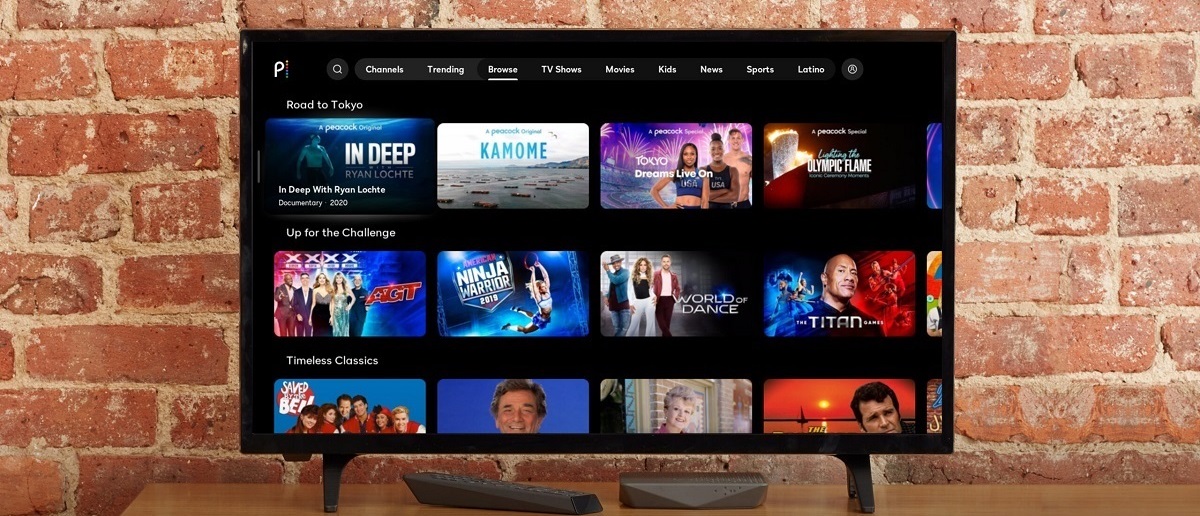
Once you’re in, treat yourself. Peacock’s interface is surprisingly sleek, with rows like “Trending Now” and “Chill Vibes” that feel curated by a friend with excellent taste. Scroll slowly and appreciate the visuals—it’s not just streaming; it’s an art gallery for your living room.

And don’t sleep on the “Peacock Channels.” These are live, free-to-stream channels with names like “SNL Vault” and “Halloween Hits.” It’s like having cable, but without the guilt and the monthly bill. You can just let it play in the background while you fold laundry, and suddenly chores feel cinematic.
One fun tidbit: Peacock’s iconic bird logo isn’t just pretty—it’s a nod to NBC’s original colors, representing the full spectrum of entertainment. You’re literally watching a piece of broadcast history.
Troubleshooting Like a Chill Pro
If the app freezes or buffers, don’t throw the remote. First, restart the TV—unplug it for thirty seconds. It’s the “have you tried turning it off and on again?” of the streaming world, and it works more often than not.
Next, check your internet speed. Peacock recommends at least 3 Mbps for standard definition, but for that crisp, high-definition experience, you’ll want 8 Mbps or more. Run a quick speed test on your phone; if you’re below that, move your router closer or reset your modem.
And if the audio is out of sync, pause and play again. Sometimes the digital gremlins just need a nudge.
The Modern Morning-After Reflection
Once it’s all running, take a step back. You’ve just turned a small screen into a communal experience, a moment where the whole room can laugh at a sitcom or gasp at a plot twist together. In a world where we’re all glued to our individual devices, gathering around the TV feels almost radical.
It’s a little reminder that technology, at its best, brings us closer to the stories we love and the people we share them with. So tonight, when the opening credits roll, don’t just watch—lean back, breathe out, and enjoy the glow. You earned that empty popcorn bowl and that perfectly synced sound. That’s not just streaming; that’s a lifestyle.