How Do I Find Friends On Apple Music
Let’s face it: your Apple Music library is a vault of deeply personal, sometimes embarrassing, musical choices. You’ve got that one playlist titled “Absolute Bangers” that is 90% show tunes and a single, inexplicable polka remix. It’s time to stop suffering in silence and find people who share your particular brand of auditory chaos. The good news? Finding friends on Apple Music isn’t like finding a needle in a haystack; it’s more like finding a needle in a haystack that’s also on fire—but once you know the trick, it’s easy.
Step One: Actually Turn On Your Profile
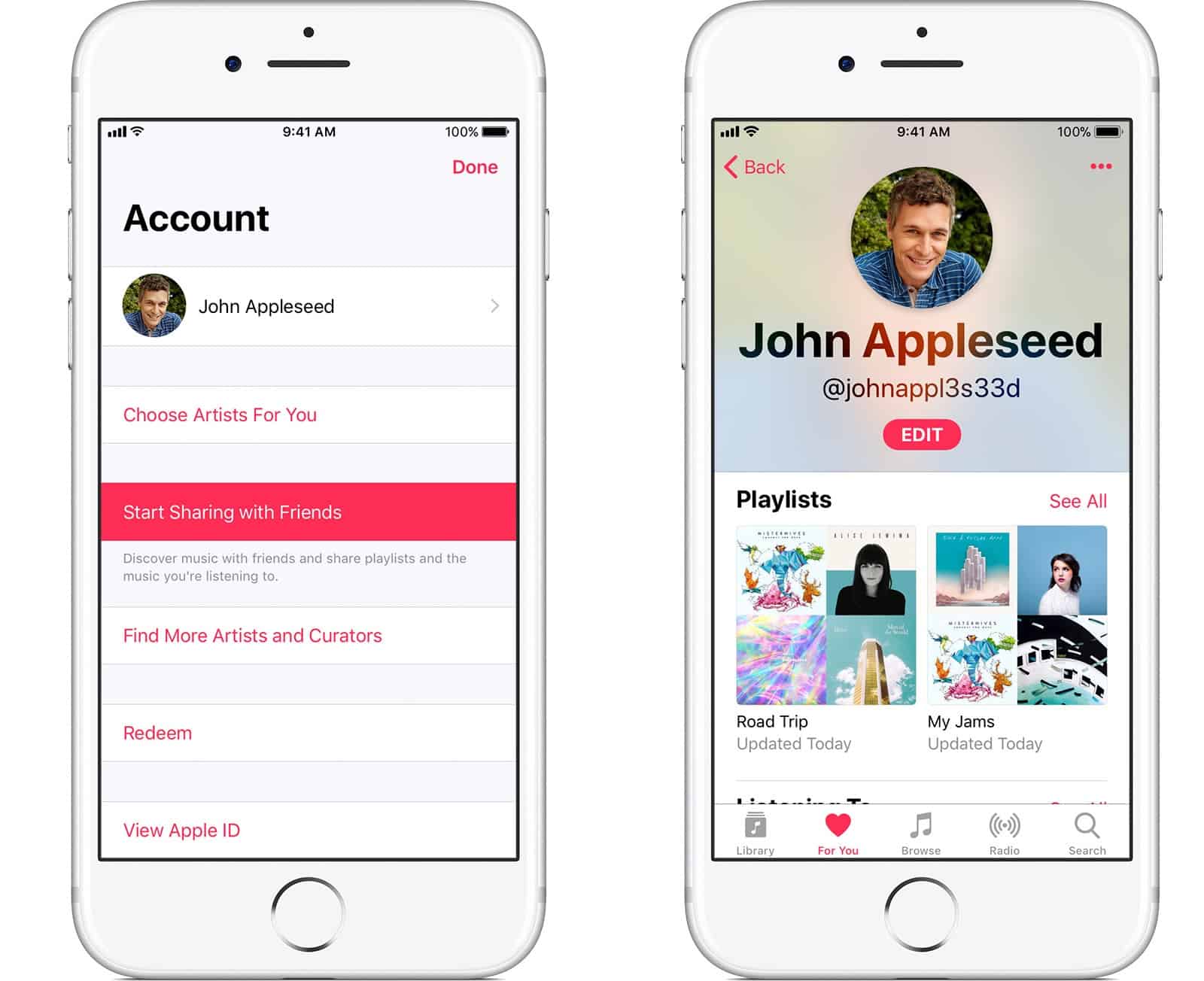
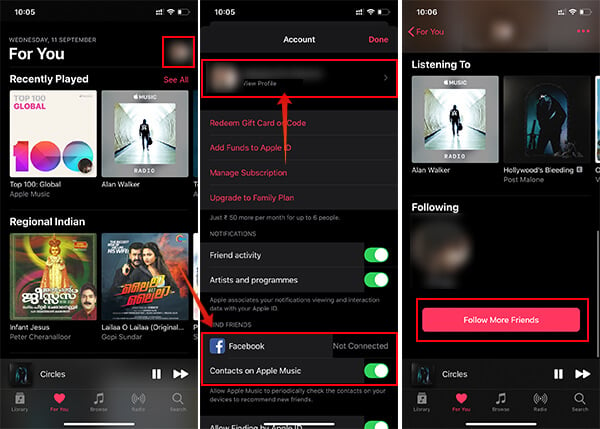
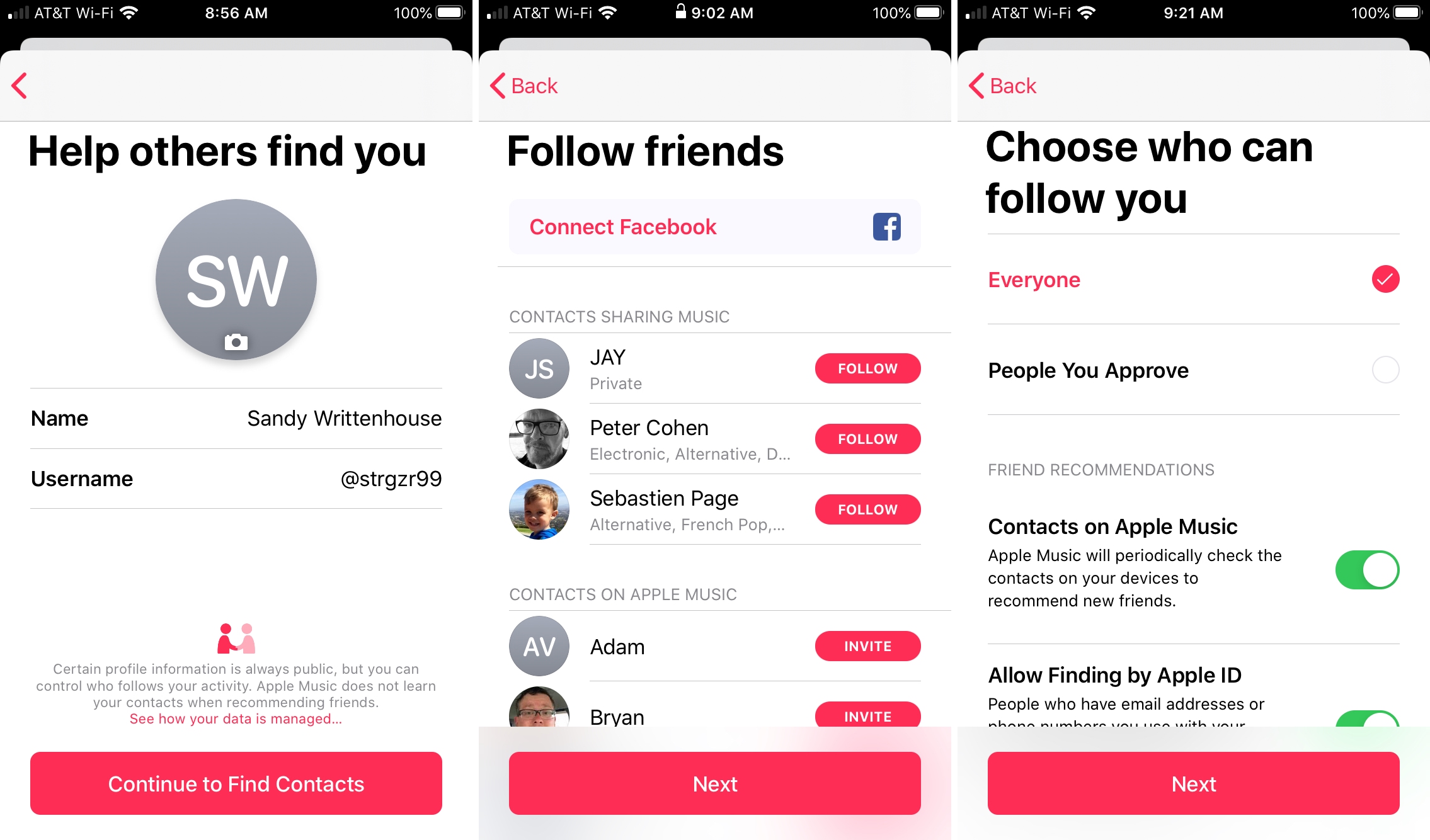
This is the digital equivalent of walking into a party and immediately hiding in the coat closet. Apple Music won’t let you find friends if your profile is set to “Invisible Ghost Mode.” You need to go to your profile picture (top right, the one that’s probably a blurry meme), tap it, and hit “See What Friends Are Listening To.”
If you skip this, you’re basically whispering your username into a void. Apple even defaulted this to “Off” for years, which is their polite way of saying, “We trust you to socialize outside the app, but we’re not holding our breath.”
Must Read
The ‘Find People’ Button Is Not a Myth
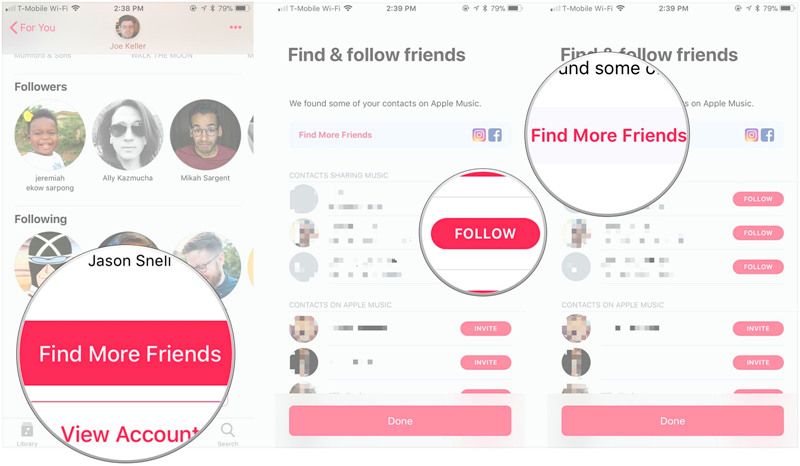
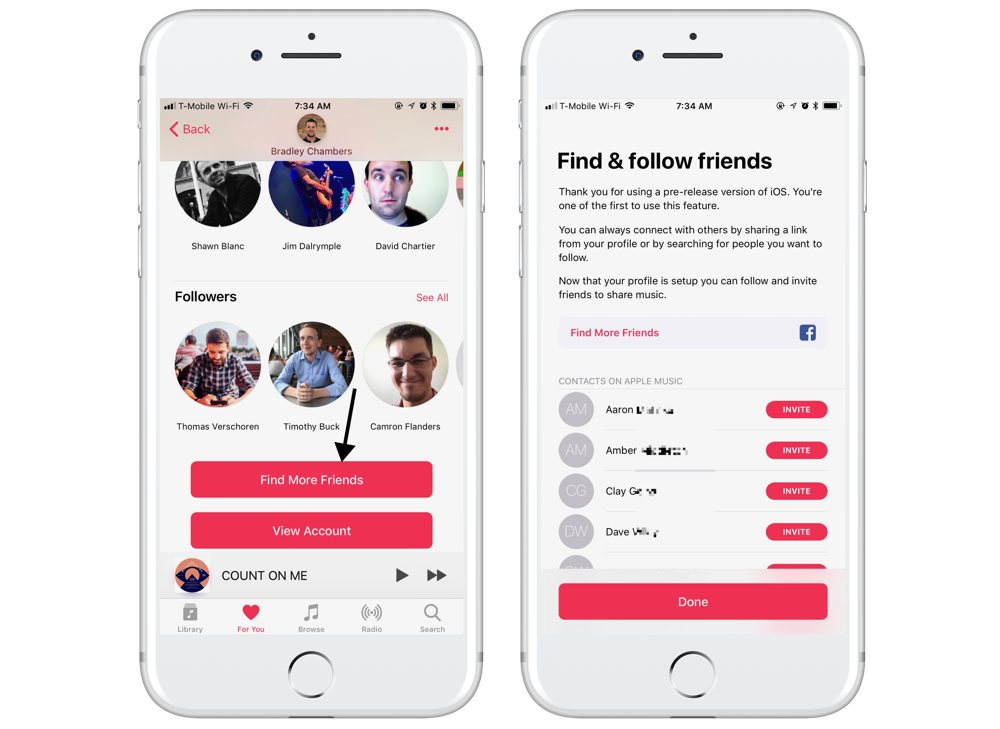
Once your profile is live, go to the “Social” tab (the one that looks like a tiny person with a megaphone). There, you’ll see a search bar. Type in a friend’s real name, not their insane gamertag like “xX_DJ_Butterfly_Xx.”
But here’s the surprising fact: Apple Music searches are weirdly picky. You can’t just type “Dave from accounting.” You need their exact Apple ID email or a verified handle. It’s less like Facebook and more like trying to get into an exclusive speakeasy where the password is a string of hexadecimal numbers.
What If Your Friends Don’t Exist? (They Do, You’re Just Scared)
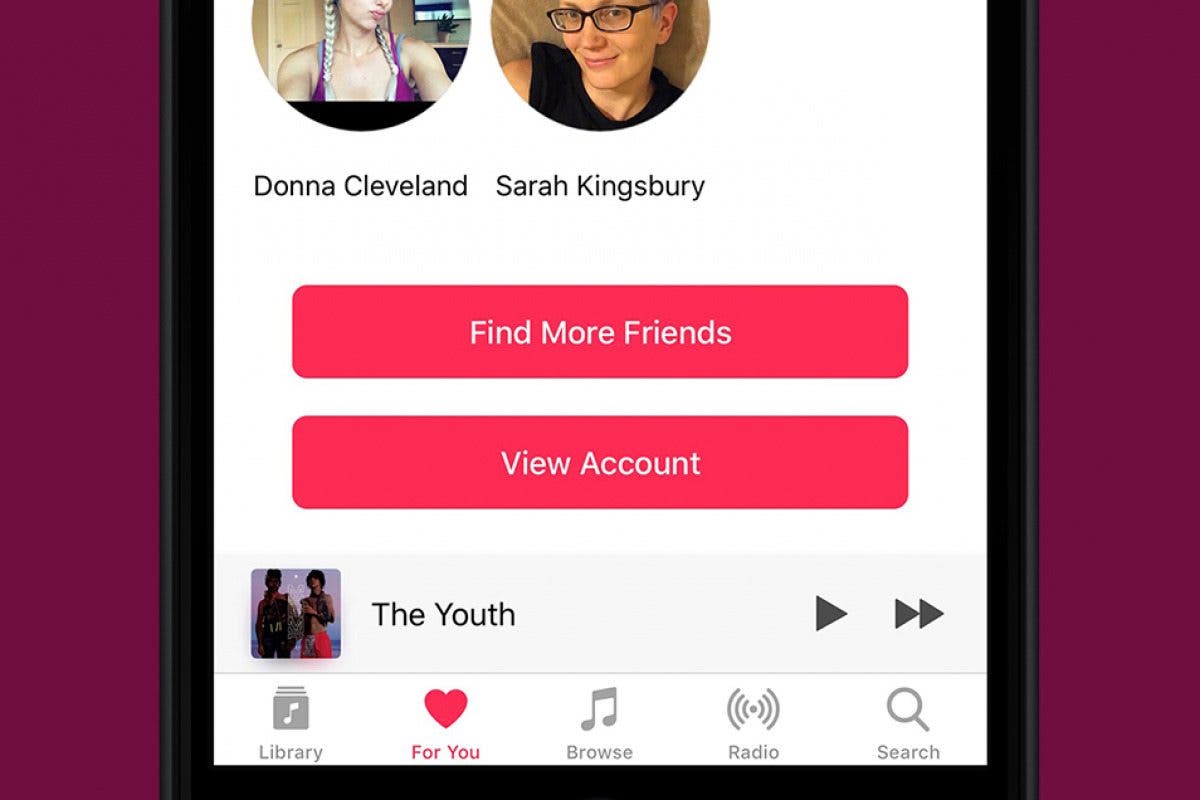
If you tap “Find Friends” and get zero results, it’s because your friends haven’t “opted in” either. This is the app’s version of nobody wanting to go to the party. You’ll need to harass them via text: “Hey, turn on your Apple Music profile so I can judge your taste in public.” That usually works. If it doesn’t, send them a link to your own profile via the share button—it guilt-trips them into action.
Once you connect, you get the sacred “Shared Playlists” perk. This is where the magic—and the arguments—begin. You can now add one (1) song to someone else’s playlist, and they’ll get a notification. It’s like leaving a glitter bomb in their locker, but musical. Be prepared for war if you add a Nickelback song to their “Chill Vibes” list. That’s a declaration of hostilities.
What You’ll Actually See (And Why It’s Terrifying)
After you’ve become friends, tap their profile. You’ll see their recently played albums and top charted songs. This is a window into their soul, and it’s often gross. You’ll realize your “Gym Bro” friend listens exclusively to Celtic lullabies, and your mom is secretly bumping a Swedish death metal band at 6 AM.
Don’t be alarmed—this is the best part. You get to create a joint playlist called “Everyone’s Secrets” and then fill it with the weirdest stuff you find. That’s how lifelong bonds are forged, people. Not with pizza, but with shared bewilderment over a 14-minute jazz odyssey.
Finally, use the “Listening To” feature. You can see if they’re currently jamming to something. If you see them streaming “Baby Shark” at 3 PM on a Tuesday, you have full permission to screenshot it and roast them forever. That’s not friendship; that’s a sacred duty. Now go forth, turn on that profile, and start sharing your beautiful, weird musical life.