How Do I Block All These Spam Calls

Last Tuesday, at 2:47 PM, I was mid-bite into a truly magnificent turkey sandwich. My phone buzzed, and I saw a local number, so I did the responsible adult thing and answered it. “Congratulations!” a cheerful robot yelled, “You’ve been selected for a free cruise to the Bahamas!” I looked at my mayo-covered sandwich, then at the ceiling, and hung up. That was the fourth spam call that day, and I knew—like you probably know—that something had to change.
We’ve all been there, right? You’re waiting for a callback from a doctor, or a job interview, and your heart leaps. Then you answer, and it’s “Rachel from Cardholder Services” with a very urgent message about your credit card’s interest rate. It’s not just annoying; it’s a tiny little robbery of your time and peace of mind. But here’s the good news: you don’t have to live at the mercy of these robocalls. You have more power than you think, and it mostly involves being a little bit lazy.
The First Line of Defense: Your Phone’s Built-In Bouncer
Before you download anything, check your pocket computer—I mean, your smartphone. Both iPhone and Android have hidden features that are basically silent bodyguards. On an iPhone, go to Settings > Phone, and you’ll find “Silence Unknown Callers.” Flip that switch, and any number not in your contacts goes straight to voicemail. On Android, it’s usually under the Phone app’s settings, labeled “Caller ID & Spam” or similar. It’s a game-changer, but be warned: it will also send that pizza place you’re trying to order from to voicemail. You win some, you lose some.
Must Read
Your phone also has a handy “Block this Caller” button right in the recent calls list. You know, in case that specific cruise-ship robot gets obsessive. It’s simple, it’s free, and it’s the first step in reclaiming your lunch breaks. But I’ll be honest with you: spammers are like cockroaches. Blocking one number is just shooing away a single roach; the whole nest is still planning its next move.
Flagging Isn’t Enough—You Have to Be Ruthless
Here’s where we bring out the big guns. Your carrier—that’s AT&T, Verizon, T-Mobile, or whoever you pay—has its own spam-fighting tools. You can usually download an app like AT&T ActiveArmor or Verizon Call Filter. They’re like the phone’s built-in feature, but they’ve trained for this. They use storm of data to guess which calls are junk before you even pick up. Some features are even free, which is a shocker in this economy.

But let’s say you’re a “no new apps” kind of person. That’s fine. Look for the “Report as Spam” or “Block and Report” button after a call. It seems pointless, but it’s like voting. It helps your carrier build a profile on the scumbags. It’s a small action that, when millions of us do it, makes a real difference. Honestly, clicking that button is one of the most satisfying little taps you’ll ever do.
The Nuclear Option: Third-Party Apps
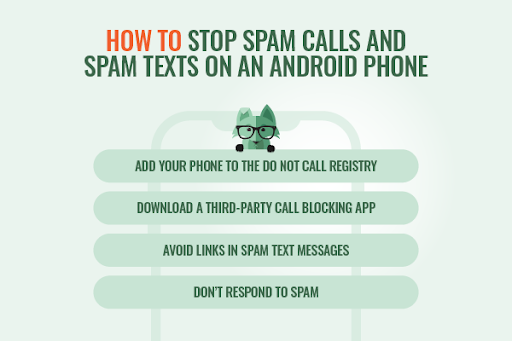
If the free stuff isn’t cutting it, it’s time to call in the specialists. Apps like RoboKiller or Truecaller are the James Bonds of spam blocking. They don’t just block calls; they answer them with pre-recorded “fake” conversations to waste the spammer’s time. RoboKiller literally has a feature where a digital “grandma” will talk to a scammer for hours about her cats. It’s glorious. These apps cost a few bucks a month, but honestly, what’s your sanity worth? A lot more than a latte, I bet.

The downside? They can sometimes block a call you actually wanted—like my dentist’s office using a line that looks suspiciously like “Unknown.” But hey, you can always check your missed calls and voicemails. Nobody died from missing a teeth-cleaning reminder. Still, if you’re a heavy phone user, the false positives might drive you nuts. Test it for a week and see how you feel. Just remember, the goal is fewer interruptions, not zero calls entirely—unless that’s your dream, in which case, go live in a cabin.
The Registry, and Other Little Lies We Tell Ourselves
You’ve heard of the National Do Not Call Registry, right? I signed up for it back in 2009, and my phone still rings like a payphone from a 90s thriller. Here’s the cold, hard truth: the registry only stops honest telemarketers. The scammers and robocallers don’t care about your country’s laws. They’re calling from basements in other continents. But you should still register your number—it’s free, takes two minutes, and it does cut down on the “legit” bill collectors who bought your number from a shady data broker. It’s like putting a “No Soliciting” sign on a haunted house; it won’t stop the ghosts, but it’s polite.

Whatever you do, never press “1” to be taken off their list. I know, it feels like the logical move. But that just confirms to the robot that your line is active and manned by a fool. Suddenly, you’ll get even more calls, or worse, you’ll be sold as a “hot lead.” Keep your finger off the keypad. Just let it ring out, and block the number. It’s the only winning move.
So, here’s my final, hard-earned advice: stack the odds. Turn on your phone’s built-in filter, install your carrier’s app, and if you’re really desperate, drop $30 a year on a spam-killing app. Do it all. You’ll go from ten spam calls a day to maybe two, and those two you’ll block with a smirk. The war isn’t over, but you can win the battles. And that turkey sandwich? It will finally taste like victory.