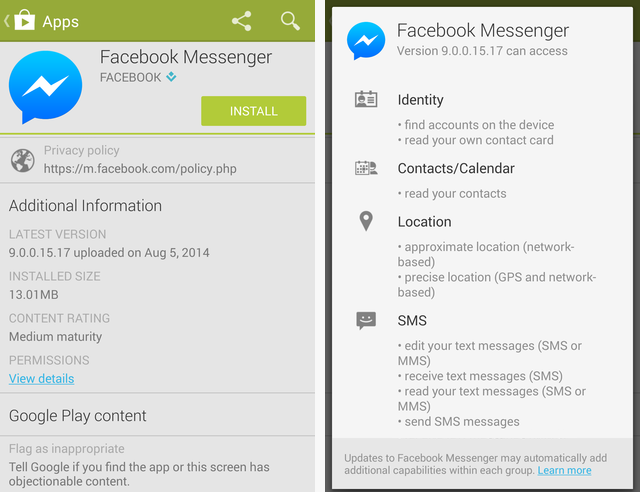
Facebook Messenger Permissions 2016

Remember 2016? The year of the dab, Pokémon GO causing sidewalk traffic jams, and—most importantly—the year Facebook Messenger decided it wanted to know your soul before you could send a “LOL” to your mom. I’m talking about the great Permission Purge of 2016, when updating the app felt less like a software patch and more like a background check for a top-secret government job.
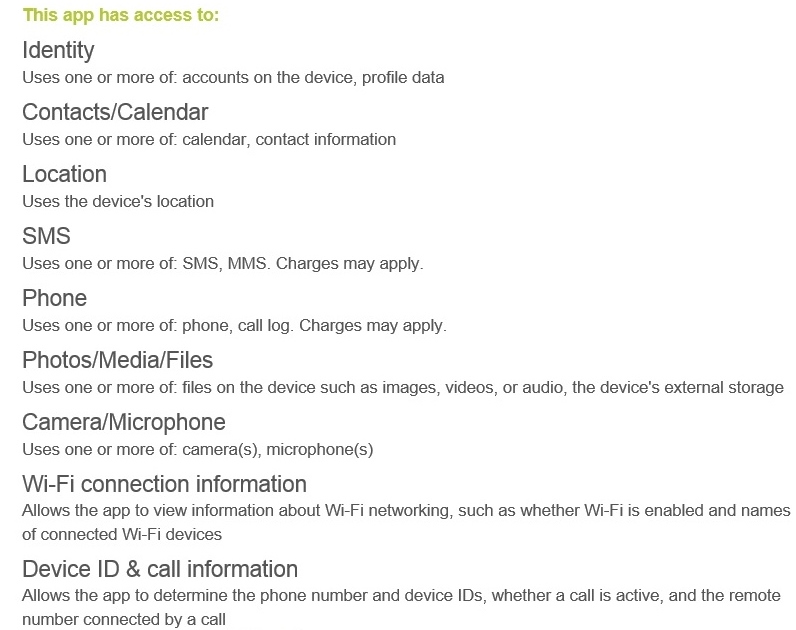
You’d tap “Update,” and suddenly your phone would light up with a list of demands longer than a toddler’s Christmas list. It wasn’t just asking for camera and microphone access—that felt fair. Oh no, it wanted your location, your contacts, your storage, and possibly a lock of hair for genetic testing. You sat there, thumb hovering over “Allow,” wondering if you were signing a deal with the digital devil or just trying to send a birthday gif.
The “Why Does a Chat App Need This?” Shrug
Let’s be honest: we’ve all clicked “Allow” on things we didn’t understand, just to get the blue checkmark of progress. That’s like giving a stranger your house keys because he promised to bring you a pizza—you know it’s risky, but the delivery is just too appealing. In 2016, Messenger was that charming, slightly pushy pizza guy.
Must Read
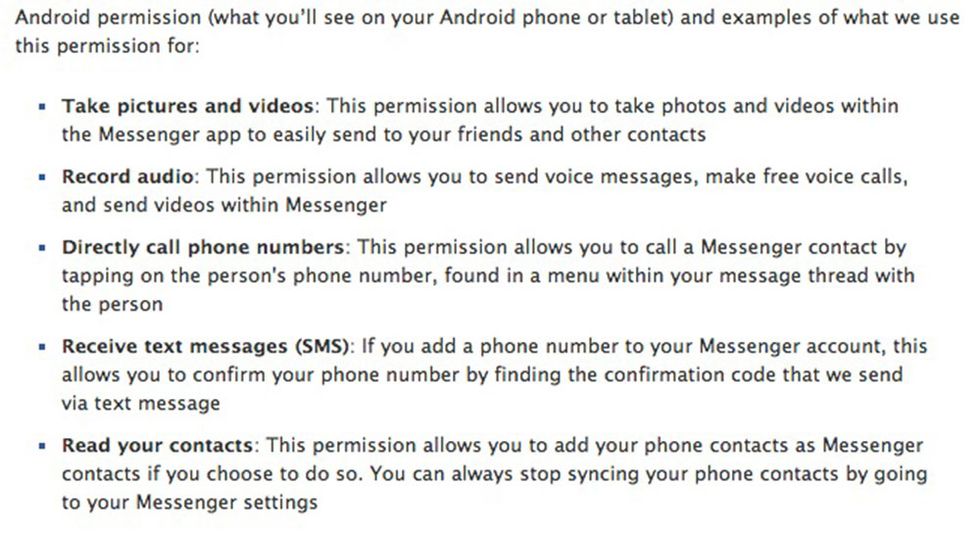
The big one was contacts. Why did a chat app need my entire address book? I remember sitting there, picturing Mark Zuckerberg in a dark room, scrolling through my Aunt Carol’s number and my ex’s new phone, just to build a web of social awkwardness. “Allow or Deny?” the screen asked, as if I had any real choice. Deny, and you’re stuck with the “lite” version, which was like using a payphone in the smartphone era.
Your Camera Roll Was Not Safe
Then came the storage permission. Messenger wanted to peek at your photos, which felt like inviting a nosy neighbor into your living room to judge your messy coffee table. You’d see that terrible screenshot from last Friday, the one with the double chin, and just pray the app wasn’t quietly filing it under “regretful moments.”

But the funniest part? The microphone. If you granted that, you’re basically handing over your side of every private conversation. Suddenly, you’re whispering to your friend about your boss, then glancing at your phone, wondering if Facebook is taking notes for future ad targeting. “She said ‘budget meeting’ three times—better show her ads for stress balls,” you imagine the algorithm saying. It was absurd, yet we all did it.
The Location Trap
Oh, and the location permission—that was the crème de la crème. Messenger better have a very good reason to know I’m in my pajamas at 11 PM on a Tuesday. “To share your location with friends,” it claimed. Yeah, right. My friends didn’t need to know I was at the gas station buying a slushie at midnight; I just wanted to send a gif of a dancing cat.
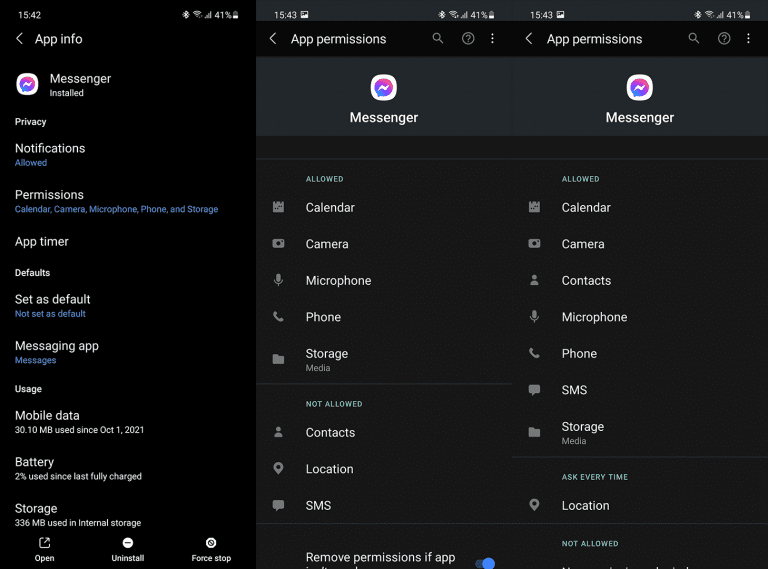
But here’s the real kicker: we all hit “Allow” anyway. Because the alternative was a broken app experience. You couldn’t even send a voice note without granting permission to record your deepest thoughts. It was a hostage situation, really. “Give me your photos, or you’ll never see your friend’s blurry vacation picture again.”
The Aftermath and the Nod of Recognition
Looking back, 2016 Messenger permissions were the wild west of digital trust. We were like people handing over our wallets to a stranger because he promised to hold them while we jumped off a dock—exhilarating, but deeply questionable. And the funny thing? We all did it, and nothing catastrophic happened (that we know of).

But that moment of hesitation, that split second where you wonder if your grandma’s contact list is worth a fun sticker pack—that’s the universal experience. We’ve all been there, thumb racing to the “Allow” button while our brain whispers, “You’re making a mistake.” Then you see the cute new emoji options, and suddenly, it’s all worth it.
So if you’re reading this and remembering your own 2016 permission panic, give yourself a pat on the back. You survived the era of “Messenger wants to know your shoe size, just in case.” And the next time an app asks for your location, just smile, hit “Allow,” and remember: it’s probably not a spy. It’s just a chat app with a serious case of FOMO. And deep down, you knew you’d click “Yes” anyway—because sending that “haha” reaction to a meme is just that important.