Centurylink Upgrade Internet Speed

Last Tuesday, I was mid-way through a dramatic finale of a baking show when my screen froze on a close-up of a sadly deflated soufflé. For a solid thirty seconds, I watched the pixelated pastry while my husband yelled from the other room that his video call was “melting.” I just sat there, fork in hand, contemplating the cruel irony of a dessert that needed a steady oven while my internet needed a steady pulse—neither was cooperating.
That’s when I finally snapped. I had been ignoring CenturyLink’s repeated emails about upgrading my speed, thinking it was just a corporate money grab. But after that souflé incident, I realized my “basic” plan was basically a bronze medal in a world that demands gold. So, I took the plunge, and let me tell you—it’s been a ride.
The “Call” That Wasn’t a Call
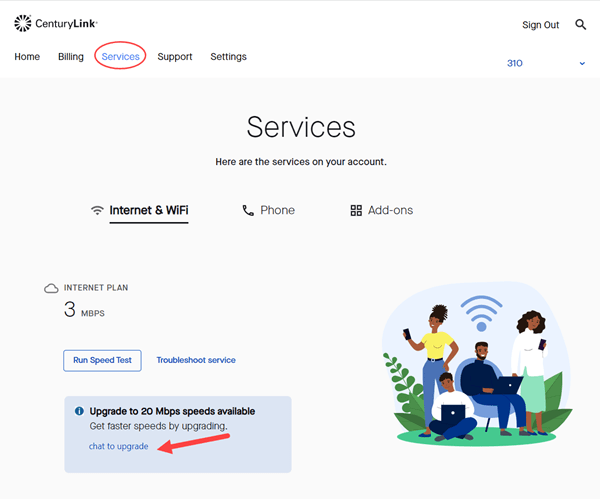
First, forget everything you know about calling customer service. I braced myself for elevator music and a robot asking me to say my account number in a “cheerful voice.” Instead, I logged into my online account, and there it was: a big, friendly button that said “Check Upgrade Options.”
Must Read
It was almost too easy. I clicked it, and the site instantly showed me my current speed next to a labyrinth of faster, fancier options. It felt like looking at a menu where I’d been eating the same sad salad for years while a filet mignon was hiding on page two.
(Side comment: If you’re like me and have been avoiding admin tasks for months, just look at the website first. It’s surprisingly painless.)

So, What Does “Faster” Actually Mean?
I upgraded from a 100 Mbps plan to a 500 Mbps plan—mostly because the price difference was only ten bucks a month. Honestly, I didn’t think I’d notice the difference; I’m not a hardcore gamer or a 4K video editor. Boy, was I wrong.
The first thing I noticed was that my downloads became instant. A two-hour podcast that used to take five minutes now appears before I can even click the “save” button. My phone’s update, which used to be an overnight ritual, now happens while I’m brushing my teeth.
But the real shock came with uploading. Turns out, sending photos to my mom’s cloud drive used to be a negotiating process with my router. Now? I just drag them and they’re gone. It’s the kind of speed that makes you feel like you’ve time-traveled from 2015.

The Traffic Jam is Gone
Here is the funny thing about bandwidth: it’s a lot like a highway. My old plan was a single-lane country road; every time my husband streamed a movie and I tried to scroll Instagram, we’d start honking at each other. Now, with the upgrade, it feels like a six-lane autobahn.
We simultaneously had a 4K sports stream, a Zoom meeting, and a smart TV playing cartoons for the kids—zero lag. I actually walked into the living room to check if the TV was buffering because I was so used to the spinning wheel of death. It wasn’t.
(For real, if you have a “connected” home with smart bulbs and cameras, they also hog your network. The extra speed gives them their own lane, so your laptop isn’t fighting with your toaster for signal.)

Is It Worth the Money? The Honest Math
Most people ask, “Do I really need faster internet?” and I get it—we all want to save a buck. But consider this: how many hours have you wasted staring at a loading screen? If you work from home, even one day a year with a smooth video conference can pay for the upgrade.
For me, the upgrade cost is roughly the price of one fancy coffee per week. I traded the fancy coffee for a faster connection that actually helps me work. It’s a weird trade, but honestly, my work emails load faster than my caffeine buzz kicks in now.
But here’s a pro-tip: check your router. I upgraded my plan, but my old router was like a garden hose trying to handle a fire hydrant’s pressure. After a quick call—which was pleasant, surprisingly—they sent me a newer model, and that’s when things really took off.

The “Final” Speed Test
I ran the obligatory speed test the other night, just to brag. My jaw dropped when I saw 480 Mbps downloading. On my old plan, I was hitting 90 on a good night. The difference is insane, and the best part is that I don’t have to think about it anymore.
I’m not saying this is the best service on Earth—there are plenty of fiber options out there depending on your address. But if you’re stuck with CenturyLink and you’re on an old plan, do yourself a favor and just look at the upgrade page.
The soufflé? I made it again the next day, and the recipe loaded instantly. It was perfectly risen. Coincidence? I don’t think so. That’s the power of a good upload speed, my friends—it even fixes baking shows.