Carbonless Paper For Inkjet Printers

Let’s be honest: we’ve all stood at a counter, signed a little clipboard with a pen that felt like it was running on fumes, and then watched in horror as our signature came out looking like a ghostly smudge on the copy below. That’s the classic carbonless paper dance—the one where you press so hard you almost dent the table, just to make sure the pink slip actually gets your John Hancock. It works, sure, but it’s a workout. And if you’ve ever tried to feed that same stack of multi-part forms into your home inkjet printer, you know the real struggle begins.
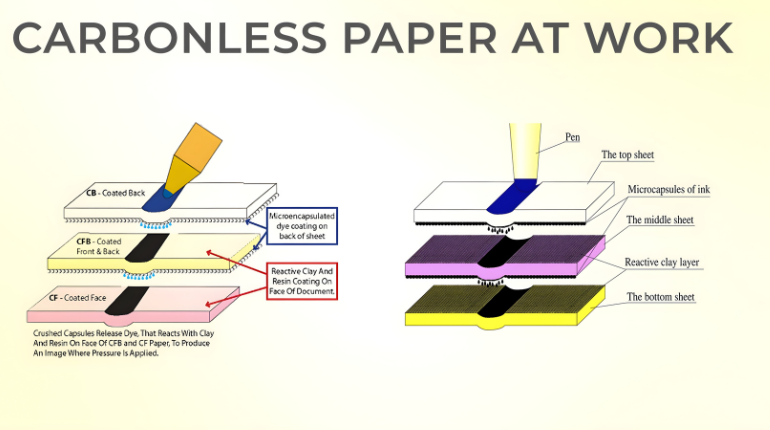
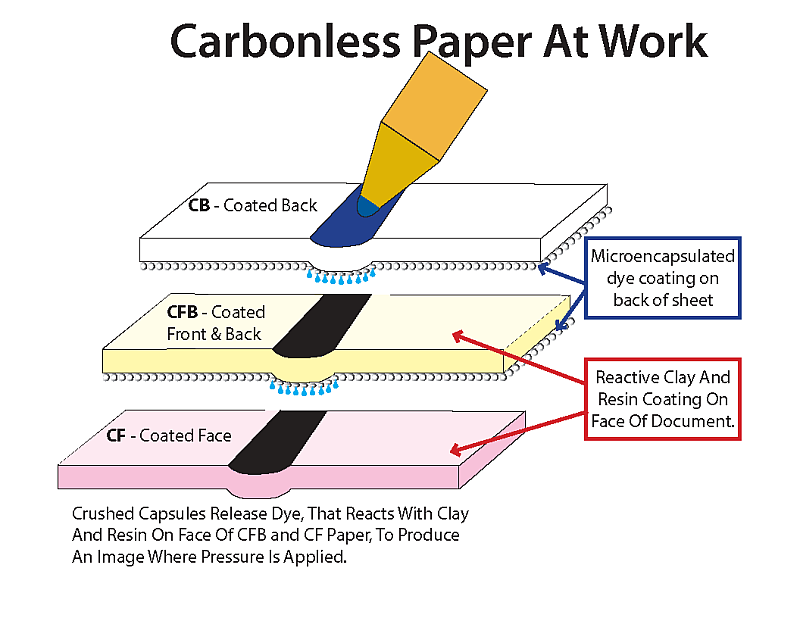
Here’s the thing: your inkjet printer is a delicate artist, not a bodybuilder. It gently sprays microscopic droplets of ink onto the page, like a barista carefully pouring latte art. Carbonless paper, on the other hand, is built for impact—it uses tiny capsules of dye that burst under pressure to transfer the image to the sheet below. When you ask your inkjet to print on that stuff, you’re basically asking a ballerina to do a slam dunk. The result? Smudges, smears, and a printer that looks at you like you’ve betrayed its trust.
The Great Paper Identity Crisis
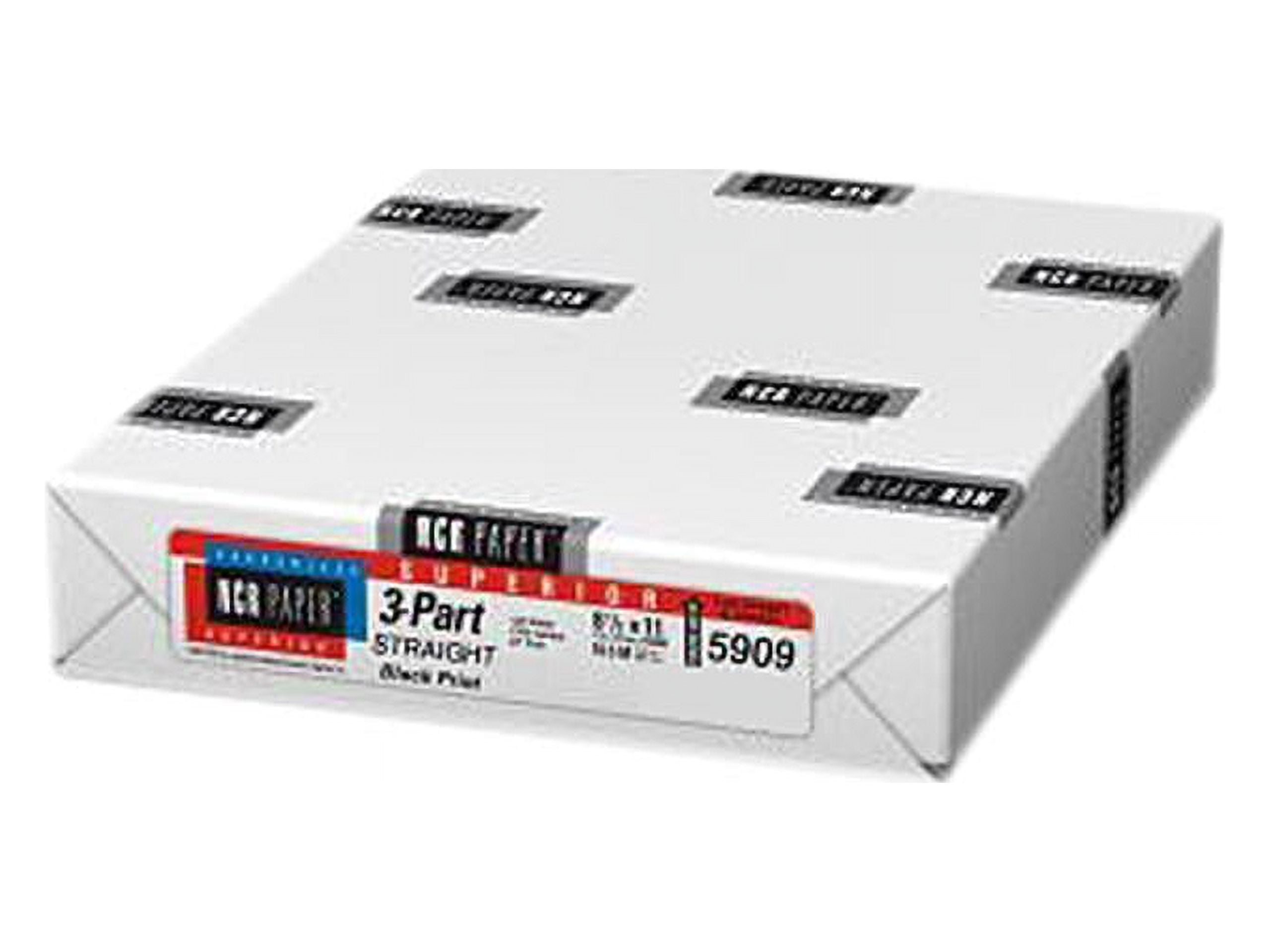
Technically, there is carbonless paper made for inkjets, but it’s not the same flimsy stuff from the office supply aisle. The regular variety has a coating that reacts to pressure, not to liquid ink. So when your inkjet lays down a wet line, that coating acts like a water-repellent raincoat—the ink just beads up and refuses to dry. You end up with a document that looks like it survived a water balloon fight, and your fingers end up with rainbow smudges that make you look like you’ve been finger-painting.
Must Read
I once tried to print a two-part invoice on standard carbonless paper because I was out of regular stock. The top copy came out perfect, but the second sheet? Completely blank, like a mime who forgot to show up. The pressure from the inkjet’s rollers isn’t enough to activate the dye capsules—that takes a hard strike, like a pen or a dot-matrix printer’s hammer. My inkjet just gently caressed the paper, and the bottom copy stayed as pristine as a fresh snowbank.
Why You Should Care (And Why You Might Not)
If you’re a small business owner who still loves triplicate forms for receipts or delivery orders, you’ve probably felt this pain. You buy the “carbonless multipurpose” paper from the big box store, see “For Copiers and Laser Printers” on the box, and think, “Eh, close enough.” Then you feed it into your inkjet, and the printer starts making a noise like it’s chewing gravel, because that coating is slightly tacky and the rollers hate it. It’s a recipe for a paper jam that takes twenty minutes and a pair of tweezers to fix.

But here’s the kicker: there is a special breed of carbonless paper labeled “Inkjet-Compatible,” and it’s a game-changer. It has a micro-porous coating that absorbs liquid ink quickly, so the top sheet dries fast and crisp. The catch? The bottom sheets still won’t transfer without pressure. You can’t print all three copies at once in an inkjet—that’s the dirty secret. The printer only prints the top sheet, and then you have to use a pen or a stylus to press the info through, which defeats the whole “I’m saving time” fantasy.
I remember a friend who ran a food truck and bought a fancy inkjet for his receipt system. He proudly showed me his new carbonless paper, and I had to break the news: he’d have to print the top copy, then manually trace over it with a pen to get the customer’s copy. He looked at me like I’d just told him his fryer runs on diesel fuel. His solution? He switched to a thermal printer and never looked back. And honestly, that’s the pragmatic path—if you need true carbonless copies, an inkjet is like using a hammer to drive a screw. It gets the job done, but badly, and you’ll break something.
The Lighter Side of a Sticky Situation
So, should you completely swear off carbonless paper for your inkjet? Not necessarily—just know the rules of engagement. Use the specifically coated inkjet version, and only for single-copy jobs where you’ll write the duplicate by hand later. That way, you get the crisp top print, and you keep your sanity. Or, better yet, just use normal paper and make a photocopy—the old-fashioned way is sometimes the least frustrating.
At the end of the day, printers are like toddlers: they have moods, preferences, and they throw tantrums when you feed them the wrong thing. Carbonless paper for inkjets is a bit like buying vegan cheese for a cheeseburger—it technically exists, but it’s not really the same experience. If you absolutely must have carbonless copies, do yourself a favor and invest in a cheap laser printer or a dot-matrix relic from 1995. Your inkjet will thank you with a quiet, smudge-free life, and your fingers will stay clean enough to eat a sandwich right after printing. Now that’s a win.