Can I Make Phone Calls Using Wifi

Okay, let’s talk about something that sounds like tech magic but is actually just… well, tech. Can you make phone calls using Wi-Fi? Yes, absolutely. But hold on, let’s pour ourselves a mental coffee and dig into the nitty-gritty, because it’s cooler and weirder than you think.
The Big Reveal: It’s Called Wi-Fi Calling
So, your phone has a secret superpower that most people never even bother to unlock. It’s called Wi-Fi Calling, and it’s exactly what it sounds like. Instead of using the cell tower that’s three miles away and hates you specifically, your phone hops onto your home internet.
That’s it. That’s the whole trick. Your voice gets turned into little data packets—like tiny, chatty parrots—and they fly over your broadband to the person you’re calling. No cell bars required.
Must Read
Why Would You Even Bother?
Let me paint a picture. You’re in your basement, the laundry room, or maybe a concrete bunker you call an office. Your phone says “No Service” like it’s a personal insult. But wait—your Wi-Fi is blazing fast. That’s where the magic kicks in.
You can make a call with crystal clear audio while standing exactly where cell signals go to die. It’s a lifesaver for people in rural areas or in big cities with weird building materials. You know, the places where you have to do the “window dance” just to send a text?
Plus, if you’re traveling abroad, Wi-Fi calling is your wallet’s best friend. You can call home from a hotel in Paris without triggering a $5-per-minute roaming charge. That is a beautiful thing.

So, How Do You Turn This On?
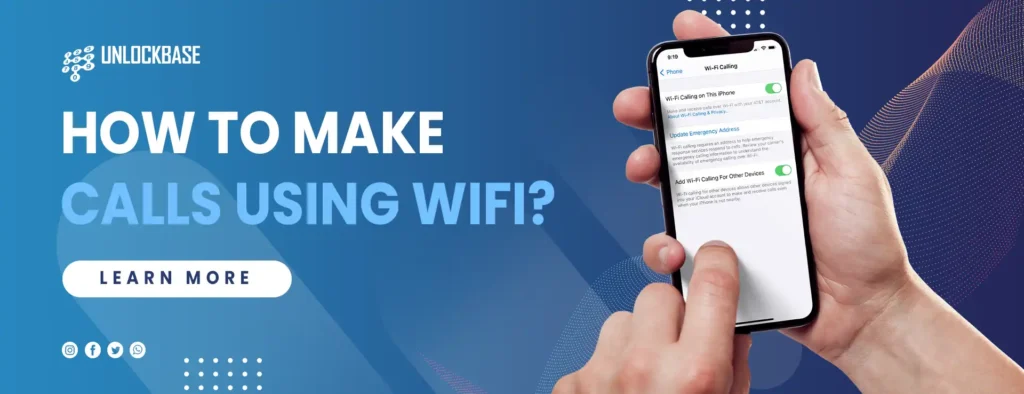
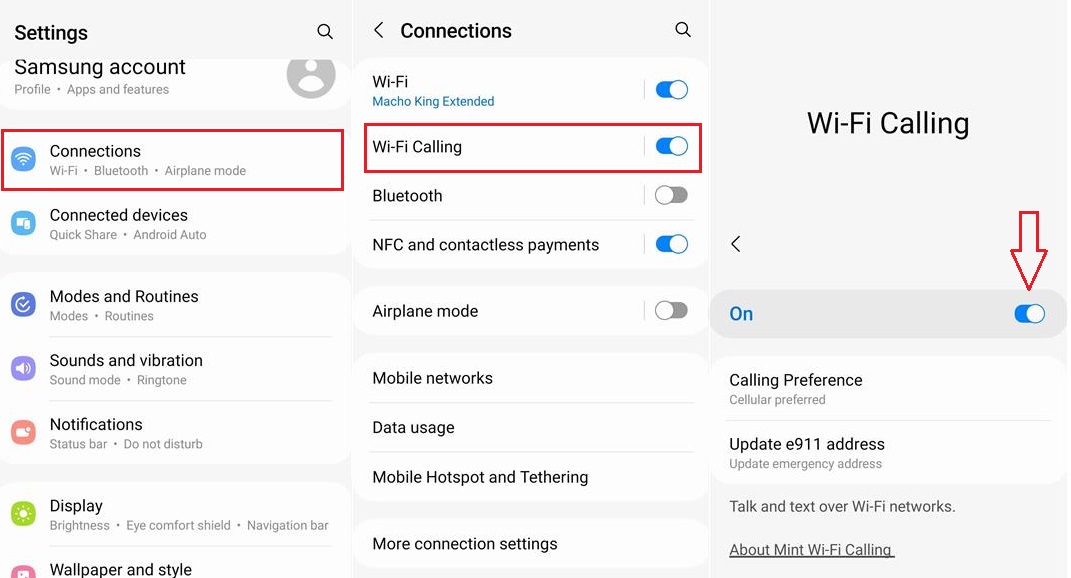
Okay, don’t panic. It’s buried in your settings, but it’s not that hard to find. On an iPhone, you go to Settings → Phone → Wi-Fi Calling. On Android, it’s usually under Settings → Connections or Network & Internet. Just search “Wi-Fi calling” in your settings bar and it’ll pop right up.
Toggle that little switch to ON. That’s it. Seriously, you’re done. Your phone will now try to use Wi-Fi whenever your cell signal is a little sad.
You might have to enter your emergency address the first time you turn it on. That’s just so 911 can find you if you’re ever in a pickle. Don’t skip it—it’s for safety, not for creepy marketing.
But Wait, Does It Sound Good?
Honestly? Sometimes it sounds better than a regular call. Because it’s using your internet, you get HD voice, which basically means you can hear the other person breathing. Okay, that sounds creepy, but you get the point—it’s crisp.
The flip side? If your Wi-Fi is terrible—like, your roommate is streaming 4K Netflix while you’re trying to talk—your call might sound like you’re underwater. Or worse, it might drop. Slow internet equals sad, broken phone conversations. It’s like trying to sing a duet through a walkie-talkie.
But here’s the kicker: your phone is smart. It’ll automatically switch back to the cellular network if your Wi-Fi flakes out. Most of the time you won’t even notice. That’s tech doing its thing, and we should all be grateful.

The “Umm, Is This Like Skype?” Question
No, no, no. I see the look on your face. You’re thinking, “Can’t I just use WhatsApp or FaceTime?” Sure, you could. But Wi-Fi Calling is different because it uses your actual phone number. You don’t need the other person to have a specific app. You just call them like normal, and their phone rings.
It’s seamless. There’s no “let me open this app and hope the person is online” nonsense. It’s just dial and talk. That’s the secret sauce—it feels like a regular call because it is a regular call, just over a different highway.
Are There Any Hidden Traps?
Of course there are. Nothing in life is free, my friend. First, your carrier has to support it. Most big carriers (like Verizon, T-Mobile, AT&T) do, but you might want to check your plan. Some budget carriers treat it like a premium feature, which is just plain rude.

Also, Wi-Fi calling still counts against your plan’s minutes if you’re calling a number that isn’t on your unlimited plan. Sorry to be the bearer of bad news. And if you call a toll-free number or premium line, those charges can get weird. Check your carrier’s fine print before you go wild.
The Final Verdict
Can you make phone calls using Wi-Fi? Yes, and you absolutely should. It’s free, it’s clever, and it saves you from those “Can you hear me now?” moments in dead zones. Turn it on. Test it. You’ll feel like a secret agent with a fancy earpiece.
Just remember to blame your Wi-Fi when the call drops at the best part of a story. That’s the law. Now go forth, toggle that setting, and call your mom. She’ll be impressed you’re so tech-savvy. Or she’ll think you’re hacking her. Either way, it’s a win.