Business Analyst Linkedin Profile
Okay, let’s be real for a second. Your LinkedIn profile is basically your professional Tinder profile, but instead of swiping for dates, recruiters are swiping for someone who can actually explain a process flow without putting them to sleep. And if you’re a Business Analyst, your profile is your one shot to show the world that you’re not just a human JIRA ticket machine. You’re the magical bridge between “what the client thinks they want” and “what the developers are actually willing to build.”
So, how do you make your profile pop without sounding like a robot that ate a dictionary? Easy. You treat it like a good requirements document—clear, concise, and painfully honest (but with a sprinkle of personality). Let’s dive into the fun stuff, shall we?
The Headline: Your Digital Billboard
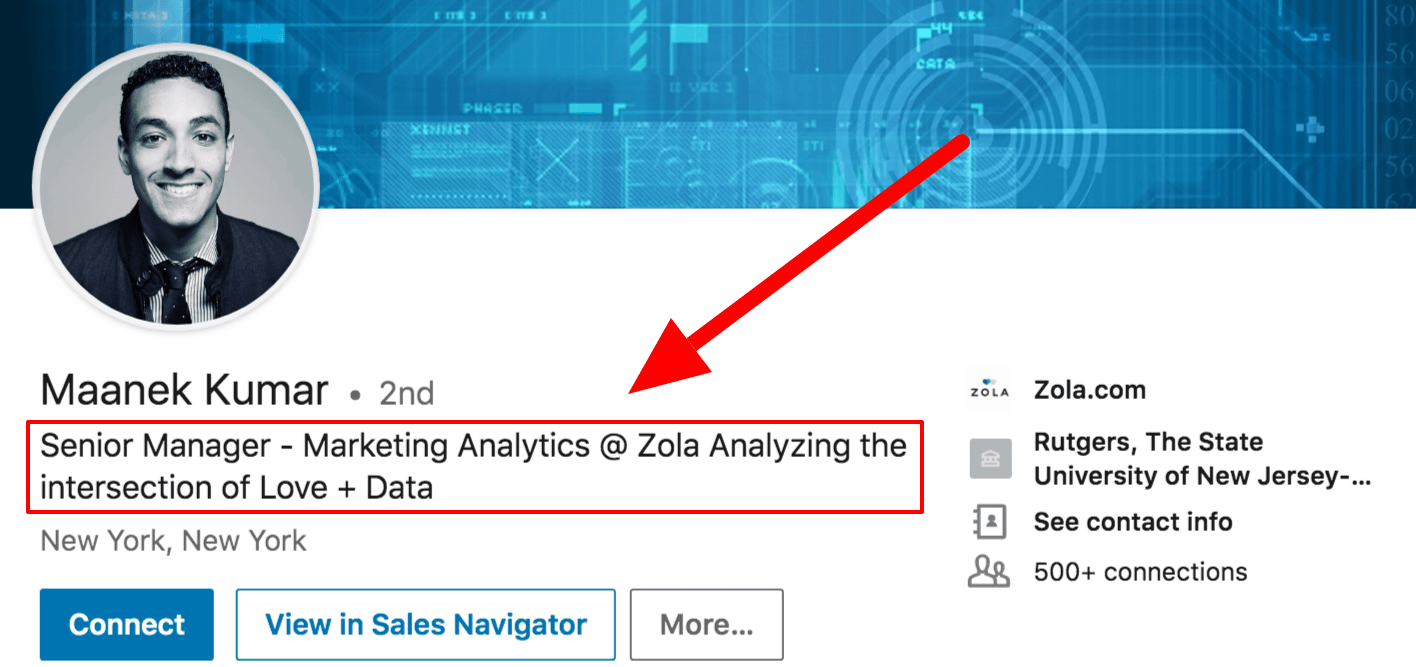
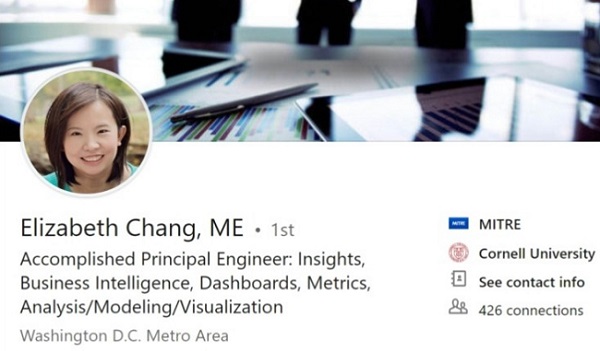
Your headline is the first thing people see, and if it just says “Business Analyst at Generic Corp,” you’ve already lost the game. That’s like showing up to a costume party in a plain t-shirt. Use this space to show your superpowers.
Must Read
Try something like: “Business Analyst | Requirements Whisperer | Turning Chaos into Clarity ☕”. Or my personal favorite: “Professional Translator (Business → Tech) | Agile Enthusiast | Occasionally Funny.”Your headline is prime real estate, so put your value prop there, not your job title—everyone knows what a BA does (or thinks they do).
The About Section: Your Origin Story
This is where most people write a wall of text that reads like a legal disclaimer. Don’t do that. You have 2,600 characters to charm someone, so use them like you’re telling a story at a dinner party. Start with a hook, not “I am a results-driven professional.”
Try this vibe: “I’m the person who asks ‘why’ five times in a row until the stakeholders cry—but then I buy them coffee and we figure it out together.” See what I did there? It’s honest, a little funny, and shows you’re not afraid of conflict. Then, follow up with a short list of your key skills (process mapping, stakeholder management, SQL, data analysis) but phrase them like you’re recommending a good sandwich to a friend.

Pro tip: Add a small “My superpower is…” line. For example, “My superpower is making boring spreadsheets feel like an adventure.” Recruiters love that quirky stuff—it makes you memorable.
Experience Section: Show, Don’t Just List
Nobody cares that you “facilitated meetings.” That’s like saying you “breathed air.” Instead, show the impact of your work. Use bullet points that start with action verbs and end with a quantified result.
Swap “Gathered requirements for CRM project” for “Herded 20+ stakeholders to define 30 critical requirements, cutting project scope creep by 25% and saving the team from a total meltdown.” See? That’s juicy. Add a little humor where you can: “Managed the ‘great report naming convention debate’ of 2023 – peace restored, tears wiped.” Just make sure it’s true, folks.

Skills & Recommendations: The Glitter and Gold
List your top 3 skills at the top (like SQL, User Stories, and Visio—yes, Visio is still a thing). Then, go ask your old colleagues for recommendations. Recommendations are like virtual hugs. They make you feel warm and fuzzy, and they prove you’re not a nightmare to work with.
And for the love of all that is agile, get your skills endorsed. It’s not a popularity contest—it’s an algorithm’s dream. But don’t be that person who endorses someone for “Microsoft Word.” We’re better than that.
Featured Section: Your Highlight Reel
Use the “Featured” section to pin your best work. Got a killer dashboard you built? A process flow that saved the company a million bucks? A blog post about “Why Gantt Charts Are Overrated but We Still Use Them”? Pin it. This is your chance to be a show-off, and honestly, you deserve it.

If you don’t have any artefacts, that’s okay. Pin a link to a GIF of a sad cat with the caption “Me trying to explain technical debt to a non-tech stakeholder.” Instant relatability points.
The “About” Buzzwords: Use Them Wisely
Words like “synergy,” “dynamic,” and “think outside the box” are the fast food of LinkedIn—they fill space but leave you feeling empty. Instead, use phrases like “problem solver,” “detail-obsessed,” and “bridge builder.” They’re specific, and they paint a picture. Bonus points if you say “I use data to tell compelling stories” instead of “I analyze data.”
Final Tweaks: The Cherry on Top
Set a cheerful profile photo (no, not your passport headshot—something that shows you own a personality). and make sure your background photo isn’t a default gradient. A picture of a whiteboard with messy arrows? Perfect. A screenshot of your coffee cup with a sticky note saying “Ship it”? Even better.

Also, update your location, contact info, and add your current projects. You’d be surprised how many BAs forget to tell recruiters which industry they love (healthcare, fintech, or the “I keep the lights on” industry).
So here’s the deal: Your LinkedIn profile isn’t a resume dump. It’s a friendly, smart, and slightly witty introduction to a human who happens to love process maps and user stories. Make it reflect your unique BA flavor—whether that’s a love for data, a passion for user research, or a gift for turning angry emails into productive workshops.
And remember, you’re not just a “Business Analyst.” You’re the person who makes sense of the nonsense. You’re the one who takes the messy, noisy, chaotic business world and hands the dev team something they can actually build. That’s no small feat, so let your profile brag about it—tastefully, of course.
Now go forth, tweak that headline, and make LinkedIn a slightly better place—one well-written user story at a time. You got this. 😉
![17 Best LinkedIn Summary & Bio Examples [+ How to Write Your Own]](https://blog.hubspot.com/hs-fs/hubfs/Allison Zia.jpg?width=3775&name=Allison Zia.jpg)