Adobe Character Animator Vs Animate
Okay, let’s be real for a second. You’ve got a great idea for an animated short, a quirky YouTube intro, or maybe just a talking llama for your group chat, and you’re staring down two Adobe apps with very similar names: Character Animator and Animate. It’s like choosing between a chocolate chip cookie and a snickerdoodle—both are awesome, but they’ll give you very different sugar highs.
So, grab a coffee (or a juice box, no judgment), and let’s untangle this mess together. I promise we’ll have fun, and you’ll walk away knowing exactly which tool to open first. No tech jargon, just the good stuff.
The Cool Cousin: Character Animator
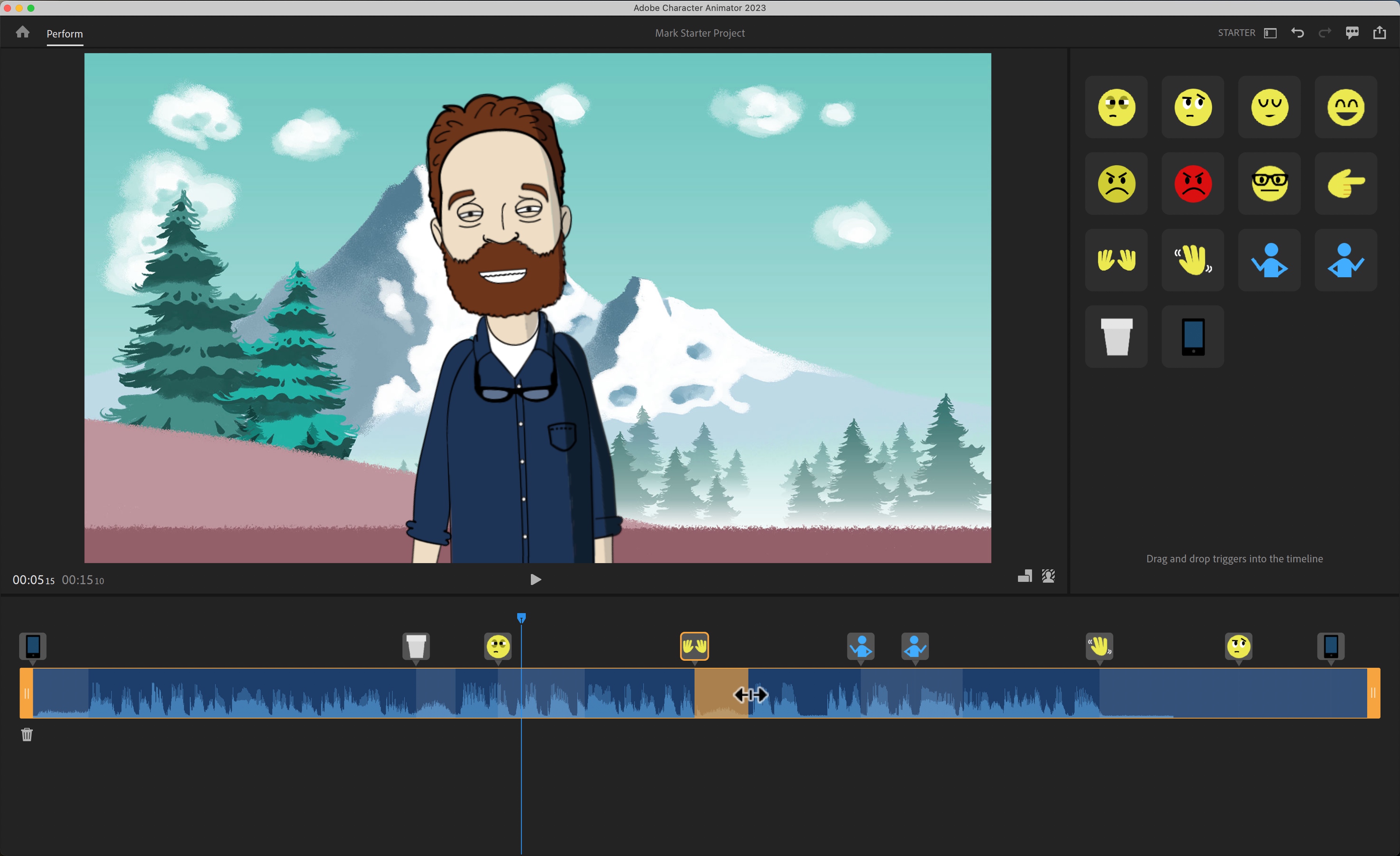
Think of Adobe Character Animator as the puppet master of the animation world. You don’t draw every single frame; you just perform. It uses your webcam and microphone to capture your facial expressions and voice, then magically maps them onto a character you’ve built. It’s like getting a live-action Muppet show, but you’re the star and the artist at the same time.
Must Read
This app is a total blast if you want immediate, silly, and insanely fast results. You can blink, raise your eyebrows, and wave your hands, and your character does it all in real-time. It’s the perfect tool for live streaming, Twitch, or making goofy reaction videos without having to redraw anything.
Here’s the kicker: if you’re not a great artist, don’t panic! Character Animator lets you rig up a simple puppet, and the software handles the heavy lifting of movement. You’ll look like a genius when your character subtly shifts its weight as you talk, and honestly, it feels a little bit like magic the first time you see it happen.
Why you’ll love it
It’s the laziest, most fun way to animate, and I mean that as the highest compliment. You’re not sweating over keyframes; you’re just being a goofball in front of your computer, which is basically a workout for your soul. Plus, when you screw up, you can just start over without rebuilding anything.

The learning curve is so much gentler than traditional animation. You can literally have a character talking and moving within fifteen minutes of opening the app. For anyone who’s ever wanted to voice a cartoon but felt intimidated by the drawing part, this is your golden ticket.
The Old Pro: Animate
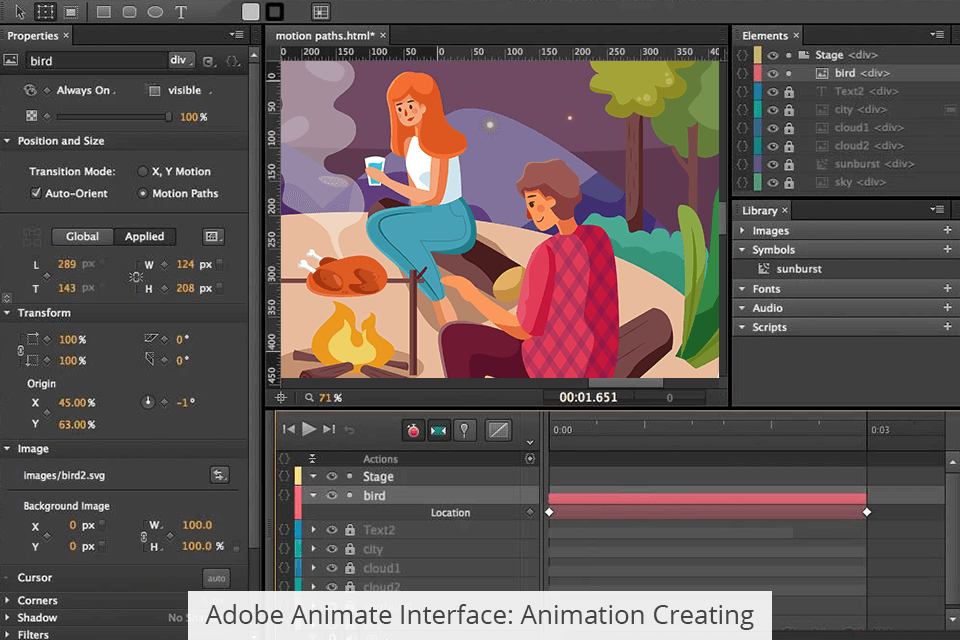
Now, let’s talk about Animate, the veteran of the duo. This is the classic 2D animation powerhouse that’s been making cartoons for decades. It’s all about frame-by-frame drawing, tweens, and precise control. Remember those Saturday morning cartoons? Yeah, this is the tool that makes those happen, and it’s still a beast.
Animate is your best friend if you want to create custom, polished stories with real narrative flair. You can design every background, every prop, and every character from scratch, and you have complete control over their movement on the timeline. It’s less about “performing” and more about sculpting movement with your mouse or stylus.
The bad news? It takes patience and practice. You’re not going to produce a masterpiece in an afternoon. You’ll be wrestling with the timeline, fighting with easing curves, and probably muttering some creative phrases under your breath. But the payoff is huge: you get a unique, handcrafted look that no shortcut can replicate.
Why you’ll love it
Animate is for the control freak in all of us who wants every bounce, flick, and gesture to be exactly perfect. It’s incredibly powerful for making explainer videos, animated logos, and even full-length cartoons with complex scenes. You can also export to HTML5, so your animations will run anywhere, from your phone to a browser on a smart toaster.
Once you get the hang of its tools—like the bone rigging and the brush engine—you’ll feel like you’re wielding a digital paintbrush. It’s a proper skill, and when you nail that one smooth walk cycle, you’ll feel a burst of pride you just can’t get from a template. Plus, it’s secretly great for making interactive content for websites, so you’re not just an animator; you’re a digital wizard.

So, Which One Is It?
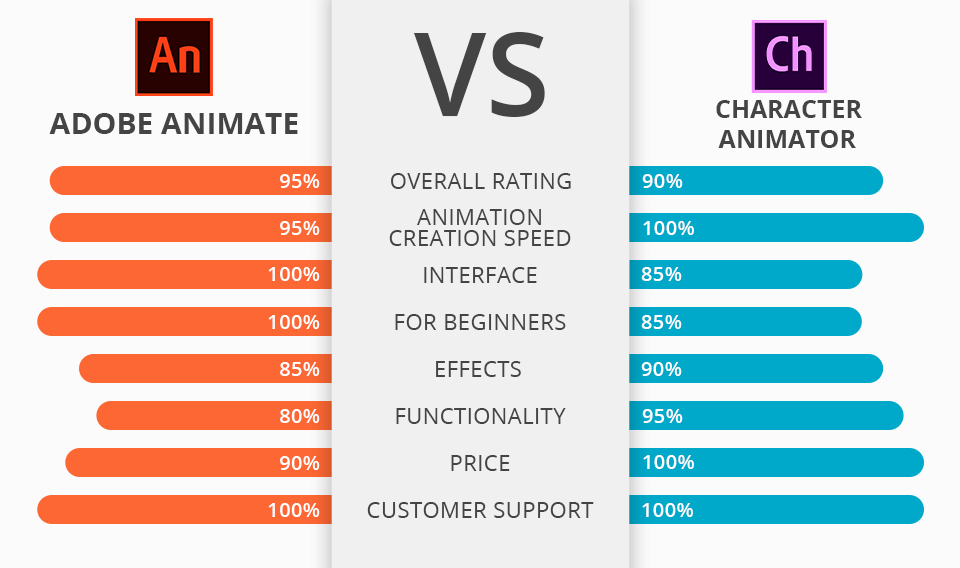
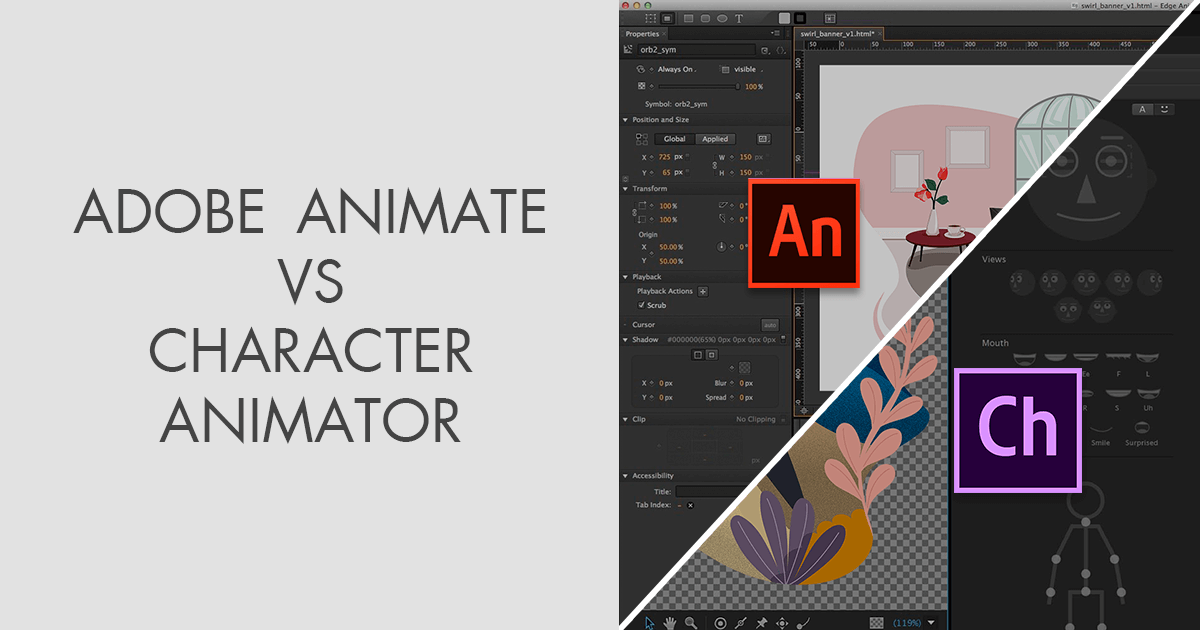
Here’s the friendly golden rule: if you want to perform and improvise, pick Character Animator. If you want to direct and design, pick Animate. It’s like choosing between being an actor on stage versus being a screenwriter in a quiet room—both are creative, but they speak to different parts of your brain.
But wait, here’s the pro secret: you don’t have to pick just one! They work together beautifully. You can design a character in Animate, bring it into Character Animator to get some wild real-time performances, and then export it back for final polish. It’s like making a sandwich with two different spreads—weird, but deliciously effective.
If you’re a total beginner, start with Character Animator for the instant high. You’ll build confidence and learn about timing and expression without feeling overwhelmed. Then, when you’re thirsty for more control, dip your toes into Animate. The journey is half the fun, and there’s no wrong way to start.
Your Creative Future Is Bright
Look, the most important thing is that you’re making something. Whether you’re puppeteering a goofy raccoon or meticulously drawing a majestic dragon, you’re creating worlds, and that’s absolutely awesome. Don’t let the fear of picking the “wrong” software freeze you up.
Try one, try the other, and then try them together. Every expert was once a beginner who just opened the app and clicked around. And even if your first animation looks like a potato with legs, remember that potato is a legendary character in the making.
So go ahead, hit that new project button with a big grin on your face. You’ll stumble, you’ll laugh, and you’ll probably make something weird and wonderful. And honestly, the internet needs more weird and wonderful right now. I believe in you, and more importantly, your future animated self is already high-fiving you. Now go make some magic!