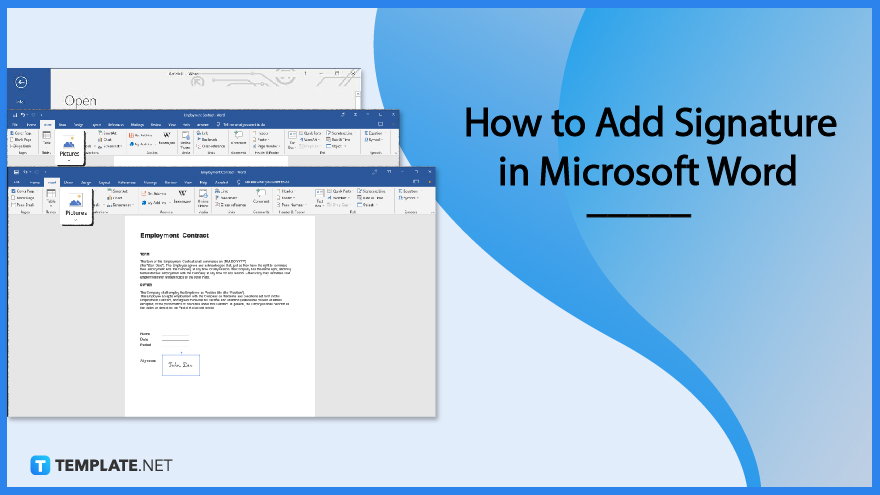
Add A Signature In Microsoft Word

Let’s Talk About the Dreaded Signature
You know that moment. You finish a huge report, feel like a hero, and then Word asks for a signature. Suddenly, you’re staring at a blank line like it’s a pop quiz.
And let’s be honest—typing your name in a fancy font feels like a lie. It’s not a real signature. It’s just your name wearing a costume.
But here’s my unpopular opinion: digital signatures in Word are actually kind of fun—once you stop panicking.
Must Read
The Easy Way (No Pen Needed)
First, place your cursor where the signature should go. Then click Insert and look for Signature Line—it’s hiding in the Text group.
Word will pop up a tiny box asking for your name, title, and email. Fill it in or leave it blank; nobody checks that stuff anyway.
Click OK, and boom—a neat little X appears. That’s your official “sign here” spot, like a parking space for your autograph.
Now, the Magic Trick
Double-click that signature line. Word opens a new window asking you to Type, Select an Image, or Draw your signature.
If you choose Type, just pick a script font like Brush Script and type your name. Instant fancy—and zero tremors.
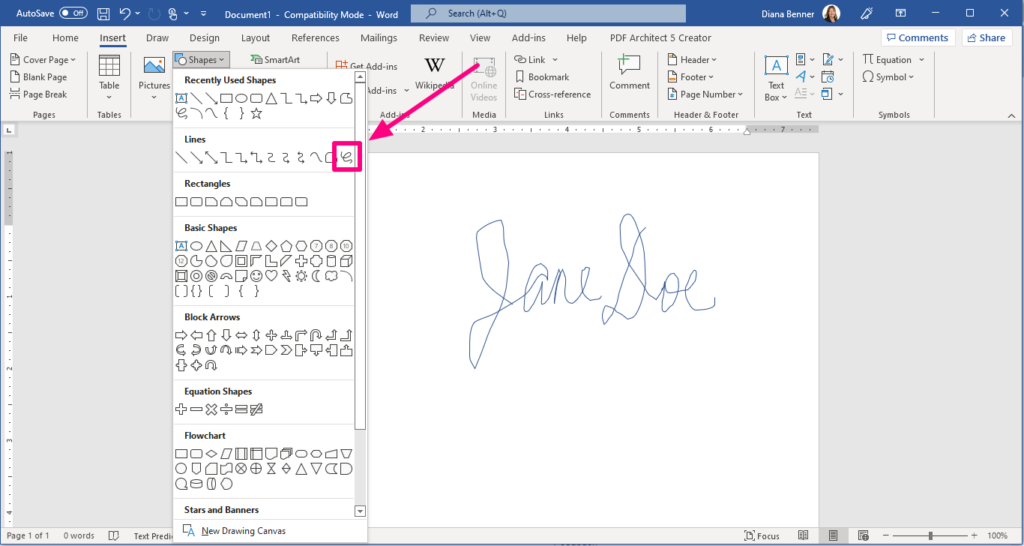
If you’re feeling brave, use Draw. You’ll need a touchscreen or a mouse with steady hands. I have neither, so my signature looks like a spider fell asleep on the trackpad.
For the Cynics: The Image Trick
Here’s the pro move. Sign a scrap of paper with a black pen, take a photo, and crop it like a lunatic. Then insert that image into your Word doc.
Now you have a real signature—but in a file. It’s like cloning your hand, but without the creepy lab.
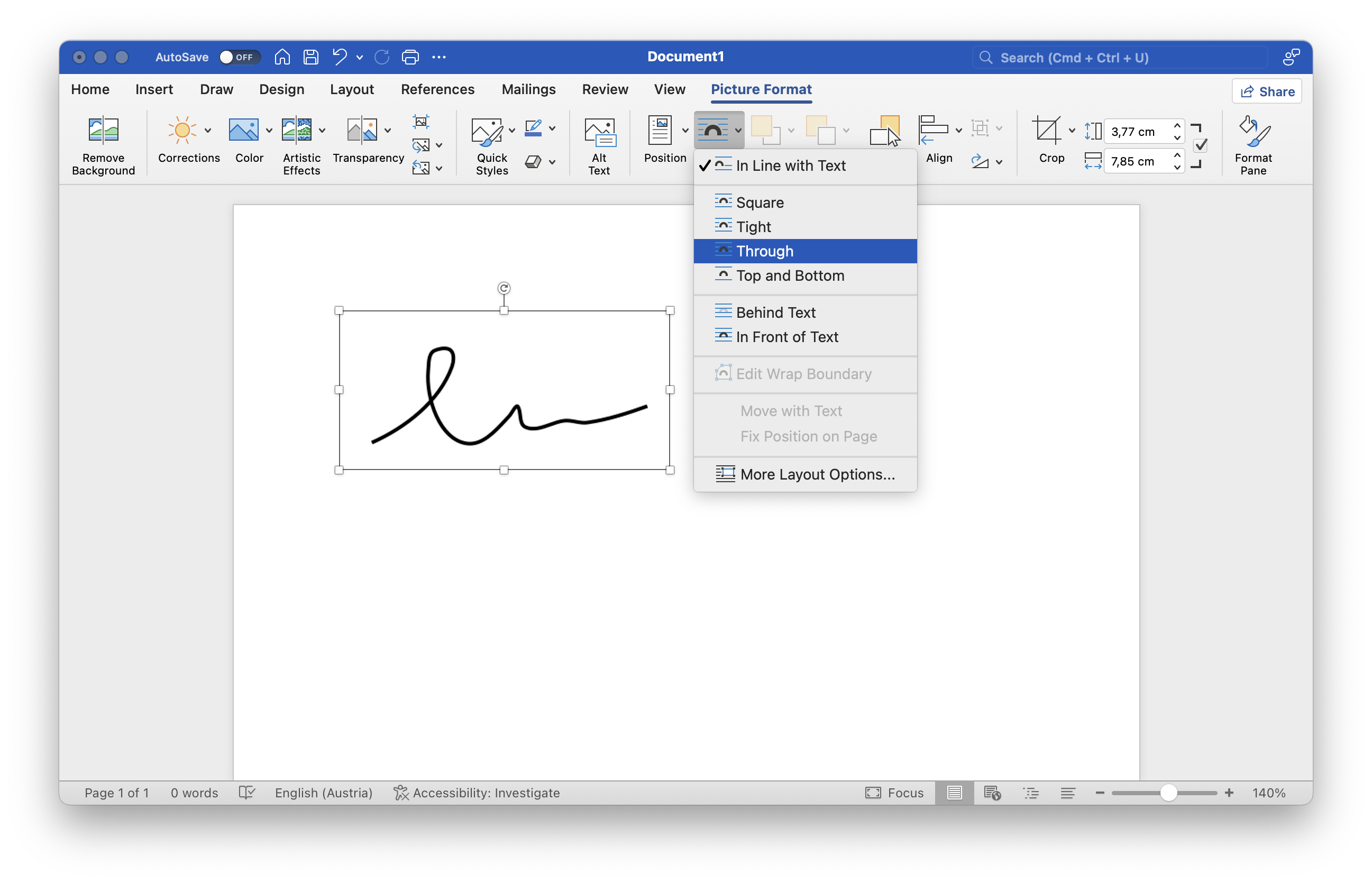
Just make sure the background is white, or you’ll get a big gray rectangle over your text. Ask me how I know.
Let’s Not Forget the “Ink” Button
If you’re on a tablet, look for the Draw tab at the top. Yes, it’s been there the whole time, hiding like a shy cat.
Pick a pen, scribble your name, and Word stores it as a signature for future documents. It’s like having a stamp that says “I approve, maybe.”
The best part? You can re-use it forever. So your shaky, half-asleep Monday scrawl becomes your official corporate identity.
The Unpopular Truth
Here’s the thing most people won’t admit: typing your name with a fancy font is faster and 100% acceptable for 90% of documents.
The other 10%? That’s when you break out the drawing pad or the photo trick. But let’s not pretend a squiggly line proves you read the fine print.
I’ve signed contracts with a quick Wingdings “smiley face” once. I still got paid. True story.
Don’t Overthink It
Adding a signature in Microsoft Word is like making toast—you just press a few buttons and something slightly brown appears. No drama.
If you mess up, hit Undo (Ctrl+Z) and try again. Word forgives, unlike your Aunt Carol when you forget her birthday.
So next time that signature line taunts you, remember: it’s just a line. You’re the boss. You can even sign as “Batman” if the office is chill enough.
Final Words of Wisdom
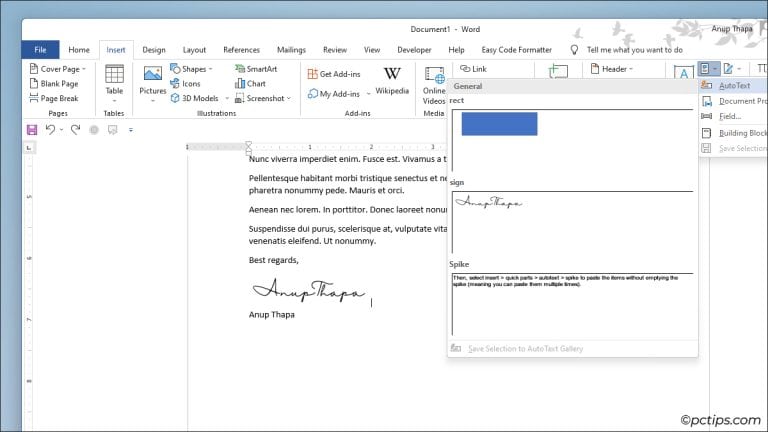
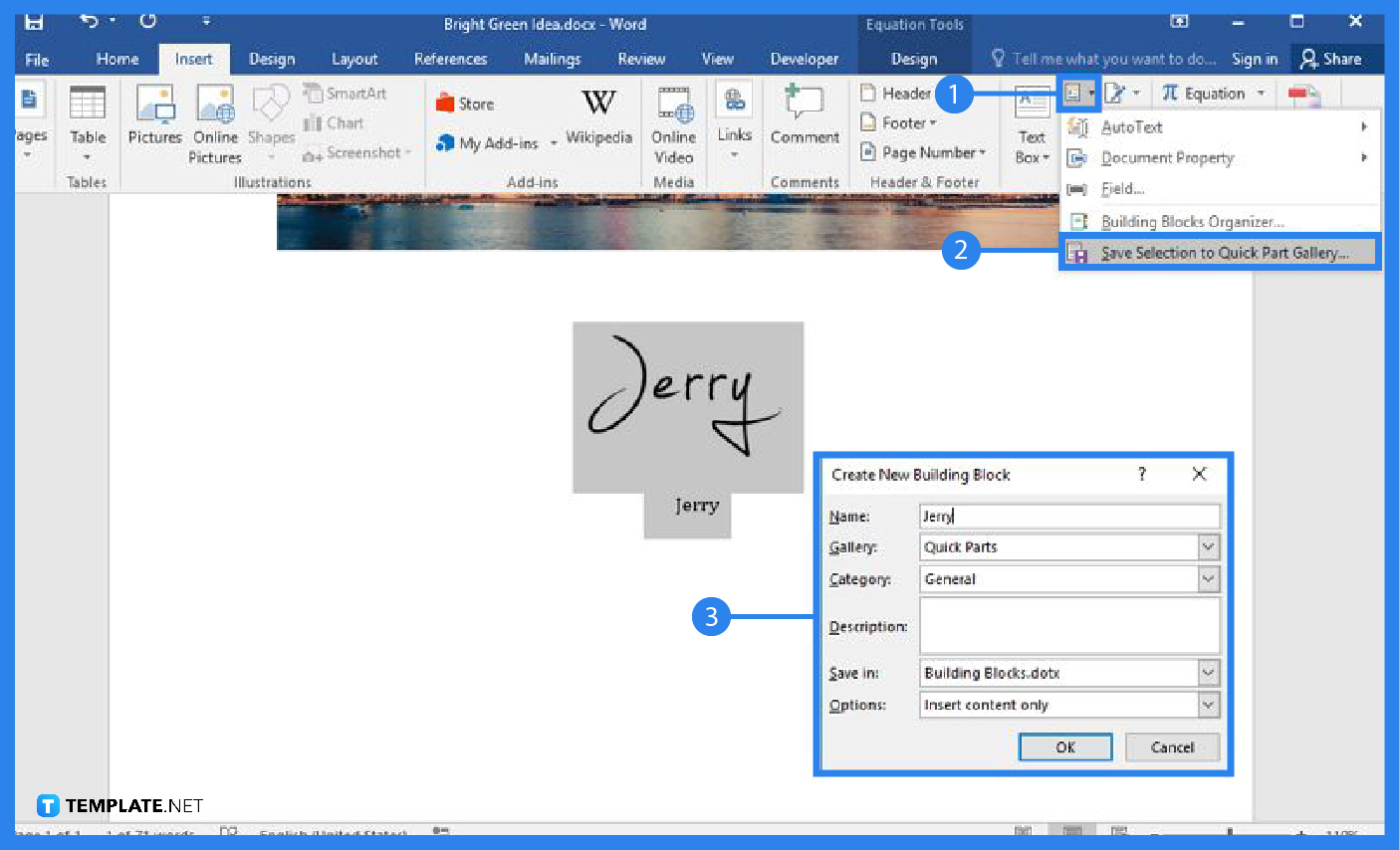
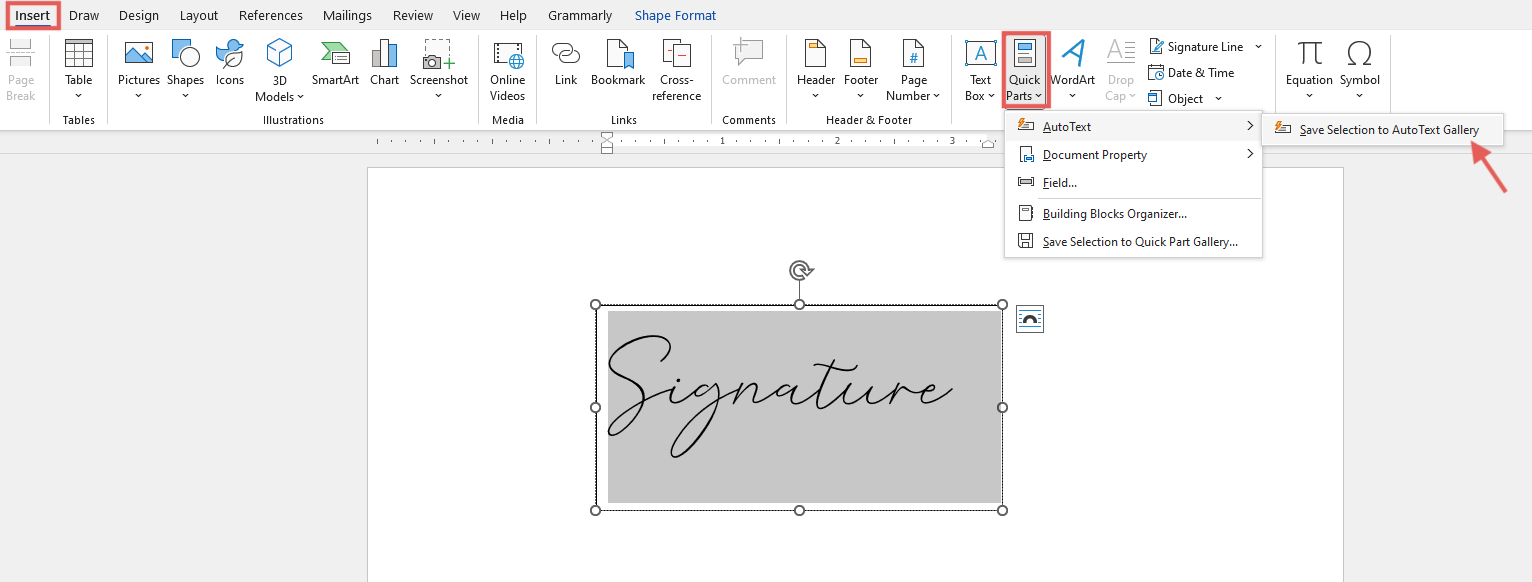
Save your signature once in Word’s Quick Parts menu, and you’ll never hunt for it again. It’s like a bookmark for your ego.
And if all else fails, print the document, sign it with a marker, and scan it back in. That’s called “being old school,” which is just code for “I gave up.”
Whatever you choose, just remember: the signature is the least important part. The content matters. Unless you’re signing a birthday card—then it’s everything.
Now go forth and sign with confidence. Or with a potato. I don’t judge.